Interested in an Ikonoskop A-Cam DII

I too was leaning towards the Kinotehnik at one time, first for my F3 kit, then I did consider one for the A-Cam. But after trying the Ikonoskop's eyepiece there was no reason for me to get an EVF for that camera. I didn't buy an EVF for the F3 for the reasons cited in my previous post on this, bulk, awkwardness and yet more power and cabling mess.
 
I use a Cineroid Retina EVF with my A-Cam, I find it helpful since I'm shooting documentary with my camera and my Zeiss 11-110 lives on it. I have the camera configured my ENG style with the viewfinder almost mid lens. The reason I chose the Cineroid is because you can remove the eyepiece and just have a tiny monitor with a hood. The built in waveform is very helpful and what I use for judging exposure most of the time. However the true beauty of this camera is with a compact prime and no rig and once you get used to the built in viewfinder nailing focus isn't that hard.
 
Nice....Interesting music track, and I really like the grading.
Got to love the DII's look.

Sadly my new DII is out of action right now due to sensor dirt plus a problematic memory card!
Hopefully it'll be sorted soon.
Still love the camera though.
 
sorry to hear about the sensor dirt, I got a speck of dust on the sensor and it was fairly easy to remove the cover and blow away the particle. requires some steady hands and a clean environment but only took about 15mins.
 
Nice....Interesting music track, and I really like the grading.
Got to love the DII's look.

Sadly my new DII is out of action right now due to sensor dirt plus a problematic memory card!
Hopefully it'll be sorted soon.
Still love the camera though.

That's the problem now - where are you going to get a new memory card or replacement camera parts if Ikonoskop goes under?
 
That is a problem but the word is very soon, can't say much more than that.

Yes, I know of moves too but can't say anything either, however I do have hopes that a very interesting solution will pan out for present and future A-Cam DII camera owners.

My camera is on it's way to be cleaned now, I decided not to mess with it myself because the old medieval house I have here is it's own "dust factory"! I'd only make things worse by trying to blow sensor dust away and more would just land and find a home there or go inside the camera shell only to reappear later I'm sure. It needed "professional" clean room attention.

I've just found and bought another card but I still need more DII memory. Overall though I'm optimistic that the A-Cam DII will come back better than ever, it's just too good a camera to disappear.........If it does I will save pennies, euros and dollars and see if I can raise the funds to buy a B&W DII Panchomatic as well. I like this camera that much despite my initial rocky road of ownership!
 
Last edited:
Yes, this is very good news for those of us that do own an A-Cam DII, and good news too for those who wanted to get into the system as they will re-start new camera production in the near future.
I know the people involved in the "new" Ikonoskop and I am certain that the company is now on a much improved future course. I like too that they have stated right from the start that their first priority is to take care of the existing ownership, but I also know that they have solid plans to develop the platform further. It's a truly great camera and will only get better with the new guys who are now onboard.
 
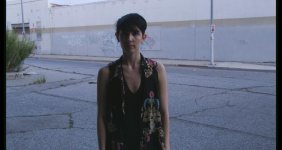
Grade of the above posted image in Capture 1.

10326971344_94c457e977_o.jpg
 
Hi Razz16mm,
I'm interested in your choice of using Capture 1 for the grading. Can you grade full video ( Raw ), clips in this software?
Have you tried the Beta versions of Cliphouse yet?
I'm still floundering around to find a workflow for the DII's Raw output that I like.
I know many people use and like Resolve, but for me to use it I would have to upgrade a couple of my Macs, that makes that option an expensive one.
 
Give Capture 1 a try. It is a raw stills processor, but you can batch process and export clip frame sequences to JPEG frame sequences for video.
I tried it after getting a heads up on this blog post at Phaseone: http://blog.phaseone.com/work-magic-on-your-movies-in-capture-one-7/
For the best possible debayer quality it is head and shoulders above anything else I have tried. They offer a 60 day free trial that lets you try both the $99 express version and the $299 Pro version. Worth watching the tutorial videos to get started, but it is much easier and faster than Raw Therapee that I have been using. Great HDR highlight and shadow recovery tools.
You can grade the most critical frame of a scene then copy those settings to all other DNG clips for export.
The workflow I have been experimenting with is DNG clips> best quality 8-bit JPEGs> Lightworks NLE. In Lightworks I can drop the JPEG sequences directly to the timeline for editing or transcode on import to another video format. If there is any touch up grading needed Lightworks has very sophisticated node based grading tools built in much like Resolve.
Don't know yet how well this is going to sync with audio, but if the project time base and frame rate are set to match the original camera settings then it shouldn't be an issue. You have to import the sound file separately.
Lightworks beta for Mac is supposed to be released before the end of the year. Definite learning curve, but I am really liking it so far. Most of what I will do with the Digital Bolex when it is released is either simple doc work or short fine art gallery pieces, so a suitable raw processor and Lightworks are all I need.
I put in a feature request in the Capture 1 forum to add DPX export as an option. This would preserve cinema DNG specific metadata like frame rate and time code that JPEG doesn't support, but all of the major NLE's support JPEG frame sequence import anyway if we can work around any sound sync issues
 
a thoughtful and informative post Razz16mm, thanks.
I am tempted to try Capture 1, and/or wait for the Mac version of Lightworks.
We'll see, it all depends on whether or not I have the brain cels to learn yet another piece of software, and whether or not it will run ok on my existing equipment.
Film is so much easier, I don't care what anyone says to the contrary!
 
a thoughtful and informative post Razz16mm, thanks.
I am tempted to try Capture 1, and/or wait for the Mac version of Lightworks.
We'll see, it all depends on whether or not I have the brain cels to learn yet another piece of software, and whether or not it will run ok on my existing equipment.
Film is so much easier, I don't care what anyone says to the contrary!

I'm trying to get to as simple and film like a workflow as possible myself. Which is why I love raw. It reduces field shooting decisions to lighting control, composition, focus, and exposure. No worrying about whether it looks exactly right while trying to judge critical video quality issues on less than ideal monitors under less than ideal viewing conditions.

Currently I am running both programs on a five year old Toshiba Core2 laptop, recently updated to Win7 64 bit. If you are using FCP or Premiere Pro on your Macs, Capture 1 should work with that using JPEG sequences. The main bottleneck on my laptop is hard drive speed, but I am slowly building a new Haswell i7 editing station and don't need to upgrade the laptop yet.

Capture 1 is both easy and fast at the most basic level. Definitely worth watching the video tutorials to get a feel for it. For the above grade I only adjusted exposure, white balance, saturation, HDR highlight and shadow recovery, and clarity. Took all of about 30 seconds.

Lightworks was originally designed as a full DI process non-linear post application by and for feature film editors rather than for video editing. I've mostly used Premiere Elements in the past, but for some reason LW just clicked for me. I like the workflow and media management. Suitable raw processor and Lightworks are all I need. Transcode the raw footage once, edit, export to whatever delivery format from H.264 to DCI digital cinema filmout, done.
 
Last edited:
Back
Top