Hours of darkness - Gh13 (lowlight)

x_WOrPIG_x

Well-known member
Low light test. Couldn't really do a very good test since everyone was sleeping and I couldn't make much noise. But here you go. canon 50mm 1.8 and vivitar 28mm 2.8 95% of the shots were at 1250iso Slight color correction.

 
Honestly, the best thing I have seen so far with the GH1. Excellent !!! I am not talking about the hack only but about your lighting and framing... WOW !!!

Which setting ?
 
Honestly, the best thing I have seen so far with the GH1. Excellent !!! I am not talking about the hack only but about your lighting and framing... WOW !!!

Which setting ?

I'll list everything i can lol

50,52,60
sandisk 16g extreme 3
1080p 24pn
1/50 shutter
Adobe RGB color space
K 4800 white balance
iso 1250 (fridge shot was 800 and mask shot was 400 )

contrast -2
sharpness -2
saturation 0
noise reduction 0

1.8 50mm
2.8 28mm

I badly want the 20mm panny pancake lens. That will be my next purchase.
 
Fantastic. Best low-light stuff I've seen from the GH1. No banding (that I could see) and the noise was perfectly manageable. Any comments on shooting at ISO 1600?

Video or screencaps would -- of course -- be welcome and appreciated
 
001fggr.jpg


002cw.jpg


003is.jpg


004ztp.jpg


005sov.jpg


006xpy.jpg


007vm.jpg
 
Fantastic. Best low-light stuff I've seen from the GH1. No banding (that I could see) and the noise was perfectly manageable. Any comments on shooting at ISO 1600?

Video or screencaps would -- of course -- be welcome and appreciated

Screens up. At 1600 it's got pretty bad banding ( i've got one of the first manufactured GH1's ) I did the burn in process which help A LOT, it really works.

I'm moving for 2 months for a job, I'm hoping to get some really sweet footage where I am.
 
What is the burn in process?

I left mine on for 2 days, and it seemed to have worked.

This is Quoted from Svart:

" I received my GH1, the color banding was so bad that it was unusable. Within a day or so, the color banding had reduced to a usable level although I was not happy at all. Within a week the color banding was not noticeable in well-lit conditions. I then found the "burn-in" procedure which is simply to leave the camera ON for like a week in a dark environment(so you don't get CMOS image burn). I don't have any issues with color banding anymore. Honestly I don't know what causes it but it's certainly gone. Only the (black line) FPN remains when under exposed. I would rather deal with noise like the Canon cameras have than FPN that is streaky and easier to spot but I wouldn't give up the GH1's superior image quality otherwise so I just bought some extra lighting to take care of it."
 
I left mine on for 2 days, and it seemed to have worked.

This is Quoted from Svart:

" I received my GH1, the color banding was so bad that it was unusable. Within a day or so, the color banding had reduced to a usable level although I was not happy at all. Within a week the color banding was not noticeable in well-lit conditions. I then found the "burn-in" procedure which is simply to leave the camera ON for like a week in a dark environment(so you don't get CMOS image burn). I don't have any issues with color banding anymore. Honestly I don't know what causes it but it's certainly gone. Only the (black line) FPN remains when under exposed. I would rather deal with noise like the Canon cameras have than FPN that is streaky and easier to spot but I wouldn't give up the GH1's superior image quality otherwise so I just bought some extra lighting to take care of it."

First- Bitchen shots....

Second- Burn in process, never heard of that. It really worked. So you just turned on your camera with the cap on it and left on for two days. What was your ISO? That's so weird... Wonder why. Hmm, could there be a strange coating on the glass surface of the CMOS.

Pappas
 
First- Bitchen shots....

Second- Burn in process, never heard of that. It really worked. So you just turned on your camera with the cap on it and left on for two days. What was your ISO? That's so weird... Wonder why. Hmm, could there be a strange coating on the glass surface of the CMOS.

Pappas

Thanks! And yes apparently, there is some type of "film" (correct me if I'm wrong ) on the sensor that "burns" off after extended use of the camera. People notice is goes away after a while of using the camera at high ISO. This was an issue with the sensors that were manufactured in China and then later changed plants.

When I first got my camera 1600 iso was out of the question, even until before I did the burn in ( about a month ago ) but now its super usable at high ISO's.

Turned my camera on plugged in 1600 ISO lens cap on for 2 days, left it on movie mode. And that was it.
 
Wow really good looking shots! I too have one of the first batch GH1s and the noise and FPN is terrible at 1600 iso. I've read a little about the burn-in but never really kept up with it. If these are examples of how good it looks afterward (along with the hacked codec), I'm definitely gonna have to give it a go.

Thanks for posting!
 
First- Bitchen shots....

Second- Burn in process, never heard of that. It really worked. So you just turned on your camera with the cap on it and left on for two days. What was your ISO? That's so weird... Wonder why. Hmm, could there be a strange coating on the glass surface of the CMOS.

Pappas


Some people actually think there is some kind of coating that "burns" off while others think it might be some kind of software calibration. Who knows at this point. All I know is that there are a lot of people who swear that it works. I thought they were full of it at first but I tried it anyway.

It worked. I was absolutely shocked at how it looked. I wouldn't have believed it if I didn't see it.

Set your camera to 1600iso and turn it on for a couple days either in a dark place or with the cap on. Make sure you get a before video to compare with an after video. I wish I had. I was so sure that this wouldn't work that I hadn't saved any videos or pictures from before the "burn-in" period.

As far as the video is concerned, looks good! Next time, try a small amount of fill light and then drop the darks with a post gamma curve. That way you get more detail in the shadows without having to clip your whites.
 
Last edited:
As far as the video is concerned, looks good! Next time, try a small amount of fill light and then drop the darks with a post gamma curve. That way you get more detail in the shadows without having to clip your whites.

Will do for next time. All I really had was that crappy desk lamp lol.
 
Will do for next time. All I really had was that crappy desk lamp lol.


Try some "baking paper" in front of your lamp. It's kind of like wax paper but it's a little more translucent. It works pretty well for diffusion on a budget!
 
I'm so interested in this "burn in" technique.
Would you please give me more infomation about this? ;

1. what does "turn on" mean? does it mean to push the shooting button, or to make the power of camera on?
# I'm not good at English, sorry for my poor reading.

2. how does the "burn in" process affect the videos when shooting in bright scenes?
I wonder if the video shot on the "burn in" sensor would get narrower dynamic range in such bright scene...
 
I think to leave it in A mode would be event better?

Cause the iso amplify is working even harder...
 
I'm doing burn-in right now. I'm goign to try the exact same scene with the exact same lighting before and after.
 
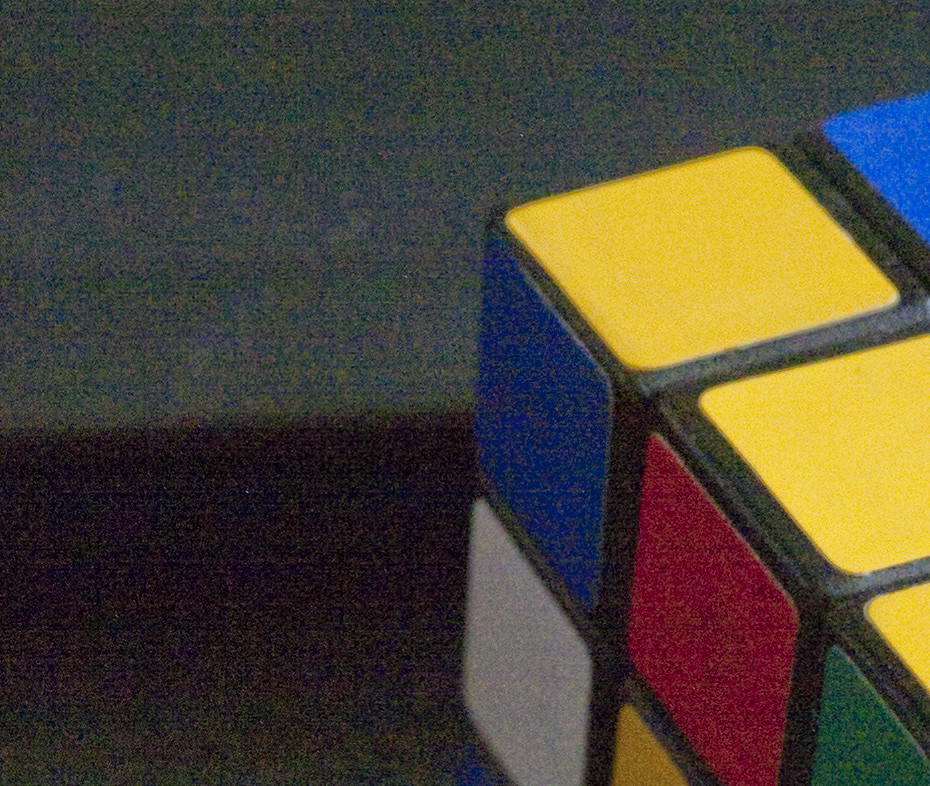
Done with the burn-in process. Not sure if it made a difference, but I can't tell. Here's some stills from before and after. GH1+20/1.7 @ISO3200, f/5.6 @1/50s, 100% crop:

Before:
4748828833_28c775313d_b.jpg


After:
4749496516_b3e79c727a_b.jpg
 
Back
Top