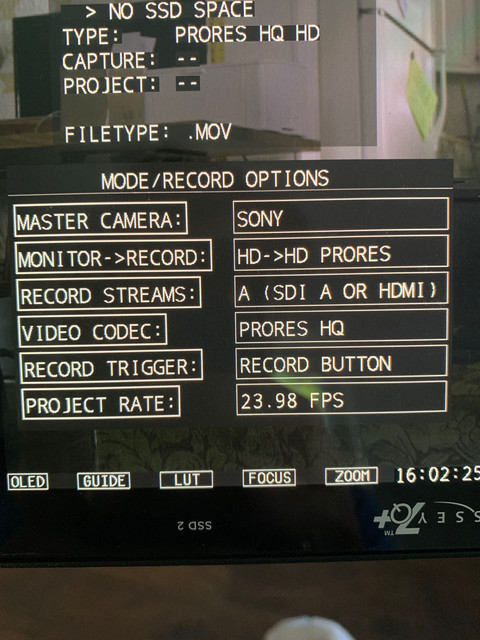
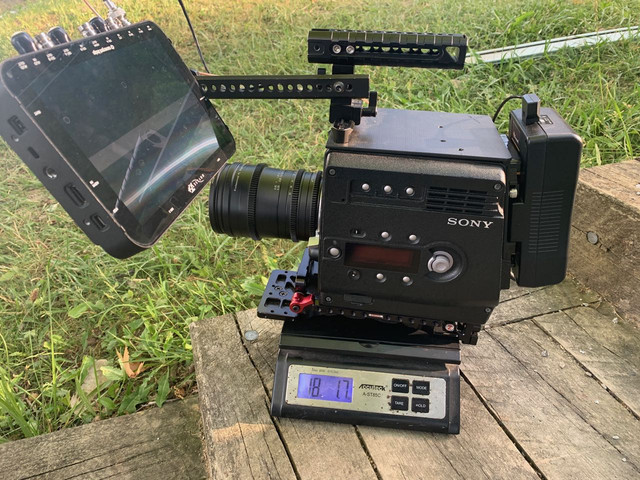
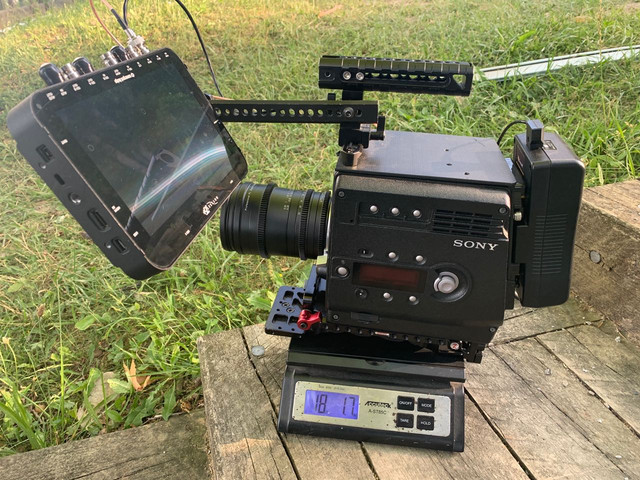
F35: Holy smokes, I bought a F35 too

Hey Hunter can you let me know which firmware version you end up reverting back to? I for the life of my can’t remember which one is best for Prores. Been shooting DPX, but it’s slow to render!
 
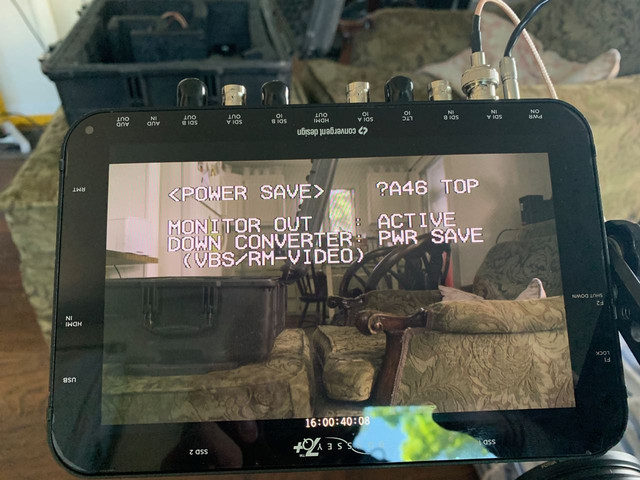
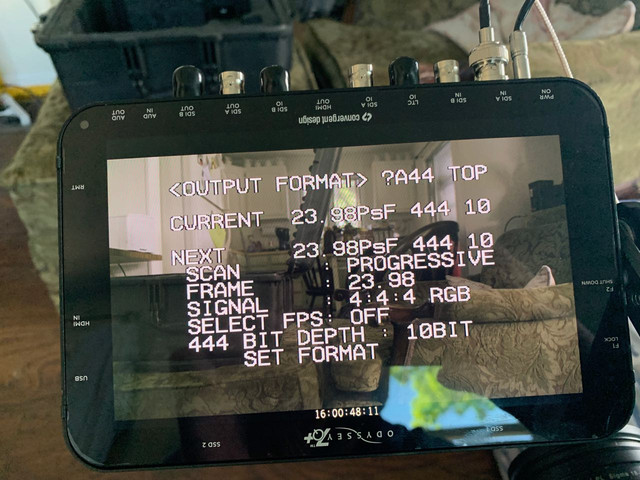
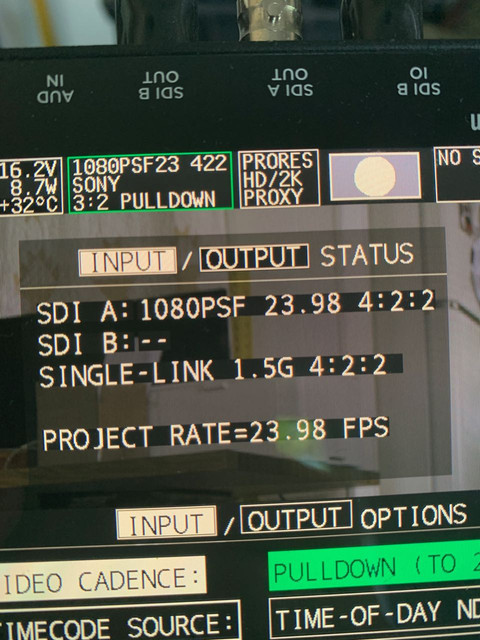
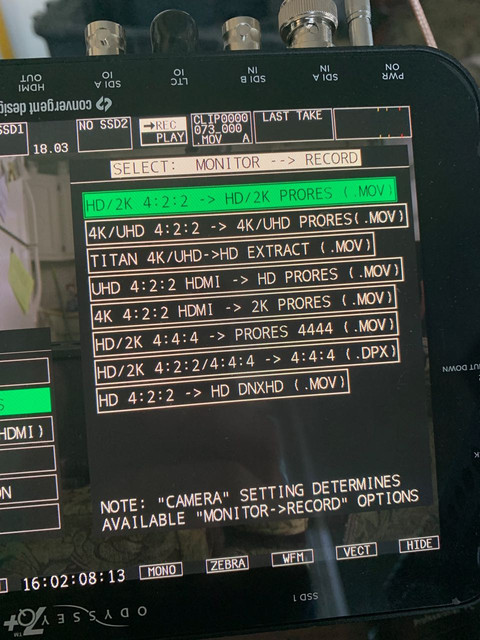
Hey Guys, I hope you guys are doing good, shooting alot with your F35, don't shoot close ups; keep 6ft distance use a zoom lens. Anyway my struggles continue, I had a chance to sit down and upgrade my Odyssey 7q, reset it to factory as per instructions however, im not getting a picture. I see both A and B signals are locked, DPX 12 bit sony loaded successfully but black screen only not even the camera's overlay. I connect the camera to another monitor and I have a signal. I tried all ports out from the camera they all lock in fine but show black screen kind of like when you forget the lens cap on. Works fine when i connect to other display so the camera is fine. Any other voodoo step im missing to get my f35 married to the Odyssey? Firmware 2016.01.1336. Thanks a lot.
 
Keiser, did you check both your wires are working in ProRes 444? Are both your inputs in your 7Q operational (not damaged) Did you try to get simple ProResHQ with one wire into first input 1 and then Input 2 on the Odyssey? I assume you are using the signals coming out of the IFBox, right? Does the Odyssey show 'no signal'?
 
Hey Rick, Yes i tried all those modes and all ports, same it detects the signal and it display the right label for the signal but renders the video black. Im talking right now with CD, they want me to send it in for repair he thinks one chip is not letting enough data through from the SDI inputs. But how could a hardware decide to fail during a firmware update. I tried loading other firmware versions and same result. Crap guna have have to fork over money money into this Odyssey. Any thoughts?
 
Hey Rick, Yes i tried all those modes and all ports, same it detects the signal and it display the right label for the signal but renders the video black. Im talking right now with CD, they want me to send it in for repair he thinks one chip is not letting enough data through from the SDI inputs. But how could a hardware decide to fail during a firmware update. I tried loading other firmware versions and same result. Crap guna have have to fork over money money into this Odyssey. Any thoughts?

In order to test things out, rent a unit through Sharegrid or Kitsplit, and test it out. Want to make sure it's the recorder you have before send it in to CD.

My 2 cents.
 
So there is a possibility that hdmi port is still good. I cant verify thanks to this mini hdmi format they decided to adopt. So in case it works through hdmi input. Is there a way(box converter) to translate my both SDIs from the F35 into hdmi and record 12 bit DPX? :| it kinda works in my head but as always The murphy law force is strong with me.As matter of fact if they had jedis on murphys law academy i would be yoda as my blood is loaded with murphys law midi-chlorians.
 
Yeah i was afraid it wouldn't. Well gona set up that RMA and cross my fingers. The person from CD already told me they dont carry boards for the 7q anymore. So im hoping its only the IC component which he told me is very a common failure. :::sniffs::
 
I know I might sound like a broken record at this point. But this is exactly why I didn‘t go with monitor recorders. Too much fiddling.

The point of the F35 to me is that it is extremely simple to use and get great results with. So I like to keep things that way. Reason I love my Sony recorder set up. At this point it works basically like the F65 recorder. But I can dock it to the top too which the F65 can‘t do. No running cables everyday. No fiddling. Take the camera off the case with the recorder on it and shoot. Interestingly, I have been asked if the F35 was the F65, because of the SR-R1 docked to the back.

I know the 7Q is a very popular option with the F35. Most likely because of the price. It all depends on what you want and need. I have had my F35s for over 6 years now and I‘m not selling. Every year it becomes more appealing compared to the new offers.

But for somebody just testing the waters and who might sell in a few months, it‘s probably too much of an investment and the 7Q is a good option then. I invested heavily in my F35 set up and at this point it‘s basically my go to set up when I would need or like to shoot film, but with digital "amenities". It works and is treated the same way as if I was using an ARRICAM LT. Which is what it actually is. A digital ARRICAM LT. Down to the film stock ISO available, frame rates, up to 48fps on the LT, up to 50fps on the F35, form-factor and even weight. Although the F35 can be quit a bit lighter.

If it‘s a project I would want to shoot on digital anyway, then there are several cameras I might use. Alexa, F55 or whatever fits best the needs at hand.

For that reason I wanted the best F35 set up I could have. The camera is a keeper and nothing gives me what it gives me. Regardless of how many Ks, how many simultaneous ISOs or how good a coffee the new cameras may brew. ;-)
 
Some points to mention:

Keisersoze, your wording can be a bit confusing. I would highly suggest trying this first and letting us know:

1. Remove the IF box, you shouldn’t be trying these outputs at all. The if box will never have camera overlay BTW.
2. Is monitor out working to another monitor? From your description I think your camera is outputting blank image, not the 7Q. Verify for us another monitor can see the F35 properly. If you don’t have any Sdi options buy a $40 knock off aja and use your television. Panasonic 1700 sells for $150 these day’s.
3. With the monitor out connected, do you get blank screen still, menu button work?

Start here and prove to us you have an F35 outputting correctly and a 7Q not inputting. From my point of view your F35 is the problem. Not the 7Q.

And yeah 7Q will break so will the SRR1. I happen to know the control panel when connected to the SRR4 can randomly blow, it’s well known to F65 users, so even the original Sony recorder is prone to problems.

Convergent Design has excellent customer service. I brought my Sony F65 to service center LA and they bricked it by not knowing to run updates sequentially. I literally knew more about the camera than them, imagine bringing F35 in. Yeah an idiot can smash a lcd but I highly disagree with the statement Sony made recorder is less prone to issue.

The real key is to have backups, this is the only way to troubleshoot.
 
Last edited:
Some points to mention:

Keisersoze, your wording can be a bit confusing. I would highly suggest trying this first and letting us know:

1. Remove the IF box, you shouldn’t be trying these outputs at all. The if box will never have camera overlay BTW.
2. Is monitor out working to another monitor? From your description I think your camera is outputting blank image, not the 7Q. Verify for us another monitor can see the F35 properly. If you don’t have any Sdi options buy a $40 knock off aja and use your television. Panasonic 1700 sells for $150 these day’s.
3. With the monitor out connected, do you get blank screen still, menu button work?

Start here and prove to us you have an F35 outputting correctly and a 7Q not inputting. From my point of view your F35 is the problem. Not the 7Q.

And yeah 7Q will break so will the SRR1. I happen to know the control panel when connected to the SRR4 can randomly blow, it’s well known to F65 users, so even the original Sony recorder is prone to problems.

Convergent Design has excellent customer service. I brought my Sony F65 to service center LA and they bricked it by not knowing to run updates sequentially. I literally knew more about the camera than them, imagine bringing F35 in. Yeah an idiot can smash a lcd but I highly disagree with the statement Sony made recorder is less prone to issue.

The real key is to have backups, this is the only way to troubleshoot.

I would start here. I have had
3.


1. It sounds like the F35 is outputting blank image. If the 7Q is black screen it is getting a signal, usually it says no signal when not connected.
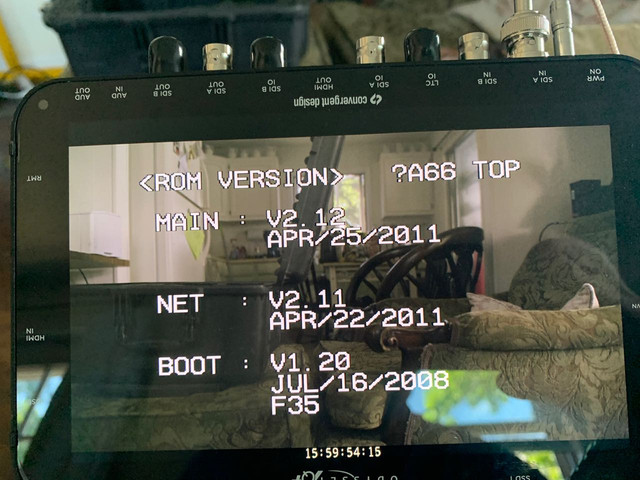
I was not speaking of reliability. I was referring to usability.

I remember when I tested monitor recorders there was a lot of fiddling. Cables to deal with. Mounting and dismounting. And it would also lose connection or throw "tantrums" . Inexplicably making you have to reset it, or reboot it, or go through settings again to get it to work. Most likely because they are made to work with several different systems. All together it was just not as simple and out of the box as I wanted.

The Sony is simple. I never have to reset it, reconnect it or anything. Never had to reboot it. It never "lost" the camera. It just works and has worked for years now without any issues. It also lives docked to the rear. It only comes off if I need to dock it to the top for space. No mounting, no cables to deal with and it just works. Turn it ON, put media, press record and go. Unless I need to change format. Otherwise straight forward.

I'm using it now for years and not once it failed. Not once the controller failed. I'm surprised to hear about the problem you mention. I had never heard of it or experienced it.

And yes, infinitely more robust than a monitor recorder.

My F35s never needed service. Neither did the SR-R1. It all has been working flawlessly for years. This is my experience.
 
Yachacha, i have dinossaur panasonic AJ-HPM200 and it displays the signal from the body SDI(not the IFbox) just fine. I have pictures on my phone but i cant attach pics using my phone. Im far from a pc right now. But basically no matter what camera port i use or what camera i use including my blackmagic, the odyssey locks in the signal ie:1080PSF 24 422 but the video is black. Panasonic shows the image just fine, thanks god my F35 is still good; murphys law didn't trigger that part yet...but yeah yeah i know thats gona come too.
 
Last edited:
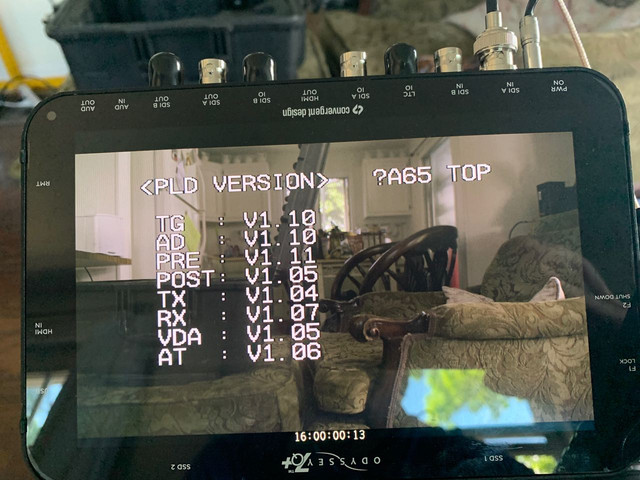
by the way are you all able to attach pics from your mobile phone here on the forum? I can select the picture but the ok button does not show. On both my android and my wifes iphone...anything im missing? on pc i can attach just fine. Wish i could show you a screen pic of the Odyssey i took yesterday. If not ill attach when im get home.
 
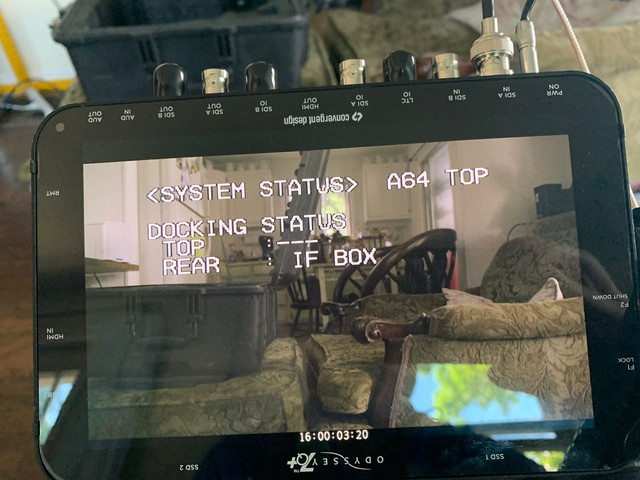
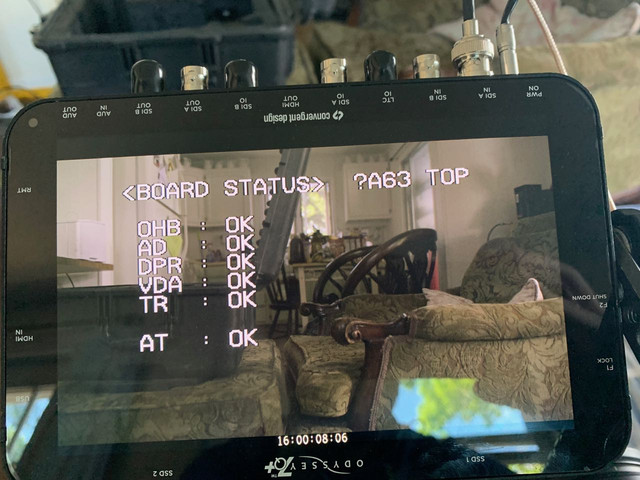
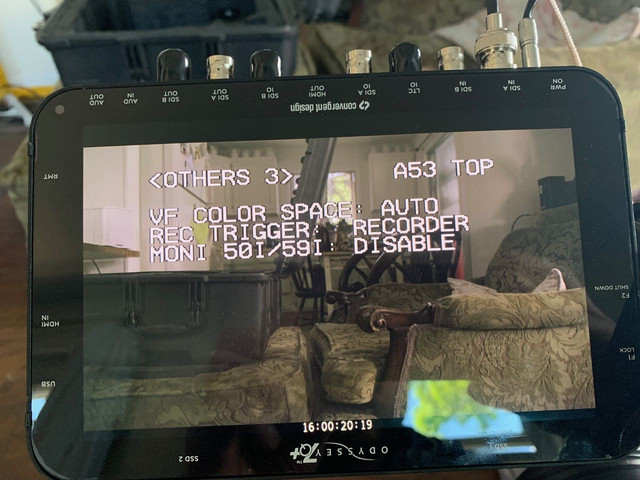
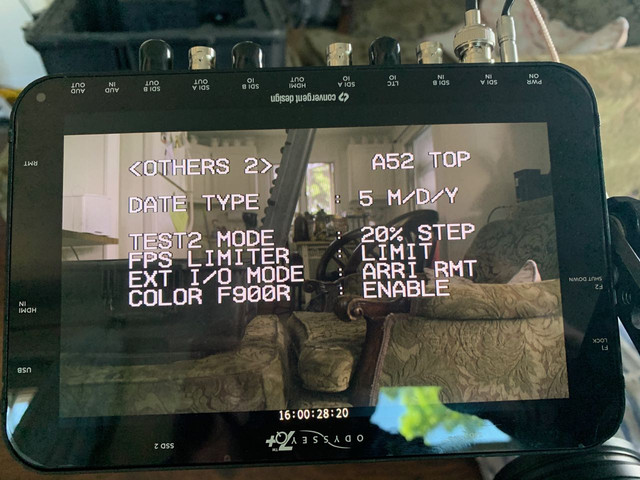
Can you check your F35 menu first and make sure all these are the same as yours: Post a photo of any difference. Things like F9000 Color and monitor out 60i are indications that you have the correct firmware. Then make your 7Q settings the same and post photos of the same screens as I did. Only worry about getting 422 10-bit over a single cable first.


Wow thats awesome. Ill try to match all that for sure. Ill report back. Keep in mind that before i attempted the firmware i was getting a signal from all my cameras with no hickups and even though i had a firmware from 2014 i still got a beautifull image from the F35. I never changed the settings on the F35. If somwthing got fried it did so during the firmware upgrade, and yes i tried flashing it again with other firmwares and it completed fine, but always the black video. I ll check further with these settings you gave me. Thanks
 
Last edited:
Aaveum - I'm not disagreeing you have a great Sony made setup. And high end professional equipment should be carefree compared to prosumer BNC cable recorders. Your setup perfectly suite's your needs. I agree simplicity it key to having a working camera.

That being said, the big big difference in these 2 setups is weight. I know weight is not everyone's priority but it's number 1 to me. So in that case, I'm betting the F35/SRR1 can't even come within 20lbs of my 12-bit F35.


image uploader
 
Wow thats awesome. Ill try to match all that for sure. Ill report back. Keep in mind that before i attempted the firmware i was getting a signal from all my cameras with no hickups and even though i had a firmware from 2014 i still got a beautifull image from the F35. I never changed the settings on the F35. If somwthing got fried it did so during the firmware upgrade, and yes i tried flashing it again with other firmwares and it completed fine, but always the black video. I ll check further with these settings you gave me. Thanks

Yeah sorry not trying to say you don't know what you are doing, it can just be very easy to chase the wrong culprit without all the information. Also before you send in 7Q, possible to test with a difference camera? Or get HDMI cable and test with computer. Do you have any SSD's with F35 footage? Does playback still work.
 
Yeah i connected it to the blackmagic 4k. Always worked before auto synch any setting i chose on that camera, now i get black video there too. Can you please tell me what do you get when you connect it to the Test SDI port on the F35?
 
I brought my Sony F65 to service center LA and they bricked it by not knowing to run updates sequentially.

So you also have a F65 now? This is interesting. What was the thought process that took you to buy a F65 at this point? Is it because of its relation to the F35, or just a deal you couldn't refuse, or maybe you love the look?

The F65 was a camera with so much potential. But Sony being Sony left it and its adopters out in the cold. There never seem to be a big F65 community. The F65 forum at the Sony site was a ghost town. There were a couple users here but nothing as developed as the F35 community. Sony just stopped updating it and never cared for the people who paid through the nose to get the camera. For example they put out Venice color even for the FS5 but never bothered offering it for the F65. I think Venice colors would already help a lot with one of the F65 main complains. Did any F65 user ever develop a Venice profile to mimic the Venice colors in the F65?

And how do you compare shooting with the F35 and the F65 from an user perspective? From a practical point of view?

I would be interested in knowing your thought process for choosing the F65. At some point I will have to add a 4K camera to my Alexa and there are some really intriguing options which became very affordable lately.
 
Back
Top