HDMI Capture Problem SOLVED - AviSynth RULES!

The only faint glimmer of hope is that on playback, the camera outputs a correct HDMI signal, complete with audio... and simulataneously shows the picture on the LCD. So, the camera is capable of doing both simultaneously. But, whether you could use the output circuitry during recording is anybody's guess.

Right, it has to do a lot more processing during recording - but maybe it can & Panny just crippled it on purpose.
 
maybe it can & Panny just crippled it on purpose.

I doubt it. I saw an interview with the team that designed the GH2. It was a very small group of people working with a limited budget. I'm sure they did the best they could to give us what we were asking for.
 
I doubt it. I saw an interview with the team that designed the GH2. It was a very small group of people working with a limited budget. I'm sure they did the best they could to give us what we were asking for.

really? can i also see it? please please please?
 
damn... went through 43rumors search down to first GH2 appearance (around September), but didn't find this particular interview :(
 
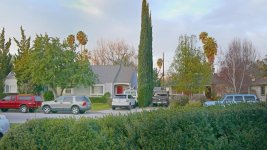
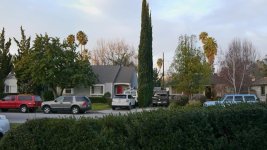
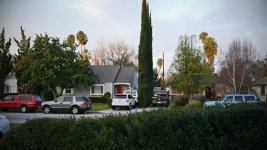
I played a bit with the images. I can't get the 1080p version here. You can see them here https://picasaweb.google.com/danyyyel/DawnGh2TestGrading# . I can' t get them in order so did a little description.


Dawn - GH2 HDMI 8 bit  2 .jpg
Dawn - GH2 HDMI 8 bit  4.jpg
Dawn - GH2 HDMI 8 bit  5 sharpen.jpg
Dawn - GH2 HDMI 8 bit  5 noise floor.jpgLifted the shadows and compressed the highlight (exaggerated) to see the noise level
Dawn - GH2 HDMI 8 bit.jpgLifted the shadow
Dawn - GH2 HDMI.jpgthe original
Dawn - GH2 HDMI 8 bit  3.jpg Graded

The photos detail is a little bit higher than the jpeg vesion I have posted.
 
Last edited:
Hey PDR, GrgurMG or any other Avisynth geek,

I'm working on a new script, this one to fix 1080 60i footage, and I've hit a wall.
What I need is for fdecimate to determine what to decimate based only on the luminance channel, not YUV.
Any thoughts on how to do this?
 
You can try TDecimate , it has a chroma parameter and you can specify chroma=false .

You can change the cycle parameter; instead of 5 (for regular 1 in 5 frame 3:2 telecine) , you may want a longer interval if it's 60.0i . It might be 1 in 30 frames (or 60 fields)
 
Yup, the chroma parameter sounds like a good start. I've still been playing around with the chroma on the 24p.. trying to either improve quality and/or speed without sacrificing one. Had some issues with render speed consistency with TMPGEnc... installed the AVISynth import plugin for Premiere and I'm using that to render for the purposes of speed comparison.

If the chroma parameter doesn't work (though it should) there's probably a long way to go abouts it as well.
 
If the chroma parameter doesn't work (though it should) there's probably a long way to go abouts it as well.

I tried tdecimate and it basically works, but I'm not happy with the output. It's doing more than just decimating - it's subtly blurring the picture. I don't get this from fdecimate, so I'd really like to use fdecimate. In other words, the long way around.

Here's what I've got for a start:

converttoyv12()

y=GreyScale()
u=UtoY()
v=VtoY()

a=FDecimate(y, threshold=1.6)

The problem here is that it's only going to decimate a luminance picture. How on earth can I get the chroma back in?
 
I don't think that will work that way, because there is no way of linking the chroma back to the correct frame. I would have a look at tdecimate if you need to look at decimation based on luminance
 
I don't think that will work that way, because there is no way of linking the chroma back to the correct frame. I would have a look at tdecimate if you need to look at decimation based on luminance

I tried tdecimate (as I wrote), but it slightly blurs the picture. I used mode 7.
 
What's going on with the 59.94i HDMI recording? is it truly 60.0i ? Are spurious fields inserted or complete frames inserted? Is there a disconnect between luma/chroma ? or is it just the "regular" botched chroma ?

Or is it matching incorrect fields because of chroma? If so , you can disable chroma information for field matching by using TFM(mchroma=0)

TDecimate shouldn't blur the picture, but TFM might if it detects combing especially with PP=5. You can try TFM(PP=0) to disable post processing
 
Hrm, as far as the long way and FDecimate goes... I was and am sure there's probably a convoluted way of fdecimating with luma then using conditional statements to apply the correct info to the chroma.. however A) I haven't been able to wrap my head around it yet and B) it probably wouldn't be very efficient code wise.
 
Okay, my head hurts. Not that it'd be very efficient, but I was trying to figure how you might take the clip/frames from fdecimate and apply said information back to the original fdecimated clip and subsequently label the frames that would be decimated. Purpose being is from there I could then adapt the code to then decimate those same frames on another clip... in other words run the fdecimate on a clip with just luminance and then re-apply the same decimation to a clip with the luminance & chroma. I more or less just wanted to see if I could manage that for poops & giggles. After burrowing through way more various possibilities in the AviSynth language then I wanted, I came up with very little... though here's some garbage code that seems like it was kinda close at some point.

Code:
clip = MPEG2Source("<source>",idct=6)

Global G = trim(clip,0,-1)
Global M = trim(clip,0,-1)
Global S = 1


function Dtag(clip CL)
{
	CL2 = CL
	Global M = M + Trim(Subtitle(CL,"Decimated"),1,1)
	Global S = 1 
	return M
}


function NDtag(clip CL)
{
	CL2 = CL
	Global G = Trim(CL2,1,1) 
	Global M = M + Trim(Subtitle(CL,"Not Decimated"),1,1)
	Global S = 0
	return M
}


AssumeTFF(clip)
TFM(clip)


ScriptClip(clip,"""
	CF = current_frame + s
	T2 = G + trim(last,CF,-1)
	T3 = FDecimate(T2,threshold=0.8)
	R = FrameCount(T3) == 1 ? Dtag(T2) : NDtag(T2)
	return R
	""")

AssumeFrameBased()

I sometimes regret not taking more then a semester of C++, I'd maybe be able to whip up something plugin wise. I had the above looking like it was working at a point... was subtitling some frames "decimated" and some "not decimated"... but it wasn't accurate to what frames should or shouldn't be decimated.

Again, even if I got this working, it's probably more processing then you want to do for something like this.
 
What's going on with the 59.94i HDMI recording? is it truly 60.0i ?

60.0i on the button.

Are spurious fields inserted or complete frames inserted?

Fields, not frames.

Is there a disconnect between luma/chroma ? or is it just the "regular" botched chroma ?

The duplicate fields have identical luma, but different chroma.


Despite these hassles, creating a 1080 60i script is a worthwhile endeavor because the gain in picture quality by recording HDMI is even greater for 60i than it is for 24P.
 
Last edited:
FOOTAGE FOR YOUR ENJOYMENT!

Here's a real codec busting scene, recorded through the GH2's HDMI port and then processed in Avisynth to remove the pulldown. I also applied GrgurMG's chroma fixing code. I then encoded it at high bitrate h264, taking care to preserve as much detail as possible - it's very close to the original.

http://www.sendspace.com/file/xteivu

If you have a Mac, let me know if this h264 file plays for you. I would like to know for future reference.

And for comparison, here's the in-camera AVCHD version:

http://www.sendspace.com/file/chirs9

This scene was shot at iso 3200, so it's a little noisy, but I think you'll get the idea.
 
Thank you so much guys. If you need paypal donation I give. Is your system for hdmi capture complete? What still needs fixing? I think you guys must be genious.
 
Back
Top