
paulgandersman
Well-known member
yes, Nitsuj I would also LOVE to know how you did that? please tell or link a tutorial? 

Follow along with the video below to see how to install our site as a web app on your home screen.
Note: This feature may not be available in some browsers.

looks awesome, how the hell did you do that?
I guess, that kind of editing should be very good with the GH1
yes, Nitsuj I would also LOVE to know how you did that? please tell or link a tutorial?


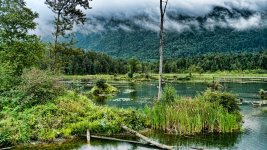
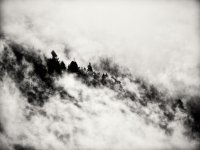
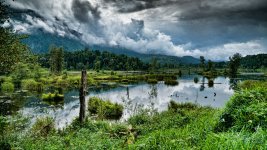
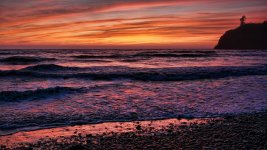
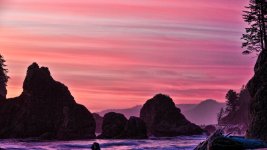
Justin / nitsuJ that is some great work you have done there

There are a lot of steps but basically you take the images which are 3 or more (I used 7 images on that one) and merge them as an HDR in Photoshop. After your tweaking there you save the hdr and then open it up in tone mapping software. I use Photomatix. You do some more tweaking there along with your tone mapping. Then save your tone mapped image. I use Adobe Bridge in between all of this. I open it in Bridge and do some fine tuning before I bring it over to Photoshop for some more fine tuning and then your done. :beer:


I was trying to do this with some shots I got, pretty backlit (sunset) and all I get is a multicolored image that has severe gradient banding emenating from the light sources. I tried pulling some photos out and adjusting exposure but then it doesn't give much dynamic range. Help?
My best guess is it had movement in the shot. Movement will do that sometimes with highlights. It's best to use a tripod. Also the exposure may have been too high to start with. Try underexposing before starting the series. I have gotten what you talk about but found it was usually movement or exposure that is causing it. Keep practicing. :thumbup:

JPGs or RAWs? Which ISOs?
Remember what NR have you set? -2? 0? +2?


