GH1 firmware research volunteers required

Next test:

MJPEG mode sensor test.
(turn on: MJPEG Encoder 30fps -> Xfps: - 25)

Setting: Sensor mode 4: 4 -> 8

Working fail (see on the stop frame), focus assistance working well ;-) (AVCHD mode too working well no changes)

Setting: Sensor mode 4: 4 -> 7

Working fail - Same as 8

Setting: Sensor mode 4: 4 -> 6

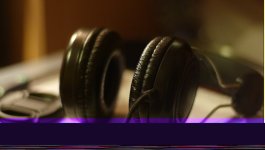
Working fail - but not same as 7 and 8 picture below ;-)

Setting: Sensor mode 4: 4 -> 5

Working well, focus assistance too ;-)

Setting: Sensor mode 4: 4 -> 3

Working fail - but not same as 6, 7 and 8 picture below ;-)

Files link: http://rapidshare.com/files/396457160/Sensor_Mode_4_TEST.zip

(Next modes test and Files will be soon).

Regards
NURBS
 

Attachments
  • P1010120.JPG
    P1010120.JPG
    66 KB · Views: 0
  • P1010122.jpg
    P1010122.jpg
    27.7 KB · Views: 0
  • P1010124.jpg
    P1010124.jpg
    56.6 KB · Views: 0
Last edited:
NURBS, can you test setting sensor mode 4: 4 -> 6, and then upload the file, please? (setting also 25fps and/or 50fps)

(also some motion needed to check if frames are dropped!)

Thanks!

NURBS, I think the images you are posting are crucial to understand what's not working (a too small buffer for 1080 picture, maybe?)
 
Last edited:
It's 720p not 1080p ;-)

I know. And I'm using wrong numbers. I don't know the true sensor sizes. That's why I talk about 1080 and so.

I think that pixel count for 1080 > 720 PAL > 720 NTSC

There should be a buffer (in the scaler?) designed for 720 NTSC pictures that needs to be bigger for 720 PAL and 1080 sensor frame sizes.

I think, that's why there is that purple bar, and it is bigger on 1080 mode.

I'm (almost) sure tester could fix this. Anyway, even with artifacts the framerate may be ok, and without frame drops! So I'm hoping to see these files!:2vrolijk_08:

Tester13, forgive me if I'm fantasizing again, sorry.
 
Next short test:

MJPEG mode sensor test.
(turn on: MJPEG Encoder 30fps -> Xfps: - 50 and MJPEG Encoder 1280m ->1920m)

Setting: Sensor mode 4: 4 -> 6

Same as old result ;-)

File link: http://rapidshare.com/files/396460185/P1010125.MOV

Next tests will be tomorrow ;) Good night!

Regards
NURBS

Actually, this setting doesn't look like a dropped frame, at least to my eyes. I mean there's the artifact at the bottom but I'm not seeing the jerk in movement like the other clips.

Someone else look at this, it doesn't look like a dropped frame to me. Even when i scrub frame by frame. What's weird is the other clip in sensor test 4, Mode_4_to_6 definitely has a skipped frame.
 
Not sure (didn't tested all of them), but I think motion isn't working yet (frame skipping). Anyone else, please, can confirm?

Tested only P1010125.MOV (fast motion) and mode_4_to_6.mov (skipping)

:cry:
 
Last edited:
Not sure (didn't tested all of them), but I think motion isn't working yet (frame skipping). Anyone else, please, can confirm?

Tested only P1010125.MOV (fast motion) and mode_4_to_6.mov (skipping)

:cry:

P1010125.mov doesn't look like a skip, but mode_4_to_6.mov definitely looks like a skip to me. I'm not sure if it's because P1010125 isn't panning as fast or what though so perhaps I'm not seeing the skip?

I think Tester's right that sensor mode 4 is MJPEG though.
 
In clip P1010125.mov, I am seeing duplicates of frames 23 and 48, but all other frames appear to be duplicate free. Strange that there are such duplicates, but overall the clip has very nice motion. It would be good to have a constantly moving shot to determine if other duplicates are occurring.

I am using QTInput in Avisynth and viewing in Virtual Dub.
 
Last edited:
More testing. The sensor modes for mode 4 (MJPEG) which are labeled 59.94fps don't seem to switch the sensor out of 30fps mode… The video plays back at 60fps if MJPEG encoder is set to 60 frames but it's 2x real-time so obviously sensor is still recording in 30p.

Can strange numbers like 59.94 be entered in MJPEG Encoder 30fps->Xfps option, or would this cause a fatal error?
 
Yeah, 720p23,97 AVCHD is clipped from full 1920 picture, must be fixed later:-)
But best thing that we can play this progressive 24fps footage in camera without problems.
Good question is why we can't play 1080 progressive clips and got freezing instead.
 
PTool v3.34 updated without version change.

I added MJPEG and AVCHD 720p mode constants adjustment (Sensor m4).
Please, test one at a time. Large constants can be changed more.
Change small values only slightly.
Report must contain picture (from MJPEG HD).
Sometimes very strange results could appear (especially in 800-900 range constants).
Do not shoot in such modes for more than 3-4 seconds, as some settings looks to be related to amplification.

P.S. Remember to switch camera to NTSC if you want to check that same mode is used actually for 720p60 and MJPEG 30fps (and it is the same :-) ).
 
Next test:

MJPEG mode sensor test.
(turn on: MJPEG Encoder 30fps -> Xfps: - 25)

Setting: Sensor mode 5: 5 -> 8 (AVCHD 1080p -> 720p same crop. no changes)

Working well, focus assistance too ;-)

Setting: Sensor mode 5: 5 -> 7 (AVCHD 1080p -> 720p same crop. no changes)

Working well, focus assistance too ;-)

Setting: Sensor mode 5: 5 -> 6 (AVCHD 1080p -> 720p same crop. no changes)

Working well, focus assistance too ;-)

Setting: Sensor mode 5: 5 -> 4 (AVCHD 1080p -> 720p same crop. no changes)

Working well, focus assistance too ;-)

Setting: Sensor mode 5: 5 -> 3 (AVCHD 1080p -> 720p same crop. no changes)

Working well, focus assistance too ;-)

(Next modes test and Files will be soon).

Files link: http://rapidshare.com/files/396746012/Sensor_Mode_5_TEST.zip

Regards
NURBS
 
Last edited:
Next test:

MJPEG mode sensor test.
(turn on: MJPEG Encoder 30fps -> Xfps: - 25)

Setting: Sensor mode 6: 6 -> 8 (AVCHD SHD mode 720p mode have a white line in right side)

Working well, focus assistance too ;-)

Setting: Sensor mode 6: 6 -> 7 (Same situation)

Working well, focus assistance too ;-)

Setting: Sensor mode 6: 6 -> 3 (AVCHD SHD mode 720p50 mode have a lot of damages on the picture)

I thing this setting for SHD 720p50 mode.

(Next modes test and Files will be soon).

Files link: http://rapidshare.com/files/396754647/Sensor_Mode_6_TEST.rar
 
Is everyone having the same problem I am with rapidshare? I get to download one file as a free user, but then when I try the next it says I'm over my limit. Am I missing something?
 
Back
Top