GH4 Getting the right U3 SDXC card...

I'm a little confused about which SDXC card I should get for a GH4 that I am about to purchase. I've made up my mind to get a U3, but which one?
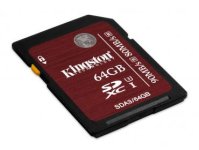
Screen Shot 2014-05-11 at 10.28.52 AM.jpg
$244.95


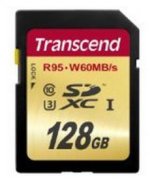
Screen Shot 2014-05-11 at 10.28.16 AM.jpg
$105.49


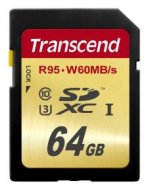
Screen Shot 2014-05-11 at 10.27.45 AM.jpg
$99.99


Screen Shot 2014-05-11 at 10.28.32 AM.jpg
$49.99


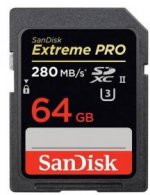
On Amazon I was amazed to see that the Transcend U3 cards appear to be half the price of the others which makes me a little suspicious. I mean it sounds a little too good to be true. Personally, I've always used SanDisk and never had any problems. But the U3 SanDisk is by far the most expensive at $244.95, though it boasts a transfer rate of 280 MB/s.

To those of you who already received your GH4s and purchased U3 SDXC cards, which brand did you find performed best?
 
Last edited:
There are a number of existing threads here on this very subject. Search the forum and you should get all your questions answered
 
Thanks very much for your feedback Mark. I asked B&H that same question but they told me that the Kingston cards were more suited to photography. They recommended Lexar or Sandisk for 4K video recording on the GH4. Happy to hear the Kingston worked out for you.

How fast does it transfer 4K video to your computer?
Is the Kingston 90/80 MB/sec read/write label accurate (as displayed on the card)?

Sandisk for example claims 280 MB/sec for their 64GB SDXC which would theoretically be 3 x faster.
 
I bought the Sandisk Extreme Pro 64 U3 works great! I have been testing GH4 all week dialing in settings and just editing straight from the card!
 
Last edited:
I know you said you just ordered it, but that Sandisk is just overkill for the GH4. It's actually a UHS2 card and only the Fujifilm X-T1 currently supports the full speed.
 
Thanks for your feedback AdobeCS. Can you elaborate a little more on that? You say it's a UHS2 card, but the card says "U3". I'm a little confused now. Thank you for clarifying.
 
Yes, the SanDisk is extreme overkill. All you'll gain in terms of performance is offload speed. Even then, you need a UHS-II compatible reader to benefit from the 2nd row of contacts on UHS-II cards to get that extra offload speed. In the GH4, there is absolutely no performance benefit over other U3 cards from other manufacturers.

Thanks for your feedback AdobeCS. Can you elaborate a little more on that? You say it's a UHS2 card, but the card says "U3". I'm a little confused now. Thank you for clarifying.

"U3" stands for "UHS Speed Class 3". UHS-I and UHS-II designations refer to the card type, not to a specific speed rating. UHS-I and UHS-II can be U3 rated. I wrote a post on memory cards for the GH4 that might help as well.
 
Thanks for your feedback AdobeCS. Can you elaborate a little more on that? You say it's a UHS2 card, but the card says "U3". I'm a little confused now. Thank you for clarifying.

UHS-II and U3 are two different things. UHS-II is a new type of card with an extra row of pins (picture of it here: https://www.sdcard.org/developers/overview/bus_speed/) that only that Fujifilm camera can utilize currently.

U3 is just a rating for the card stating that it is a minimum of 30MB/s (suitable for 4k recording). Think of it like a "Class 30" card, instead of the usual class 10 cards (because class 10 means its supposed to be a minimum of 10 MB/s). And of course this still doesn't mean you need a U3 card for the GH4, because for example, the Sandisk Extreme Pro 64GB http://www.bhphotovideo.com/c/produ...DXPA_064G_A75_Extreme_Pro_64GB_SDHC_SDXC.html (technically classified as a class 10 card only) is able to record fine with the GH4. But the U3 rating is just a safe bet to go with because you know it works instead of trial/error.

Edit: Looks like Sol M. beat me to it ! :thumbsup:
 
In your blog you wrote: "Panasonic advocates using U3 cards in the GH4 as it is the only speed rating that guarantees the necessary write speed when recording the GH4′s highest bitrate codec.
And yet a reviewer on Amazon of the Transcend 128 GB High Speed 10 UHS-3 Flash Memory Card wrote: "Not quite fast enough for my GH4 200mbps". "I mostly use my GH4 for 4K video, which is 100mbps. This card has worked flawlessly for that. However, when not in video mode, 4K is not an option. So if while shooting stills, I hit the red video record button, the best quality I can get is 1080P 200mbps. If I'm using this card, I will get an error that the card write speed is insufficient. It may record for a few seconds, a few minutes, or many minutes before the error occurs. From now on, if using this card, I will set the video recording quality to 1080P 100mbps when not in video mode to avoid this, but apparently this card isn't meeting the minimum write speed of 30MBps, or it could handle 200mbps (25MBps).

I see the 64GB version worked okay for another reviewer, so I don't know if it is a difference between the 64GB and 128GB version of the card or if I just got a slow card. My Sandisk Extreme Pro 32GB handles 1080P 200mbps without issue in my GH4, so I don't believe it's an issue with the camera. http://www.amazon.com/review/R37CTOUUKPO6H0/ref=cm_cr_pr_viewpnt#R37CTOUUKPO6H0
 
And yet a reviewer on Amazon of the Transcend 128 GB High Speed 10 UHS-3 Flash Memory Card wrote: "Not quite fast enough for my GH4 200mbps". "I mostly use my GH4 for 4K video, which is 100mbps. This card has worked flawlessly for that. However, when not in video mode, 4K is not an option. So if while shooting stills, I hit the red video record button, the best quality I can get is 1080P 200mbps. If I'm using this card, I will get an error that the card write speed is insufficient. It may record for a few seconds, a few minutes, or many minutes before the error occurs. From now on, if using this card, I will set the video recording quality to 1080P 100mbps when not in video mode to avoid this, but apparently this card isn't meeting the minimum write speed of 30MBps, or it could handle 200mbps (25MBps).

I see the 64GB version worked okay for another reviewer, so I don't know if it is a difference between the 64GB and 128GB version of the card or if I just got a slow card. My Sandisk Extreme Pro 32GB handles 1080P 200mbps without issue in my GH4, so I don't believe it's an issue with the camera. http://www.amazon.com/review/R37CTOUUKPO6H0/ref=cm_cr_pr_viewpnt#R37CTOUUKPO6H0

I have a Trancend class 10 that I was just doing test shots with. It tests out at 25MB/s but handled 200Mb/s shooting just fine. I wouldn't trust it on a big gig if I was shooting that high, but I usually shoot 100MB/s 4K or 1080 anyway. To the OP, bottom line is that any card that has a sustained write speed of over 30MB/s should be just fine. You don't need anything fancy. Anything over 20MB and you will *probably be ok. (*as always, your mileage may vary.) Of course, the higher you go in write speed, the less likely you will reach the limit of the card. I'd say any card that writes at 45MB/s or higher is as near 100% safe as you can get.
 
Last edited:
And yet a reviewer on Amazon of the Transcend 128 GB High Speed 10 UHS-3 Flash Memory Card wrote: "Not quite fast enough for my GH4 200mbps". "I mostly use my GH4 for 4K video, which is 100mbps. This card has worked flawlessly for that. However, when not in video mode, 4K is not an option. So if while shooting stills, I hit the red video record button, the best quality I can get is 1080P 200mbps. If I'm using this card, I will get an error that the card write speed is insufficient. It may record for a few seconds, a few minutes, or many minutes before the error occurs. From now on, if using this card, I will set the video recording quality to 1080P 100mbps when not in video mode to avoid this, but apparently this card isn't meeting the minimum write speed of 30MBps, or it could handle 200mbps (25MBps).

I see the 64GB version worked okay for another reviewer, so I don't know if it is a difference between the 64GB and 128GB version of the card or if I just got a slow card. My Sandisk Extreme Pro 32GB handles 1080P 200mbps without issue in my GH4, so I don't believe it's an issue with the camera. http://www.amazon.com/review/R37CTOUUKPO6H0/ref=cm_cr_pr_viewpnt#R37CTOUUKPO6H0

There are several factors that could result in a write error such as how the card was formatted, supported capacity of the card (Panasonic states that the GH4 currently only supports up to 64GB), or perhaps that person just got a bad card.

I've used a Transcend U3 (64GB) card and a standard class 10 card at 200mbps in the GH4 and had zero issues. If that user is having write errors, I'd suspect the issue was related to one of the above reasons.
 
Last edited:
Id also like to mention that some of these people could be getting "fake" sdcards. Make sure your cards are authentic and not impostors.
 
Today I got a "recording stopped due to insufficient writing speed" type error using this card while recording in MP4(LPCM) mode. No problems, however, when recording
in regular MP4 mode.
bid5.jpg
 
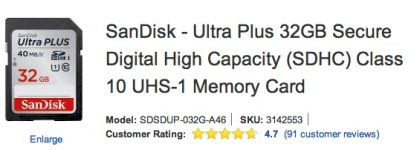
40MB/S is to slow

Can you clarify what you mean? 40MB/s (or 320mbps) is more than fast enough for any of the GH4's recording modes (which max out at 200mbps).

The issue is that manufacturer's generally advertise the maximum read/write speeds, not the minimum or sustained read/write speeds. A card that maxes out at 40MB/s should work most of the time, but without a guaranteed minimum speed (which is what UHS Speed Class 3 is-- a minimum of 30MB/s), it's possible the card could dip below the necessary write speed and cause a write speed error.
 
Can you clarify what you mean? 40MB/s (or 320mbps) is more than fast enough for any of the GH4's recording modes (which max out at 200mbps).

The issue is that manufacturer's generally advertise the maximum read/write speeds, not the minimum or sustained read/write speeds. A card that maxes out at 40MB/s should work most of the time, but without a guaranteed minimum speed (which is what UHS Speed Class 3 is-- a minimum of 30MB/s), it's possible the card could dip below the necessary write speed and cause a write speed error.
Really? Then why did the GH4 give a "insufficient writing speed" error? Extreme Pro 95MB/s class 10 U1 would be a better choice for non U3 SD card, but if you think it's fine go for it.
 
Back
Top