
Navigation
Install the app
How to install the app on iOS
Follow along with the video below to see how to install our site as a web app on your home screen.
Note: This feature may not be available in some browsers.
More options
You are using an out of date browser. It may not display this or other websites correctly.
You should upgrade or use an alternative browser.
You should upgrade or use an alternative browser.
Frustrated beyond belief with vertical banding
- Thread starter Azmyth
- Start date

ninetto
Active member
ok, I don't want to add to the confusion or myths/legends regarding the banding-monster, but here is my observation for what it is worth:
I have only run into this problem once: the banding was bad enough that I even noticed it (luckily) on the LCD. The shooting situation had a lot of backlight and after tweaking the exposure didn't seem to help, I just switched lenses: from the kit zoom to a Canon FD 35mm and violá - instantly the banding was gone!
It seems to me that this is some form of electronic noises created between the auto-focus/kit lens/exposure settings. Keeping everything on manual -in my case even an FD lens - and taking control of the machine yourself saved me this time around.
I have only run into this problem once: the banding was bad enough that I even noticed it (luckily) on the LCD. The shooting situation had a lot of backlight and after tweaking the exposure didn't seem to help, I just switched lenses: from the kit zoom to a Canon FD 35mm and violá - instantly the banding was gone!
It seems to me that this is some form of electronic noises created between the auto-focus/kit lens/exposure settings. Keeping everything on manual -in my case even an FD lens - and taking control of the machine yourself saved me this time around.

Cavemandude
Well-known member
That's probably because you went from the small aperture kit lens to a large aperture Canon FD lens. The Canon FD lens itself at the same aperture setting as the kit lens will not eliminate the problem.
Randy
Randy
Homunculus
Carbonite Member
I'm pretty much in this camp. I haven't used mine a whole lot but unless I'm outside in the sunshine or have it lit up like christmas (which doesn't look good) I get the FPN at any ISO I wish to choose. I've never even shot anything above 400 ISO. I think its a great camera, but its just not gonna work for what I need it for. I know I've seen a ton of stuff done under conditions I'd be shooting with, but they either got a "bandingless" model or have figured out a magic way to work around it. It seems it would just be easier to buy a 7D or T2i. Alot of the "negatives" with those cameras aren't an issue with what I shoot.. recording limit etc.
i'll tell you how the magic trick works that you see in others footage. you see banding only occurs in underexposed light areas. But if you are in pitch darkness and have 1 face illuminated, as long as that talent's face or faces are illuminated very well, they will not bad. and if the background behind them is pitch black (i.e. crushed blacks) then they will not band. so you see a lot of real low light stuff on gh1 that has no banding and it always ahs the scenario I just described. However as soon as you have backgrounds that are exposed a little but but still underexposed, then they will band out very badly

dvxhutch
Well-known member
I'm pretty much in this camp. I haven't used mine a whole lot but unless I'm outside in the sunshine or have it lit up like christmas (which doesn't look good) I get the FPN at any ISO I wish to choose. I've never even shot anything above 400 ISO. I think its a great camera, but its just not gonna work for what I need it for. I know I've seen a ton of stuff done under conditions I'd be shooting with, but they either got a "bandingless" model or have figured out a magic way to work around it. It seems it would just be easier to buy a 7D or T2i. Alot of the "negatives" with those cameras aren't an issue with what I shoot.. recording limit etc.
Azmyth, what lenses are you using? I hope you're not trying to use the kit lens for horror stuff, in which case you certainly WILL get banding, as I do. But with the 20mm 1.7, I get virtually none up to 1250 ISO.
HOWEVER, I do get some banding when using fast non- lumix lenses like the FD 50mm 1.4. Weird.
Good luck.
Last edited:
ninetto
Active member
That's probably because you went from the small aperture kit lens to a large aperture Canon FD lens. The Canon FD lens itself at the same aperture setting as the kit lens will not eliminate the problem.
Randy
Well it did just that... eliminated the problem.
Same aperture, different lense. No banding. Go figure.
Cavemandude
Well-known member
Do you have pics or video to show the difference? So you purposely stopped down your Canon FD lens to at least f4 or more since the kit lens can't open larger than that at 14mm, correct? What Canon FD lens was it since the kit lens stops down even more as you zoom in and I'm sure you didn't use a 14mm FD lens?
Also lots of backlight, which you had in your situation, helps eliminate banding.
Randy
Also lots of backlight, which you had in your situation, helps eliminate banding.
Randy
ninetto
Active member
Do you have pics or video to show the difference? So you purposely stopped down your Canon FD lens to at least f4 or more since the kit lens can't open larger than that at 14mm, correct? What Canon FD lens was it since the kit lens stops down even more as you zoom in and I'm sure you didn't use a 14mm FD lens?
Also lots of backlight, which you had in your situation, helps eliminate banding.
Randy
Hi Randy... I was only reporting my actual observations at a shoot which I was doing to pay the rent, not to test theories posted at dvx. So you must excuse the fact that I to not have the material here to post right away...
Now regarding your question: the kit zoom lens was zoomed to approx 50mm @ f 5.6 with 1/50 (I am shooting PAL). After seeing the banding I popped on the Cannon 50mm 1.4 and stopped down to 5.6 without further metering as this was a stress-shoot with no time to fumble around with lighting/settings. (Which is why I originally wanted to have the zoom flexability)
I might still be able to get ahold of the original material, although I think I deleted the faulty (banding) shot(s).
A very interesting article was posted recently on Luminous Landscape regarding the issue of light loss in certain lens/sensor combinations (up to 1EV stop for some), which camera bodies allegedly compensate by upping the gain over the specified "nominal" value. The numbers for Panasonic gear were not given, but it is quite conceivable that some [significant] light loss could be occurring in as complex a design as the 14-140 kit lens. Given the electronic interface the lens could [theoretically] communicate the T-stops along with the F-stops causing the body to up the gain. With a non-electronic lens the body would have to either make some assumptions or not factor in this information at all. The banding is probably inherent to image processing routines. It just seems that some factors, like under exposure, or complex exposure (multiple zones of variyng brightness), the really slow lens (in the worst case scenario of 1 EV loss, the kit at 50mm would have T value of 8!) contribute to banding occurring at even lower ISO values that are considered "safe".Hi Randy... I was only reporting my actual observations at a shoot which I was doing to pay the rent, not to test theories posted at dvx. So you must excuse the fact that I to not have the material here to post right away...
Now regarding your question: the kit zoom lens was zoomed to approx 50mm @ f 5.6 with 1/50 (I am shooting PAL). After seeing the banding I popped on the Cannon 50mm 1.4 and stopped down to 5.6 without further metering as this was a stress-shoot with no time to fumble around with lighting/settings. (Which is why I originally wanted to have the zoom flexability)
I might still be able to get ahold of the original material, although I think I deleted the faulty (banding) shot(s).
Cavemandude
Well-known member
I have several Canon FD lenses including the 50mm f1.4 and they in no way rid the GH1 of banding issues.
This example took all of 5 minutes to do just now with a Canon 50mm f1.4 lens, f4, 1600 ISO at 1/50. First pic is just resized and the second one is brightened up to show the banding more easily.
Send me anyone else's GH1 and I bet I can produce the same banding problem with any lens.
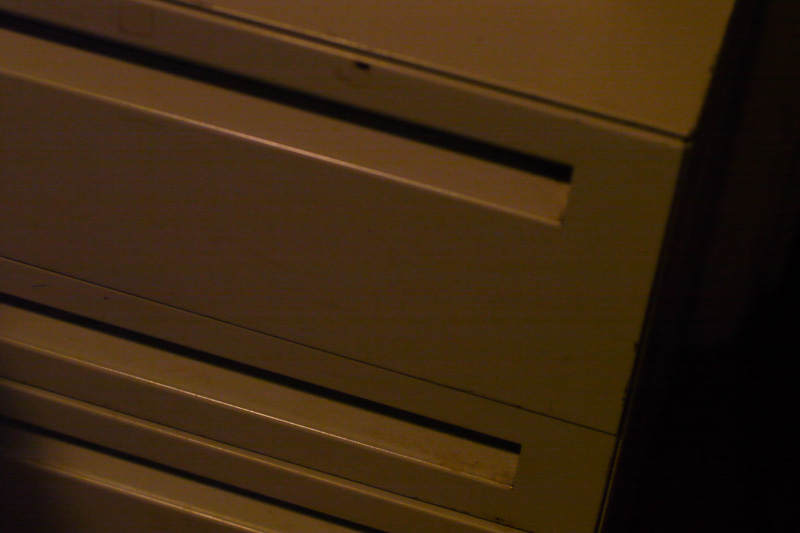
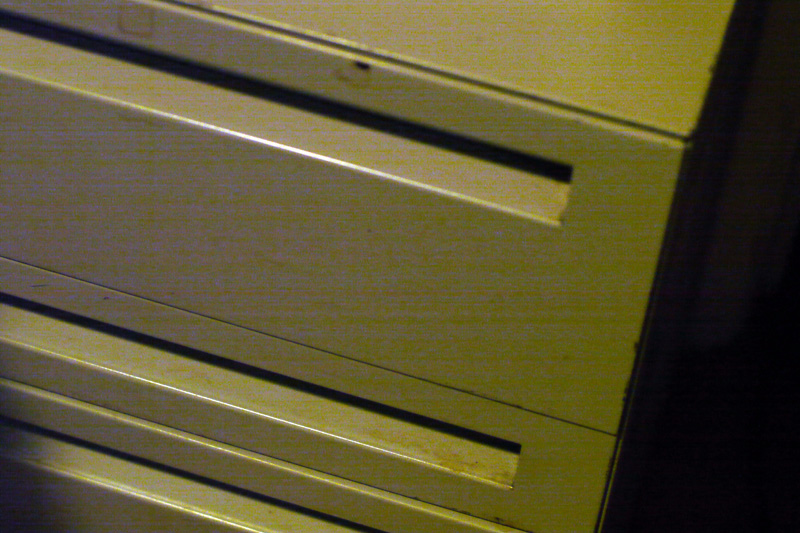
Now this pic is where people think they have no banding problem or do a crop from one part of the pic where the banding isn't noticeable and say there is no banding in the entire pic. Same settings as before but at f1.4. Notice that there is really no banding in the majority of the pic, the banding is really only pronounced in the shadow area on the left and some on the right. Original resized first, brightened one second.
Randy
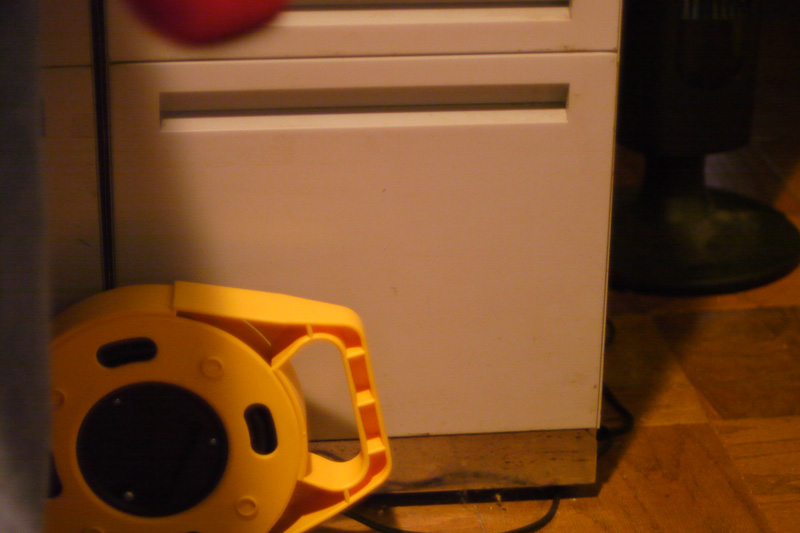
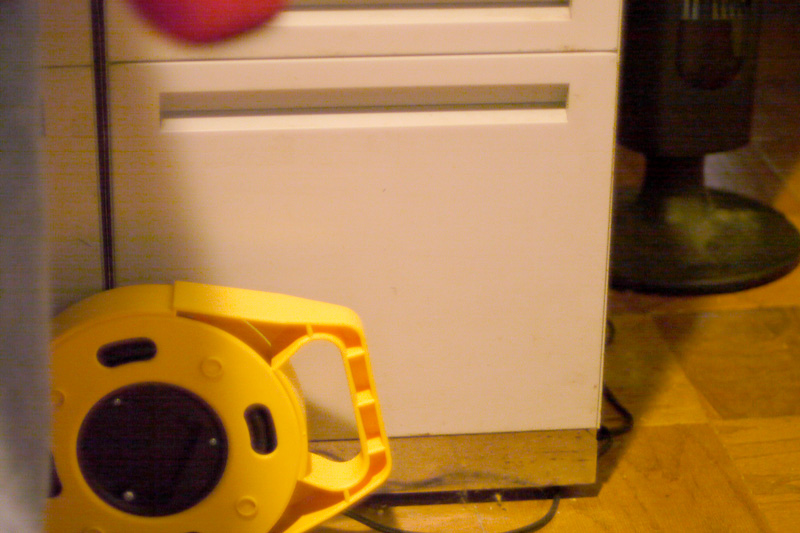
This example took all of 5 minutes to do just now with a Canon 50mm f1.4 lens, f4, 1600 ISO at 1/50. First pic is just resized and the second one is brightened up to show the banding more easily.
Send me anyone else's GH1 and I bet I can produce the same banding problem with any lens.
Now this pic is where people think they have no banding problem or do a crop from one part of the pic where the banding isn't noticeable and say there is no banding in the entire pic. Same settings as before but at f1.4. Notice that there is really no banding in the majority of the pic, the banding is really only pronounced in the shadow area on the left and some on the right. Original resized first, brightened one second.
Randy
Last edited:
ninetto
Active member
Thanks for the very interesting link, Svecher. I remember at the original DP Review of the GH-1 there was the remark that software-correction of lens faults might be viewed as "cheating" (http://www.dpreview.com/reviews/panasonicdmcgh1/page17.asp)
@Randy: please stop trying to prove that anyone who doesn't agree with you is either stupid or a liar. I doesn't help the discussion at all. The fact that banding does not consistently appear under certain situations in all cameras is proof that this is more than just a production bug.
But what your post points out is something much more troublesome than software-correction of geometry problems. And it in fact supports my original hypothesis that something in the way the automatic kit-zoom lens was communicating with the gh1-body was causing the banding problem I was getting. Because it disappeared as soon as the FD-lens was attached.One of the more controversial aspects of the Micro Four Thirds system is Panasonic's decision to integrate software lens aberration correction as a fundamental component of the imaging chain (which the company has unfortunately chosen not to publicly document)
@Randy: please stop trying to prove that anyone who doesn't agree with you is either stupid or a liar. I doesn't help the discussion at all. The fact that banding does not consistently appear under certain situations in all cameras is proof that this is more than just a production bug.
Last edited:
Cavemandude
Well-known member
@Randy: please stop trying to prove that anyone who doesn't agree with you is either stupid or a liar. I doesn't help the discussion at all. The fact that banding does not consistently appear under certain situations in all cameras is proof that this is more than just a production bug.
You can't conclude that the variable is the GH1, since there is already a variable in the pic or video being taken by each GH1. Take one variable out of the equation by shooting the same pic/video with multiple GH1's and then see if there is a difference in banding between them. That is the only way to prove there is differences between sensor quality in different GH1's.
So when is the 1st Annual GH1 Sensor Quality Comparison Convention and where will it be held? All you believers make sure to clean your sensors before you show up!
Randy
Cavemandude
Well-known member
So you're saying that you see no banding in the 2 pics that are at their original levels, correct?
Randy
Randy

Azmyth
Veteran
I will say that I've done similar tests.. just shooting at different ISO's on different subjects, with different light levels.. and there is no "pattern" nothing seems to consistently produce the banding enough to determine the exact cause. Thats why its so aggrivating. It would be alot easier to deal with if I knew EXACTLY how to avoid it..

Ben_B
Veteran
I have several Canon FD lenses including the 50mm f1.4 and they in no way rid the GH1 of banding issues.
This example took all of 5 minutes to do just now with a Canon 50mm f1.4 lens, f4, 1600 ISO at 1/50. First pic is just resized and the second one is brightened up to show the banding more easily.
Send me anyone else's GH1 and I bet I can produce the same banding problem with any lens.
Now this pic is where people think they have no banding problem or do a crop from one part of the pic where the banding isn't noticeable and say there is no banding in the entire pic. Same settings as before but at f1.4. Notice that there is really no banding in the majority of the pic, the banding is really only pronounced in the shadow area on the left and some on the right. Original resized first, brightened one second.
Randy
Shoot exactly the same settings with Dynamic mode, contrast +2, NR +2, Sharpness +2, and Saturation -2 and I bet you won't see banding

Cavemandude
Well-known member
Shoot exactly the same settings with Dynamic mode, contrast +2, NR +2, Sharpness +2, and Saturation -2 and I bet you won't see banding
Well if that is the answer to never having banding problems again with the GH1 then why isn't everyone using it? The problem with that setting is that it produces such a high contrast undesirable image to hide the banding that most everyone is going to try and correct it in post and the banding will appear again. I can already create a high contrast image in post to hide the banding anyways, if needed, so why even try to hide it with the camera settings initially?
Randy