D5200 Anyone got it ???

It's not uncompressed of-course unless you choose that option on the hyperdeck, mostly it's prores 422HQ which introduces some artifacts.

So is the AVCHD behaving more like an FS100 than a nex-5n?

No I mean uncompressed output - I am aware HyperDeck is ProRes :)

There's no point having a 24Mbit compressed HDMI feed then wrapping it up in 250Mbit ProRes.

There's no AVCHD on this camera.
 
I'm not holding my breath for Canon to do anything remarkable, if they don't introduce the clean S35 mode ala 1DC into their APS-C line then they're DOA as far as I'm concerned. The DR in the Canon line hasn't budged in over 4 years either. An FS100 successor is one to watch out for but apart from that all eyes are on Nikon at this point (well they probably should be).
 
No I mean uncompressed output - I am aware HyperDeck is ProRes :)

There's no point having a 24Mbit compressed HDMI feed then wrapping it up in 250Mbit ProRes.

There's no AVCHD on this camera.
Yeah but what I'm saying is the way to determine whether it is uncompressed is to record something that will induce the macroblocking internally and to the hyperdeck as an uncompressed fie.

I must be tripping, all this time I had it in my head it was AVCHD. Is the bit-rate constant or variable? it's kinda low for H.264.
 
Last edited:
I said in the review I'd explore the HDMI more as I'd only had a cursorily glance at until now.

Well it seems HDMI is uncompressed and image quality LEAPS

http://www.eoshd.com/comments/topic/2125-exploring-nikon-d5200-hdmi-output-major-discovery/

But only when doing grading. At first glance you can't tell much difference!

It is like having a hack on this camera. The ProRes at 250mbit is very very nice. So disregard my earlier comments about it being similar. For grading work this is godsend. Love the finer grain of noise too.
 
I said in the review I'd explore the HDMI more as I'd only had a cursorily glance at until now.

Well it seems HDMI is uncompressed and image quality LEAPS

http://www.eoshd.com/comments/topic/2125-exploring-nikon-d5200-hdmi-output-major-discovery/

But only when doing grading. At first glance you can't tell much difference!

It is like having a hack on this camera. The ProRes at 250mbit is very very nice. So disregard my earlier comments about it being similar. For grading work this is godsend. Love the finer grain of noise too.
Now I need to buy a hyperdeck....well I dont "need" but will surely be getting one in the future. Excited to get this camera on Wednesday!
 
Cool but what about what you said about more skew on the HDMI out?

So you can get it to record 24p to the hyperdeck ok?

Need to test this again! Certainly seems that way from my Zacuto EVF.

ProRes is shown as being recorded at 29.97p. Was this the case with the D800 too?
 
Need to test this again! Certainly seems that way from my Zacuto EVF.

ProRes is shown as being recorded at 29.97p. Was this the case with the D800 too?

I think it was an issue on the initial release with the D800 and the Ninja and there was a fix.

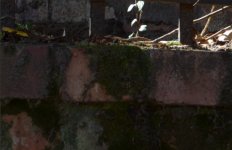
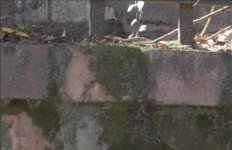
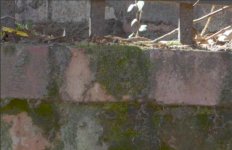
So I'm guessing the top image is prores? A lot more detail and flatter.
 
Well, that theory I posted, [that Nikon custom Picture Profiles use coarse 8-bit precision] is the only thing that could explain what I'm seeing in the shadows when I push them up with an aggressive picture profile: heavily posterized noise.
If that were true, we'd see noticeably degraded image quality when using custom Picture Profiles in-camera on JPEG photographs. To test that possibility, I made a Custom Profile out of the built-in Neutral Profile, modifying it with a curve that boosts shadow detail. I then shot identical comparison photos with each profile, and used Photoshop to display the images at 200% magnification. Since JPEG stills have much higher resolution than 1080p video frames, this test should reveal any quality issues in Nikon's Picture Profile processing.

These photos were taken of shadows cast by direct sunlight, and to properly expose the highlights I shot at two-stops underexposed at ISO 100 on the Nikon D5100. That produced dark shadow details in the Neutral Profile image, and considerably brighter shadows in the Custom Profile image.

For the first comparison, I graded down the Custom image with an inverse curve in Photoshop, matching its illumination to the Neutral image:

Custom Profile - Graded down @ 200% Magnification:
Custom Profile Graded Down.jpg

Neutral Profile - Ungraded @ 200% Magnification:
Neutral Profile Ungraded.jpg

I did the opposite for the next comparison, grading up the Neutral image to match the illumination of the Custom image:

Custom Profile - Ungraded @ 200% Magnification:
Custom Profile Ungraded.jpg

Neutral Profile - Graded Up @ 200% Magnification:
Neutral Profile Graded Up.jpg

These magnified JPEG screenshots show no significant degradation in the boosted shadow details of the Custom Profile image. To my eyes, the ungraded shadows in the Custom Profile look more natural than the over-saturated tones of the graded up Neutral Profile. This is a consequence of the crude quantization used to encode dark shades in the JPEG codec.
 
Last edited:
I think it was an issue on the initial release with the D800 and the Ninja and there was a fix.

So I'm guessing the top image is prores? A lot more detail and flatter.

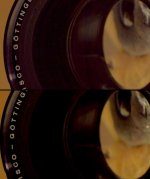
Yes top image. Also zoom in and look at the thread on the Iscorama. You can see the threads on the ProRes, on the H.264 it is blurred out. So more detail to boot. What an amazing camera this is turning out to be.

BTW same luma curve and fast colour corrector on both shots, exported to TIFF in Premiere. The extra shadow detail is pretty evident in the ProRes version.

edit: Updated thread URL http://www.eoshd.com/comments/topic/2125-exploring-nikon-d5200-hdmi-output-review-update/
 
This is great news. It's amazing that Nikon actually didn't strip clean HDMI from the D5200 as has been the practice with many companies on their budget DSLR's.
 
Yes top image. Also zoom in and look at the thread on the Iscorama. You can see the threads on the ProRes, on the H.264 it is blurred out. So more detail to boot. What an amazing camera this is turning out to be.

Yeah the threads stood out like dogs bollocks!

I've found the fixed pattern noise disappears with a bit of black crushing and horizontal noise is a lot less noticeable than vertical canon noise.

Where the hell is my D5200? I ordered it a week ago. I know all good things come to those who wait, but it's not a bloody BMCC!
 
Last edited:
Andrew can you get your hands on a Ninja? It would be interesting to see if there's any difference in the prores compared to the hyperdeck. Some people have been saying that the Ninja prores has better IQ. The Ninja also does 60i to 24p pulldown.
 
Need to test this again! Certainly seems that way from my Zacuto EVF.

ProRes is shown as being recorded at 29.97p. Was this the case with the D800 too?

Andrew,

Thank you so much for all your work on this. I certainly look forward to finding out if the Hyperdeck can record 24P from the D5200 w/o adding a pulldown. Look forwrd to hearing more about this.

Thanks again!
 
I'm pretty sure it's 4:2:2 out. Have a look at what a bit of black crushing does to the H.264 colours.

nikon-d5200-prores-vs-h264.jpg
 
Crushing the shadows and clipping the highlights could also come from the H.264 file being recorded full range (0 to 255) but displayed by the NLE video/legal range (16 to 235). This would clip everything 0 to 15 and 236 to 255.

I don't know if this is the case, but it certainly might be. In which case, the clipped data isn't truly lost in the H.264 file. The trick is getting your NLE to display it.
 
Andrew can you shine some more light on the skew over HDMI?

I'm curious about this as well. It seems strange on the face of it, as you wouldn't expect the sensor readout speed to be somehow different when viewing the image over HDMI as opposed to recording to h.264.

Might I suggest locking the camera down, setting it to a high shutter speed, and pointing it at an object with consistant movement, like a fan? Then, record a few seconds to the card and a few seconds via the HDMI output. Next, find matching frames from both captures and compare them to see if the amount of distortion is actually any different.
 
This thread is moving fast now!
Let me answer some posts in this very long one...


Holy crap. I just found something mega...
That's exacly what you can expect from a clean 822 feed recorded in something like prores: it won't look any better out of the camera (H.264 is a perfectly good codec for final delivery, it keeps what your eyes can see), but it doesn't break when you push it (ProRes keeps a lot of stuff that you can see, so that you can use that information for grading).
Looking good!


Crushing the shadows and clipping the highlights could also come from the H.264 file being recorded full range (0 to 255) but displayed by the NLE video/legal range (16 to 235). This would clip everything 0 to 15 and 236 to 255.


I don't know if this is the case, but it certainly might be. In which case, the clipped data isn't truly lost in the H.264 file. The trick is getting your NLE to display it.
That's probably the case. In previous sample videos (the ones in the church) I saw nasty skin highlights, of the kind that my 5N gives me until I apply a 0is16,255is235 RGB curve. I didn't bother to load them to the editor and check this, but it looked exactly like that.
BTW this could be a bigger issue with the D5200 than with the 5N. If the camera records 0-255 but the LCD screen shows 16-235, you can't trust it for exposure (it will say you're clipping your highlights when you're not). In the 5N this is solved by exposing with the live view histogram. But the D5200 doesn't have one!


I'm curious about this as well. It seems strange on the face of it, as you wouldn't expect the sensor readout speed to be somehow different when viewing the image over HDMI as opposed to recording to h.264.


Might I suggest locking the camera down, setting it to a high shutter speed, and pointing it at an object with consistant movement, like a fan? Then, record a few seconds to the card and a few seconds via the HDMI output. Next, find matching frames from both captures and compare them to see if the amount of distortion is actually any different.
That would be a very good idea, because yes, this is very weird. Sensor readout time should be the same in both cases, and I can't see how image processing in the camera can make skew worse. The only thing I can think of is that there may be some binning that has to be turned off when you enable the hdmi-out. It would still be very weird.


If that were true, we'd see noticeably degraded image quality when using custom Picture Profiles in-camera on JPEG photographs.
I know in-camera JPEG stills don't show the issue, actually that's what I used to identify the problem: the D800 cuts corners when debayering for video (it uses this low-bit-depth intermediate image), but it doesn't when debayering for jpeg stills. Here I said:
just compare the still and the video at the end of this: http://vimeo.com/39899742
the still is a jpg shot with exactly the same settings and picture profile, and not processed any further; that's a huge difference, and the only way I can think of for this to happen is that the camera is cutting corners when debayering for video, by generating that low-color-depth image I talked about above
 
Last edited:
Back
Top