
Navigation
Install the app
How to install the app on iOS
Follow along with the video below to see how to install our site as a web app on your home screen.
Note: This feature may not be available in some browsers.
More options
You are using an out of date browser. It may not display this or other websites correctly.
You should upgrade or use an alternative browser.
You should upgrade or use an alternative browser.
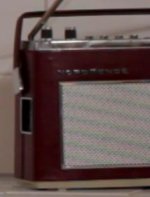
Canon sensor fail by recording a radio grid - what can I do?
- Thread starter muroshi
- Start date
pulpfiction007
Veteran
Ouch! Reshoot that shot and de-focus a bit maybe, or shoot it from a different angle/distance and possibly the moire will disappear. Or if you don't absolutely need that shot...cut it. I know there are some software fixes but it would probably be less time consuming to do something else, if you don't have the software on hand. These are the shots that make the case for having a just a simple consumer HD camera on hand. When people ask what camera to buy....I've been saying that if you get a DLSR, at least buy a regular cam for deep focus shots, complex wide angle urban scenes, and small repeating patterns. Hope you get the shot solved, and seriously consider adding a HFS200 or something else to your kit...I can't heap enough praise on this little camera. It's a great companion to DLSR shooting.
pulpfiction007
Veteran
Can you drop in a 16:9 photo of the radio into the sequence, or do you not have access to it any longer? What is the context of the radio in the scene? Maybe you can substitute something else...a stock photo of a similar radio perhaps...put some movement on it in your editor. Just brainstorming here...

Rick Burnett
Section Moderator
If it's an unmoving image, or even a little bit, just use a mask in After Effects and pull out the chroma, then tint it to what you want. Not hard to do at all. Why do I know this? Because I have had to do it with 7D video I have shot 

Hunter Hampton
Carbonite Member
A Chroma Blur will do a good job of fixing that. After Effects does it- I think the nattress filters for fcp also have a chroma blur tool.
Hunter Hampton
Carbonite Member
found this 5d chroma blur example: http://img6.imageshack.us/f/86661481hu7.jpg/

I am getting cynical but from what I am seeing these days only you and 3 other people are gonna notice it. Soon we are gonna have clients asking for it.
That being said all the options listed here are very viable.
Shallow DOF Killer
Thanks a lot guys. What's the name of this chroma filter in AE?
And just out of interest: What causes this? I have also funky seagrinish stuff going on in other scenes with white walls at times. But there it isn't this easy, cause I have an object moving in front. Really annoying this sensor, isn't it? Maybe the GH2 would be a better choice for my next short.

And just out of interest: What causes this? I have also funky seagrinish stuff going on in other scenes with white walls at times. But there it isn't this easy, cause I have an object moving in front. Really annoying this sensor, isn't it? Maybe the GH2 would be a better choice for my next short.
kevinottawa
Well-known member
Thanks a lot guys. What's the name of this chroma filter in AE?
And just out of interest: What causes this? I have also funky seagrinish stuff going on in other scenes with white walls at times. But there it isn't this easy, cause I have an object moving in front. Really annoying this sensor, isn't it? Maybe the GH2 would be a better choice for my next short.
View attachment 30003
It is the way the sensor goes from 18mp down to a 1080p sized image. It has too many pixels so it has to skip some, and that causes they funny colors and pulsing.
If you shot that radio a bit out of focus, it would remove the effect.
Hunter Hampton
Carbonite Member
Think its just called "Chroma Blur" or "Blur Chroma"- maybe even "Channel Blur" -might be a part of a keyer.
Cant remember who makes it, but I bought some plug ins for FCP a few years ago and it was part of that pack- I dont know my way around AE to save my life.
Cant remember who makes it, but I bought some plug ins for FCP a few years ago and it was part of that pack- I dont know my way around AE to save my life.
Rick Burnett
Section Moderator
It happens on fine detail, so as you can see, can happen in paint texture, bricks, grills, blinds, anything that can produce really fine detail that the optical low pass filter in the camera does not filter, as it is designed for the entire sensor being read (since it is a stills camera first).
The worst part, you cannot see this in camera. You'll need to use an external monitor and playback to see if you have it. The GH2 right now seems to be the best bang for the buck and does not suffer from color moire like ALL the Canon DSLRs (and even their consumer burrito cams have it too, my HV30 I can make do the same thing, but not as bad as the DSLRs).
The worst part, you cannot see this in camera. You'll need to use an external monitor and playback to see if you have it. The GH2 right now seems to be the best bang for the buck and does not suffer from color moire like ALL the Canon DSLRs (and even their consumer burrito cams have it too, my HV30 I can make do the same thing, but not as bad as the DSLRs).

Samuel H
Major Contributor
free fcp plugin for chroma blur:
http://philipbloom.net/2011/02/17/moire/
http://philipbloom.net/2011/02/17/moire/