
Navigation
Install the app
How to install the app on iOS
Follow along with the video below to see how to install our site as a web app on your home screen.
Note: This feature may not be available in some browsers.
More options
You are using an out of date browser. It may not display this or other websites correctly.
You should upgrade or use an alternative browser.
You should upgrade or use an alternative browser.
can you do green screen with a DSLR?
- Thread starter leejt1986
- Start date

M. Gilden
Canon DSLR Moderator
Yes. There is no reason a DSLR would be different than any other camera- I've seen people key out footage taken on a cell phone (no joke!).
I'll admit its easier on some cameras versus others, but working around the limitations is practically the DSLR motto. Avoid shallow DOF and compression artifacts (fast motion, etc) and you should be fine. I've done it without a problem.
I'll admit its easier on some cameras versus others, but working around the limitations is practically the DSLR motto. Avoid shallow DOF and compression artifacts (fast motion, etc) and you should be fine. I've done it without a problem.

Michael Carter
Veteran
You'll need to be pretty precise with things like tracking and match moving.
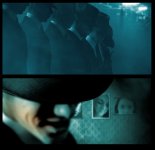
I did a music video with extensive greenscreening with the T2i. It's not easy; the aliasing really shows up when you pull a key and you can end up with many layers of footage with holdout mattes and lots of hand tuning for even a simple shot. For keying on a budget, the HMC150 for instance is a massive improvement in my experience. With Canon footage, smoke and blur are your friends in shot design.
T2i:
HMC150:
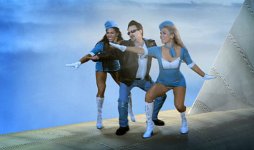
I did a music video with extensive greenscreening with the T2i. It's not easy; the aliasing really shows up when you pull a key and you can end up with many layers of footage with holdout mattes and lots of hand tuning for even a simple shot. For keying on a budget, the HMC150 for instance is a massive improvement in my experience. With Canon footage, smoke and blur are your friends in shot design.
T2i:
HMC150:
WhiteMonkey
Well-known member
![canon-7d[1].jpg](https://www.dvxuser.com/data/attachments/2/2437-d7f003093dc151e77ac4d0b3cf1c128d.jpg?hash=1_ADCT3BUe "canon-7d[1].jpg")
Heloperator
Member
Great image, WhiteMonkey. Definitely doable, just be sure to light your green evenly as possible.
vision_filmz
Carbonite Member
The best kind of even lighting for Green Screen is to use a soft box. Light your background first + evenly, then light your subject separately & make sure they have space from the background. A good rule is at least 5ft of separation.

jambredz
Veteran
The best kind of even lighting for Green Screen is to use a soft box. Light your background first + evenly, then light your subject separately & make sure they have space from the background. A good rule is at least 5ft of separation.
+1
or use Kinos

yrpfilms
Well-known member
This is also dependent if you use Chroma-Green or Digital Green.A good rule is at least 5ft of separation.
Digital Green is much more reflective, so if possible double that!!!! Otherwise, you have "green halo's" on everyone.
vision_filmz
Carbonite Member
This is also dependent if you use Chroma-Green or Digital Green.
Digital Green is much more reflective, so if possible double that!!!! Otherwise, you have "green halo's" on everyone.
Totally which is why I said at least 5 ft..... Honestly though it's really about lighting , just like anything. I recently seen this Movie on Dvd 'Faster' http://www.amazon.com/Faster-Dwayne-Johnson/dp/B0034G4OUO/ref=sr_1_1?ie=UTF8&qid=1307307585&sr=8-1
& thought the cinematography and lighting was amazing, if anyone has a chance I suggest them to check it out, truly inspiring.
TeresofBlood
Active member
It just occurred to me. I don't know what camera you're using, but in terms of sensor size, the 7D is perfect. The biggest downside is the AVC compression. I wonder if recording the 1080p signal output would serve green screen recording. You do have the red dot up in the corner, but that's easy to remove if you're going to be keying out the green anyway.
M. Gilden
Canon DSLR Moderator
It just occurred to me. I don't know what camera you're using, but in terms of sensor size, the 7D is perfect. The biggest downside is the AVC compression. I wonder if recording the 1080p signal output would serve green screen recording. You do have the red dot up in the corner, but that's easy to remove if you're going to be keying out the green anyway.
Nah, there are all sorts of problems with recording the hdmi signal out. If I recall correctly, it is not all that clean either.