
Navigation
Install the app
How to install the app on iOS
Follow along with the video below to see how to install our site as a web app on your home screen.
Note: This feature may not be available in some browsers.
More options
You are using an out of date browser. It may not display this or other websites correctly.
You should upgrade or use an alternative browser.
You should upgrade or use an alternative browser.
C500: C500 Mark II: Observations from a C300MkII point of view
- Thread starter Barry G
- Start date
I like the subtle colors. B&W looks sharpened. How come you choose not to shoot in 24p for a lot of these videos? Just personal preference?
(I think your images would come across differently with the slower framerate.)
BW has been heavily processed to produce a grainy, contrasty result. Not sure if it’s been sharpened though ;-)
This was shot in 29.97 and will be finished in 23.98. As the subject of the post was the AF, it made sense to show the clips at full speed. I will admit to being somewhat frame rate agnostic though. We finish for local TV a lot so I’m used to, and not bothered by
Frame rates other than 23.98.
;-). Ok...although I wasn’t setting out to test the af specifically, but rather shooting a project in 30p that I intended to finish in 23.98.
I’d say that the appropriate way to test af would be to test at the same rate your shooting in...and I’m not sure I’d characterize shooting at a 20% lower frame rate exactly stresses the af system, but does, as you said, simply provide 20% fewer samples....in tandem with a project rate that requires 20% fewer samples. FWIW, Haven’t noticed any difference in af performance at different frame rates with this camera.
I’d say that the appropriate way to test af would be to test at the same rate your shooting in...and I’m not sure I’d characterize shooting at a 20% lower frame rate exactly stresses the af system, but does, as you said, simply provide 20% fewer samples....in tandem with a project rate that requires 20% fewer samples. FWIW, Haven’t noticed any difference in af performance at different frame rates with this camera.

puredrifting
Major Contributor
Here are a couple of rehearsal shots (thus the crappy framing) from a new reel video I'm working on for my dancer friend. We were repurposing a set and some lighting from another video I was shooting. I think these are a good example of how well the AF on this camera works. We must have done this shot 30 times with a variety of walks, in several types of lighting, face occasionally leaving the frame, or hidden by hair or shadow...most of them very fast with the camera pushing in at a high speed as well. The AF never failed to keep her face tracked, mostly starting with an area selection and then switching to face tracking as she got in range. From an exposure point of view, in the shots that are spot lit from the front, she's walking forward about 9 feet towards a Leko Spot that is about 16 feet away from her starting point...which means there's about a 3 stop increase in her skin exposure during the clip.
These were shot in 5.9k Raw. One of the hidden benefits I see with the Raw capture, I think...is that you aren't "shooting in Log" necessarily. Canon notes that AF doesn't work as well in LOG, and I've noticed that to be true over the years with my DPAF upgraded C300, and the C300 mark II. Anyway, shooting in raw lets you shoot in "rec709" for better AF, but you essentially get a Log file if you prefer to grade that way.
I like that B&W look Barry, purty cool!

cpreston
Veteran
These were shot in 5.9k Raw. One of the hidden benefits I see with the Raw capture, I think...is that you aren't "shooting in Log" necessarily. Canon notes that AF doesn't work as well in LOG, and I've noticed that to be true over the years with my DPAF upgraded C300, and the C300 mark II. Anyway, shooting in raw lets you shoot in "rec709" for better AF, but you essentially get a Log file if you prefer to grade that way.
This is one of the design changes that I am still getting used to vs the C300 MK II. When shooting in RAW, your choice of picture profile isn't set. You can choose whatever picture profile that you want for monitoring and recording to the sd card. I'm not sure if it makes sense to set to clog 2 or 3 with a LUT so that I have an idea of the full dynamic range on the WFM, or maybe set it to WideDR to get a general image idea. I do miss the ability to apply a LUT to the SD card recording so that I could have the WFM and zebras represent the recorded high quality media but still get a useable proxy that didn't need color correction.
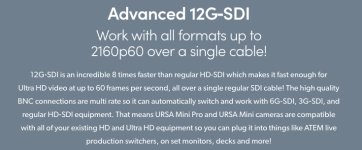
Haven't read thru all of these posts but the ones I've read (and most of the other forums I've checked in on) don't mention the most frustrating feature (or lack there-of) of having only one 3G SDI terminal out (MON out). The HDMI and MON OUT don't work at the same time, and the SDI OUT is 12G, which essentially renders it useless to most 17" or larger monitors under $10K, all EVF's, and Teradek systems (except the Bolt 4K). Has anyone figured out a work-around?
Ok let's say I'm shooting handheld and using my Zacuto gratical eye (MON out) and want to send wireless vid (Teradek) to video village or director's monitor but don't want to add more gak to the top of my camera? My C300mkii could send REC OUT and MON OUT no problem. This is a huge design flaw....
Brother, I have gone through the menu six ways from Sunday, spoken to Canon Professional Services a number of times, emailed back and forth with Canon Cinema EOS marketing specialists, etc. As they said: "we're skating to where the puck is going..." SDI OUT is 12G (period) and unless they can do a firmware fix, we're stuck with it until the puck arrives...
cpreston
Veteran
The monitoring is a step back from the C300 II. The 12G SDI is only recognized by certain monitors and you don't have any control over the signal. Admittedly, the record out on the C300 II wasn't useable on most of my monitors either, even when it was set to 2K. The real problem that the SDI and HDMI can't work at the same time like on the C300 II. I suppose I will have to look into having a splitter available.
G
Guest
Guest
I was wondering why i couldn’t get video out. Thought it was some setting, and i didn’t need the extra output at the time and left it alone.
Will it allow for 4K monitoring?
Will it allow for 4K monitoring?

NorBro
Major Contributor
Will it allow for 4K monitoring?
That 12G output only requires a 12G connection, so a Shogun Inferno (for example) would display an image - using the correct input, the fourth one to the right - even though it's a 1920 x 1200 panel.
I was wondering why i couldn’t get video out. Thought it was some setting, and i didn’t need the extra output at the time and left it alone.
Will it allow for 4K monitoring?
Not my area of expertise, but it seems like there are a number of lower cost monitor/recorders (Blackmagic, liliput, etc) that can take a 12g-SDI signal and either display at 4k or downconvert to whatever. As for Canon, the manual doesn't offer much help. From it's perspective, the Mon terminal is for monitoring and is 2k. The SDI terminal is for recording and can output 5.9k, 4k, 2k (not sure if that's referring to whatever raw signal is being recorded internall...so 4k and 2k would be cropped sensor? or not). I wonder if any of the dealers on here could offer some help as to what will work with the SDI terminal.
from the manual
Using the SDI OUT Terminal
The digital signal that is output from the SDI OUT terminal includes the video signal, audio signal, time code signal and the recording command signal. You can connect an external video recorder to the SDI OUT terminal to record 5.9K, 4K or 2K video. For details about configuring and using external recorders, refer to the instruction manual of the external device used.
G
Guest
Guest
It will be great to have 4K monitoring. Hoping monitors start to become morr specialized for professional focus pullers and 1st AC’s.
NorBro
Major Contributor
You can have 4K monitoring if your monitor is 4K.
With that said, that's actually one product (4K camera monitors) that has been very slow to appear on the market. I'm currently selling a 4K resolution camera monitor in the marketplace, and it's only one out of a handful of affordable 4K panels available (but 4K is via HDMI only).
With that said, that's actually one product (4K camera monitors) that has been very slow to appear on the market. I'm currently selling a 4K resolution camera monitor in the marketplace, and it's only one out of a handful of affordable 4K panels available (but 4K is via HDMI only).