C100: C100 mk2 & C100 film look

What tool are you using to upgrade to "faux 4k," just out of curiosity.
There are a number of plug-ins. I brought it up because "mcgregor" started a thread on it (deviously) on the Sony F35 forum recently. So I ended up looking up a bunch of YouTube clips. Some look better than others and having a Raw acquisition (Pocket Cam, 5DMKII ML) helps.

Now that is a good discussion to have. FWIW, there have been some studies that link aspects of cinema to human physiology. The cadence of 24p, the selective focus, aspect ratio, and Walter Murch wrote a whole book based on the idea that edits should happen when people are naturally inclined to blink. These physiological connections are different than psychological ones, or sociological as in it being a "fad"...
Many a theory on editing is based on psychology.

https://en.wikipedia.org/wiki/Soviet_montage_theory

In retrospect, watching many films from the 1960's, it's hard to tell that they are not "classical" in format. Only a few selected titles like "Bullitt" break away from the established Hollywood narrative style. The Italian neo-realism was a pseudo documentarian, with its choice of shooting locations and non-actors. Et cetera, et cetera.
 
Now that is a good discussion to have. FWIW, there have been some studies that link aspects of cinema to human physiology. The cadence of 24p, the selective focus, aspect ratio, and Walter Murch wrote a whole book based on the idea that edits should happen when people are naturally inclined to blink. These physiological connections are different than psychological ones, or sociological as in it being a "fad".

Interesting, but sometimes I blink twice in a row, then won't blink again for a while..... hum.
 
Erick
Could you show it before colour correction in post ? Could you show here, how sample look straight out both camera ? Did you shoot in c-log or wide DR ? Thanks
From the Light Panel Astra Soft topic...

http://www.dvxuser.com/V6/showthrea...-Panel&p=1986619989&viewfull=1#post1986619989

...you can see ungraded frame grabs of the C100 Mark I, C100 Mark II, and C300 Mark II, used together in a three camera interview setup. All shot in Wide DR. C300 Mark II is the wide, C100 Mark II is the medium front on shot, and C100 Mark I is the tight off-axis shot.

I'll quote the post here for convenience.

I think the colors are great.

Setup:

IMG_1305.jpg


Graded Result:

12801110_804655942974337_1155844474852185930_n.jpg


Here are a few setups and results from the past couple days of shooting using the Astra Soft as a fill light. The nice thing about this setup is it enables my third off-axis camera to get a shot since I don't need a large diffusion piece for the fill which can easily block my off-axis shot.

Whether or not the Astra Soft is softer or harder at the same light intensity as the regular Astra, one thing is for sure, and that is that you can use it bare because at the same light intensity it's a lot less harsh on the eyes than the regular Astra due to it being a larger source instead of several small and blinding sources of the regular Astra bare. I'm really liking the light so far.


Setup:

IMG_3734.jpg


Ungraded Result:

C300_Mark_II_Frame_Grab_4.png


C100_Mark_II_Frame_Grab_5.png


Setup:

IMG_3763.jpg


Ungraded result:

C300_Mark_II_Frame_Grab_6.png


Setup:

IMG_3803.jpg


IMG_3806.jpg


Ungraded Result:
C300_Mark_II_Frame_Grab_2.png


C300_Mark_II_Frame_Grab_3.png


Setup:

12967553_828373883935876_4948873463235059485_o.jpg
12957541_828373837269214_8202404282954229256_o.jpg


Ungraded result:
C300_Mark_II_Frame_Grab_8.png


Magdala_Frame_Grab_C100_1.png


Magdala_Frame_Grab_C100_2.png


Setup:

12909649_828370363936228_4064231475950499624_o.jpg


C300_Mark_II_Frame_Grab_7.png


Setup:

12970828_828372610602670_1956977836929742446_o.jpg


Ungraded result:
C300_Mark_II_Frame_Grab_9.png


Magdala_Frame_Grab_C100_3.png


Astra Soft on the right in tight quarters where a soft-box or other type of bulky diffusion would have made things more difficult.


IMG_1333.jpg
 
SKINTONE.jpg

Ok thanks , is there any way to get the same skin tone from mk2 like from c100 , straight from camera ? Is anyone tried to modify c-log and wide DR in mk2 to get it nice pleasing skin tone . Please do not ask me to do it in post . Mk2 is 8bit camera and I believe we should always try to bake everything inside camera as much as we can . Is anyone tried to go down with blue tint ?
 
Last edited:
I just did an interview yesterday with the Mark I and Mark II and was considering changing the white balance shift to get them to match better. Thing is, the LCD and OLED on both cameras aren't very accurate, so they didn't look far off on that, but I suspect once I get to post they'd look further off. So, it's almost like I'd have to do tests with the white balance shift (or use an accurate field monitor) to find a sweet spot of where to put the white balance shift to get them to match.

Or, I suppose I could just trust instinct by going off of what I've already shot, as in, if the Mark I is warmer, send it toward blue, and if the Mark II is pinkish, send it away from pink. I was tempted to do that yesterday, but it was someone else's shoot and I didn't want to mess things up by trying things out on their shoot.

I should note in those above images, the Mark I is on a Nikon 80-200 f/2.8 while the Mark II is on a Canon 70-200 f/2.8 IS II, so there may be color differences from the lenses as well. Some of the other interviews posted above (which I didn't post the off-axis frame grab of), the off-axis tight shot was with the Canon 100-400 II, so perhaps I'll post the frame grabs from them later.
 
If you are that concerned Tom, shoot in ProRes HQ with a ninja and get the skin tones you want. Or just turn the manual white balance a couple clicks warmer.
 
I just did an interview yesterday with the Mark I and Mark II and was considering changing the white balance shift to get them to match better. Thing is, the LCD and OLED on both cameras aren't very accurate, so they didn't look far off on that, but I suspect once I get to post they'd look further off. So, it's almost like I'd have to do tests with the white balance shift (or use an accurate field monitor) to find a sweet spot of where to put the white balance shift to get them to match.

Or, I suppose I could just trust instinct by going off of what I've already shot, as in, if the Mark I is warmer, send it toward blue, and if the Mark II is pinkish, send it away from pink. I was tempted to do that yesterday, but it was someone else's shoot and I didn't want to mess things up by trying things out on their shoot.

I should note in those above images, the Mark I is on a Nikon 80-200 f/2.8 while the Mark II is on a Canon 70-200 f/2.8 IS II, so there may be color differences from the lenses as well. Some of the other interviews posted above (which I didn't post the off-axis frame grab of), the off-axis tight shot was with the Canon 100-400 II, so perhaps I'll post the frame grabs from them later.

After all the hoop-la with trying to match the 5D3 with the C100.... I'm somewhat comforted knowing Eric, that you are struggling with matching two C100's despite all those who claim how easy it is to match up different cameras.

I am seriously contemplating another C100, and the main reason is I don't want to screw around in post with matching up the C100 and the C100 MK II. I will be purchasing a C100 with the auto focus.
 
White balance might be not enough. I just do not undertand canon , why they complicated that so much, mk2 seems like a perfect secand camera , has 50p/60p, usable vf . I really wish to get it and match to my c100 , with lovely orange skin tone.
 
After all the hoop-la with trying to match the 5D3 with the C100.... I'm somewhat comforted knowing Eric, that you are struggling with matching two C100's despite all those who claim how easy it is to match up different cameras.

I am seriously contemplating another C100, and the main reason is I don't want to screw around in post with matching up the C100 and the C100 MK II. I will be purchasing a C100 with the auto focus.
Matching them is easy, in post. Takes me maybe 1-5 minutes to grade each interview shot. Note, I'd of course grade the shots regardless of if they are different cameras, so of that 1-5 minutes, perhaps only 30-60 seconds is dedicated to matching the differences between cameras. Say I have 10 different interviews in a video, that means perhaps 5-10 minutes is spent on extra time to match the cameras. We're talking simple stuff, short work. On a 3-5 minute promo video I may spend on average 1-3 hours color grading all 80-120 shots. This is after spending 20-40 hours editing the video itself, so not much time by comparison.

As for matching them in-camera, why the great need to do that? I can see if you're handing it off for some super quick turn around to another editor who may or may not color grade, but if you're editing it yourself, then simply learn how to adjust color wheels and you can match them really quickly. C100 is 8 bit and it's always best to get the image right in camera, yes, but being off by just a little bit isn't going to make much difference to really worry about, and you'll always want to grade it some anyway.

I have two C100 Mark I's and one C100 Mark II, and whenever I'm doing a two C100 interview shoot, I always use the C100 Mark II and a C100 Mark I. I always prefer working with better gear mixed with inferior gear over using just inferior gear; I'd rather shoot with an Alexa and a C100 than two C100s, for example. It's a path to improvement. Always seek to improve.
 
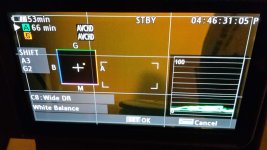
Ok I got mk2 , at now I do some small test , what I can see so far is still canon look what I expect . Shooting with this mk2 is pure pleasure , finally new vf is usable and give me more stable shoot , this is what I really miss in c100 . At now I have 3 axi stabilization like sniper . There is only one downwards , no waveform display in VF , maybe I miss some set up in menu hmmm . Colour like we said before more neutral , but going up with white balance help to get nice warm cream feel . Skin tone this is what I am gonna focus now to make it orange like from c100 . As far I know adding green and red make orange so I will try in white balance setting .
20160414_224157.jpg
 
I would like to share with my thought . I am after wedding when I got chance to fully test mk1 with mk2 . Both camera was set wide DR . All what I did was just set higher white balance in mk2 , about 300k more . I have no any issue to match both camera , it is incredibly easily to do it in post . I used to try to match c100 with sony fs100 , and it was pain in ass , completely different sensor . I did not want to mistake again . I needed A or B camera for my c100 , for easy workflow. Do not get me wrong fs100 is great camera but mixing canon with sony is the worst idea , if you have sony camera keep with sony , the same story with canon . Mk2 is amazing camera outside I set white balance for 5900k sunny day , no any blue tint . Lovely skin tone .
I just wish to have audio monitor when waveform is on . I do not understand why I can not display both things in the same time . Waveform should be display in evf , so far it is just available on LCD screen .
 
Last edited:
Back
Top