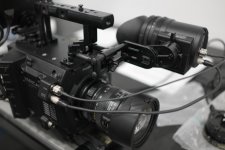
AG-DVX200 4K Large-Sensor Handheld Camcorder

Hi Pancam,

When I look at your footage two things strike me.

1. The G7 footage is brighter than the DVX200, showing more facial highlights. The older lady is particularly dark on one side of her face on the DVX200 shot compared to the next shot on the G7, and in the younger female tight shot, her face is much brighter and the drink sign in the background is much more washed out than in the wider shot from the DVX200, so the G7 has been given more latitude in the exposure settings, the blacks on the wide shots seem to be dragging down the DVX200 shots (best way I can describe it).

2. In the last two wide shots of the DVX200, the hair of the two people are DEFINITELY not in proper focus, but just slightly out. Their eyes don't sparkle either, so I'm pretty sure you didn't nail the focus on at least two of those shots.

So it looks like your DVX200 is having to work harder to get those shots for you, and maybe a lower pedestal is the difference in the pictures between the two cameras having the same exposure.

I'm haven't had time yet to go through Barry's book and understand my own DVX200 thoroughly yet, but maybe have another look at your footage because I don't think you quite got the same look between both cameras.

Good try though!

Cheers,

Vaughan
 
I'm not surprised the image on the G7 is brighter and has a shallower depth of field than the DVX200. He's using a prime lens at f1.7 on the close up cam G7, where the DVX200 is on a wide shot and is at f3.8,not so shallow depth of field.
 
where the DVX200 is on a wide shot and is at f3.8,not so shallow depth of field

Exactly, so no reason for the (last two) subject's hair and eyes to be soft. No wonder the skin looks soft as well.

Cheers,

Vaughan
 
I have had my DVX200 since October and with the latest firmware updates, I am not seeing the yellowish tinge any more. I am NOT using Panasonic scene files. Rather I am using a set sent in to Panasonic by Barry Green. I am not as experienced as many people here, so I have been trying to tune the BG files just a little more to my liking. For instance, I just did an indoor portrait of someone with a Sony A7Rii using its raw function. The resulting photo looks pretty good to me...nice balance of color and the flesh tones look nice. Then, I tried the same thing with the DVX200 using Scene 4 from SCN2. This is billed as a rich color scene file and it certainly is, but the face looks a bit reddish/florid. So after reading BG's book, I backed off the Chroma Level by -5. It improved the look, and the two pictures look almost the same. No yellowish tinge thank God! But, I am wondering if I did this correctly and should have left the Chroma level alone and instead got into the 16-Pole Color Correction setting!


There is a red apple next to my model with a yellowish/green center core. This stayed much the same after the adjustment, but I still see a little of that florid/ sort of magenta look in the face. So how to fix?


There are so many combinations in this camcorder, you can spend hours and hours tweaking only to discover that in another lighting environment you did it all wrong!
 
Hi Vaughan!
Thank you for your attention!
we look pictures compared A $ 4,200 camera and a $ 600 camera
interestingly, the $ 600 is the winner the picture quality
DIVX is very hungry to light and its color temperature
If this is not optimal, it makes such a smear skin problems (reddish/florid)
when I work with two cameras, immediately reveals the downside has DVX
Basically, this camera is ideal for outdoor work

I'm sorry for my bad english
I look forward to the sunlight time
I waiting to the sunlight time
 
Hi Pancam, I have good experience in AREA mode at the exposure of faces.
By adjusting the exposure field at the subject, the exposure is much more precise.
 
Of course I tried
In case of low light is less reliable,
but a wide aperture and high gain position
this camera is the image slightly blurred
light, light, more light...this is a secret
 
I finally had an afternoon with a DVX200 to twist the dials and play with the scene files. Overall I think this is a nicely designed camera and a good value for the price. My main opinion about the image is that the sensor is a let-down for me.

I have owned a lot of Panasonic cameras over the years. This camera's image reminded me of the GH2 but with way more accurate color, menu options and a little better DR. The biggest show stopper for me is the shadow areas. They are way too heavy. This is why the GH2 coms to mind. Basically there is MUD from the low mids down. I was able to minimize it, but it is too much to overcome for my tastes.

I was very impressed with how accurate the color hues can be made to be. You can dial this camera in to be spot on. Great to see.

The camera is quite large. A little too large imho. If they could get it down to a PX270 size I think it would be a lot better.

My hopes for this form factor is that Panasonic releases a P2 variant of this camera with a different imaging chip and color science from the broadcast side. Also with more f2.8 range in the lens. When filming with the camera DOF does not seem to be that shallow. These improvements would get a purchase from me.

Here are some settings I wrote down that were an attempt to get a nice working video image from the camera:
Matrix - Cinelike
Master Ped - +3
Gamma Mode - HD
Black Gamma - 0
Black Gamma Range - 1
DRS - On
DRS Effect 1

System Mode - High Sens

This camera missed the mark for me purely on image quality. I hope Panasonic has some commitment to this product and follows through with a more pro version as the form factor is made for the working man. If not then they I guess they will be only a GH or Varicam camera company.
 
Here's my one month-ish impression... I love it, but it's not perfect. Two tiny impromptu projects shot in V-Log at 4k, and a long presentation intercut with GH4's shot using a modified variant of Barry's "Natural" scene file at 50mbs. Bassman is right about needing more reach at a lower f-stop. On non-4k projects, the i.Zoom setting will be a help a little with the f-stop at lower distances, but one stop of aperture would be far better.

High Sens is a mixed blessing. Definitely useful when needed, but it caused the image on the long shoot to develop a bit of a plastic-y look on the skin, when compared to the GH4's I was intercutting with. I think Barry mentioned that is uses a very aggressive noise reduction, and that affects skin detail, I think.

I'm a little shocked at how clean higher ISO's look. I should have opted for that instead of High Sens for this particular project (especially since it wasn't that low light). Not the end of the world.

With a little tweeking in post, the DVX and GH4 intercut amazingly well. At first glance, you can't tell the difference.

Once I get the hang of V-Log, I'm pretty sure I'll never be able to go back to non-V-Log if I can help it. I was having way too much fun playing with the footage in post... even if it's "only" 8 bit 4:2:0

I'm probably going to spend most of this afternoon and a good chunk of tomorrow refining the camera settings... holy moley there's a lot there to play with, and it's just different enough from my previous Panasonic cameras to throw me off a bit. I have a project the first week of March where I'm shooting medical projects everyday, including some surgery I'm sure. THAT will put this camera through it's paces, and where I think this camera will shine.
 
Caught with my pants down! (I really need your help)
Hi all, Well, my DVX200 has only seen minimal use since I purchased it since I have been too busy to explore this camera and integrate it into my workflow. I have the latest firmware and have installed Barry's scene files but have not even turned the camera on since.

Now I have an "emergency" shoot with the camera and am desperately in need of your advice. I have to use the 200 as one a three camera shoot. The other cameras are Canon C-100 MK II's. (Don't ask, it happened, now I need to bring the best I can with minimal experience on this camera).

The Shoot...
We are shooting eight, 1-hour presentations with 7 people on camera. They will be front lit (daylight balanced) and sitting in a row. The background will be ambient lit, maybe a little dark. We are shooting 1080P, either at 24fps or 30fps (to be determined).

So the question(s) I have are...
1) Which scene file should I use to give the editor the best opportunity to match the footage from the 200 with that of the C-100? (I'm not the editor). The C-100's will not be shooting in Cinema mode, just shooting with default settings.

2) Any suggestions as to any other settings I should pay attention to in order to get the best image quality?

Thanks for your time, all suggestions (other than those which specify what an idiot I am or what a hopeless situation I am in) are appreciated.
Mabou
 
Picture Profile ? (Mod from Barry's profile 5) any comments - (This is straight from the camera, with most of the setting i have tried before i found the black to be crushed to far, and the skin tones looked to red for my liking, so this is what i have come up with) I will be happy to get other to comment on what they would do different.
https://vimeo.com/155188984
Shot in UHD, Downconverter to 1080p on the Odyssey 7Q+, Lighting 3 point lighting balanced at 5600k.
In camera White Balance 4175K, 6db, F4.8
Master Detail 0
Detail Coring 1
Skin Tone on
V Detail 0
Knee 2
Chroma Lv -8
Chroma Ph 0
Matrix Normal 1
>Colour Correction
R
Sat +8
Phase+2
R-MG
SAT+2
Phase -8
MG
Sat +5
Phase +1
MG-MG-B
Sat +10
Phase+3
Mg-b-b
Sat +12
Phase +9
B
sat +16
Phase +10
B-B-CY
Sat 0
Phase +4
B-CY-CY
Sat +11
Phase -3
CY
Sat -4
Phase 0
CY-G
Sat 0
Phase +2
G
Sat 0
Phase -5
G-GYI
Sat -10
Phase 0
G-YI-GI
Sat -18
Phase +5
YI
Sat -13
Phase 3
YI-YI-R
Sat 0
Phase +17
YI-R-R
Sat 0
Phase +6
>
Master Ped +4
Gamma Mode Cine-Like V
Black Gamma +4
Black Gamma Range 2
Knee off
Knee Master point 93.0
Knee Slope 85
DSR off
DSR Effect 1

Ps,, If any one knows of a LOG profile please share> I haven't found one that i like yet, might end making my own in Resolve i think.
PPS, Bit of behind the scenes - How this for calling it., I came across it the other day Starts 15 Sec in, Split screen -https://www.youtube.com/watch?v=DP2QOmN57iU
 
Last edited:
Picture Profile ? (Mod from Barry's profile 5) any comments - (This is straight from the camera, with most of the setting i have tried before i found the black to be crushed to far, and the skin tones looked to red for my liking, so this is what i have come up with) I will be happy to get other to comment on what they would do different.
https://vimeo.com/155188984
Shot in UHD, Downconverter to 1080p on the Odyssey 7Q+, Lighting 3 point lighting balanced at 5600k.
In camera White Balance 4175K, 6db, F4.8
Master Detail 0
Detail Coring 1
Skin Tone on
V Detail 0
Knee 2
Chroma Lv -8
Chroma Ph 0
Matrix Normal 1
>Colour Correction
R
Sat +8
Phase+2
R-MG
SAT+2
Phase -8
MG
Sat +5
Phase +1
MG-MG-B
Sat +10
Phase+3
Mg-b-b
Sat +12
Phase +9
B
sat +16
Phase +10
B-B-CY
Sat 0
Phase +4
B-CY-CY
Sat +11
Phase -3
CY
Sat -4
Phase 0
CY-G
Sat 0
Phase +2
G
Sat 0
Phase -5
G-GYI
Sat -10
Phase 0
G-YI-GI
Sat -18
Phase +5
YI
Sat -13
Phase 3
YI-YI-R
Sat 0
Phase +17
YI-R-R
Sat 0
Phase +6
>
Master Ped +4
Gamma Mode Cine-Like V
Black Gamma +4
Black Gamma Range 2
Knee off
Knee Master point 93.0
Knee Slope 85
DSR off
DSR Effect 1

Ps,, If any one knows of a LOG profile please share> I haven't found one that i like yet, might end making my own in Resolve i think.
PPS, Bit of behind the scenes - How this for calling it., I came across it the other day Starts 15 Sec in, Split screen -https://www.youtube.com/watch?v=DP2QOmN57iU

I think it looks pretty good. My personal preference would be to have the blacks just very slightly darker. Could just be a slight saturation adjustment that may make the blacks darker. I am by no means an expert colorist but the default scenes had that same issue, blacks were slightly a hazy gray if that makes sense. Skin tone looks very acceptable.
 
This is all I get when I open in text editor:
It is not very helpful!

SCN 01.01
AG-DVX200
Ver.1.25-00-0.00


SCENE:1
0002:+0
0003:+1
0004:+0
0006:+0
0007:+2574
0008:+2700
0009:+1650
000A:+2000
000B:+2045
000C:+2043
000D:+0
000E:+0
000F:+0
0010:+0
0011:+0
0012:+1
0013:+5
0014:+0
0015:+0
0016:+0
0017:+0
0018:+0
0019:+0
001A:+2
001B:+0
001C:+0
001D:+0
001E:+17
001F:+0
0020:+1
0021:+2
0022:-15
0023:-9
0024:-4
0025:+860
0026:+33
0027:+3
0028:+14
 
How does one get a print out of each scene file? Opening up the text file doesn't help much.
I think your talking about the file being cryptic when you open it. Someone would have to know the details of each field and convert that data into the same stuff that you read on the display. Not an easy task without having that information.

It would be easy to do in an Excel spreadsheet but someone at Panasonic would have to tell us what the conversion on each field would be and then one spreadsheet could be written and then it would just be a matter of pasting the data into the first row of the spreadsheet and then the math in the spreadsheet processing into the non cryptic information.
 
oh, so the only way is to laboriously go through each scene file setting in the camera and copy it to a spreadsheet! I just want to be able to check exactly what scene file I have loaded and whether it matches the text description that i have.. How did this guy in the earlier post here provide the detail he did? Did he type it out? I just went through it, and discovered one label in the color tables had a typo. It seems that there was only two changes he made to Barry's file. I think I have discovered how to get rid of the magenta look in flesh tones.
 
Back
Top