AG-DVX200 4K Large-Sensor Handheld Camcorder

Would it not make more sense to compare the Sony AX1 4K with the DVX200 4K?
It has already been done, and the DVX200 looks like a winner: https://vimeo.com/146203898
It makes no sense whatsoever. The AX1 is a 1/2.3" chip, and since it only uses a crop of that (8.3 million out of about 19 million total photosites) the used area is a little smaller even than 1/3".

As a first approximation, the DVX200 chip is approximately 16 times the area of that used in the AX1 - which should give it a 4 stop advantage over the AX1 if all else was equal. (Probably more, as the interpixel banding won't scale up proportionately.) All else isn't equal, as against that the AX1 has a faster lens in terms of f stop, by about 1 1/2 stops. So theoretically the DVX200 should be predicted to have an overall edge of about 3 stops.

And that video shows something pretty close to that, maybe more like 2 1/2 stops. Hardly surprising. (And why colour balance to 5600K for a tungsten lit test? Why use such a fast shutter speed?)

Since there aren't any other 4/3 video cameras around, if a comparison is to be done, surely far more sensible to do it against a 1" sensor or s35? Comparing a cropped 1/2.3" sensor with 4/3 is pretty pointless.
 
Latest review from bhphotovideo.com is very positive. But once again, it seems like thosengetting the full potential of this camera are recording externally in 422 in Vlog. So if you want to use the DVX200 for run-and-gun and deliver straight from the camera, you might consider recording on fx an Atomos or PIX-E5. At least untill usefull scenefiles are available.

http://www.bhphotovideo.com/c/product/1142844-REG/panasonic_ag_dvx200_4k_integrated_lens.html

So you didn't return it yet?
 
Y'know, I've seen a couple of references to noise, and someone even saying that the noise is worse in the new firmware. I cannot possibly comprehend what they're talking about. First of all, at 500 ISO, the noise is minimal in the first place, but secondly, its appearance has been greatly reduced in smooth areas.

Here's a side-by-side, using the same chart, same camera, same settings, same sharpness/detail settings, same coring, everything the same; only difference is which version of firmware it was running.

The chart used is the DSC Labs "Tricia" chart. This is what it looks like:
Tricia-800-450.jpg


This is a side-by-side comparison of the original shipping firmware, vs. the new firmware's black dot noise reduction. This picture is magnified 200% to really show any potential noise issues; obviously you'd never see it at this degree of magnification in actual shooting or viewing.
ear-magnified.jpg


Frankly, this is one of the most significant image improvements I've seen applied to a Panasonic camcorder. If someone doesn't see the improvement, I don't know what to tell you...
 
Hi guys, late this afternoon I heard back from the Panasonic rep that I've been conversing with via email prior to and after purchasing my DVX200. I've been tied up most of the day today so I'm a little late posting this.

This sounds like very good news or at least a step in the right direction. I asked him if I could post a little bit about our conversation so that it may help to ease people's concerns with what has been going on behind the scenes.

There has been a Panasonic engineer working diligently on a scene file that I have been told, "corrects the colors and improves the overall look of the DVX200". He also said that "it should definitely take care of the issues that you are seeing with your camera".

There will be some testing of this scene file and it will eventually be posted once it becomes official. It sounds like that will happen relatively soon if all goes well. We had no discussion about noise for those of you with that question.

This helps ease my mind about maybe getting the DVX200 a little closer to what many people were expecting it to be out of the box and that it appears that they have a commitment to refining the DVX200.
 
But I'm working with live productions. (SDI out)
There's no V-log, there is no atomic, etc..
If the Sharpening (-31), then the picture is out of focus compared to other cameras
The colors is better not to talk about it.
The AC160 camera has never been my problem, interesting ...
 
coring 0
master detial +10
skin ton dtl off
v detail level 0
chroma lev 0
chroma phase + 3
Matrix Norm 1
color correction setting 0
master ped -1
Gamma mode HD
Black gamma 0
Knee Mode off
DRS off
Válog L off
 
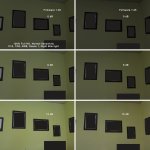
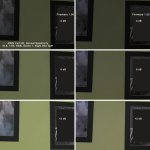
Real life condition, low light and noise test. Firmware 1.00/1.25. Sorry about hiding pictures but is the only footage i have with Firmware 1.00 in same light condition.
Let us know Barry what do you think?


DVX200-100a.jpg

DVX200-400a.jpg
 
Last edited:
Real life condition, low light and noise test. Firmware 1.00/1.25. Sorry about hiding pictures but is the only footage i have with Firmware 1.00 in same light condition.
Let us know Barry what do you think?

View attachment 107756
View attachment 107757

Looks like more noise after 1.25. But it is hard to tell with all compressed footage?

The same goes for this guy: https://www.youtube.com/watch?v=MgWRArREfR8
He also find more noise after 1.25 and wants to go back to the old firmware??!!

I must say I really miss some seriously footage that can help me to make up my mind about buying this camera. I am still not convinced. The lack of just plain good and useable footage is disturbing. And some footage, that does prove there is less noise and not more after the fw update.
 
It makes no sense whatsoever. The AX1 is a 1/2.3" chip, and since it only uses a crop of that (8.3 million out of about 19 million total photosites) the used area is a little smaller even than 1/3".

As a first approximation, the DVX200 chip is approximately 16 times the area of that used in the AX1 - which should give it a 4 stop advantage over the AX1 if all else was equal. (Probably more, as the interpixel banding won't scale up proportionately.) All else isn't equal, as against that the AX1 has a faster lens in terms of f stop, by about 1 1/2 stops. So theoretically the DVX200 should be predicted to have an overall edge of about 3 stops.

And that video shows something pretty close to that, maybe more like 2 1/2 stops. Hardly surprising. (And why colour balance to 5600K for a tungsten lit test? Why use such a fast shutter speed?)

Since there aren't any other 4/3 video cameras around, if a comparison is to be done, surely far more sensible to do it against a 1" sensor or s35? Comparing a cropped 1/2.3" sensor with 4/3 is pretty pointless.

I agree but would also like to see the real difference shooting UHD 60P as in this case the DVX200 sensor is also cropped closing the gap and in this case is not as wide a field of view as the AX1 either. A shot with the AX1 wide and the DVX200 as wide as it would go in UHD 60P would really set the difference in use both for wide angle and exposure. Both in full auto would also be useful as shooting indoors with the values in the video do not represent indoor shooting.
 
Last edited:
coring 0
master detial +10
skin ton dtl off
v detail level 0
chroma lev 0
chroma phase + 3
Matrix Norm 1
color correction setting 0
master ped -1
Gamma mode HD
Black gamma 0
Knee Mode off
DRS off
Válog L off

Reduce detail and V detail all the way, and coring almost as much (if not off completely), and see what that does. I know what you mean by seeming out of focus. On my other Panasonic cameras, when I first reduced detail levels all the way without doing the same to coring, I would get a "smearing" effect... like someone rubbed Vasaline on the lens or something. Almost completely reducing coring eliminated that effect, and helped preserve detail without giving it an "artificially" sharp look that having detail cranked up created. That said, a little bit of coring will help with noise, also.

Go back and look through some of the old AF100 threads from when it was first released. There was some discussion of that.
 
I do not understand that you can not see how noisy recordings
what am I supposed to do for you to see that this camera
noisy and they did not correct the colors, and when i reduce the light, the chroma level deaden, better than other cameras

We can see here the noise too and the details are lost in the black parts, but it seems really noisy
https://www.youtube.com/watch?v=MgWRArREfR8
cash back
 
Thaks, Mike Harvey!
this was a good suggestion. But what can i do in a multicam live production/recording? (where the other cameras are in focus)
I need a perfect camera!
cash back
 
Looks like more noise after 1.25. But it is hard to tell with all compressed footage?

The same goes for this guy: https://www.youtube.com/watch?v=MgWRArREfR8
He also find more noise after 1.25 and wants to go back to the old firmware??!!

I must say I really miss some seriously footage that can help me to make up my mind about buying this camera. I am still not convinced. The lack of just plain good and useable footage is disturbing. And some footage, that does prove there is less noise and not more after the fw update.

I changed the pictures size and now is no compression from the forum. If you could see one of this frames on a 40'' TV you will understand my concerns.
 
Thaks, Mike Harvey!
this was a good suggestion. But what can i do in a multicam live production/recording? (where the other cameras are in focus)
I need a perfect camera!
cash back

This is what I'm telling you... if you reduce detail without reducing coring, it creates the out of focus effect you're talking about. I've seen it in my other Panasonic cameras. I'm paraphrasing from Barry's AF100 book right now, but detail and v detail tells the camera to accentuate the contrast in low contrast environments. However, the camera doesn't know the difference between between fine detail and noise, so higher detail and v detail levels accentuate *everything*, making noise look worse than it really is. Coring, on the other hand, smooths out the image, which can help with noise in general... but at the expense, if it's too high, of creating a smeared or a soft focus look. If you reduce detail and v detail all the way, but don't reduce coring comparably, you'll end up with what you're seeing in terms of looking like it's slightly out of focus. To a degree, detail/v detail and coring sort of fight each other, and it's a bit of a trick to find the right balance.

The happy medium I've found with my other Panasonic cameras, and what I know a lot of other folks did when the AF100 first came out, was to reduce detail and v detail most or all the way, and then reduce coring most of the way. This way, you aren't getting noise accentuated, while not getting that soft focus look.

Both my AF100 and HMC150 use a -7 to +7 scale. On my HMC150, I left them all at 0, since the camera is effectively a 720p camera that is pixel-shifted/up rezzed to 1080p. However, on my AF100, detail/v detail is at -4, while coring is at -7. This probably translates on the DVX200 to about -18 for detail/v detail, and -31 for coring. However, with DVX200 being a 4k camera downscaled to 1080p, it should have a ton of inherent sharpness. You could experiment with going even lower with detail/v detail, and then slowly creeping up the coring a bit for a little further noise reduction.

One other thing to keep in mind is aperture. The interview footage you posted doesn't state what f/stop the lens was at, but it can make a difference. A wide open lens will always look a bit soft... that isn't something unique to the DVX200, all lenses are like that. It may not be nearly as noticeable on a 1/3" camera like you AC160's since they have deeper depth of field, but if the lens is wide open, if will never be as sharp as if you close the aperture down a half stop. And being in a darker environment also makes focus softer. If you can, trying adding more light and closing the iris just a bit.
 
I changed the pictures size and now is no compression from the forum. If you could see one of this frames on a 40'' TV you will understand my concerns.

I share your concern. But let's be patient for a little longer and see if new scenefiles will make a difference. You have used auto whitebalance and scene1 - maybe that is doing something with the noiselevels. I think we have to wait for better scenefiles to judge.
 
Last edited:
I do not understand that you can not see how noisy recordings
what am I supposed to do for you to see that this camera
noisy and they did not correct the colors, and when i reduce the light, the chroma level deaden, better than other cameras

We can see here the noise too and the details are lost in the black parts, but it seems really noisy
https://www.youtube.com/watch?v=MgWRArREfR8
cash back

This footage looks horrible. Lots of artefacts, colour looks all wrong (guess because of auto-whitebalance), lots of noise...An important thing to also be aware of is the format you export in from your videoeditting software. This output looks very compressed and could be in a low bitrate. We do not know.
I would like to see raw footage to download and to analyze on my own PC. Youtube and Vimeo can only give you a hint of the quality - not the full picture.
 
Back
Top