MichaelFischer.at
Active member
I'd also say 3 or 6. 1 is too contrasty, 5 a little too washed out!

Follow along with the video below to see how to install our site as a web app on your home screen.
Note: This feature may not be available in some browsers.
what is the context you are using that shot in?

Ha!Just canvassing how many fans the log look (doesnt) have compared to 'proper' and too much contrast
S
What's everyone's thought on maybe adding a "coloring / grading" section to the POST-PRODUCTION TOOLS section of DVX?!

you were to raise a discussion about some difficulties in grading camera X or camera Y footage etc.. the reply is something along the lines of "oh well I have no problems with it so neither should you". Similarly if you were to even mention the LUT word there or try and discuss high end professional consumer monitors for the purposes of grading you will almost surely be schooled, lectured, and kicked to the curb on the topic by the "industry professionals" there.
I think we have the first few topics in the new section all worked out then:
- LUTs, ..we shouldn't use them.
..calibrated monitor, what's the next best thing?

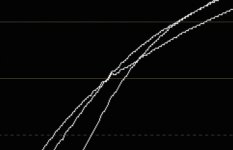
Ive got no where to post this.. but which has the 'right' contrast
i worry about the blind leading the blind.. there's not alot of working colorists with say more the 30 features and series here, i may be the only one
the amount of misinformation and shear BS however well intentioned is already overpowering
So i'd advise against setting up a gradeing section as the comunity's knoledge base is not deep or strong enough to support the end game,

that said i don't use LUTs, and i do use callibrated monitoring...
i did post something here the other day, someone asking about the f35, a camera used on a film i graded years ago, and i gave him my starting point, then i was working in Nucoda FilmMaster but as of Resolve 12.2 the similar tools are on offer finaly.
no lut's, only to go gently and do the least you can to the image, and work with the tools that are the cleanest.. these are not the easiest tools to use tho or the most obvious tools to turn to
90% + of the post/gradeing questions are about applying LUT's.... and then wondering why the skintones are crap ;-)
so yea i guess i fit nicely into the folks at LGG, but i can make a camera look pretty good, without a LUT in sight, but if all one hears is what they want to hear, and what they want to hear is advice on a LUT... ummmmmmm yea... the value of a section devoted to applying LUT's while working with uncallibrated mon's is of limited value?
I agree, there's a ton of discussion at LGG, and alot of discussion has been derailed due to basic misunderstanding of nameing (the words "film emulation" being the prime suspect in that file)I think whenever LUTs come up people should differentiate between "purpose" and that might help steer the discussion better?
that's my favorite small surface when paired with Transport, XKeys and MidiTwisterI'm using a AVID Color surface panel now and it's helped me a lot in ways that are probably hard to understand unless you've actually used one
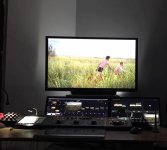
while we may not have skills the only thing that matters is the final result.. and we all know what we want as we are knowlegable.. as viewers.
Use LUTs.
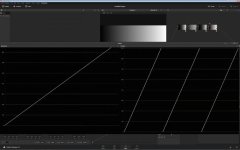
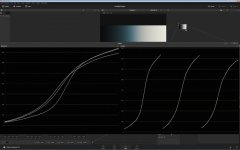
ICC calibrated system (which I hope for you is at least what u got) adjusts white balance and gamma... It does not adjust the gamut... Mac screens are very wide gamut screens ergo what u see in terms of saturation will be absolutely off and unusable in terms of targeting the standard Rec709/sRGB gamut...