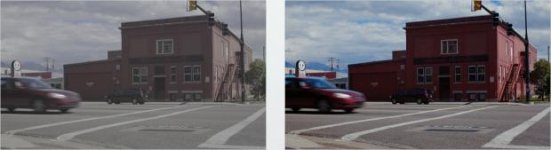
A7s sample footage

Same thing I thought. THe noise from underexposing actually seems to help the SLOG2, but I think PP4 or PP5 may fill out the 8-bit XAVC S a bit more than SLOG2 can.
The most troubling aspect's the persistent yellow...

If you mean the yellowish/greenish blotches in skin, I don't have issues with them, they are there, but easy to fix.
Not sure that I agree about underexposure. From the quick tests I did the brightly exposed skin tends to look better, stronger and healthier, so I'd guess overexposure might actiually help minimize banding.
 
Ok, here are some grades. Trying out various stuff to see how skin reacts. Look at skin gradations: there IS banding behind the noise.
Also, note how the brightly exposed skin holds better.
These are uncompressed images, full size. You may want to open them in a new browser window to view the full resolution.

Untitled_1.11.1.png


Untitled_1.14.1.png


Untitled_1.15.1.png


Untitled_1.16.1.png


Untitled_1.5.1.png
 
Yeah that was maybe too underexposed lol. I tried getting good color out of it, but didn't really succeed.

+1 for political correctness!

There's not much wiggle room with an 8bit 420 image. From what I've seen so far exposing to the left will be painful. The shots of your little person and the wide street shots look great. I'd start with exposing in the middle and working to the right to see how much it can take before it becomes a mess. 1 stop under looks yucky and 1 stop over didn't look quite right but was gradeable (Arizona). The dead centre shots look great. I'll have a much better idea when I see your XAVC S files.
 
Just so you guys know, the yellow stuff on little human's face / around the lips, is actually face paint / makeup. But if you're talking about a general pervading yellow on the skin, then yeah I agree.
 
Just so you guys know, the yellow stuff on little human's face / around the lips, is actually face paint / makeup. But if you're talking about a general pervading yellow on the skin, then yeah I agree.

I just realized what you meant by that yesterday. I couldn't tell until I looked at the new stills you uploaded. hahaha

Small human is adventurous.

DISCLAIMER: Not saying these are accurate or even what I would do in the end, just seeing what's there (and I have a tendency to balance, neutralize first then looks)

A7S3_3.jpg

A7S3_2.jpg

A7S3_1.jpg


There's likely a threshold either way, and I'm not sure SLOG2 is the best way to go, but I think either which way it pans out there's usable data if you go low or high. As it's 8-bit to begin with, I probably would shoot for the look in camera of course!

There are also other variables to consider, IR tolerances always being a larger concern of my own. Roman could actually test that though.
 
We pay good money for that blotchiness.

Ha ha.

Just so you guys know, the yellow stuff on little human's face / around the lips, is actually face paint / makeup. But if you're talking about a general pervading yellow on the skin, then yeah I agree.

I noticed that, but saw other blotches that looked different.
As for banding.....I'm not seeing it?
 
Just so you guys know, the yellow stuff on little human's face / around the lips, is actually face paint / makeup. But if you're talking about a general pervading yellow on the skin, then yeah I agree.

Don't know about the others, but what I'm talking about is the apparent sensitivity to color in skin. It seems to cover a wide hue range here, and the camera seems to capture all the nuances of reflected light on the skin.
This can be both good and bad, depending on your attitude towards it. As I see it as a drawback, I've mostly dialed out the differences in the examples above.
 
I think it's a bit thin but there's still a lot of room to run different ways with the footage. Clean ND and the good light will help. girl_1.6.1.jpg lady_1.3.1.jpg
 
I think this is a bad result for the A7s. It is showing that the blacks are very elevated compared to the FS700. The 700 isn't technically Slog2 there is an additional curve on there (see how much more constrastier it is). The extra contrast is a good thing in 8 bit because it is using the 256 levels better (bit more shadow range, bit more mid with a bit less highlight). The A7s appears to be so elevated that out of that 8 bit container a good 10 to 20% of it is not being used. I would want to see the blacks much blacker.
Seeing that comparison across all Sony cameras and watching other footage how would you roughly rate it against FS700 slog2 so far? Any improvement over it or just opposite? I am close to buying fs700 at the moment.
 
Playing around in Resolve 11. Captain Hook's original BMCC LUT (v1.1) works fantastic with SLOG as a starting place. This shot is nothing but the LUT applied.

Captain Hook vs SLOG.jpg
 
Last edited:
Anyone have any idea how well this camera would work alongside a C100? I typically shoot in C Log.
 
Just so you guys know, the yellow stuff on little human's face / around the lips, is actually face paint / makeup. But if you're talking about a general pervading yellow on the skin, then yeah I agree.

Roman, I like your colour correction/grade you posted. I was losing my mind with the yellow on the skin around 'little human's face' with the DPX files. Just to be clear, on little human's cheeks there is some remnants of red paint or are they simply just that rosy? Also, palms of the hands at 0:20 into the clip, that is red paint? Until I read your comment above, I was somewhat confused with the a7S colour rendition with some shots.

Given this is all outdoor day shots, can you confirm your white balance method? Was it WB set per shot/location each time, or did you stick with a set value, such 5600k or other throughout the shoot? Sorry if you have already stated this somewhere in the thread, Hoya PROND used and how many stops, the PROND1000? Ordered the PROND in 82mm, even numbered stops from 0.6 to 3.0 last week, should be here in a few days. Interested to then compare them to the Skier 4x5.65, both sets on a different camera.

With your DNxHD file you kindly shared with us, I am trying some SpeedLooks camera profile LUTs, followed by a select few SpeedLooks 3500 series LUTs. Pre LUTs I am using Colorista II (or could be CC or RGB Curves) to only adjusting shadows and highlights levels to ensure followings LUTs are not clipping shadows or highlights once applied, thus bring the image into range view scopes. I am uncalibrated with my system OS rebuild, without access to calibration kit until late next week, so running a UHD in 'standard' profile for viewing, and applying white balance to your clips, post SpeedLook LUTs, at the end of the stack, given my camera profile LUTs are not specific to Sony a7S SLog2 and don't look right on my uncalibrated monitor, compared to your grade and other content that looks somewhat 'normal', whatever that is, until calibration occurs. Thanks for sharing, Roman.

Squig, any chance you may post some frames of your colour correction/grade so that I may compare your results to mine on my currently uncalibrated monitor? Thanks.

Edit: I see the frame of Stu's posted. I'll use that as a reference. It seems nice and warm. I would like to see others, if you have some of yours to share, Squig? Thanks.
 
Last edited:
Back
Top