A7S PicPro Settings

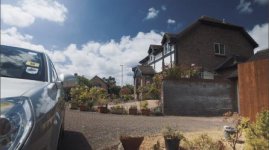
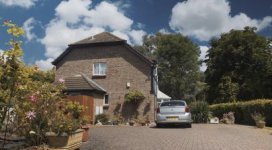
Done with the first Faux SLog2 PicPro

Pp2_1.jpg

Pp2_2.jpg

Pp2_3.jpg


I think they're all the Tokina 28-70/2.8

ISO was 3200 and I just let things clip where they needed to clip to expose the SLog2. In the end Cyork's probably right about exposure... and you just can't keep it all.

Maybe, as well, people are expecting a bit too much when it comes to noise-free images... it's there in every single setting if you don't let the camera have a certain amount of light, but when there's just enough for it the stuff's really solid.
 
Maybe, as well, people are expecting a bit too much when it comes to noise-free images... it's there in every single setting if you don't let the camera have a certain amount of light, but when there's just enough for it the stuff's really solid.

This^^^ Amen. Nice grabs, too. Nice moody rolloff with actual blacks in that last frame.
 
Last edited:
I dont have an issue with noise in an image. It's when it goes from organic to RGB ugly. Then we have a problem. :-D
 
I dont have an issue with noise in an image. It's when it goes from organic to RGB ugly. Then we have a problem. :-D

I'm with you Erik. I personally like a little of the grain the a7s produces, and from what I've shot with it seems it gives it a nice texture and its own character but it's just finding a balance. I prefer to keep my highlights in check, so I guess people will just have to choose their poison so to speak.

Kholi, Those images are extremely detailed, almost like you snapped stills. are you doing any post sharpening? they look very organic.
 
Looks every bit as good as 5D raw, pretty cool for 8bit. I'll confirm that on the weekend.
Let the shadows and highlights land where they may, I want lively skin.
 
This^^^ Amen. Nice grabs, too. Nice moody rolloff with actual blacks in that last frame.

Always a balancing act... I go too far if left unchecked, will figure it out one day.


I dont have an issue with noise in an image. It's when it goes from organic to RGB ugly. Then we have a problem. :-D

I'm with you Erik. I personally like a little of the grain the a7s produces, and from what I've shot with it seems it gives it a nice texture and its own character but it's just finding a balance. I prefer to keep my highlights in check, so I guess people will just have to choose their poison so to speak.

Kholi, Those images are extremely detailed, almost like you snapped stills. are you doing any post sharpening? they look very organic.

I think I did very mild midtone but for the most part the footage just comes out that way. Keep in mind they're also 720 from 1080, and the actual black levels help.

I'll post nodes when I'm back at the tower.

Looks every bit as good as 5D raw, pretty cool for 8bit. I'll confirm that on the weekend.
Let the shadows and highlights land where they may, I want lively skin.

I do think that it's pretty close to 5D3 RAW where color's concerned, just missing this linearity that I love so much (about BMD RAW as well), and the overall weight but I'm finding that if you grab enough light to begin with, and make sure there're black levels then it's not unpleasant either.


Before the camera goes back I'm going to make some adjustments to the PicPro on the Dreamcolor one more time, I think I can get this out of camera:

Pp2_1a.jpg


Kinda fuji-ish wannabe but not really. I'm almost positive I can get the camera to deliver this but with a slightly stronger blue, which won't be bad for capture, better to have it and tear it out later.
 
Non-linear in that WB can't fix the yellow/green splotch issue. It reminds me of a messed up 3D color cube (3D lookup table): thus appears like a non-linear 3D color error (the color cube is distorted via a non-affine transformation (not fixable with a simple linear matrix: a non-linear (warped) 3D cube (LUT) is needed)). For example, after setting WB in post, everything looks pretty good. Except for the splotches. If the splotches are corrected (with a global adjustment like WB), everything else looks wrong (a Resolve style qualifier can also fix just the bad colors).

S-Gamut is indeed non-llinear, whereas S-Gamut3 (not available in the a7s) was designed to be linear (so that WB doesn't affect relations between colors in a non-linear way). Explained here:
That must be one messed up 3D color cube in S-Gamut if it is indeed the reason for the thing with the yellow splotches.

Thank you both!

Wouldn't the conversion from SGamut to whatever target space be handled separately anyway? The WB is baked into this Slog2 image at source prior to any colour space work? The native primaries of the camera are going to be based on whatever Bayer filters Sony have used. They'd take the RAW data, white balance it and then run it through a PP, to produce SGamut, Pro, Rec709 or whatever. We must assume that the primaries of the camera are greater than the colourspaces they are being converted too? We don't know the exact approach from Sony but from a developers viewpoint i would guess WB is dealt with first unless they are doing the WB and colourspace in one operation?

I know from the FS700 RAW that the colourspace you debayer into is very important. Resolves native colourspace (in v10) was not large enough to accommodate the reds that the camera produced, whereas i have a solution in SpeedGrade that works in BestRGB which is far better colourspace for working in and the Reds i get from the FS700 are perfect there. I never saw a good red in Resolve.

In this case the yellowish tinge could be indicative of a problem in the camera conversion itself (as Samuel suggests), rather than how we deal with Slog2 afterwards. But we know from Art Adams work how difficult it is to move SGamut into the real world, it requires the use of specific LUTs.

These yellow splotches are unique to this camera, right? I'm going out on a limb here, but the shadows have big purple splotches, i wonder if we are seeing some XAVC issues? Can someone post the kind of splotches they are seeing?

cheers
Paul
 
Oh Paul I forgot to mention, after denoising the 4K I actually came across the purple that you were referring to. That is, if I went the wrong way with R11's NR then the results were "mushy" colors.

I'm going to try Neat Video tomorrow, it seems to work a bit better when removing chroma noise.
 
@paulcurtis:

I'm not 100% sure but in my head this is how it works:
RAW primaries + WB + linear color matrix: you can correct WB in post and everything stays linear (WB is a linear operation), so you can get exactly what you would have got if you shot with a different WB. And after that correction you can still calculate exactly what color everything was when the light was hitting the sensor. And any transformation that you make from here on doesn't depend on the order of the operations in the first few steps.

It just makes processing simpler, at the cost of having uglier images to begin with (the nonlinearities they usually introduce are designed so that you actually like the images out of the camera).

@Christopher Barry:

To me that looks like IR pollution from a not-so-good ND filter
 
Kholi, the sample frame of the boy in the restaurant, is that a reflection causing the splotch on the box/book that is out of focus, or over exposure and the colour correction from the 3-way gain/highlights influencing a colour where there is no detail? Excuse me if I am completely off track with what I think I am seeing.
 
@Christopher Barry:

To me that looks like IR pollution from a not-so-good ND filter

This shot appears out of direct sunlight, much darker shots than the direct sunlight shot in Roman's clip. Some shots in the alley there may have been some light directly into the camera, this flaring can cause purple in some instances. Aware of this, I thought I was taking samples that were not direct sunlight, no light directly into the lens. Interested to learn if Roman had Hoya ProND or other for that shoot. IR or hyper sensitivity crossed my mind.
 
Paul, regarding purple, I posted this sample the other day in the 100+ page thread, taken from Roman's footage, only the shade shots in the alley.

View attachment 88964

Paul, is this what you refer or other?

Yes, that's it. The HDMI output shows purple noise but the XAVC shows blobs. Kholi just mentioned that the NR in R11 produces it too, so it sounds like it might be introduced by NR on camera too. Perhaps this is also creating yellow blobs in Slog?

It's not IR pollution as the camera can create it very easily with no filters. Slog2 shows it simply because the blacks are raised, the other profiles have it but it's somewhat hidden by black blacks.

Neat Video has some nice NR but i think the best (IMHO) is AntiMatter Dark Energy.

@paulcurtis:

I'm not 100% sure but in my head this is how it works:
RAW primaries + WB + linear color matrix: you can correct WB in post and everything stays linear (WB is a linear operation), so you can get exactly what you would have got if you shot with a different WB. And after that correction you can still calculate exactly what color everything was when the light was hitting the sensor. And any transformation that you make from here on doesn't depend on the order of the operations in the first few steps.

It just makes processing simpler, at the cost of having uglier images to begin with (the nonlinearities they usually introduce are designed so that you actually like the images out of the camera).

The WB operation might be mathematically linear but in doing the WB you are clipping the channels differently. Hence why when not shooting RAW you need to get a WB that best describes your scene. The key for me is understanding why SGamut would create yellow artefacts and whether actually it's indicative of the camera doing something wrong or our post being wrong. The primaries for SGamut and SGamut3 are identical (according to that sony paper). It just appears that the SGamut transform is WB dependent, whereas the SGamut3 isn't. So this appears to suggest we'd need a different conversion LUT for each white balance setting?

The Slog2 gamma curve described luma only - it's a 1D operation.

The SGamut should just be a way of describing colour within the image.

Perhaps because XAVCs is such a new container/format then that YUV decode process is generally done in the wrong colourspace natively and therefore we're seeing crappy colours because of it?

So what tools do we have for opening and viewing XAVCs?

cheers
Paul
 
I don't think you need a different LUT for each WB setting, but you do need to get WB right in camera, because the color matrix is non-linear and you can't go back to changing WB in post (well, you can, but the result won't be the same).

How a bad color matrix can create the yellow splotches is beyond me: I can think of examples where this would happen but you'd have to be very dumb to implement them in a camera. It must be a small technical nuisance that happens to show up in very particular situations.
 
Yes, that's it. The HDMI output shows purple noise but the XAVC shows blobs. Kholi just mentioned that the NR in R11 produces it too, so it sounds like it might be introduced by NR on camera too. Perhaps this is also creating yellow blobs in Slog?

It's not IR pollution as the camera can create it very easily with no filters. Slog2 shows it simply because the blacks are raised, the other profiles have it but it's somewhat hidden by black blacks.

Neat Video has some nice NR but i think the best (IMHO) is AntiMatter Dark Energy.

Thanks for your reply, Paul. Not sure what is causing the purple. NR may make it more obvious, removing the noise/grain introduces gradient banding, especially since this is 8-bit source, making the problem stand out more? Just a thought. The sample I posted from Roman's footage, it is difficult to comment, having not seen the source files, nor knowing what grading choices were made, WB, etc. Very interesting discussion here, working with S-Log2 is new to me.

On that note, those of us currently without access to the a7S camera, Dave posted a question about S-Log2 grading, and posted the original a7S S-Log2 file for us to explore. Skin tones to analyse and to grade. Link is here, source S-Log2 file link in the thread, perhaps see if the purple and yellow blobs are present or can be identified in this particular clip?

Thanks, Paul.
 
Perhaps this is also creating yellow blobs in Slog?

From Dave's a7S S-Log2 source file, applied a ridiculous amount of saturation in Premiere via Colorista II, saturation from default 0 value to 100 three times, in Primary, Secondary and Master sections, if a 100 represents a percentage, this would be 300%. Exported DPX from Premiere, dropped them into Photoshop. Mode is RGB, 16-bit, then sliced out a section to observe skin.

Left is source S-Log2 no adjustment other than what Premiere does upon import.
Centre has 300% or 300 unit value increase to saturation.
Right is the 300% saturation increase, followed by White Balance (Colorista - Auto Balance) taken from brightest edge of the collar. This is applied post - saturation processing, end of the chain or stack.

a7S_S-Log2_Splotch_Blotch_Sat_Push.jpg

This exaggerates the 8-bit nature of the file and also highlights compression blocking. If this over the top example was applied to a less compressed and higher bit rate file, it would still look terrible if you apply enough saturation, save having more colour steps for gradients and would transition better, instead of jumping from a flesh like tone to a yellow/green blotchy whatever. :)

Here is the 16-bit PSD file if anyone wants to look at this without the JPG compression file created upon export from Photoshop and re-compression of the above image to this forum. I will remove the PSD file in a few weeks or thereafter.
 
Last edited:
This exaggerates the 8-bit nature of the file and also highlights compression blocking. If this over the top example was applied to a less compressed and higher bit rate file, it would still look terrible if you apply enough saturation, save having more colour steps for gradients and would transition better, instead of jumping from a flesh like tone to a yellow/green blotchy whatever. :)

Here is the 16-bit PSD file if anyone wants to look at this without the JPG compression file created upon export from Photoshop and re-compression of the above image to this forum. I will remove the PSD file in a few weeks or thereafter.

That is interesting, very clearly defined where the yellow is. We need to find a repeatable test subject and switch from SGamut to Pro and see if that makes the difference and also via the HDMI to eliminate XAVC as being the culprit.

Good work, something to look for now

thanks
Paul
 
Yes, so many variables, Paul. Daylight, reflective surfaces of different colours of the surrounding building, overhead lights look in the 3200K range, wearing a bright orange jacket, laptop on table, multiple glasses potentially bouncing various light and colour, then some fool adds 300% saturation to a frame...

Repeatable, that's the key. And don't push the 8-bit too far in post. I am not going to over analyse this anymore today. hehe.
 
These 3D LUT's for F55 and F65 may be of use to see if when applied, footage with pronounced blotch/splotch may (or may not) be reduce to some extent. Looks workable, applied level adjustment prior to the LUT to control clipping, just a quick test. Other notes and comments posted in the link, reference to colour cast under certain lighting condition, etc. I will explore this further tomorrow, try them on Roman's DPX files he posted last week.
 
Back
Top