GH4 A fully logarithmic color space for Cinelike D and V-Log L

Thanks, royfel. Did you also make corrections in the log space? I was not familiar with Resolve's Color Match function. It seems to work, though I can't say the results are any better with the match applied than without. But my test footage was shot under good lighting, so maybe that's the difference. For matching with Color Match, I suggest you use a log-to-Rec.709 LUT without the highlight roll-off when you perform the match. The highlight roll-off will confound Resolve's ability to perform an accurate match, because it is expecting a straight Rec.709 gamma. Then after performing the match, you can switch back to the log-to-Rec.709 LUT with a highlight roll-off.

Dr_Jon, no, I didn't get all that from your test data. I used your test data to establish the behavior of the GH4's luminance range setting, and I also happened to notice that it was using xvYCC encoding while looking at your test data. The profiling was performed using a larger set of test data provided by mash.

For FCPX users: I have conflicting reports about Color Finale's ability to read Adobe Cube LUTs. So if you have problems, try LUT Loader with the DaVinci Cube LUTs.
 
I've played with these LUTS with the G7 CineD which by most accounts is the same or very similar to GH4 output wise it looks promising.

Thanks
 
Workflow Question

Workflow Question

I have developed LUTs to transform Cinelike D footage and V-Log L footage into a fully logarithmic working color space optimized for color correction. In this color space, you can perform exposure compensation and white balance correction just as easily and accurately as you can with raw images. In fact, the color space is very similar to the one that Adobe Lightroom uses internally. The color space is implemented as Adobe Cube and DaVinci Cube LUT files, so you should be able to use it in many popular video applications.

This looks pretty awesome, balazer. Thank you for your hard work. I'm definitely going to check these out, but I have a couple questions with the workflow:

1) I have a "look" LUT that I'm fairly sure is intended for log space. Do I apply this LUT after using your initial conversion LUT, but before the rec.709 conversion LUT?

2) Separately I also have Filmconvert Pro which I like to use to emulate various film emulsions. Can I use this with your workflow? I would suppose that I'd need to tell Filmconvert that the source footage is log based (i.e. red log etc). What I don't know is whether Filmconvert will also apply a rec.709 LUT to the final output or whether I'd need to use your rec709 LUT after everything.

Your understanding of color and LUTs is way beyond mine, so I thank you for any recommendations and time.

eris0xff
 
Hi, eris0xff. I don't know enough about your look LUT to answer the question. There are lots of different log-ish camera color spaces, none of which are very similar to a true log space. For FilmConvert, you would put the FilmConvert plugin after my Rec.709 LUT, and set the FilmConvert source camera to the default profile.
 
I had some back and forth emailing with a technician from Color Finale and he found the problem of why on some computers the Adobe LUTs work and on others not!
--It turned out that Color Finale is locale sensitive. LUTs are by definition using “.” (dot) as delimiter for fractional numbers e.g. 1.000
but in some countries e.g. Netherlands or Russia local custom is to use “,” for numbers e.g. 1,00. This is why It was falling on some and not
on other computers I’ve tried here in the UK or in the USA.--

He has fixed it and it should be included in the next update of Color Finale.
For now, here is two workarounds: a) remove DOMAIN_MIN and DOMAIN_MAX lines from LUT files b) set delimiter in your preferences to “."
 
delucio, thank you for following up with Color Finale support. Working around that bug by removing the DOMAIN_MIN and DOMAIN_MAX lines from the LUT file will work only if the values are 0.0 and 1.0. If the values are anything else, removing those lines will change the interpretation of the LUT file. Some of my LUTs use min and max values other than 0.0 and 1.0.
 
Hi, eris0xff. I don't know enough about your look LUT to answer the question. There are lots of different log-ish camera color spaces, none of which are very similar to a true log space. For FilmConvert, you would put the FilmConvert plugin after my Rec.709 LUT, and set the FilmConvert source camera to the default profile.

Thanks, Balazer. I'll try using Filmconvert with the default profile after the REC.709 with highlight rolloff.

The look LUT I'm trying to use is a Portra 400 LUT from this site:

http://makingitcompatible.blogspot.com/2013/07/creating-custom-lut-in-davinci-resolve.html

I really like how it works for him, but using his "lift" version after your initial log space LUT ended up being way too extreme. I guess it uses a different log space than yours. His LUTs are derived from Juan Malera's "Film Print LUTs" site:

http://juanmelara.com.au/print-film-emulation-luts-for-download/

Thanks,

eris
 
I've made a great effort to interpret the Cinelike D color space properly, effectively inverting the GH4's internal color processing pipeline. Interpreted this way, Cinelike D's color accuracy appears to rival V-Log L. But please try it for yourself and let me know what you think. Cinelike D is not subject to severe 8-bit chroma banding like V-Log L is. Cinelike D is also easier to shoot with, because the camera's monitor shows a more natural image that you can use to judge exposure and white balance. See here how I'm able to achieve uniformity of color across a wide range of exposures in Cinelike D:

Balazer,

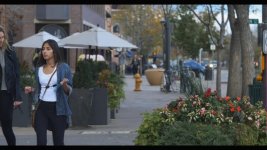
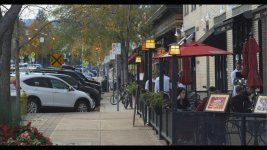
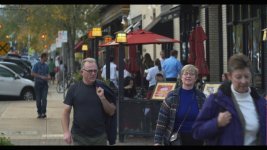
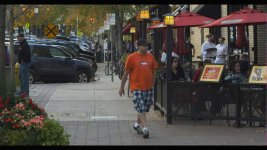
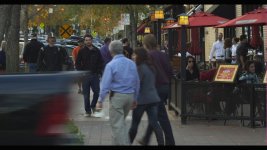
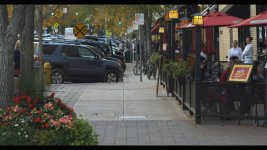
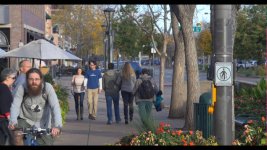
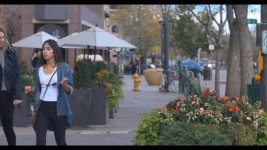
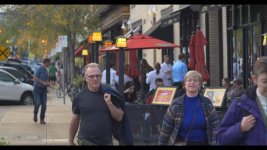
I've followed your directions as closely a possible and I believe it works really well. These were taken an hour before sunset in Ft Collins, CO using an 85mm Minolta Rokkor f1.7, Speedbooster and Tiffen VariND in DCI 4K with CineD 0-255. I applied the proper LUTs /w rec.709 highlight rolloff. The footage seems very grade-able. Finally I applied a FilmConvert Kodak Portra 400 LUT with no grain and I'm loving the skin tones I get. Here are some frame captures from Davinci.
HotGirl_1.1.8.jpgAustins4_1.1.7.jpgAustinsPedestrians_1.1.6.jpgAustins3_1.1.5.jpgAustins2_1.1.4.jpgHispanicFamily_1.1.2.jpgAustins_1.1.3.jpgGuyOnBike_1.1.1.jpg
 
Looks nice. Thanks for sharing. Could you post one without FilmConvert applied? I wonder how much that's changing the image. But it's good to know that FilmConvert is compatible.
 
Hi Balazer,

Thanks a lot for this. I really like it. There is another huge advantage over VLOG and that is that focus peaking has enough contrast with these settings to function properly. I am not even going to try VLOG.:smile:
 
Log / Rec.709 images

Log / Rec.709 images

Looks nice. Thanks for sharing. Could you post one without FilmConvert applied? I wonder how much that's changing the image. But it's good to know that FilmConvert is compatible.

Here are some of the pics without the Filmconvert Portra 400 processing. This should be just the result of the log and rec.709 highlight rolloff LUTs.

GuyOnBike_1.1.2.jpg HotGirl_1.1.11.jpgAustinPedestrians_1.1.9.jpgHispanicFamily_1.1.3.jpg
 
Thanks, sno and eris0xff.

Don't forget that you can do basic color correction in the log space.

Here she is with a little added contrast and a little added red & green:
22606284402_7cdb25814e_o.jpg
 
Thanks, sno and eris0xff.

Don't forget that you can do basic color correction in the log space.

Here she is with a little added contrast and a little added red & green:
22606284402_7cdb25814e_o.jpg

Good point. I wish these were a little sharper, but I forgot to remove the polarizer as the sun went down which meant I kept opening the aperture (harder to nail focus) or boosting the ISO. Most of them are ISO 200 at 24 fps and 180 deg shutter.
 
Was just playing with it today with cini-d set up as first post, I like the result, looks natural to me, just some silly tests using the highlight roll off 709 conversion, deliberately chose some scenes that were tricky. Deliberately clipped the tiny little holes with light behind on the first shot, but like how the cobweb came out, and the skylight on the second shot came out well also I think + green, red , blue primary colours in last shot look how I remember them as well. Obviously usual youtube caveats apply.

Thanks for this Balazer, works well.

 
@Balazer
I shot with Gh4 with V-log and Atomos Shogun. What LUT of your package should be add to Shogun to expose correctly?s
 
Are you asking which LUT can be loaded into the Shogun? None of my current LUTs are suitable for monitoring. I guess I could make one. But there is no proper exposure for my LUTs. You can expose however you want, because you are free to apply exposure compensation in post.
 
You can expose however you want, because you are free to apply exposure compensation in post.

in real world situations you don't have much tolerance to choose an optimal exposure value for a scene of given contrast. if the result gets to dark, increasing noise will destroy your footage. overexposing looks even worse. if the lights get lost in any of the channels, there is now way to recover them. if you do not have any precautions in your linearization solution, you will even see a kind of solarization effects close to this burned out regions...

sure -- you have a little bit of room for later correction and deliberate ETTR, but you have to use it with care. good monitoring and metering are indispensable.
 
Last edited:
I'm not saying that all exposures are equal. Of course you need to consider clipping and noise. I'm just saying that my LUTs don't require you to shoot with a certain exposure. (unlike typical camera LUTs)
 
Back
Top