
Navigation
Install the app
How to install the app on iOS
Follow along with the video below to see how to install our site as a web app on your home screen.
Note: This feature may not be available in some browsers.
More options
You are using an out of date browser. It may not display this or other websites correctly.
You should upgrade or use an alternative browser.
You should upgrade or use an alternative browser.
7Q 2k Raw...WOW +Using selective mask based noise reduction
- Thread starter Kyron
- Start date
morgan_moore
Major Contributor
Actually that's the funny thing, the monitor was really bright on set. You need to trust the histogram more than the visual I think.
Surely that is what it is for (and it needs to show the base feed, not the histol/wfm of a LUT) .. I never believe a screen, especially in a dark (or bright) environment
S
paulcurtis
Veteran
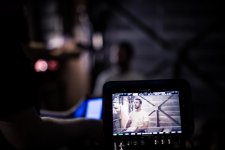
After a low light shoot yesterday i'd say that the biggest issue (about to be sorted) is the elevated blacks on the monitor and the lack of viewing LUTS, very difficult for the director to see when the screen is bright, low contrast and washed out. In fact tough to focus as well. I know that the signal is being captured okay via the WFM but for make up checks and just general sanity checks it can be tough on others. Roll on the next update so we get to see what we're looking at properly. (even the single LUT that's there also has elevated blacks).
Great looking short though!
I'd also recommend Dark Energy Antimatter for noise reduction, IMHO the best of the bunch. (I'm not connected with them at all just a couple of licenses)
cheers
Paul
Great looking short though!
I'd also recommend Dark Energy Antimatter for noise reduction, IMHO the best of the bunch. (I'm not connected with them at all just a couple of licenses)
cheers
Paul

Clermond
Veteran
While I find FCP X's tools great for the on-the-fly color adjustments and the occasional tweak, I think the best solution is to round-trip to Resolve using XML. Unfortunately, though noise reduction is only offered in the paid version of Resolve.
neat video's NR is better and more efficient than NR in Resolve's full version. There is also a neat video version for resolve but as far as I remember there is still an issue with resolve 10.1 . If you have already a license for premiere or final cut send them an email and ask for a discount.
I hope there will be a masking solution in FCP X, I will check this later after Sunday family time

neat video's NR is better and more efficient than NR in Resolve's full version. There is also a neat video version for resolve but as far as I remember there is still an issue with resolve 10.1 . If you have already a license for premiere or final cut send them an email and ask for a discount.
I hope there will be a masking solution in FCP X, I will check this later after Sunday family time
Please share if you find a decent solution, I find fcpx fun to work with but since im so new to it I find it really alien to me.
Clermond
Veteran
Please share if you find a decent solution, I find fcpx fun to work with but since im so new to it I find it really alien to me.
If you are new to FCP X I can highly recommend to go through a tutorial (Lynda, Steve Martin/ripple training) or check the free episodes of macbreak studio http://www.youtube.com/playlist?list=PL607BE2B2BFE9BE1A FCP X looks simple at the first sight but it's more powerful and mighty than you
would probably expected
The luma mask in FCP X is quite easy:
add the de-noised clip as a secondary storyline (formerly called layer)
add the luma-keyer (effects -> Keying)
invert and adjust your luma settings
Quick an dirty sample of my sparely lit cabinet:
Original, neat video deactivated

de-noised, no mask

luma mask

composite

Pretty easy! You can also activate keyframes to soften or strengten your mask.
Thanks again, Kyron for sharing your experience and your knowlegde!
Last edited:
Hey Kyron,
Great post. I'm really glad that 7Q RAW can allow you to pull out that much for an under-exposed shot. Really amazing. And the Soft Mask technique is fantastic.
One thing, did you light it that low on purposes? Or in the future would you have hit the actor with more light? Personally, I probably would have tried to light him a little more to avoid some noise. But each to his own.
Great post. I'm really glad that 7Q RAW can allow you to pull out that much for an under-exposed shot. Really amazing. And the Soft Mask technique is fantastic.
One thing, did you light it that low on purposes? Or in the future would you have hit the actor with more light? Personally, I probably would have tried to light him a little more to avoid some noise. But each to his own.

Kyron
Well-known member
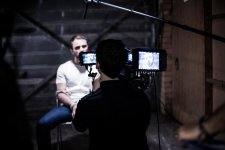
It was an extremely small garage that we were filming in. A slight boost in the light sources gave me an image without any contrast because very quickly the backgrounds would become as bright as the actors. Our first lighting test was set to the histogram and the camera was well exposed, but everything in the scene looked flat!
It then became a process of light elimination and a lot of trust in raw to get the film look I saw in my minds eye.
If the walls were further away then I definitely would have lit it stronger.
We originally had a bright main source in the center of the room and I was even cutting out and taping cardboard flags to the ceiling to create contrast, but nothing looked good until we turned the main fill off and were left with the 2 hair light LED's. Immediately our actors jumped out from the backgrounds and had a very moody half shadow across their faces.
The three of us all looked at the screen at that point and just went "yep...thats the look."
Internally I freaked about the histogram so I placed a big gamble on the DNG's being able to get me back to where I needed to be in post.
All in all it was a very interesting shoot and a lot of lessons were learned! Chiefly among them was a new found confidence in this crazy video camera that has transformed into a cinematic beast!
It then became a process of light elimination and a lot of trust in raw to get the film look I saw in my minds eye.
If the walls were further away then I definitely would have lit it stronger.
We originally had a bright main source in the center of the room and I was even cutting out and taping cardboard flags to the ceiling to create contrast, but nothing looked good until we turned the main fill off and were left with the 2 hair light LED's. Immediately our actors jumped out from the backgrounds and had a very moody half shadow across their faces.
The three of us all looked at the screen at that point and just went "yep...thats the look."
Internally I freaked about the histogram so I placed a big gamble on the DNG's being able to get me back to where I needed to be in post.
All in all it was a very interesting shoot and a lot of lessons were learned! Chiefly among them was a new found confidence in this crazy video camera that has transformed into a cinematic beast!
morgan_moore
Major Contributor
It was an extremely small garage that we were filming in. A slight boost in the light sources gave me an image without any contrast because very quickly the backgrounds would become as bright as the actors. Our first lighting test was set to the histogram and the camera was well exposed, but everything in the scene looked flat!
It then became a process of light elimination and a lot of trust in raw to get the film look I saw in my minds eye.
The three of us all looked at the screen at that point and just went "yep...thats the look."
Im not sure how brightening lights changes contrast?
Also I dont think it is a problem the scene looking 'flat'
Also unless there is an appropriate monitor LUT you dont want to be going 'yep thats the look'
One should be tailoring the exposure/lighting so you kick down the toe big style in post, eliminating noise without software?
It would be interesting to see the original histos, a lot of early BMC shoots the histo was in the 0-30 region only and the camera was noted as 'noisy' - for finding out your 'base' histo I would suggest capture one, not adobe etc, C1 allows you to see what your really got.
S
Kyron
Well-known member
Appreciate the comments Morgan. I think you misread my meaning of contrast which is my bad. I didn't say brightening lights adds contrast, I said it was a process of light reduction. Adding contrast was meant as a broad term to describe creating shadows in the absence of light. The initial lighting plan had no contrast on the actors faces. The light was broad and soft and started making my set look like a corporate video. I've never lit something this minimally, but it was fun and super rewarding! When I pulled that image seemingly out of mud in post, It completely re-ignited a long absent excitement about making films.
My lighting decisions we not at all based on the monitor output either. It's what the light was doing to the actors and what I saw with my own eyes and the way I placed the lights. I could see immediately via the histogram that the monitor was completely not to be trusted There was literally no read-out past about 35% for the majority of the shots.
I wish I had taken some footage of the original brightly lit scene to show you. It had absolutely none of the dramatic mood I was going for. Very tricky situation in a tiny room (and super limited lighting kit), but in the end I achieved the exact result I was after with a little faith in the technology and a healthy dose of experimentation.
But we all have different artistic eyes and different ways we use our cameras. The final image is the proof in the pudding. Sure mine took a few more steps in post to get there, but i got there and I'm immensely happy with it! I think it was a great test of how far this camera can go and it's only by getting out there and pushing the limits that you grow and learn!
My lighting decisions we not at all based on the monitor output either. It's what the light was doing to the actors and what I saw with my own eyes and the way I placed the lights. I could see immediately via the histogram that the monitor was completely not to be trusted
There was literally no read-out past about 35% for the majority of the shots.I wish I had taken some footage of the original brightly lit scene to show you. It had absolutely none of the dramatic mood I was going for. Very tricky situation in a tiny room (and super limited lighting kit), but in the end I achieved the exact result I was after with a little faith in the technology and a healthy dose of experimentation.
But we all have different artistic eyes and different ways we use our cameras. The final image is the proof in the pudding. Sure mine took a few more steps in post to get there, but i got there and I'm immensely happy with it! I think it was a great test of how far this camera can go and it's only by getting out there and pushing the limits that you grow and learn!
Last edited:
morgan_moore
Major Contributor
..we all have different artistic eyes and different ways we use our cameras.
Possibly.. but I would think it is 'universal' to expose raw to avoid the noise floor when possible
I wish I had taken some footage of the original brightly lit scene to show you. It had absolutely none of the dramatic mood I was going for.
Again possible. But also it could have had mood graded in (obviously I cant comment on the actual shot/light design)
It is my experience that raw is much best exposed right (and will small ratios) and a harsh toe (down curve at the blacks) applied in post - this method kills noise dead.
Ideally we would have a LUT that replicates this 'toe' then one can get clean noise free footage and an impressive on set experience for the director and operator/dop
If you have time I would try bracketing some scenes and see where each version ends up after applying a look in post.. your opening frame just looks 2 stops thin.
S
I also think Kyron might gain by working on some exposure and noise tests with an experienced colorist...
The title of this thread alone is enough to say there's a lack of exposure to basic tools, like NR inside a qualifier (been there / done that for a decade now) + doing NR (with the qualifier) in AE when it's very easly done in context ( shot to shot / scene to scene) inside most gradeing tool sets.. disd i mention in context? that kinda counts - look at the number of times i have to throw away Epic's HDR when one shot in a seq has motion artifacts... much like that, aggressive NR can kill one shot, and then you have to pull back the entire seq to match the weak link... pretty hard to do when you have already rendered compression artifacts into the master footage...
Just all up the workflow discribed seems to be so very full of problems... and then accepting the resualting limitations - Not excatly ideal... or really even close
Hence a session with a colorist, at least one would have a clue what is being left behind on the table
The title of this thread alone is enough to say there's a lack of exposure to basic tools, like NR inside a qualifier (been there / done that for a decade now) + doing NR (with the qualifier) in AE when it's very easly done in context ( shot to shot / scene to scene) inside most gradeing tool sets.. disd i mention in context? that kinda counts - look at the number of times i have to throw away Epic's HDR when one shot in a seq has motion artifacts... much like that, aggressive NR can kill one shot, and then you have to pull back the entire seq to match the weak link... pretty hard to do when you have already rendered compression artifacts into the master footage...
Just all up the workflow discribed seems to be so very full of problems... and then accepting the resualting limitations - Not excatly ideal... or really even close
Hence a session with a colorist, at least one would have a clue what is being left behind on the table

brazzam
Well-known member
Dermot, I think it's safe to say that many of us would gain a lot from a session with a colorist... That's not to mean that we shouldn't be trying to learn new techniques from each other.
Plus, I don't think Kyron ever said he thought he was working with ideal situations. He was just pointing out his surprise of what he was able to achieve from such a dark image. I know for myself, the O7Q will be my first introduction to any sort of RAW workflow and I'd like to think I'm not the only one. There will be lots of basic learning happening on forums such as this as many of us are trying to figure out how to get more out of our footage.
I'm sure there are lots of things that many of us will be learning that the more experienced people already understand as "common knowledge" - but the only way for us to learn these tips and processes will be by exposure to new ideas and new ways of working. So thanks again to Kyron for taking the time to showing (or reminding) some of us about a way of focusing NR to only the areas that need it.
Plus, I don't think Kyron ever said he thought he was working with ideal situations. He was just pointing out his surprise of what he was able to achieve from such a dark image. I know for myself, the O7Q will be my first introduction to any sort of RAW workflow and I'd like to think I'm not the only one. There will be lots of basic learning happening on forums such as this as many of us are trying to figure out how to get more out of our footage.
I'm sure there are lots of things that many of us will be learning that the more experienced people already understand as "common knowledge" - but the only way for us to learn these tips and processes will be by exposure to new ideas and new ways of working. So thanks again to Kyron for taking the time to showing (or reminding) some of us about a way of focusing NR to only the areas that need it.
Kyron
Well-known member
Thanks brazzam! Guys like you and Clermond (who contributed on the Final cut workflow) will no doubt help many people just trying to learn who see this thread.
I may have also forgotten to point out that the noise reduction was not "heavy" either. The noise reduction in Neat Video was very minimal in the 20% region. The images show this anyway.
The whole point of the thread and the thing I was marveling at and wanted to share with my fellow 7Q users was how low-noise the initial images actually were even when so underexposed.
And to share a technique with noise reduction I learned recently from someone experienced who teaches this stuff around the world (and also happens to be a super humble guy and completely open with knowledge and sharing.)
Even the best have technical challenges. DP's especially, because their mindset is light, shadow and story with story being absolute king.
Dermot, I'm sure in your decade of post production you have a whole arsenal of tips and tricks that many of us would benefit from!
I get where you are coming from. I'd love to hang around a colorist and pick their brain.
In the end I made an artistic decision with light. Of course I knew it was "technically" wrong at the time! I've said that from the start of this thread but I got exactly the image I wanted.
These endeavors are 100% Indie too you must realise. We don't have budgets. We don't get to hire professionals, we squeeze what we can out of what we have. I could have pushed my ISO to 6000 to get my shot "exposed" but how much more noise would I have had then?! (worth a test, but I suspect it would be pretty noisy)
I've seen FAR noisier and underexposed shots in cinema many times and it's not that the top DP's of the world don't know what they are doing when they light and film these scenes, it's because it was an artistic choice that served the mood, the film and the story.
If the script calls for a character holding a single candle walking down a dark hallway, you don't jam on a high key light just to get "proper" exposure. The lines between getting it in camera, and pushing it there in post are more blurry than ever with these low light beasts we get to enjoy these days. Getting to know the tech's limitations and strengths makes you a better film maker. I encourage everyone to have this discussion. If I went ahead and filmed the brightly lit version of this scene I would have hated it! I would have lamented not sticking with my gut and I wouldn't be as happy as I am now with the scenes. I'm making the tech work for me and my vision, not the other way around.
Would I do it better? Hell yes! If I could design my set, if i had unlimited lighting resources, more time... if I had money!
I appreciate all the valuable input. Have a think about art vs science. I'll never stop trying to push these boundaries for the story.
I may have also forgotten to point out that the noise reduction was not "heavy" either. The noise reduction in Neat Video was very minimal in the 20% region. The images show this anyway.
The whole point of the thread and the thing I was marveling at and wanted to share with my fellow 7Q users was how low-noise the initial images actually were even when so underexposed.
And to share a technique with noise reduction I learned recently from someone experienced who teaches this stuff around the world (and also happens to be a super humble guy and completely open with knowledge and sharing.)
Even the best have technical challenges. DP's especially, because their mindset is light, shadow and story with story being absolute king.
Dermot, I'm sure in your decade of post production you have a whole arsenal of tips and tricks that many of us would benefit from!
I get where you are coming from. I'd love to hang around a colorist and pick their brain.
In the end I made an artistic decision with light. Of course I knew it was "technically" wrong at the time! I've said that from the start of this thread but I got exactly the image I wanted.
These endeavors are 100% Indie too you must realise. We don't have budgets. We don't get to hire professionals, we squeeze what we can out of what we have. I could have pushed my ISO to 6000 to get my shot "exposed" but how much more noise would I have had then?! (worth a test, but I suspect it would be pretty noisy)
I've seen FAR noisier and underexposed shots in cinema many times and it's not that the top DP's of the world don't know what they are doing when they light and film these scenes, it's because it was an artistic choice that served the mood, the film and the story.
If the script calls for a character holding a single candle walking down a dark hallway, you don't jam on a high key light just to get "proper" exposure. The lines between getting it in camera, and pushing it there in post are more blurry than ever with these low light beasts we get to enjoy these days. Getting to know the tech's limitations and strengths makes you a better film maker. I encourage everyone to have this discussion. If I went ahead and filmed the brightly lit version of this scene I would have hated it! I would have lamented not sticking with my gut and I wouldn't be as happy as I am now with the scenes. I'm making the tech work for me and my vision, not the other way around.
Would I do it better? Hell yes! If I could design my set, if i had unlimited lighting resources, more time... if I had money!
I appreciate all the valuable input. Have a think about art vs science. I'll never stop trying to push these boundaries for the story.
Clermond
Veteran
I could have pushed my ISO to 6000 to get my shot "exposed" but how much more noise would I have had then?! (worth a test, but I suspect it would be pretty noisy).
it's really worth a test! I had to shoot inside a factory finding myself in various lighting situations. Well lit workspaces, half dark storage areas, low light robot places, people in meetings with a beamer presentation. If have shot similar situations before in Gamma Cine 4 with ISO 1600 and 3200 and it worked pretty well with some decent noise. Now in RAW after a short test I made three presets: ISO 2000 / 8000 / and 12,800 (I was really sh*tting in my pants due to 12,800) I had no time for comparison to different settings so I risked the high ISO. The only test was on the eve in my cabinet with 12.800 ISO you can see in my posting above. Actually I am screening my footage and I am pleasantly surprised about the result. Off course there is noise but not that much as I would have expected.
I am getting more experience from day to day. My impression is that exposure to the left also in higher ISOs gets you less noise than pushing your footage in Resolve. I am blown away every-time buy superb colors and dynamic range.

nyvz
Veteran
In the end I made an artistic decision with light. Of course I knew it was "technically" wrong at the time! I've said that from the start of this thread but I got exactly the image I wanted.
These endeavors are 100% Indie too you must realise. We don't have budgets. We don't get to hire professionals, we squeeze what we can out of what we have. I could have pushed my ISO to 6000 to get my shot "exposed" but how much more noise would I have had then?! (worth a test, but I suspect it would be pretty noisy)
I'd definitely guess that you would have a lot LESS noise if you achieved proper exposure using analog gain amplifiers versus digital gain in post. You might not have needed the complex denoising workflow. My understanding is the way most of these cameras work is that the majority of noise at low ISO/gain values is from the ADC and not from the sensor, and that is why they have adjustable gain amplifiers, to take advantage of the wider DR of the sensor despite being noise-limited by the ADC at most gain values. The noise penalty for increasing analog gain is very low until you get to the very highest ISOs (gains) because the ADC gain stays the same and the sensor noise is not in play until you really push the gain quite high. For example I have seen no increase in noise at all between 0db and about 9db, and even up to 18db there is an increase in noise but it is far less than one stop of noise per gained stop of sensitivity. Digitally bringing up the exposure in post, however, will likely always just increase noise by one stop for each stop you push your footage, so it will almost always be less effective at controlling noise than just using analog gain in camera. Of course digitally pushing your exposure does have the benefit of completely retaining highlights where analog gain would not.
Your workflow, however might be a good one in the case that you wanted to heavily under expose to retain highlights in a very high dynamic range scene, since you would have a lot of highlight DR when underexposing and pulling back up and denoising in post.
paulcurtis
Veteran
Plus, I don't think Kyron ever said he thought he was working with ideal situations. He was just pointing out his surprise of what he was able to achieve from such a dark image.
Not to take away from all the good info on this thread, but what makes you think the image was so dark? I saw the vimeo bit that showed pre and post grade but the pre looked like the kind of image you'd see if you opened up one of the DNGs in the Mac preview app or in the finder - which is a linear image and pretty much all black, being the nature of linear. Whereas looking at the shot in the photograph of the O7Q monitor display shows a fairly exposed shot. All i'm saying is that there's a good chance the image was exposed fine, but without *any* processing at all the DNGs from any shoot will look pretty much black because they are in linear space. (unless you're pointing at the sun
)So those pre grade images just look like linear space to me and even if they're perfectly exposed they're going to look dark anyway.
cheers
Paul
morgan_moore
Major Contributor
So those pre grade images just look like linear space to me and even if they're perfectly exposed they're going to look dark anyway.
Hmm, id wonder about that, I think many many many video people underexpose their raw by a huge margin. IMO Capture One is the best for seeing what you actually got - adobe seems to add too much auto stuff.
The key is to set up a test, bracket a shot, treat each bracket to idealise it in post then evaluate the noise. This will lead to the ideal ISO.
Obviously the ideal ISO is not always do-able (lack of light or lens stop or need to protect highlights) and it is also super valuable to know what is recoverable, you can then build the skillset to maximise the result from the camera.
Id also bet good money that using the gain in camera will beat gain in post.
I've virtually never seen a properly exposed black magic frame..
S
paulcurtis
Veteran
Hmm, id wonder about that, I think many many many video people underexpose their raw by a huge margin. IMO Capture One is the best for seeing what you actually got - adobe seems to add too much auto stuff.
I think this just highlights the nature of RAW. There is no such thing as a RAW file you can just open because it *has* to be processed. And that processing will generally make assumptions based on the metadata in the file. Have you opened one of these DNGs in capture one?
A linear file luma distribution is skewed towards highlights, so in a real linear file half the luma values hold the very brightest stop. This means that all the interesting data is held much lower and a linear file cannot be displayed without some conversion. We cannot say for sure how the distribution within these 7Q DNGs are, they may have some kind of curve on them (not true linear) and it's coincidence that the basic files are so dark. I'm looking forward to DNG support in Nuke because that's just a straight linear path in and i'd get *all* the data without faffing around. For example, in Resolve what is 'preserve highlights' actually for? Why would i even not want too? Why can't Resolve just suck in the whole damn linear light, pop a log curve on and shove it out... Then why are we choosing BMD Log? When the RAW out is supposed to be linear?
cheers
Paul