7D Heat Warning

Jordan Berry

Well-known member
Over at DVINFO there is a thread about the 7D showing the sensor heat indicator while shooting in pretty regular conditions.
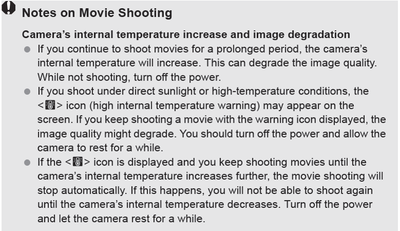
Set up outside on the back deck, mostly overcast sky at 82 degrees F and rolled a 640p60 shot, left unattended while I took care of some chores. Checked it at 18:30 and saw the temp. warning indicator.
- Chris Hurd

Pretty mild temperature (80) and overcast skies were the weather conditions. About an hour into my walk about I started getting a red flashing icon on the screen. Generally not a good sign.
- Charles Dasher

It was quite hot and I was shooting intermittently for about 2 hours all at 720p/60 for slo mo with my production 7D. I'm sad to say it gave me temperature warnings almost the entire shoot and stopped me shooting at all at least 3 times during the period.
- Dan Chung

14316d1254360237t-overheating-warning-icon-mild-temperatures-7dtempwarning.png


This could obviously be a big deal for people shooting full ceremonies with the 7D. We will have to wait and see how it pans out.
 
Crap, how come we didn't hear about this with people shooting preproduction model.
 
Maybe the preproduction model didn't have this issue. Back in the D300s corner again!. I haven't heard much about overheating with it.

Crap, how come we didn't hear about this with people shooting preproduction model.
 
I wonder if it's the dual digic processors, they tend to generate lots of heat since they are basically like cpus.
 
I could see long long long takes being an issue with heat. Especially if your hands are on the camera further increasing the heat.

We shot shoulder mounted and on glidecam for several hours in hot weather and didn't catch the overheating.
 
Sitting in a cafe right now, in the shade - about 82 degrees outside.
Shot two full clips, 12 minutes each... stoping only to erase the 4gb card and start a new clip.

The heat warning showed up towards the end of the second clip.
The back of the camera is slightly warm to the touch.

I just shut it off, will try again in a few minutes.
 
I previously posted:

"... So what if these features create heat? Design-in a mechanical interface to allow attachment of an optional external heat sink for "pro" use. Something like that can't possibly be difficult for "rich, powerful, world-class companies" to figure out. ..."

In the meantime, this might be a 3rd party opportunity. A 7D with bolt-on cooling fins might look kinda, er, well, "cool". 8-)
 
I wonder if the 7D & 5DM2's non-articulated built-in LCD monitor contribute to the potential for a heat buildup issue?

Swinging/locating a LCD (& its backlight) away from a cam's body prevents most of the heat the LCD generates from affecting the cam.

As a test, can the 7D's LCD backlight be turned off when the cam is in live view/video mode? If so, is the cam's heat warning less likely to occur?

Likewise if an external monitor is attached (causing the built-in monitor to turn off) does that reduce chances of the cam's heat warning?

EDIT: I see Tramm Hudson suspects as much, too:
http://www.dvinfo.net/forum/1423367-post39.html
 
Last edited:
BTW, the first Panasonic consumer AVCHD series, DX1 and SD1, have a built-in fan. The fan is very quiet, helps not only to cool the chips but also to de-fog the lens and to keep the battery warm in winter and cool in summer.

If/when Canon releases a proper camcorder with this chip, it should incorporate a fan into the body.
 
Lots of pro video cameras, including my DSR-450WSL, have a small quiet fan built into them.

That being said, most pro (and most prosumer) cams are much bigger than these HDSLR bodies. Big cams have more room inside for convection ventilation, more mass for heat dissipation, etc. so their internal fans rarely need to turn on.

As a test, it would be great if someone could go to Frys and buy a big aluminum heat sink & some thermal paste (eew!) and temporarily bolt it to the bottom of their 7D or 5DM2 to see if this minimizes/eliminates this issue. I'm only half joking here. :-)

Hopefully Canon won't issue a firmware fix to address this issue by disabling >480 res HDMI out.* ;-)

*If they do, this will be a case of be careful what you wish for.
 
Last edited:
Thank you. Jesus, every 7D thread you are in, you mention the D300s. Who cares? Keep your opinion of the D300s OUT OF THE 7D THREADS.

Kegan
 
Last edited:
Back
Top