I LOVE 24k's video, really really very very good thang there. Absolutely brilliantly simple and looks like looks could kill! Hats(headress) off to you mista.
Thanks dude, if that's the case I'm gonna go stare at a zombie bank.
Last edited:

Follow along with the video below to see how to install our site as a web app on your home screen.
Note: This feature may not be available in some browsers.
I LOVE 24k's video, really really very very good thang there. Absolutely brilliantly simple and looks like looks could kill! Hats(headress) off to you mista.

Transcode to a lossless 4:2:2 codec like Avid DNxHD first.


Hi! liking this patch, must try it out.
S. Matthews, which lens gave you those great greens?
Health & Freedom, long life for the community developers!
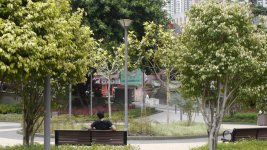
Thanks S. Matthews, this is an excellent example of what I mean by "max latitude". Even with the sky exposed for good cloud definition, there's more than enough bitrate available for capturing shadow detail in the foliage. While scenes like this don't need high average bitrates, individual key frames can easily require peak bitrates of up to 75-100Mbps. When the AVCHD encoder is set to a peak bitrate of 55Mbps or less, it will favor highlight detail over shadow detail, and be forced to produce mud in dimly lit areas when it runs out of bitrate. To cope with that issue, you'd need to shoot at a higher exposure, which would then blow out the highlights in the sky.Here is a video I shot with the new patch...

( I don't know how to upload 1080 to youtube)
If the recording failure occured within the first two seconds, it's likely due to a data spike in the second key frame. You may be able to help the camera through the start up period by initially covering the lens with your hand. If the failure occurs after four seconds or more, it may well be a write-speed issue with your SD card. In addition to using a fast Class 10 SD card, I recommend using the camera to format the card before each video shoot. This will guard against SD card memory fragmentation....I got the error message that "Card's Data Rate is Not Sufficient." Is that the error I would get from a "crash" due to the patch? Or is it truly telling me that the card is not sufficient?
Tried this patch on this very dark rainy day... just holding the stock-zoom out the window, maxed-out telephoto at this guy dancing in the rain. What impresses me is that in the original file ( I don't know how to upload 1080 to youtube) there is much detail in the shadows in spite of not-much-light (look under the trailer/wheels @ 1:30). And when the sun suddenly came out at the end, you can see that even in the white wall really is not clipping too badly. Thanks, LPowell!
No, those are corrupted frames of a type I haven't seen with this patch. Make certain the patch was applied correctly in the latest version of PTool. I'd be interested to examine the original MTS file.Is this supposed to happen?
No, those are corrupted frames of a type I haven't seen with this patch. Make certain the patch was applied correctly in the latest version of PTool. I'd be interested to examine the original MTS file.
No, those are corrupted frames of a type I haven't seen with this patch. Make certain the patch was applied correctly in the latest version of PTool. I'd be interested to examine the original MTS file.