
Navigation
Install the app
How to install the app on iOS
Follow along with the video below to see how to install our site as a web app on your home screen.
Note: This feature may not be available in some browsers.
More options
You are using an out of date browser. It may not display this or other websites correctly.
You should upgrade or use an alternative browser.
You should upgrade or use an alternative browser.
The end of 35mm adapers and hv20s....
- Thread starter Hunter Hampton
- Start date

Looks fantastic. That is straight from the D90. What exactly did you do to get that quality? Is that footage with just the D90 doing it's own thing?
Iso200(although does not affect vid mode) + Vivid + Long exp.NR -On + Active D-Lighting-High + Exp comp(-1)
Owe me a beer( and we owe you one).... not a bad idea with the settings thread
HMMM. Long Exposure NR.
That's not even activated on mines! I wonder if it does anything? Have you tried it on and off?

Helooka Likeaman
Member
A side effect of this rolling shutter could be the end to that damn shaky camera era.
LOL!!!!!! And HERE HERE!!!
Vivid + Long exp.NR -On + Active D-Lighting-High + Exp comp(-1)...removed the iso)
Owe me a beer( and we owe you one).... not a bad idea with the settings thread
yes, long exp NR and active d-lighting shouldn't do anything on video
active d. is using cpu time to do tone mapping (like on hdr, local adjustments) also there is no sign of it on your video
but the video it looks very nice
your look was created using the picture controls and exp. comp.
here's some things you should know. i'll repeat a part from yesterday
- picture controls - the settings are not new on d90, all of them were available since the first digital nikon. the way they work has changed since 2007. before they were called picture controls the same setting on different cameras won't look identical.
that happens because each camera has a different sensor, with different color reproduction.
a saturation +2 on D80 won't look identical to a sat +2 on a d200.
since D3 and D300 these settings match every camera. you can create a look on a D300 and send it to a D90 user and i'll look the same. like a digital film type.
for photos PC make sense when using jpeg, not raw. raw is raw and you can alter any setting after the image is taken.
- custom curves - they map the internal raw to jpeg exposure conversion. instead of using linear you can draw your own curve to adjust exposure on shadows, midtones and highlights. more on this http://forums.dpreview.com/forums/read.asp?forum=1034&message=11239112 and here http://fotogenetic.dearingfilm.com/custom_tone_curves.html
you can emulate film tone curves by altering this curve. a neutral film would be linear, an agfa would have some compression in shadows and highlights and so on.
so using picture control adjustments you don't reach the jpeg compression and 8 bit limit when altering colors. don't do it in post if you can do it before compression and bit downsampling to avi. not to mention you can share the look with others and store them on the card.
when taking photos the color mode is important too. i'm not sure if this affects video but here's how it works on jpeg photos: color mode 1 and 3 are for portraits and landscapes. mode 3 is similar to a velvia film. color mode 2 is natural colors. 1 and 3 have an sRGB color space, 2 is adobe rgb. it would be best to use adobe rgb since it has a much wider color gamut. http://www.earthboundlight.com/phototips/nikon-color-modes.html
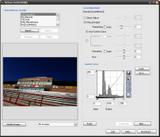
- picture controls - the settings are not new on d90, all of them were available since the first digital nikon. the way they work has changed since 2007. before they were called picture controls the same setting on different cameras won't look identical.
that happens because each camera has a different sensor, with different color reproduction.
a saturation +2 on D80 won't look identical to a sat +2 on a d200.
since D3 and D300 these settings match every camera. you can create a look on a D300 and send it to a D90 user and i'll look the same. like a digital film type.
for photos PC make sense when using jpeg, not raw. raw is raw and you can alter any setting after the image is taken.
- custom curves - they map the internal raw to jpeg exposure conversion. instead of using linear you can draw your own curve to adjust exposure on shadows, midtones and highlights. more on this http://forums.dpreview.com/forums/read.asp?forum=1034&message=11239112 and here http://fotogenetic.dearingfilm.com/custom_tone_curves.html
you can emulate film tone curves by altering this curve. a neutral film would be linear, an agfa would have some compression in shadows and highlights and so on.
so using picture control adjustments you don't reach the jpeg compression and 8 bit limit when altering colors. don't do it in post if you can do it before compression and bit downsampling to avi. not to mention you can share the look with others and store them on the card.
when taking photos the color mode is important too. i'm not sure if this affects video but here's how it works on jpeg photos: color mode 1 and 3 are for portraits and landscapes. mode 3 is similar to a velvia film. color mode 2 is natural colors. 1 and 3 have an sRGB color space, 2 is adobe rgb. it would be best to use adobe rgb since it has a much wider color gamut. http://www.earthboundlight.com/phototips/nikon-color-modes.html

Last edited:
Stoiga, do you remember what aperture you used?
not only that but i didn't understand what mode he was in
if you apply exp. comp. it works differently depending on the mode
on A it would alter the shutter, on S it would alter the aperture and on M it should alter autoiso values

Ramon Boutviseth
Well-known member
I just got one sunday, the image quality on this thing is insane.. I'm trying to shoot a music video with it already lol. if it happens I'll post it.
so far, the only things that bugs me is not able to adjust the shutter, ..etc.et.c..
so far, the only things that bugs me is not able to adjust the shutter, ..etc.et.c..
John Caballero
Veteran
I coulkd see the noise decrease in the lower ISO settings, specially Lo0.3 setting wich is like 100 ISO. The problem is this dmovie thing does give you any exposure readouts so the presumption is that as you decrease the ISO the noise decreases as well. It just keeps measuring and measuring exposure every second you move it until you press the lock button, well if you don't press the live view button before and start cursing.
The thing is in the same ISO Sensitivity set up you have ISO sensitivity auto controls that you turn off to get the manual ISO. When you check the auto control option on you can set a maximum sensitivity that you choose from 400 ISO to 3200 and H1 which is I believe 6400. You also set Minimum Shutter speed that tops at 1/60 s, it says, and bottoms at 1/4 s.
When you apply those setting the auto panels on the camera in a darker place automatically go the higest number you set, which I tried at 400 to 3200 and I could see an inordinate amout of noise at those settings.
It happened as well when I set to 3200 manually. The only thing I have to say is that this camera is great for pictures but is a pain in the butt for this movie thing. Too many unknown as to how does it work and how to control it. Maybe you can maybe you can't, who that heck knows.
Anyway guys, sorry for our earlier misunderstanding. I apolagize. It has been a pretty wacky ride. I will keep tryng this thing as well as I hope you do too. Maybe somebody from Nikon will magically appear from somewhere and provide some more details from the inside. Thanks.
The thing is in the same ISO Sensitivity set up you have ISO sensitivity auto controls that you turn off to get the manual ISO. When you check the auto control option on you can set a maximum sensitivity that you choose from 400 ISO to 3200 and H1 which is I believe 6400. You also set Minimum Shutter speed that tops at 1/60 s, it says, and bottoms at 1/4 s.
When you apply those setting the auto panels on the camera in a darker place automatically go the higest number you set, which I tried at 400 to 3200 and I could see an inordinate amout of noise at those settings.
It happened as well when I set to 3200 manually. The only thing I have to say is that this camera is great for pictures but is a pain in the butt for this movie thing. Too many unknown as to how does it work and how to control it. Maybe you can maybe you can't, who that heck knows.
Anyway guys, sorry for our earlier misunderstanding. I apolagize. It has been a pretty wacky ride. I will keep tryng this thing as well as I hope you do too. Maybe somebody from Nikon will magically appear from somewhere and provide some more details from the inside. Thanks.
Just a thought... but it'd be great to see an iPhone App to control the exposure of the Nikon D90. Anyone a programmer?
an iPhone version of Camera Control Pro
that's really not possible
I coulkd see the noise decrease in the lower ISO settings, specially Lo0.3 setting wich is like 100 ISO. The problem is this dmovie thing does give you any exposure readouts so the presumption is that as you decrease the ISO the noise decreases as well. It just keeps measuring and measuring exposure every second you move it until you press the lock button, well if you don't press the live view button before and start cursing.
The thing is in the same ISO Sensitivity set up you have ISO sensitivity auto controls that you turn off to get the manual ISO. When you check the auto control option on you can set a maximum sensitivity that you choose from 400 ISO to 3200 and H1 which is I believe 6400. You also set Minimum Shutter speed that tops at 1/60 s, it says, and bottoms at 1/4 s.
When you apply those setting the auto panels on the camera in a darker place automatically go the higest number you set, which I tried at 400 to 3200 and I could see an inordinate amout of noise at those settings.
It happened as well when I set to 3200 manually. The only thing I have to say is that this camera is great for pictures but is a pain in the butt for this movie thing. Too many unknown as to how does it work and how to control it. Maybe you can maybe you can't, who that heck knows.
Anyway guys, sorry for our earlier misunderstanding. I apolagize. It has been a pretty wacky ride. I will keep tryng this thing as well as I hope you do too. Maybe somebody from Nikon will magically appear from somewhere and provide some more details from the inside. Thanks.
I tried this same thing for a while and kept looking and recording footage. Switching the high ISO to 3200 while the camera was aimed at an unchanging shadow did nothing different than a 400 limit, sadly. =(
The most recent two clips have been the best I've seen yet. Very great work you two! Inspiring as hell for this camera.
John Caballero please use exact menu names so everyone would follow
http://www.imaging-resource.com/PRODS/D90/zmenu_shooting.htmf
http://www.imaging-resource.com/PRODS/D90/zmenu_custom.htmf
this footage
http://vimeo.com/1695669
would greately benefit from a compression custom curve to limit highlights clipping
while this one
http://vimeo.com/1695189
or this one
http://vimeo.com/1694557
would love a bit of color tweaking from picture controls
http://vimeo.com/1695669
would greately benefit from a compression custom curve to limit highlights clipping
while this one
http://vimeo.com/1695189
or this one
http://vimeo.com/1694557
would love a bit of color tweaking from picture controls
www.kholi.net/coffeed90.mov
Alright. Here's a clip from today. Handheld, beWARE.
If someone can download and upload to Vimeo that would be great. I'm over my weekly limit.
Alright. Here's a clip from today. Handheld, beWARE.
If someone can download and upload to Vimeo that would be great. I'm over my weekly limit.
Last edited: