FCP converted P2 and PC can´t read it

Ultimately yes, it's the fault of Apple for insisting on converting away from the native file format when no other editor makes you do that. However, that's completely overcomable on both sides -- on the Apple side you can use Raylight and edit the native MXFs and never run into this again. Or, on the Windows side, now that the damage is done, you can use the Raylight Quicktime Decoder and access the Quicktime DVCPRO-HD files.

So either way Marcus can bail you out.
 
Hey guys, I just picked up Raylight Encoder Pro and I like what it does so far. I have a question. I shot 720P 24PN HVX footage that was ingested into FCP. So now it's Apple DVCPro HD quicktimes right?

I need to edit this stuff in Vegas 7. The QT files in Vegas read:

Video: 960x720x24, 23.976 fps progressive, Raylight DVCPro HD 720p60
Audio: 48hz, 16bit Little Endian

According to Raylight's online help, they advise creating a custom project template 1280x720, progressive scan, 1.0 square pixel aspect ratio, 23.976 frame rate.

When I bring the clips onto this Vegas timeline, it's squashed centercut with black bars on each side. So I right click the clip and uncheck "maintain aspect ratio" in properties. It looks okay.

My question is should the timeline properties be 960x720 instead of 1280x720? Also is there an easier way to get the footage tp proper aspect without having to uncheck the ratio box on every single clip? I have hundreds of them!

Mahalo in advance.

Vince
 
Hey guys, I just picked up Raylight Encoder Pro and I like what it does so far. I have a question. I shot 720P 24PN HVX footage that was ingested into FCP. So now it's Apple DVCPro HD quicktimes right?

I need to edit this stuff in Vegas 7. The QT files in Vegas read:

Video: 960x720x24, 23.976 fps progressive, Raylight DVCPro HD 720p60
Audio: 48hz, 16bit Little Endian

According to Raylight's online help, they advise creating a custom project template 1280x720, progressive scan, 1.0 square pixel aspect ratio, 23.976 frame rate.

When I bring the clips onto this Vegas timeline, it's squashed centercut with black bars on each side. So I right click the clip and uncheck "maintain aspect ratio" in properties. It looks okay.

My question is should the timeline properties be 960x720 instead of 1280x720? Also is there an easier way to get the footage tp proper aspect without having to uncheck the ratio box on every single clip? I have hundreds of them!

Mahalo in advance.

Vince

Project settings of 960 x 720, 1.333 Pixel Aspect Ratio is an acceptable way to edit and might have slightly better performance.

To change the PAR for all the clips at once, use a script. There is a free script for that on the DVFilm website: http://dvfilm.com/raylight/raylightTutorial2-5.htm
contact DVFilm Support for more info
 
You mean use the Panasonic decoder in quicktime? Raylight Decoder does this right now in the "Green" mode and it's not trivial. The Panasonic decoder is not a VFW component but a DirectX filter, and you have to set up a filter graph with a custom source filter, the Pan. decoder and a custom sample grabber, and run it as an independent process. And by the way it works completely different in Vista. Having gone through the experience I would actually feel sorry for the Apple programmer that is given that task.
Okay, so if the freely-distributed and freely available Panasonic codec isn't that easy to hook into Quicktime, then can someone explain why they couldn't use the freely-distributed and freely-available Avid Quicktime codec for Windows?

This can't be rocket science, guys. There are at least two fully free codecs available on the Windows platform. One of 'em is already a Quicktime codec. Surely they could tap into that.

I am quite certain they could do this if they wanted to. I can see why they might not want to (Apple supporting an Avid codec?) but -- that'd be a business decision, not a technical one. And, unfortunately, a business decision that punishes the consumer.
 
Okay, so if the freely-distributed and freely available Panasonic codec isn't that easy to hook into Quicktime, then can someone explain why they couldn't use the freely-distributed and freely-available Avid Quicktime codec for Windows?

Much too slow, cannot decode to native frame size, and is made by a competitor.

$95 for Raylight Decoder is just about free and I imagine that is Apple's preferred solution to the problem.

The same thing with Avid and Raylight MXFX, it's cheap, it's off the shelf,
problem solved.
 
It is slow, I'll grant you. But don't you think Apple should make Quicktime files play on Quicktime?

Using your product is great, I have nothing against your product at all. I just don't understand why people blame Windows or Microsoft or Bill Gates or Space Aliens or anyone else in the world for the fact Quicktime Windows can't deal with Quicktime Mac files...

... in any case, THANK YOU for doing all that you've done to solve these problems of various manufacturers not playing nice with each other! You're truly a hero to the HVX community!
 
My guess is that there are some royalty issues or licensing ones with using the DVCProHD codec in something other than a FCP install.

Just a guess. If so, that would be Panasonic's ball park, not Apple's.
 
Again, there are already existing free codecs that are freely distributable on the Windows platform. The royalty and licensing issues are solved, the codecs already exist. They just have to tap into them.

They're not GOING to, we know that already. But at least we know that it's an active corporate decision to just not do it, rather than any stumbling block of licensing or royalties or anything like that.
 
$95 for Raylight Decoder is just about free and I imagine that is Apple's preferred solution to the problem.

The same thing with Avid and Raylight MXFX, it's cheap, it's off the shelf,
problem solved.

Why would anyone want to just watch DVCPro files... especially for $95?

Don't most of us need to edit / convert them?
 
raylightiu4.png
 
What that means is that it can DECODE, but not ENCODE. You can therefore use it to play DVCProHD QT footage, or use the files as a source in your editor. What you cannot do is OUTPUT DVCProHD QT files.
 
What that means is that it can DECODE, but not ENCODE. You can therefore use it to play DVCProHD QT footage, or use the files as a source in your editor. What you cannot do is OUTPUT DVCProHD QT files.
Thank you for explaining this!

Okay, perhaps you can tell me why the files work in my editor but when I try to play them in Quicktime they look like this:

decodererrorpa3.png


Appreciate it.
 
What version of QuickTime do you have installed? Have you tried going to Edit -> Preferences -> QuickTime Preferences -> Advanced and switching to Safe (GDI) Mode?

Also, it might help if you can post a short sample clip for us to download so we can see if the problem is with the clip or a setting somewhere.
 
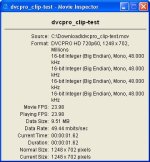
If QuickTime Player is to be believed, the video dimensions are a bit odd, they don't match the usual camera recording modes.

Most codecs have some inherent limitations on image dimensions that require the sizes to be multiples of 2, 4 or 8. I'm not sure what the DVCProHD spec requires, but I wonder if you are running into one of these limits. Try outputting a file that matches the standard camera recording resolution and see if that plays back correctly.
 

Attachments

  • ClipProperties.jpg
    ClipProperties.jpg
    36.9 KB · Views: 0
Thanks THoff.

I was messing in the visual settings area and checked the "High Quality" box and it worked fine.

Only problem is I have to select this everytime I open a new clip...

Do you think this is a specific problem with this batch of clips? Or how could I make it automatically checked?

dvcprosolutiontc0.png
 
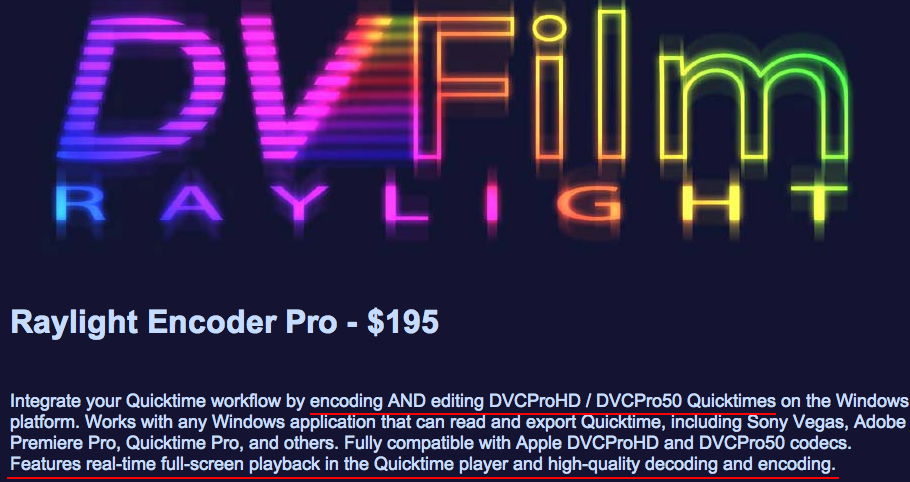
Raylight Encoder Pro for playback AND Editing

Raylight Encoder Pro for playback AND Editing

You are correct, skippyfx, that the Raylight Decoder does playback only.
We did not want to require a customer to pay a premium for encoding when all they need is play-back. For playback AND editing we have Raylight Encoder Pro available.

RaylightEncoderPro.png
 
I was messing in the visual settings area and checked the "High Quality" box and it worked fine.

Only problem is I have to select this everytime I open a new clip...

Do you think this is a specific problem with this batch of clips? Or how could I make it automatically checked?
Try opening QuickTime Player and use Edit -> Preferences -> Player Preferences -> General -> Use high quality video setting when available.
 
You are correct, skippyfx, that the Raylight Decoder does playback only.
We did not want to require a customer to pay a premium for encoding when all they need is play-back. For playback AND editing we have Raylight Encoder Pro available.

Well, I was misunderstanding the decoder was to ONLY watch files in Quicktime. I did not know you could edit them in your NLE as well.

So, I'm pretty sure I get it now.

Decoder: Watching and editing DVCPro HD files.
Encoder: Outputs DVCPro HD files. (As well as watch / edit)

I appreciate that people have patience to handle noobs like me. ;-)


Try opening QuickTime Player and use Edit -> Preferences -> Player Preferences -> General -> Use high quality video setting when available.

That sounds promising!

Thanks, I will try that when I get home.
 
Back
Top