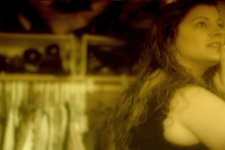
yellowish look

scotman

Well-known member
hey screen grabbers... im sure youve seen videos taken place in miami, mafia stuff.

well im looking for the best way, post or in camera to get that yellowish kinda gangsta feel. ive fooled around with gamma etc... tried magic bullets etc andrew kramers looks but no luck. anyone have any luck with this. thanks
 
Maybe post something of what you did and say what you're not happy with about it, where you'd like it to go.
 
Magic bullet has the effect you're looking for, but the render time is going to kill you if your machine isn't up to par. I'd make with a few filters, and overlay the clip.
 
you can make a yellow (or any other color) layer over your footage, switch the mode to "Color" and then just play around with the opacity, that`s if you have AE!
Hope this helps :)
 
you know i have a frame and its my problem with lighting. i dont know how to use scopes yet, or even do CC with AE. thats the biggest issue. but here is what i have

yellowish.jpg
 
this is a bad shot though, my wife was moving around out of my m2. but its ok i guess for my purposes. later
 
I think what would be helpful is an untouched frame from your footage (so people can try to cc it), as well as a frame from some other footage that shows the look you are trying to get.
 
http://www.cbs.com/innertube/player.php?cat=113857&vid=1443&format=&auto=1

youll see some csi miami looks. sone parts are yellowy.

http://www.cbs.com/primetime/csi_miami/

there are more of the looks and here is a grab.
yellow2.jpg
 
Yeah, the "Miami" preset is garbage IMO - most presets are really just starting points. One thing is, that orange glow look is mostly for the exterior shots, indicating the sun/heat, so it might be wierd to have that on the interior. Also, there's a mix of green in there, plus contrast adjustment, etc. Also gradients play a roll. If you want the above shot to have some color "attitude", you may want to layer 2tracks, play with adjustments, etc. Maybe start with a "crushed contrast" look and then push the color wheel in the direction you want it for lows/mids/highs, etc.
Since you have AE, I reccommend you buy Film Magic Pro from videocopilot.com. I did this grading with it:
353294487_b76c332335_o.jpg

353317520_cf2830050d_o.jpg

353317563_927b3834e0_o.jpg

353317720_6e92e37d9b_o.jpg


I just did this to your grab quick on FCP using levels and 3 color wheel.
test1.jpg

Original
yellow2.jpg
 
Last edited:
hey, sweet work Bionicpix.

Scotman, do ya have a cleaner pic to work with? Something with lights? More focus - I know, what a whiner, just asking in case. The cleaner you shoot something, the more lattitude for post work.
 
i do have video copilots stuff, just ordered it this past monday. here is a pic i think, a little clearer i hope.
yellow3.jpg
 
Well, here's my attempt. It seemed to me that the show had a lot of blondes in light clothing, which helped the yellow look.

My version: (I suspect this won't load so here is a link to the pic)
yellow2cc.jpg

Original:
yellow2.jpg
 
Heres a two second job in FCP - this is not the cc I am using by the way just a quick cc for the purpose of this thread.

What I did, created a quick 4 point matte for the guys jacket on the right, feathered it a bit. CC the top layer to yellowish adjusting the mids only on the 3 way cc. But quite literally took me two minutes, but I think your lighting might make it harder.

Yellow.jpg


Heres yours using almost same process except the matte is now opposite to mine. Also in yours I pushed the blacks on the left only down a bit to try and pull her out of that part of the image. You can see points 2 and 3 as I just grabbed this from fcp. You could have the cc uniform and then dropping the blacks the same as I did.

yellow2.jpg


Or you can go another way and mix it up by changing that colour altogether. Images are different sizes because I just took preview grabs from FCP. With extra work on the mattes etc you could get this much cleaner.

yellow3.jpg
 
Last edited:
what type of lighting system was used for that. its so GOOD!!! im a newb at everything. ill never be as good as some of you guys. whenyou say a matte how would i do that wither in premiere or after effects. i know those programs pretty well. i use color finesse for color correcting. but i dont know how to use it that well.
 
ok did this real quick. no plugins. basic cc. (sorry i squashed it to - PAL settings)

1174150476.jpg


p.s Love the grading u did bionicpix!
 
Back
Top