WORKFLOW - FS700 + Odyssey 7Q + Resolve Lite

As a question relevant to this exposure issue, has anyone else noticed that the FS700RAW/7Q combo has a 7.5%IRE black line? Just want to make sure it isn't me. Good info here, though.
 
As a question relevant to this exposure issue, has anyone else noticed that the FS700RAW/7Q combo has a 7.5%IRE black line? Just want to make sure it isn't me. Good info here, though.
No such thing as 7.5% IRE pedestal in HD video. That's an old NTSC analog specification that doesn't exist for the HD digital spec. I believe what you're seeing is the 0 mV(0% IRE) black line coming from the letterbox, since UHD isn't exactly the same aspect ratio as HD.
 
That's what I thought... and you are right. But I figured out what it is.

I'm noticing the black levels and noise in the blacks changing. Its the picture profiles (silly me!) Discrepancies in those was causing "off" readings. Though SLOG2 RAW does play at the bottom of the WFM from 2.5-5%IRE. Like we keep coming back to... Lot of noise in the blacks.
 
Hi Alan,

I did not apply a LUT. For me personally, I prefer a LOG image to grade. I actually avoid pre-baked images so I never try to get an in-camera or pre-graded look. I just edit the log footage or apply a quick preset to get the colors back. I usually just transcode RAW from Resolve to 422 10-bit, edit in Premiere and color correct in After Effects.

Currently, the BMD work space does not tweak the color red. Cinema DNG default without BMD makes the reds really magenta.

IMO, it's really, really easy to just make a quick Levels + Saturation preset and apply it in an NLE. I do it that way as opposed to baking it in camera or on a RAW to 422 render.

I've been using 4000 ISO indoors with no problems. It's still clean IMO.

I know this is probably a question which will seem way to generalized, but how much sateration do you usually add to the image when just working with a flat s-log raw image in the BMD work space? I've been playing around with a million different setups in terms of luts/vs no luts, aces or not, but I can't seem to land a place which suits me.

For instance, this picture here:

pic 1_1.1.1.jpg

I made a version of it which was quite a bit flatter than this, but I found a tad boring, so I came up with this instead. Now I think I've reached a point where I'm unable to judge whether its actually overmuch, or if it works.

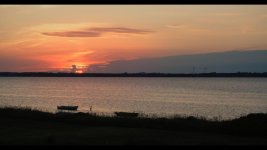
Same goes with this shot I fiddled around with back at my parents farm:

pic 3_1.2.1.jpg

Now this particular one, I purposely added a bunch of red and color around the center of the sun to make it a bit warmer, but again; I'm honestly not sure if I've overdone it and just fallen into the consumer trap if wanting more color?
 
@JensK. It looks good to me. It definitely has that Canon vibe which lots of people like. I personally tend to keep things, especially skin tones, a bit cooler on talent.

But it's all just personal preference. Traditionally, movies and TV tend to be pretty saturated. Recently though, the LOG / flat-ish look seems to be really popular especially with music and fashion type videos. I guess it gives it kind of a vintage, old look.

So yeah, there's no right or wrong, maybe just don't over-saturate it too much.
 
Last edited:
Hey Gene, I've been studying a lot of old movies recently: in the 60's they were super-color saturated. This movie (available on Netflix) has some color-inspiring shots (hard to see on youtube: on Netflix is HD and the color is amazing):
http://youtu.be/hJkyFUpAnuk?t=3m35s
(also a chance to see Adam West play something other than Batman or a voice on Family Guy).

Guessing they went all out with color as that was the new thing after B&W.

On the topic of cameras- if the colors don't look quite right the scenes look better with low saturation. When the colors are correct, even skintones can be pushed with saturation and not turn people into aliens, zombies, or oompah loompahs. This is where Canon and ARRI do well: color science for skintones. I'm finding the GH4 doing better with accurate skintones than the FS700, however the 5D3 still does the best. Like many others, I'm waiting to see if the A7S can replace the 5D3 so we can avoid dealing with RAW while still having excellent skintones. If the A7S does well with skintones, it would be cool if Sony provided a firmware upgrade for the FS700 to get the improved color science.
 
JensK, I think your shot of that woman looks fine. Any adjustments I would do would be in lighting, not the camera. And that is a pretty common thing I'm seeing a lot of where people blame the camera for a lack of the image they want, where the real issue is with lighting. Nothing wrong with your lighting though. I might desaturate the green is all.

Oblvion was shot with the F65. And yes it carries the "Sony look" with skin tones as well. Sony just really picks up green as opposed to red. I'm sure someone else has more knowhow of the science to it. But that is what I've noticed for how it looks.
 
I'm with slipstrea808 - the grade looks fine (maybe a bit more contrast?!) but would have benefited from having a back light. And a key. Kind of tough with exteriors on overcast days and no lighting though (and on bright sunny days with no silks).
 
Oblvion was shot with the F65. And yes it carries the "Sony look" with skin tones as well. Sony just really picks up green as opposed to red. I'm sure someone else has more knowhow of the science to it. But that is what I've noticed for how it looks.

Maybe because I've graded tens of thousands of shots in my 14 years in TV post, but the "Sony Look" (which I actually like from a grading perspective because it's very neutral) holds no issues for me. It would literally take me about 1 minute or under to make a 7Q shot look like a saturated Canon shot. So simple to do, just a few tweaks on curves.

Basically, if you're decent at grading you can get a 7Q shot to match pretty close to the major cameras - Arri, RED, Canon - pretty quickly.

Also, not sure what "The Sony Look" is anymore. FS700 S-Log 2 has a very different look than say Cine 4. The color science is definitely different. To me, skin tones from Cine 4 and S-Log 2 might as well be from 2 different cameras because they are so subtly different. To me, skin tones from S-Log 2 are much better because they are so neutral. Cine 4 always tended to have that yellow cast, especially in the highlights.
 
@JensK. It looks good to me. It definitely has that Canon vibe which lots of people like. I personally tend to keep things, especially skin tones, a bit cooler on talent.

But it's all just personal preference. Traditionally, movies and TV tend to be pretty saturated. Recently though, the LOG / flat-ish look seems to be really popular especially with music and fashion type videos. I guess it gives it kind of a vintage, old look.

So yeah, there's no right or wrong, maybe just don't over-saturate it too much.

I did consider adding a bit of blue'ish tint to the talent, however I thought it became a bit too boring to look at. I'm relatively new to grading (and if im honest, my monitor is not all that great for doing so either), but as I said, I find my self wanting probably a bit more color and warmth than what is strictly necessary. In any case, I'll def. look out for over-saturating the image a bit.

JensK, I think your shot of that woman looks fine. Any adjustments I would do would be in lighting, not the camera. And that is a pretty common thing I'm seeing a lot of where people blame the camera for a lack of the image they want, where the real issue is with lighting. Nothing wrong with your lighting though. I might desaturate the green is all.

Oblvion was shot with the F65. And yes it carries the "Sony look" with skin tones as well. Sony just really picks up green as opposed to red. I'm sure someone else has more knowhow of the science to it. But that is what I've noticed for how it looks.

I think one thing I should have done differently was to use more time on seperating the talent from the grass. The thing is, I'm a big proponent og "green" grass in the sense that I think flat-looking grass look so dead to me, so I might have have gone a bit overboard with tweaking, not paying enough attention to when and where!

I'm with slipstrea808 - the grade looks fine (maybe a bit more contrast?!) but would have benefited from having a back light. And a key. Kind of tough with exteriors on overcast days and no lighting though (and on bright sunny days with no silks).

the shot was actually shot without any light aside from the sun, as I don't have any good portable lighting solution yet (I only have Arris). I'm sure you are right in the sense that I could probably have done a whole lot more, had I been able to control the lighting a bit better. I tried a shoot where I overexposed it and wanted to bring it down, but I couldn't really control the talents skin-tone that way, and I assume that was because of poor lighting conditions.

I'll try to play around a bit more with the contrast when I get home! :) I used a bit of time on the shadows, which I think I managed alright. Question in this regard: which way do you find to be the best in regards to working with the contrast? Generally, I use the luma curve to do so, but I've seen people talk very fondly of using the number under the wheels too. I know its probably not a straight forward do-this type of technique, but I'm very keen on learning so might at aswell ask! :)

Thanks a lot for all your critique and help! Its really great! :)
 
I like using the luma curve as I can see what it is doing, mostly ii use it to crush the blacks a little (which also increases the contrast). The Contrast slider is lacking in a little subtlety, but I use it every now and then anyway.
 
Back
Top