GH4 Why you don't use VLOG-L for internal recording

joe12south

Veteran
Link to full res PNG: http://blog.josephmoore.name//leeming/VLOG-Leeming-v111_graded.png

If you think the dreaded magenta/cyan color errors are the only symptoms of the bit starved file, look again.

Specifically, look at any low detail, low contrast area. Then try to push it even a little in post. It falls apart very quickly. The the primary benefit of using a logarithmic profile is to have more room to adjust in post. The manner in which Panasonic chose to implement this profile, wasting a giant portion of the bit bucket, is such a shame. You can mitigate this problem by recording externally at 10 bit, but even that's not a total fix. (Most of the signal is still wasted, it just has more bits to waste and less compression of what remains.)

C'mon, Panny. Give us a full bandwidth LOG profile...or give us our money back.

VLOG-Leeming-v111_graded_detail.jpg
 
Agreed!

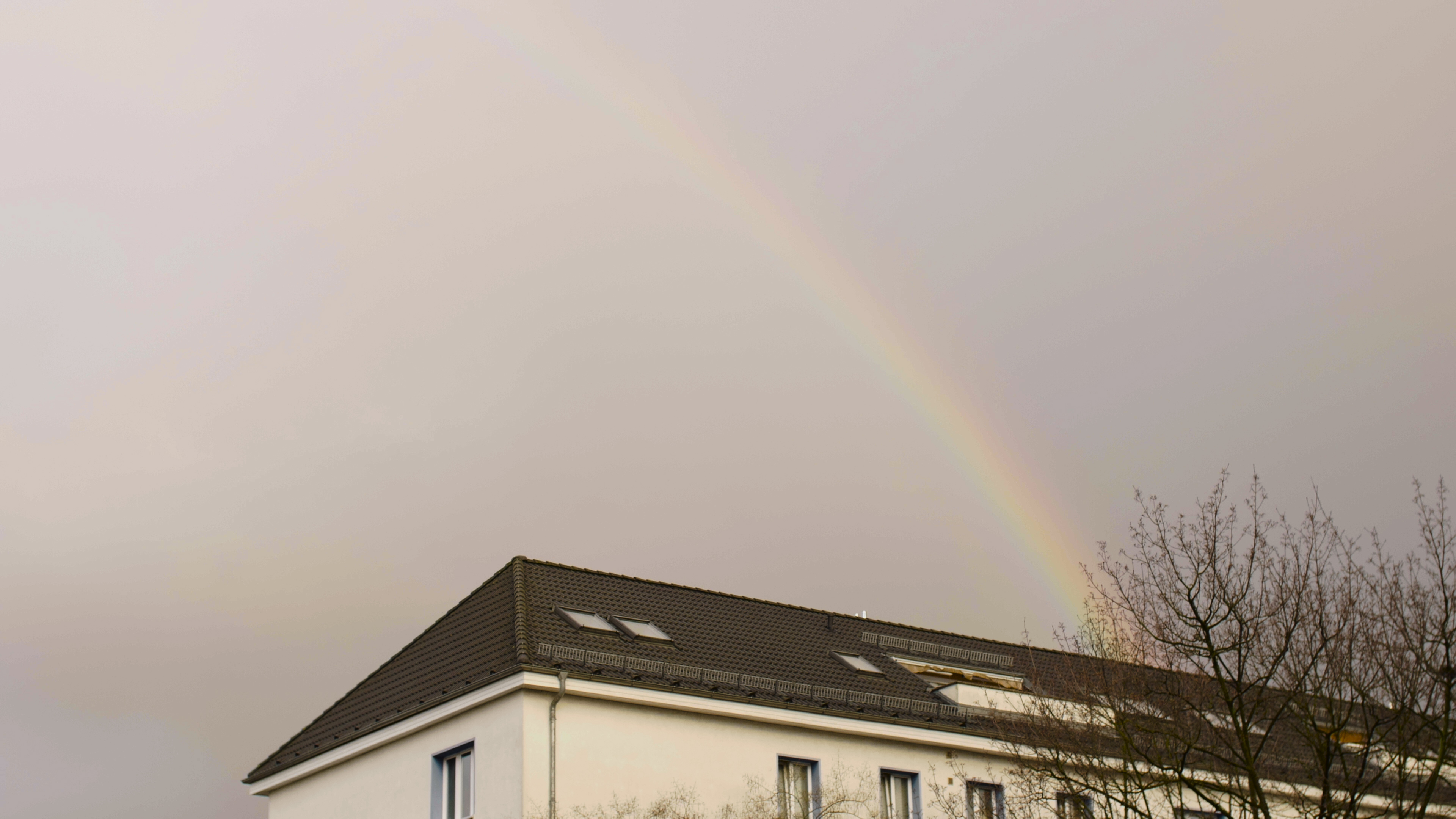
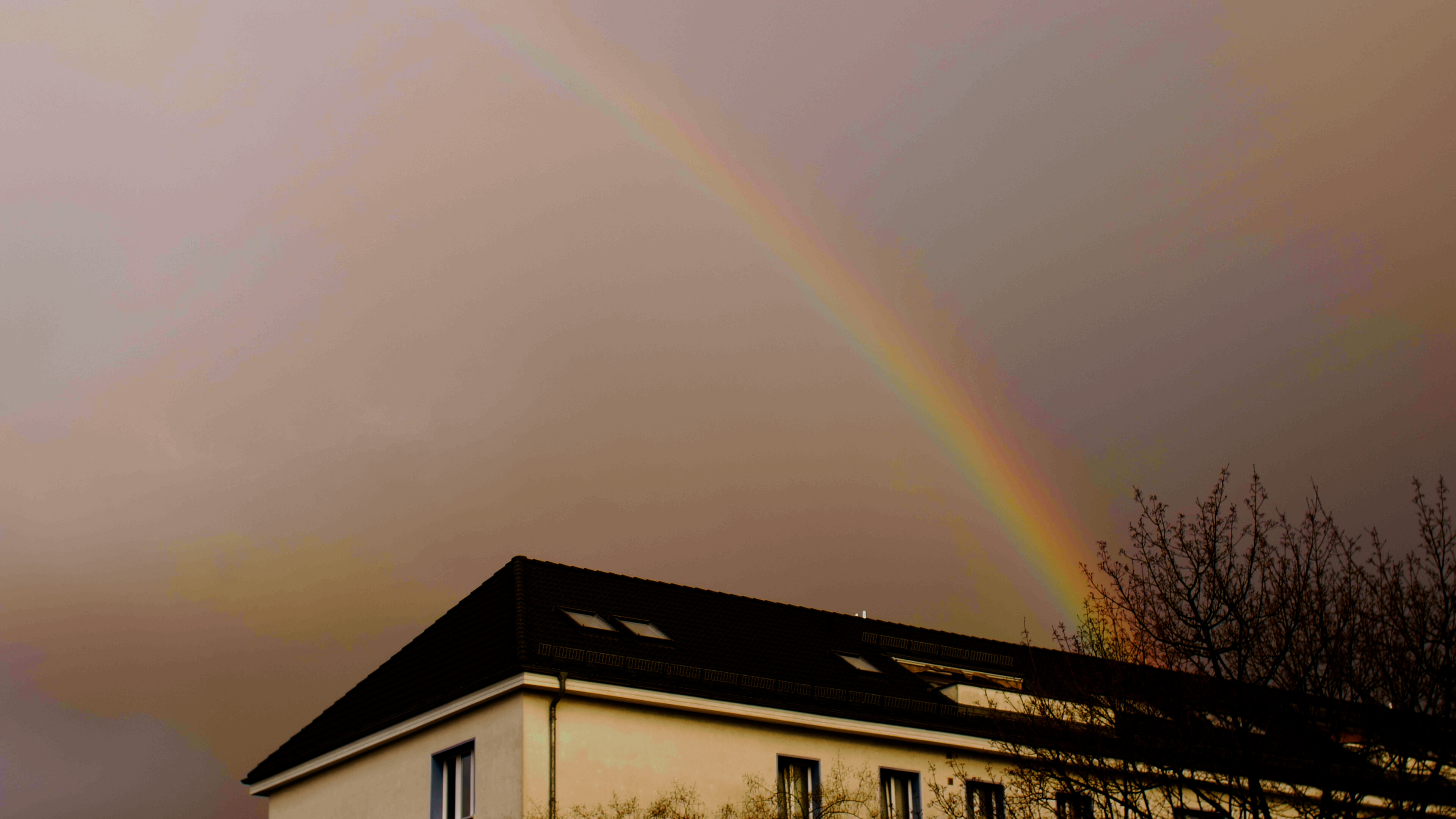
I just did some additional tests for v111 of my V-Log LUT, and as it happened there was a rainbow right outside my window! So I thought I'd shoot it with internal 8bit V-Log.... Here's the crazy banding results!

First is normal grading with LUT applied, as if it was a real shot I would use.

The second is exaggerated to show how bad the banding and lack of colour tonality are.

Just nuts to use this for internal work. Same would go for Sony's S-Log gamuts on their cameras, only they don't even have the 10bit external recording option at all!

VLOG 8bit Colours.jpg


VLOG 8bit Banding.jpg


Moral of the story - don't use internal log recording unless it's a 10bit+ recording format.

Cheers,

Paul :)
 
Last edited:
It doesn't have to be this bad, even in highly compressed 8-bit. Panasonic wasted a ton of bandwidth in service to being "compatible" with Varicam LUT's. Maybe somebody needed that, but I don't know who. They should have given us a LOG profile and corresponding LUT properly calibrated for the GH4's full dynamic range.
 
Link to full res PNG: http://blog.josephmoore.name//leeming/VLOG-Leeming-v111_graded.png

If you think the dreaded magenta/cyan color errors are the only symptoms of the bit starved file, look again.

Specifically, look at any low detail, low contrast area. Then try to push it even a little in post. It falls apart very quickly. The the primary benefit of using a logarithmic profile is to have more room to adjust in post. The manner in which Panasonic chose to implement this profile, wasting a giant portion of the bit bucket, is such a shame. You can mitigate this problem by recording externally at 10 bit, but even that's not a total fix. (Most of the signal is still wasted, it just has more bits to waste and less compression of what remains.)

C'mon, Panny. Give us a full bandwidth LOG profile...or give us our money back.

View attachment 111986
Just in the interests of making sure it's nothing to do with an error in my latest LUT, can you re-check that area with the Panasonic LUT, or no LUT and manual adjustment?

Not that I don't agree that the implementation of V-Log leaves a lot to be desired, but I do want to make sure we are operating from a neutral baseline and not anything I might have screwed up (if I did!).

Cheers,

Paul :)
 
No worries, Paul, nothing to do with your LUT. The errors are encoded in the file. Simply playing with contrast and saturation reveals them ... not LUT dependent.
 
I love working with V-Log L, internally and externally. Strongly dislike Cinelike-D and have great success with the Natural profile when I don't want to go with Log. Could Panasonic improve it for the GH4? Don't know, not an engineer. But personally I don't need them to do that. The GH4 is what it is. A fantastic camera at an amazing price point.
 
Link to full res PNG: http://blog.josephmoore.name//leeming/VLOG-Leeming-v111_graded.png

If you think the dreaded magenta/cyan color errors are the only symptoms of the bit starved file, look again.

Specifically, look at any low detail, low contrast area. Then try to push it even a little in post. It falls apart very quickly.
I just did with the already graded .png file as you didn't share the ungraded Vlog version.
Nothing falls apart. It only emphases the already typical macro blocks you showed us. Nothing else pops up. I have a hard time believing Vlog is the culprit, I could be wrong though.
tullip.jpg
 
Bunk,
Your exactly right, these are compression artifacts that are - by necessity - exaggerated when processing V-LOG L footage.

If you use a linear profile, you don't have to push the image nearly as much. The image areas that are most severely compressed (areas of low contrast and low detail) remain muted.

BUT, when using V-LOG L you have the double-whammy of the fact that the profile wastes much of the already starved 8-bit bucket (basically 40% of the available data) and *everything* is low contrast. So you're going to have many more compression artifacts and color errors lurking in an image that you MUST amplify. It's a recipe for disaster.
 
yeah, it's crap. I >> WOULD NOT HAVE BOUGHT IT IF PANASONIC HAD TOLD US IT WAS CRAP INTERNALLY <<

They should make a wider version for us, for free, for internal, since they won't let us create new profiles. Heck, they could give up other CURVE options in the SHADOW/HIGHLIGHTS section
 
yeah, it's crap.

This thread is crap. This issue was discussed to death when V-Log first came out and since then, many have proved it's a great tool in the right hands and situations. Why in heaven's name the train wreck has been resurrected, only g*d knows. (Perhaps it has to with Easter.)

It's perfectly usable for shooting internally and people really need to learn how to correctly approach color correction.
 
It's perfectly usable for shooting internally and people really need to learn how to correctly approach color correction.

Examples, please. This thread contains two shots from very common scenarios that demonstrate how internally recorded V-LOG L is incredibly brittle.

I barely touched that shot and it fell apart. What, pray tell, is the "proper" way to approach color correction?
 
Examples, please.

Spend a little time looking around the GH Still and Motion Gallery. There are quite a few examples there.

I barely touched that shot and it fell apart. What, pray tell, is the "proper" way to approach color correction?

If you use a hammer instead of a putty knife to mount glass in a window, you're going to break it. I've no idea what you are doing, and yes some images when not captured correctly will show ugly artifacts. For me that's called trial and error. It doesn't make the process useless. Denoising with a good processor can help, as can something like Color Finale, not only in it's functionality, but because the author is exceedingly generous with educating people how to color correct.
 
There are a lot of very positive reviews of V-log on B&H. Pretty sure all those people are not blind. Panasonic and the beta testers of V-log are not dumb either and would likely not put out something useless. Of course you have to be careful with V-log. Thats true of just about any form of LOG crammed into an 8bit space.

I would also seriously debate whether or not altering the LOG profile or curve would really make a huge difference on the GH4. So far all we have is speculation that the range isn't good and that it could have been done better. Without solid proof and examples its all speculation and assuming Panasonic "goofed" up without any real evidence to say otherwise.
 
There are a lot of very positive reviews of V-log on B&H. Pretty sure all those people are not blind. Panasonic and the beta testers of V-log are not dumb either and would likely not put out something useless. Of course you have to be careful with V-log. Thats true of just about any form of LOG crammed into an 8bit space.

I would also seriously debate whether or not altering the LOG profile or curve would really make a huge difference on the GH4. So far all we have is speculation that the range isn't good and that it could have been done better. Without solid proof and examples its all speculation and assuming Panasonic "goofed" up without any real evidence to say otherwise.

1. Most positive reviews, and certainly the majority of positive samples come from externally recorded 10-bit samples. I've got some pretty decent results this way, too. (And have posted samples.)

2. What more proof do you need? This has actually been shown repeatedly in a variety of ways, ranging from math to samples. Additionally, all you have to do is shoot with it and apply a REC709 LUT to see the fragility.
 
If you use a hammer instead of a putty knife to mount glass in a window, you're going to break it. I've no idea what you are doing, and yes some images when not captured correctly will show ugly artifacts. For me that's called trial and error. It doesn't make the process useless. Denoising with a good processor can help, as can something like Color Finale, not only in it's functionality, but because the author is exceedingly generous with educating people how to color correct.

Apply Panasonic's REC709 LUT in Color Finale. That's all you need to do to see it break-up. No hammer required.
 
Apply Panasonic's REC709 LUT in Color Finale. That's all you need to do to see it break-up. No hammer required.

Don't know if these two are the same but I'm using VLog_to_V709_for35_ver100.cube. Not a tech geek so they may be the same, but I have no unfixable issues with using that LUT as a primary.

Look, I understand that VLog L may not work for you. I don't do charts and stuff - just press the button when the subject looks right. And I wouldn't have any issues with you if you stated plainly that it just doesn't work for you. But to make a general proclamation that is the title of the thread, is at best disingenuous. And at worst, misleading.

On top of which, nowhere in these discussions is the issue of optics or the editing pipelines discussed, two very important factors when trying to come up with a final product. It's all charts, sensors and bloody ISO. You'd think it was all rocket science.....
 
Im not an advocate for vlog, but Ive seen enough good looking footage(internal) to say it can get the job done. Can produce some pretty images.
 
Back
Top