How do you know that?As far as I can tell they fixed everything.

Navigation
Install the app
How to install the app on iOS
Follow along with the video below to see how to install our site as a web app on your home screen.
Note: This feature may not be available in some browsers.
More options
You are using an out of date browser. It may not display this or other websites correctly.
You should upgrade or use an alternative browser.
You should upgrade or use an alternative browser.
which laptop for editing GH1/GH2 footage?
- Thread starter teuron
- Start date

Blackout
Veteran
How do you know that?
I played with the xps 17 with major games maxed out, and ran some tough encoding through it, for a while, and I didn't see any throttling issues at all.... only thing I didn't like was that the 17 inch still only has a 720p screen.. or actually some middle screen 1600 x whatever... I hate that... and it was too bulky.. the 15 is perfect for editing on the road. I could be wrong, but it's what I am ordering in about a week or so.
Blackout
Veteran
http://www.pc365.co.il/product.aspx?p_id=16563 ?
don't mind the language, go down to the specs and see if it's the same (i suppose you mean an 8 giga ram version)
Yeah that looks like a good configuration Roei... just make sure the screen is the rgb led... I couldn't tell, but it was 1080p so I awesome it was.

roei z
Veteran
Yeah that looks like a good configuration Roei... just make sure the screen is the rgb led... I couldn't tell, but it was 1080p so I awesome it was.
they have other screen options?


Ben_B
Veteran
Ben - how do you handle authoring blu-rays on mac? It seems sony and apple are at all out war.
I haven't found myself with the need to author blu-ray yet...everywhere that I've had to show my films that had an HD projector could take a ProRes file, and everyone I know with a bluray player also is tech savvy enough to know how to (and often have) a laptop hooked up to the TV.
That said, I would use the PC tower under my desk.
I honestly don't care much about blu-ray or any optical drive tech. In fact Apple is likely removing optical drives from the Macbook Pro in april...along with adding some goodies...but I really can't wait that long; I have a huge project I am working on in the winter.

stonebat
Veteran
I got 15" mbp with i5, matte, hi-res. Just upgraded to 8GB. SSD is on the way. Hehe. The biggest complaint is the weak gpu. Why don't u wait for next mbp product refresh?Random thread for this but I am (excitedly) getting a Macbook Pro 15" 2.8GHZ i7 with 8GB of RAM.
Oh yeah, and the high res display (glossy because I am a sucker for it despite matte being better [and more expensive on a mac]...)
But did you check multi-task like real time editing, color correcting, grading, etc?I played with the xps 17 with major games maxed out, and ran some tough encoding through it, for a while, and I didn't see any throttling issues at all....
Ben_B
Veteran
I got 15" mbp with i5, matte, hi-res. Just upgraded to 8GB. SSD is on the way. Hehe. The biggest complaint is the weak gpu. Why don't u wait for next mbp product refresh?
Doing my senior thesis project this winter and I need a faster machine for FCP editing. Also being able to do Maya rendering on either my mac or PC will be nice. Spec'd with the 512MB GPU and the 2.8GHZ i7 should be set for power for awhile. I am still using mid-raoad mac hardware from 4-5 years ago and doing ok, so I'd imagine high-end hardware will last me a good while longer.
Blackout
Veteran
But did you check multi-task like real time editing, color correcting, grading, etc?
No I didn't do that but i rendered several avchd files out to full 1920 x 1080p mpeg 4s and all 4 cores / 8 threads were a blazing 100% for 10 mins without any hickups...
@Ben... clients don't want blu-ray? What market are you in? I am finding the opposite in New York City, everyone is wantng blu-ray like wild fire and dvd is dead here, and some indie film makers have macs yes but I am positioned at what you would call the "high end of the low end" so I charge between $1200 to $8000 a day for a shoot depending on if it's just me or full crew, the package I work out, equipment ect... but I get a lot of music video and smaller artists who want a $1200 to $2500 package, something simple, and they want it on blu-ray, as well as a youtube playable perfect encode.
Last edited:
Isn't it possible to add an external Blu-Ray burner to a Mac?@Ben... clients don't want blu-ray? What market are you in? I am finding the opposite in New York City, everyone is wantng blu-ray like wild fire and dvd is dead here, and some indie film makers have macs yes
And about this one here?The XPS 16 was THE goto machine before this redesign, but the new redesigned XPS 15 is the best choice currently:
http://www.dell.com/us/business/p/xps-15/pd?~ck=anav

http://www.shopping.hp.com/webapp/s...ategory=notebooks&series_name=ENVY173D_series
Blackout
Veteran
Isn't it possible to add an external Blu-Ray burner to a Mac
Yes but only to burn.... I think... If thats even possible... Blu rays wont play on mac.
Ben_B
Veteran
Yes but only to burn.... I think... If thats even possible... Blu rays wont play on mac.
You can burn them and I believe compressor can encode them now.
One alternative is AVC-DISK (DVDs burned HD that play in blu-ray players.)

Chris Light
Veteran
One alternative is AVC-DISK (DVDs burned HD that play in blu-ray players.)
that's what i've been doing for over a year now, for home use. Bluray burner is on my christmas list \m/

Peter J. DeCrescenzo
Veteran
You can burn them and I believe compressor can encode them now.
One alternative is AVC-DISK (DVDs burned HD that play in blu-ray players.)
Yes to both. Very basic Blu-ray burning with the current version of Compressor 3.5.3:
http://documentation.apple.com/search/#q=blu-ray
Either burn Blu-ray discs using a 3rd party Blu-ray drive, or burn ~30-min. of AVC HD video onto a blank DVD for playback in standard Blu-ray players.
Attachments
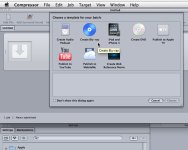
Last edited:
I've heard expresscard is crucial. Is it true?
Does this model have it?And about this one here?
http://www.shopping.hp.com/webapp/s...ategory=notebooks&series_name=ENVY173D_series
hey this guy here bought the Dell with expresscard:new dells look juicy but missing critical components:
no expresscard
http://reduser.net/forum/showthread.php?p=689274#post689274