whats up with my picture? and this noise?

ihatedv

Well-known member
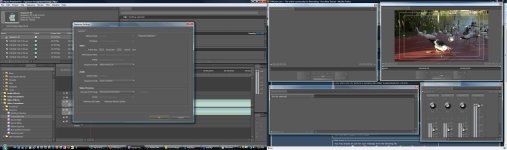
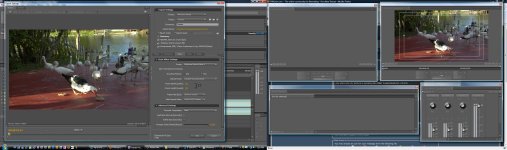
Any idea why my picture is jumping like this? I attached a couple of screen shots for the settings I'm using. Also listen to the static noise that you hear around 2 seconds. Any idea what that may be? I've only used this cam a handful of times and this is the second time I'm hearing this noise.

IMPORTANT NOTICE: No media files are hosted on these forums. By clicking the link below you agree to view content from an external website. We can not be held responsible for the suitability or legality of this material. If the video does not play, wait a minute or try again later.
I AGREE
 

Attachments

  • 1.jpg
    1.jpg
    72.4 KB · Views: 0
  • 2.jpg
    2.jpg
    81.1 KB · Views: 0
Last edited:
I believe this is the third time TODAY that I've had to advise on this exact same issue.

EVERYONE, PLEASE:
TURN OFF THE IMAGE STABILIZER WHEN USING A TRIPOD!

Whew. Now I feel better.

You cannot use the optical image stabilizer when the camera's on a tripod, or this is what happens.
 
Sorry ihatedv, I'm not shouting at you, it's just... this is the third time TODAY trying to solve this issue for folks. So I'm shouting loud enough that everyone will hear it.
 
That's great advice for others. Now only if I owned a tripod I'd be saying thank you...
 
Last edited:
That looks, and sounds, like a tape alignment problem during capture. Try recapturing the same clip. If that doesn't help, try a different deck.

The screen shots of your settings, by the way, are too small and low-rez to read.
 
The noise I know is from something else. I still am new to the 100 and I got the same exact noise from my last shoot.
 
The noise I know is from something else. I still am new to the 100 and I got the same exact noise from my last shoot.

What's your audio chain in production?

Did you hear this when it was recorded?

When you got it from your last shoot, was it accompanied by the jerky picture?
 
The above video was just a test shoot so I captured from the onboard. My last shoot I was filming a dance sequence where music would be overlaid, so again directly from the onboard.

(BTW I don't know what an audio chain is, but I assumed this is what you are asking)
 
The above video was just a test shoot so I captured from the onboard. My last shoot I was filming a dance sequence where music would be overlaid, so again directly from the onboard.

(BTW I don't know what an audio chain is, but I assumed this is what you are asking)

Audio chain is the flow of audio gear and cables from mic to recorder. For example: mic>mixer>camera.

But since you are using the onboard mic, you really don't have much of a chain.

And you left two very important questions unanswered:

Did you hear this when it was recorded (you are wearing headphones while you shoot, right)? When you got the same noise from your last shoot, was it accompanied by the jerky picture?
 
I've encountered tons of issues like this, but only when I would use really old MiniDV tapes that I had been recording footage on over and over. After using a head cleaning tape and a brand new MiniDV's I've never had the problem since
 
I believe this is the third time TODAY that I've had to advise on this exact same issue.

EVERYONE, PLEASE:
TURN OFF THE IMAGE STABILIZER WHEN USING A TRIPOD!

Whew. Now I feel better.

You cannot use the optical image stabilizer when the camera's on a tripod, or this is what happens.

Not to bring on the wrath of Barry: But why is this? I honestly do not understand.
 
Because the image stabilizer will "fight" the tripod motion. As you start to pan the camera, the stabilizer sees the motion and says "whoa -- I need to stabilize that out!" So it does. And as you keep panning, it keeps correcting... and stabilizers can only go so far, and when you reach the limits of what it can do, it re-sets and you get a major "jump" in your footage.

You only need one way to stabilize your footage, you don't want two ways that are fighting each other.
 
If you have a stabilizing device of some kind, you'd probably want the optical image stabilizer off. But really your question could best be answered by flycam operators who have direct experience with it; they might view the situation otherwise.

In general, I say OIS is for handheld or vibration circumstances, and turned off for tripod/dolly etc., and ALWAYS turned off for using a 35mm adapter.
 
Back
Top