
Navigation
Install the app
How to install the app on iOS
Follow along with the video below to see how to install our site as a web app on your home screen.
Note: This feature may not be available in some browsers.
More options
You are using an out of date browser. It may not display this or other websites correctly.
You should upgrade or use an alternative browser.
You should upgrade or use an alternative browser.
GH4 Whacky GH4 vs Blackmagic Production Camera Comparison
- Thread starter TheDingo
- Start date
Interesting review. He's definitely got style. I too found the salmon pink skin tones to be a problem. But I noticed that it's less of a problem if I don't undersaturate the image. I began shooting -5, -5, -5, -5, 0 and adding contrast, sharpness, and color in post. But I recently switched to -2, -5, -5, -2, 0 and have been getting better results. I wonder if the reviewer would have found these settings beneficial too.
Also, unlike the reviewer, I stopped playing with the Highlights/Shadows curve as it was introducing noise into my image. I wonder if his slow motion would have had less noise if he'd been using a flat curve.
Also, unlike the reviewer, I stopped playing with the Highlights/Shadows curve as it was introducing noise into my image. I wonder if his slow motion would have had less noise if he'd been using a flat curve.

KINOKS
Well-known member
I'm also not happy with the skin tones. It takes some time to make them human again and it is going to be a pain for longer projects. It's funny, I thought that skin tones where one of the best things on this camera, but now it seems it's one of the worst. And I don't agree on the dynamic range. No way does this camera have 13 stops. It's around 9 to 10. 11 with unusable noisy blacks maaaybe. Have to make a DR test with a chart. And I also agree it makes no sense making a totally flat picture. It's a weak codec, try and shoot with a picture profile that best suits your scene and you'll get most out of the camera.
The reviewer is desperately in need of some guidance on how to capture high quality images with an H.264 video camera like the GH4. As his results demonstrate, imitating the low-contrast look of the "flat" tone curves popularly used on RAW and high bit-depth cameras can produce degraded color depth with an 8-bit camera. An H.264 encoder has it own parameters and esthetics that you must either learn to appreciate, or bypass with an external Prores or RAW video recorder.
We're doing a remake of the Wizard of Oz and it's great being able to get Oompah Loompah skintones without makeup straight from camera! 
On a serious note, using Natural instead of Cinelike-* and/or pulling down mid-saturation in post helps with skintones. iDynamic can also cause this issue (perhaps all the shadow-mid boosting settings). The skintone issue is similar to what happens when applying HDR techniques to stills. The solution is to skip HDR-like techniques when shooting people (or pulling down saturation (or mid saturation) in post).
On a serious note, using Natural instead of Cinelike-* and/or pulling down mid-saturation in post helps with skintones. iDynamic can also cause this issue (perhaps all the shadow-mid boosting settings). The skintone issue is similar to what happens when applying HDR techniques to stills. The solution is to skip HDR-like techniques when shooting people (or pulling down saturation (or mid saturation) in post).
Looks like using the off-brand focal reducer didn't help the GH4's case very much
I recently bought a Zhongyi Mitakon Turbo Focal Reducer for Nikon lenses and used it for an interview job on Monday. I shot with a Nikon 50mm f/1.4 AI-S lens at f/2.0, which converted to a 35mm f/1.4 lens equivalent, which looked absolutely great. Closing down one stop on the Nikon 50mm f/1.4 got rid of most of the softness and coma, and allowed me to blow out the background that was only 5 feet behind my subject. I can't post anything, but I plan on doing a proper test with several Nikon lenses this weekend. I don't own any wide Nikon lenses, which I think is where some of these focal reducers struggle to produce sharp corners. Overall I was very impressed with this adapter. ( and playing $20 for shipping got it to me much faster than the free shipping deals would have )
goodgoings
Well-known member
When doing the dynamic test, the BMPC was using 200ISO. Using the native ISO would have been a better comparison.

Erik Naso
Veteran
I found Cinelike D and lowering the contrast to much makes the image flatter than C Log. Not a good idea.
I'm working on matching the C100 with the GH4 and I'm pretty close. The color is almost spot on.
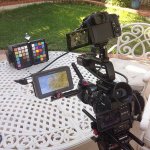
I'm working on matching the C100 with the GH4 and I'm pretty close. The color is almost spot on.

David W. Jones
Veteran
Erik is going about this the correct way by setting a baseline using a chart.
Erik Naso
Veteran
Thanks for doing this! Looking at your settings, you didn't find fiddling with the HIGHLIHGTS and SHADOWS added more noise over just reducing contrast?
Still testing. I want to get the cameras matched first then pixel peep. No sense wasting time on noise if I cant get them close color and exposure wise.
It cant be perfect and the GH4 isn't a lowlight camera but If I can get the two cameras to match with the GH4 at 800 ISO I'm happy. If it's a little noisy I have to settle for it and denoise in post.
Using both cameras at different ISO settings would make a multi camera shoot harder. Thats why I'm testing this. It's important to me to be able to shoot wide open at the same f-stop wide open say at a f2.8 base. If the GH4 has to be set to a lower ISO than 800 and my lighting is set for the C100 at f2.8 I might not have enough and the B-cam GH4 couldn't be used. Thats my goal. If I cant get it then I might have to change cameras. If noise becomes a bigger issue then again change cams. I'm hoping I can get it to work because if I can I'm buying another one. If not.........

Steve Kahn
Well-known member
Why was that a wacky comparison? Looked pretty valid to my eyes.
I've also noticed the macroblocking. When you consider that the 4k recording is at 100mbit (more like 77mbit on average) and you devide by 4 you get around 20mbit for each HD frame - a refrence we are all quite used to. In that context one could easiy see why there is macroblocking at 4k and a 100mbit max.
I've also noticed the macroblocking. When you consider that the 4k recording is at 100mbit (more like 77mbit on average) and you devide by 4 you get around 20mbit for each HD frame - a refrence we are all quite used to. In that context one could easiy see why there is macroblocking at 4k and a 100mbit max.

Ian-T
Veteran
There was discussion about this about a year ago (I believe). That Chinese reducer is not even close as good as the Metabones. So that part of the test I wish he mentioned that.Looks like using the off-brand focal reducer didn't help the GH4's case very much
Still testing. I want to get the cameras matched first then pixel peep. No sense wasting time on noise if I cant get them close color and exposure wise.
It cant be perfect and the GH4 isn't a lowlight camera but If I can get the two cameras to match with the GH4 at 800 ISO I'm happy. If it's a little noisy I have to settle for it and denoise in post.
Using both cameras at different ISO settings would make a multi camera shoot harder. Thats why I'm testing this. It's important to me to be able to shoot wide open at the same f-stop wide open say at a f2.8 base. If the GH4 has to be set to a lower ISO than 800 and my lighting is set for the C100 at f2.8 I might not have enough and the B-cam GH4 couldn't be used. Thats my goal. If I cant get it then I might have to change cameras. If noise becomes a bigger issue then again change cams. I'm hoping I can get it to work because if I can I'm buying another one. If not.........
Awesome, please keep us posted with your tests and results. I was wondering, did the HIGHLIGHT/SHADOW affect your contrast curve different / better / closer than just using CONTRAST reduced more? Kinda thought they were very similar, just more specific control. I'm not familiar with the C100 other than reputation, so I don't know how to match them, but your tests are interesting.
Why was that a wacky comparison? Looked pretty valid to my eyes.
I agree about the results, but it was very tongue-in-cheek to me. I kept thinking of inspector Clouseau while I was watching it.