Video Noise... I Think...

kenwilx1016

Active member
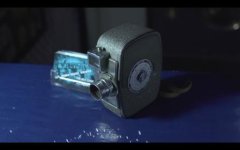
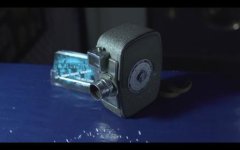
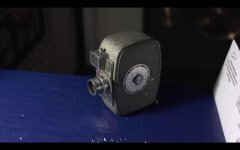
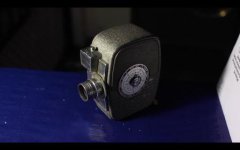
Ok, so I'm having a real problem with the video noise with my af100... I feel like it really shouldn't be in this shot based on my settings.
I'm starting to wonder if the 'noise' Im seeing isn't noise, but perhaps video compression, or something else.

I exposed the subject using a lightmeter. Exposure should be spot on, but incase anybody is wondering, my meter is reading about 61-62 footcandles.

My camera settings are as follows:

ISO: 200
Shutter Angle: 180º
Aperture: 2.8

I'm using the following settings:

Detail: -5
V. Detail: -5
Detail Coring: +2
Chroma Level: -2
Master Ped: +2
Gamma: Cine D
Matrix: Norm 2​


You can download the raw video file at public.me.com/kenwilx

Will you please take a look and tell me what you think is causing the noise. Does anybody have any suggestions on what i can do? It's ruining my shots and I can't take it anymore.
 
Last edited:
file not found...

By the way, the likely answer to your problem is that your computer is displaying the footage poorly. Go play the footage on a good tv and see if the same problem exists in the footage.

If not, then your settings are the problem. Cine-D is the noisiest gamma and using a +2 on Master Ped will increase it significantly.
 
Or even better....

View your footage on a real production monitor. It will look way better.

What computer are you viewing on?
 
Sorry, I fixed the link...

I'm using an iMac to view the image, it is a very contrasty monitor, so you'd think that would only help.
 
How about a frame grab?

...and how did you translate 61-62 foot candles into an f/stop (f2.8) out of curiosity.
 
I think it looks fine. No excessive noise in my opinion. It's very fine and comes across as grain more than anything. I played it in VLC full screen on a 17" Macbook Pro. You could try black balancing, then white balance, before you roll. Also try B.Press instead of Cine-D.
 
My apologies, it was actually 70FC I just double checked it, I use an analog meter and the wheel must have gotten bumped on my way to the computer...
The camera was exposed for 70 FC, according to my meter thats 2.8 at 200 iso dead on.

I've posted a second video, this time using 80 FC and shooting at 2.8+1/3 (cooler subject too) In the shadow cast from the subject, the grain is dancing like crazy, its distracting!

Here is a screenshot, it is at 1680x1050, seems like the last time i posted a picture it was scaled down horribly, so I also posted that on my idisk at public.me.com/kenwilx

Thank you so much for your time, hopefully you don't feel that I'm wasting it.

Screen Shot 2011-12-27 at 6.46.56 PM.jpg
 
I think it looks fine. No excessive noise in my opinion. It's very fine and comes across as grain more than anything. I played it in VLC full screen on a 17" Macbook Pro. You could try black balancing, then white balance, before you roll. Also try B.Press instead of Cine-D.

So do you think maybe I'm being to anal? haha
 
Can I suggest you do a little series of tests using all the scenes settings ...at Default.

And I agree...a Black Balance before hand is worth doing.
 
Try turning down your master-ped to -1, B-press is very clean. Also, try turning down the detail coring.

Here are the setting that I use:

detail level -4
v detail level -2
detail coring 0
chroma level 0
chroma phase 0
color temp 0
master ped -2
drs off
gamma b.press
knee low
matrix norm1

good luck!
 
Here's what I've discovered, Mark K, your settings create a lovely saturated image with a lot of contrast. It looked great, but didn't preserve much detail in shadows. But you're right theres basically no grain in that image at all! very clean, thank you!

Shooter, I went back to the basics, shot it at default settings. With this i found i wasn't getting much less latitude than when i was shooting with AbleCine's Range settings. the noise was much smaller and less distracting. Interesting.

With the AbleCine's Range settings that I started out with, my image ALWAYS looked soft. I assume this is because of the V. Detail being at -5?

Mike@AF, Good call on Black Balance, that is a step that is often over looked. Thank you.

Either way here are the screenshots, I'm not sure if this whole thread was necessary, but your comments and suggestions helped me learn a lot and I'm grateful to all of you, sorry if it was a waste of time to you kind folks.

Kind regards.
AbleCine_Range.jpgDefault.jpgMark.jpg
 
Glad you got something out of your tests.

You now have good base info to go forward from.

FWIW - we rarely depart far from Default settings.
 
The image probably looked soft because of Norm2. That is a very soft color matrix that really decreases noise and detail.
 
Back
Top