C100: Using ProRes in Premiere CS6

jthabel

Well-known member
For any of you C100 users on Premiere CS6:

I'm using an Atomos Ninja Blade to record ProRes HQ 24p footage from my Canon C100. When I set up a project in Premiere CS6, it always changes the project settings to ARRI when I start dropping the media from the Blade onto my timeline. I'm guessing this is fine, as I've always then been able to use and export said footage to H264 normally, so probably a non-issue. But could this cause any potential workflow issues down the road? Is there another project type I should choose for ProRes?
 
Adobe CC often does this with my GH4 footage as well, you need to make a sequence manually and set it to prores vs dragging clips onto a blank timeline. For some reason Abobe can't automatically recognize the proper codec to use when dropping clips striaght into a blank timeline.
 
I see that too, but does it actually affect anything? Is it possible it's just the preset name? As long as all the parameters match (frame size, frame rate, etc), should it matter? Doesn't premiere just edit in it's own native mode anyway?
 
Do you create a timeline and after take the footage and drag it into the timeline? Or did you tried taking the footage (clic and drag) and creating a new timeline with it ? This way, Premiere sets the parameters for you with the parameters of your footage.
 
Yes, that's what we're talking about. When I take a native, internal c100 file and drag it to the "new item" icon at the bottom of the project bin, Premiere automatically creates a new sequence with matching parameters EXCEPT, the "editing mode" reads as "ARRI Cinema" rather than "AVCHD 1080p." But I suspect it's just a preset name.
 
Yes, that's what we're talking about. When I take a native, internal c100 file and drag it to the "new item" icon at the bottom of the project bin, Premiere automatically creates a new sequence with matching parameters EXCEPT, the "editing mode" reads as "ARRI Cinema" rather than "AVCHD 1080p." But I suspect it's just a preset name.
It shouldn't be a problem then. Nothing to worry about.
 
Yeah, I'm totally up to date. I don't think it's an issue. Just more of a curiosity, really. Thanks for the feedback, all.
 
Shot a test with the Atomos Ninja 2 today and the footage had a lot of noise. I understand this could be for a lot of different reasons although I can't quite pin it down. I had ISO set to 850 so there shouldn't be any noise in the shot - denoiser fixed most of this up in post as you can see in the video but not sure why it was there in the first place. C100 is recording in WideDR to 25p and I have the Ninja set to 50i, is this the correct setup? Toby

Video link: https://youtu.be/ELuwmnZWSck
 
First of all, why not record 25p on the Ninja?
And yes, you can get noise at ISO 850, but mostly in dark areas.
 
Post the original image if you can, so we can see what you're talking about before the de-noising. If you're going to do any kind of significant post-production work, I'd use C-log for your profile, especially with ProRes. If you're only using a denoiser in post, WideDR is probably fine.
 
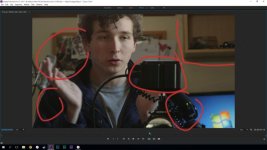
Untitled-1.jpg

You're right, It is mostly the darker areas that this is occuring but still not entirely sure why - it looks like there is adequate enough light coming in from the window. Also in this imagine the white balance is off, I've always had trouble with this, what would be the best way to set white balance on the C100? When setting to a white card often the image is either too red or too blue.
 
It doesn't look bad at all to my eyes. Could you post a clip to Vimeo? I suspect you're looking too closely at your monitor, or you have your monitor's brightness up too much. Also, the manual suggests auto black balancing the camera frequently.
 
Back
Top