
Navigation
Install the app
How to install the app on iOS
Follow along with the video below to see how to install our site as a web app on your home screen.
Note: This feature may not be available in some browsers.
More options
You are using an out of date browser. It may not display this or other websites correctly.
You should upgrade or use an alternative browser.
You should upgrade or use an alternative browser.
AC160 trying to encode for dvd
- Thread starter bigmajik
- Start date
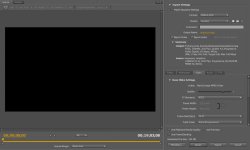
Well, this is a tricky topic. I have tried a million things and there is not one easy guide that I have seen to get a great Dvd by down converting HD. But, here is what I found was the best. I output from my timeline Prores 422 file with current settings. Then I take that file and see below.
Free way: I use the program Mpeg Streamclip and downscale to a ProRes 422 file/
Quality = 100% Best
Frame Size: 720 X 480 (Dv-Ntsc)
Frame Rate: 29.97p
Deselect check box for progressive mode
Export that file and import that downscaled file into Media Encoder to make final Mpeg for DVD BURN.
In Media Encoder I like using CBR between 7 and 8, Quality 5, 29.97 Progressive. I get good results.
I now use Sorenson Squeeze to do the downscale after exporting from the timeline. I get great results. Just my way after tons of trying to achieve a great looking standard Dvd.
Hope this helps a little. Good luck!
Free way: I use the program Mpeg Streamclip and downscale to a ProRes 422 file/
Quality = 100% Best
Frame Size: 720 X 480 (Dv-Ntsc)
Frame Rate: 29.97p
Deselect check box for progressive mode
Export that file and import that downscaled file into Media Encoder to make final Mpeg for DVD BURN.
In Media Encoder I like using CBR between 7 and 8, Quality 5, 29.97 Progressive. I get good results.
I now use Sorenson Squeeze to do the downscale after exporting from the timeline. I get great results. Just my way after tons of trying to achieve a great looking standard Dvd.
Hope this helps a little. Good luck!
Last edited:
Andy Turner
Active member
I have basically the same question but 720 / 60p. Any advice for that frame rate would be appreciated.
Without knowing any special tricks-- this is what I do.
In that video window pane.
Max out "Quality" - it is set to 4 presently
Select if you can "automatic (based on source)" on most of the other things under video.
then there should be a box you can check mark "Render at Maximum Depth"
Scroll down and select CBR (or VBR 2 pass if you have a longer video)
just below the CBR set it to "8" (based on the present video you have is short) CBR renders quicker -(if you can set qualities to 7 or 8 and get it to fit on a dvd -- skip VBR)
then above the "metadata" button check mark the box "Maximum Render Quality" --- Honestly I have not idea if that works... but what the hey
<those are all the settings I do>
with that said: I might try Squeeze to make my MPEG2s/DVDs (I plan to update what I have)
In that video window pane.
Max out "Quality" - it is set to 4 presently
Select if you can "automatic (based on source)" on most of the other things under video.
then there should be a box you can check mark "Render at Maximum Depth"
Scroll down and select CBR (or VBR 2 pass if you have a longer video)
just below the CBR set it to "8" (based on the present video you have is short) CBR renders quicker -(if you can set qualities to 7 or 8 and get it to fit on a dvd -- skip VBR)
then above the "metadata" button check mark the box "Maximum Render Quality" --- Honestly I have not idea if that works... but what the hey
<those are all the settings I do>
with that said: I might try Squeeze to make my MPEG2s/DVDs (I plan to update what I have)
Try MPEG Streamclip, but read this first,
http://uniquedesigners.wordpress.com/workflow/
http://uniquedesigners.wordpress.com/workflow/
Last edited:
ok i called adobe tech support to find out the best way to downconvert within their NLE & this is what they told me....if you have made multiple sequences in premiere pro 5.5 you must start a new sequence and drag all sequences on that timeline and call it master sequence then go to file-dynamic link -export to encore & encore will do the rest which means that you are totally bypassing the encoder. so i asked him what if i want to make links in the main menu out of a couple of sequences. how can i down convert the sequences individually with good results then import them into encore? he couldn`t find an answer for me. thats where im stuck at cause i need to export my sequences individually & i kow prores and mpeg streamclip was mentioned but i never used either of those programs. besides all the info i found on prores mentioned that it is an apple product for mac & i have pc. so if anyone have a way of exporting out of premiere pro 5.5 for downconverting using the encoder can you please let me know? thank you!
Bigmajik,
All you want to do is bypass adobe's encoder to downscale the file. If you export your sequences into an (intermediate file- I use ProRes, you can use what ever you use) or export as Current Settings. Bring that file into Mpeg Streamclip for windows and downscale there. Once you get a clean downscale, you can send that clip to Adobe Encore or Media Encoder to be converted to Mpeg. I know it is a little tricky and you will have to find your own little process.
Every time I used Adobe or FCP to do the downscale and encode to Mpeg, my Dvd's looked bad. But, once I found a way to downscale the file before converting to Mpeg, my Dvd's look soooo much better. So, try exporting a file from your timeline/seq and then downscaling 1st before you convert to Mpeg. The only thing is you have to watch all your settings when moving that file from one program to another.
All you want to do is bypass adobe's encoder to downscale the file. If you export your sequences into an (intermediate file- I use ProRes, you can use what ever you use) or export as Current Settings. Bring that file into Mpeg Streamclip for windows and downscale there. Once you get a clean downscale, you can send that clip to Adobe Encore or Media Encoder to be converted to Mpeg. I know it is a little tricky and you will have to find your own little process.
Every time I used Adobe or FCP to do the downscale and encode to Mpeg, my Dvd's looked bad. But, once I found a way to downscale the file before converting to Mpeg, my Dvd's look soooo much better. So, try exporting a file from your timeline/seq and then downscaling 1st before you convert to Mpeg. The only thing is you have to watch all your settings when moving that file from one program to another.
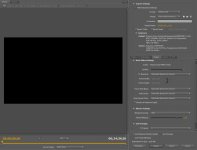
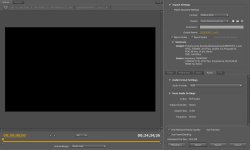
You don't want to export as a Mpeg2-Dvd File yet. Under export setting click the match sequence settings. Then export that file. That file is still a HD file and not compressed to the Mpeg2 format yet. You take that file in Mpeg Streamclip and do the downscaling as stated above. Then you import that downscaled file - the one you take out of Streamclip-back into Media encoder or Encore and you choose the Mpeg2-Dvd settings you have shown. When you match seq setting this will be just one file. I know it is kind of tricky, but keep it up and you will get it.
Remember your goal is to downscale your file before compressing it to Mped2.
Remember your goal is to downscale your file before compressing it to Mped2.
well here we go again. i tried bringing my files into mpeg streamclip to downscale and i keep getting this message sayng that i need to uninstall quicktime and install quicktime alternative 1.81 in order to get the mpeg playback codec. why wouldn`t it be in the newest version of quicktime?
Tony Maceo
Member
bigmajik - You don't downscale footage in Squeeze. What has been explained to you is a 3-step process. Using Sorenson is Step 3 and you seem to be wanting to skip Step 2 - Downscaling (in the case suggested, Mpeg Streamclip).
I shoot fast moving outdoor sports and unless you are a pixel peeper or they type that has to have very ounce of image quality out of your HD-to-SD conversion, you're best off just using the Mpeg2-DVD profile with Quality @5 and the highest avg bitrate your completed project can fit of a DVD. Dual Layer DVD-9 being the best since just about most finished projects will fit even with an avg bitrate of 8Megs. With CS5.5, you MUST make sure you check Render At MAX Quality. This is where Adobe made the improvements in output quality over prior versions by implementing, among other things, a Lancoz scaler vs bicubic.
If you wanted thee best IQ, then you're gonna have to put in some work. The intermediate lossless and near lossless codecs for Windows OS I use are Lagarith and Cineform, and Avid DNxHD, respectively. I use a 2-step process of frameserving my Premier Pro timeline to Avisynth with a Spline64 resize to 720x480 and open that script up in Virtualdub saving to a lagarith .avi file. I open that up in HC Encoder and do a 2-pass dvd-compliant encode. The difference is slightly visible with this process have a little more image pop and color over PPro output. Is the extra work worth it? That depends on if its going to bother you or not...cuz quite honestly the average consumer wont notice, unless they saw an A-B test or their comparing it to studio DVDs.
I spent many nights trying different software and workflows for HD-to SD to deliver DVD to my clients. I don't know what the heck Mpgeg Streamclip is using, but the best downscalers filters are Spline64 > Lancoz, Dan Isaac's HD2SD Avisynth plugin and the awesome/free HCEncoder.
By the way, if you want to output a DVD video stream with audio from PPro, you need to click on the Multiplexer Tab and select DVD instead of None.
Hope that helps, Zai jian:laugh:
I shoot fast moving outdoor sports and unless you are a pixel peeper or they type that has to have very ounce of image quality out of your HD-to-SD conversion, you're best off just using the Mpeg2-DVD profile with Quality @5 and the highest avg bitrate your completed project can fit of a DVD. Dual Layer DVD-9 being the best since just about most finished projects will fit even with an avg bitrate of 8Megs. With CS5.5, you MUST make sure you check Render At MAX Quality. This is where Adobe made the improvements in output quality over prior versions by implementing, among other things, a Lancoz scaler vs bicubic.
If you wanted thee best IQ, then you're gonna have to put in some work. The intermediate lossless and near lossless codecs for Windows OS I use are Lagarith and Cineform, and Avid DNxHD, respectively. I use a 2-step process of frameserving my Premier Pro timeline to Avisynth with a Spline64 resize to 720x480 and open that script up in Virtualdub saving to a lagarith .avi file. I open that up in HC Encoder and do a 2-pass dvd-compliant encode. The difference is slightly visible with this process have a little more image pop and color over PPro output. Is the extra work worth it? That depends on if its going to bother you or not...cuz quite honestly the average consumer wont notice, unless they saw an A-B test or their comparing it to studio DVDs.
I spent many nights trying different software and workflows for HD-to SD to deliver DVD to my clients. I don't know what the heck Mpgeg Streamclip is using, but the best downscalers filters are Spline64 > Lancoz, Dan Isaac's HD2SD Avisynth plugin and the awesome/free HCEncoder.
By the way, if you want to output a DVD video stream with audio from PPro, you need to click on the Multiplexer Tab and select DVD instead of None.
Hope that helps, Zai jian:laugh:
Bigmajik,
Since I have been using Mac with FCPX, I have access to ProRes as my intermediate codecs. As soon as you find the codec you can use, it will be relatively the same process. As Tony states above, I used the Cineform lossless codec prior to going on macs. So, as stated above, using a lossless codec, again a 3 step process, you render out your timeline in to the same settings you have edited (HD) 1080, 720, etc. So, if you are editing 1080p footage, you will have a 1080p file in a lossless codec from the timeline.
Then, I take that file and import into Sorenson Squeeze. Again, this is were you are going to have to do a little trial, error, tweaking, with a lossless codec you use. I export my timeline 1080p to ProRes from my timeline. I import it into Squeeze and use a preset ProRes NTSC which downscales my footage to 720X486 SD ProRes file. Now, I have my downscaled file in ProRes format without the Mpeg2 compression yet. The 3rd step is, I take that file and open it up in Adobe Media encoder or I use Apple compression and I make my Mpeg2 Dvd file. Now, that is the file that has audio and video separated. From there I master my Dvd in Encore.
So, a little different then Tony stated above, i do use Sorenson Squeeze to do the downscaling for me. You can also use it to compress to the Mpeg2 files for Encore.
Again, find a lossless codec you can use on windows. I loved Cineform as Tony states above. Then remember the 3 steps.
1. Out of the timeline in lossless codec same resolution as your edited project.
2. Downscale that project to SD 720X480 or 486 as the lossless codec.
3. Compress to Mpeg2 for Dvd master.
I found that this workflow for me beats compressing and downscaling the project right from the timeline. I get a way better looking Dvd from HD footage with this workflow. But again, it took a lot of trial and error. Like Tony said above, I am picky and I spent a lot of nights playing around to achieve a good looking Dvd that I could live with.
If you have anymore questions, I would be glad to help in anyway.
Since I have been using Mac with FCPX, I have access to ProRes as my intermediate codecs. As soon as you find the codec you can use, it will be relatively the same process. As Tony states above, I used the Cineform lossless codec prior to going on macs. So, as stated above, using a lossless codec, again a 3 step process, you render out your timeline in to the same settings you have edited (HD) 1080, 720, etc. So, if you are editing 1080p footage, you will have a 1080p file in a lossless codec from the timeline.
Then, I take that file and import into Sorenson Squeeze. Again, this is were you are going to have to do a little trial, error, tweaking, with a lossless codec you use. I export my timeline 1080p to ProRes from my timeline. I import it into Squeeze and use a preset ProRes NTSC which downscales my footage to 720X486 SD ProRes file. Now, I have my downscaled file in ProRes format without the Mpeg2 compression yet. The 3rd step is, I take that file and open it up in Adobe Media encoder or I use Apple compression and I make my Mpeg2 Dvd file. Now, that is the file that has audio and video separated. From there I master my Dvd in Encore.
So, a little different then Tony stated above, i do use Sorenson Squeeze to do the downscaling for me. You can also use it to compress to the Mpeg2 files for Encore.
Again, find a lossless codec you can use on windows. I loved Cineform as Tony states above. Then remember the 3 steps.
1. Out of the timeline in lossless codec same resolution as your edited project.
2. Downscale that project to SD 720X480 or 486 as the lossless codec.
3. Compress to Mpeg2 for Dvd master.
I found that this workflow for me beats compressing and downscaling the project right from the timeline. I get a way better looking Dvd from HD footage with this workflow. But again, it took a lot of trial and error. Like Tony said above, I am picky and I spent a lot of nights playing around to achieve a good looking Dvd that I could live with.
If you have anymore questions, I would be glad to help in anyway.