GH3 Thread for Quick GH3 Questions/Responses

The problem starts when I change my shot and a subtle change in light can really throw off the exposure.

Yes, especially when a person moves in or out of the spotlights on stage.

So you either live with compromises, or you set the maximum ISO you feel you can live with and then either close your aperture or use ND filters to keep a constant aperture.

The maximum ISO I will use with my old GH2 is 800, and I think I can boost this to 1600 with the GH3.

For indoor work I will usually ride the aperture to keep a constant ISO and live with the DOF changes. Outdoors I usually use ND filters because I want to shoot at wider apertures, and things are often too bright to shoot without ND filters.

I haven't found a single video camera that I think does a great job when everything is set to AUTO.
 
Yes, especially when a person moves in or out of the spotlights on stage.

So you either live with compromises, or you set the maximum ISO you feel you can live with and then either close your aperture or use ND filters to keep a constant aperture.

The maximum ISO I will use with my old GH2 is 800, and I think I can boost this to 1600 with the GH3.

For indoor work I will usually ride the aperture to keep a constant ISO and live with the DOF changes. Outdoors I usually use ND filters because I want to shoot at wider apertures, and things are often too bright to shoot without ND filters.

I haven't found a single video camera that I think does a great job when everything is set to AUTO.

Okay, I will try that. I shot one reception with the 25mm 1.4 and I have to say 3200 ISO was great...totally usable. I may even see if 6400 is acceptable next time.
 
The level adjustment for GH3 audio will adjust the amount of automatic gain is applied to the signal. At level 1 the auto-gain is 3 dB, at level 19 the auto-gain is about 20 dB. To avoid noise, you want as little auto-gain as possible, which means always trying to set your camera to level 1.

To record good audio set your GH3 audio level to 1 and feed your camera a strong -15 dB audio signal, which will mean using a mic pre-amp or something like the Rode Video Mic Pro with it's +20 dB gain circuit switched ON.


thank you...
 
Until I get used to using ALL manual settings, I would still appreciate help finding a way to set the camera to the following settings:
1) I would like the ability to have the camera "auto" focus but still have the ability to manually overide. In the AFF/AFS/ACC settings, nothing changes when I turn the focus dial on the lens, even with the shutter pressed halfway while recording.
2) I would like the abilty to manually control SS and Aperature, but have Auto ISO set with a maximum of 6400. I am working with the "Scenery" Picture Mode for Video to reduce noise since I shoot in a lot of low-light conditions.
Thanks!
 
Has anyone seen what kind of "weather resistance" the GH3 is rated for? I'm curious if there's some info from Panasonic somewhere I haven't found. Is the term "weather sealed" used instead of "waterproof" so people don't go dunking cameras not meant to be dunked, or is it (more likely) that it is resistant to getting splashed water in it. Is this a "If you get caught out in the rain, changes are it will be ok," or is it, "Set it up for a long timelapse, regardless of the weather and forget it?" Not that I ever would. Is it weather proof enough that if it got dunked, it would survive?

These may not be questions we have answers to, and they are not tests that anyone that bought the camera is going to perform. Alas, maybe we'll have to wait for the, "I accidentally dropped my camera into the ocean off the coast of Mexico. It turned up 2 months later when a fish market in Seattle cut open a shark to find it in his belly. And it still works great, and I have some great footage!" threads.
 
Definitely NOT waterproof. I would still use as much weather protection as you can, if you want your camera to last for years, but I would also not freak out if I get caught in the rain with my GH3 ( and a weather-resistant lens ) for a few minutes.
 
Has anyone seen what kind of "weather resistance" the GH3 is rated for? I'm curious if there's some info from Panasonic somewhere I haven't found. Is the term "weather sealed" used instead of "waterproof" so people don't go dunking cameras not meant to be dunked, or is it (more likely) that it is resistant to getting splashed water in it. Is this a "If you get caught out in the rain, changes are it will be ok," or is it, "Set it up for a long timelapse, regardless of the weather and forget it?" Not that I ever would. Is it weather proof enough that if it got dunked, it would survive?

These may not be questions we have answers to, and they are not tests that anyone that bought the camera is going to perform. Alas, maybe we'll have to wait for the, "I accidentally dropped my camera into the ocean off the coast of Mexico. It turned up 2 months later when a fish market in Seattle cut open a shark to find it in his belly. And it still works great, and I have some great footage!" threads.


Its waterproof IP3 (Liquid ingress protection)

…. http://en.wikipedia.org/wiki/IP_Code


its somewhere in this video , i cant remember the exact time …

http://www.youtube.com/watch?v=ptUUEkWv6YQ
 
Last edited:
i just found something interesting for photos and videos .

if you go into custom menu - set AF/AE lock to AF-ON and Shutter AF OFF , something magic hapenned!
Turn EVF ON , put your eye on , then LCD monitor closes BUT it doesn't deactivated!

What this means is, you can view your image via EVF and with your right thump you can change your focus point while you are shooting while you are drag it in the monitor. Try it, its very impressive….
​
 
Why isn't there an iso 0?

0 ISO would mean no exposure ( no sensitivity at all = black frame )

The 200 ISO minimum stems from the sensor design.

The new Sony F5 camera has a native sensor speed of 2000 ISO. ( great for low light work, but you will need lots of ND to shoot wide in daylight )
 
0 ISO would mean no exposure ( no sensitivity at all = black frame )

The 200 ISO minimum stems from the sensor design.

The new Sony F5 camera has a native sensor speed of 2000 ISO. ( great for low light work, but you will need lots of ND to shoot wide in daylight )

So does ISO 200 mean an underexposed image, or is that the best representation of the bare eye?
 
So does ISO 200 mean an underexposed image, or is that the best representation of the bare eye?

200 ISO is simply the sensor sensitivity to light. The higher the ISO the more sensitive the sensor is.

Most sensors have a native ISO rating, which is usually the optimum setting to shoot with.

Achieving correct exposure will be a combination of sensor ISO sensitivity, shutter speed, lens F-stop, and the amount of light that illuminates your subject.
 
You might want to invest in getting a good book on the basics of photography to learn about ISO, EV, DOF, effects of shutter speed, filters, white balance..... Then sit down and read, play with the camera, and really spend time learning.

This whole thread is kind of feels like an effort to avoid spending time reading and learning. From reading a the camera manual to reading about the basics of photography.

It's a "shortcut" thread about a subject for which there are no shortcuts to learning and doing.

I hope this doesn't read as being snarky. I certainly don't mean it that way.
 
Those of you who have a GH3... how does it handle light sources with varying refresh rates? Ie: lcd, tv and florescent lights all in the same shot. The GH3 does not have synchroscan but I do remember reading about some option that would provide a solution.

I love my GH2s but I am looking into a new A-camera and if the GH3 can't handle varying refresh rates (or provide 1/48 shutter) then I probably need to look elsewhere. I do not really want to do it but I am considering an AC160 for these types of situations. Just really want the GH3 to be my go to cam for all situations!

Thank you in advance for your help!
 
Is there any way to reverse that? The aperture will get changed a lot more than the shutter speed when shooting video. I've always hated how the GH2 starts up with the wheel changing shutter. It'd be almost as frustrating if Panny still gives the wrong priority to the new second dial.

Do you mean: Menu -> Custom -> Dialset -> Assign Dial?
 
Last edited:
You might want to invest in getting a good book on the basics of photography to learn about ISO, EV, DOF, effects of shutter speed, filters, white balance..... Then sit down and read, play with the camera, and really spend time learning.

This whole thread is kind of feels like an effort to avoid spending time reading and learning. From reading a the camera manual to reading about the basics of photography.

It's a "shortcut" thread about a subject for which there are no shortcuts to learning and doing.

I hope this doesn't read as being snarky. I certainly don't mean it that way.

Keylight...no "snarky" offense taken :)
I'm very new to DSLR video, but I do have a major in Film Studies and am fully versed in principles of most aspects of exposure and framing. It is the parts of DSLR video that were taken for granted in traditional video cameras that I am trying to better understand. Not only through continuing to read but also through posts like this one. And I agree the best way to learn is to get out and shoot. Try to follow this line of thought for me, though:
I know you and most others here are familiar with the 180 degree rule. To maintain the look of film, we must therefore "lock" our SS to double the FPS. For darker shots, ISO is arguably only "acceptable" up to about 3200 for most. Most of my shooting is at night (wedding receptions) and I really can't control the light. Most lens for my type of work aren't going to get much better than F1.4.
This means, I really don't have too much control over my exposure for nighttime wedding receptions! (I have limited F Stop. Can't control the light, have to lock my SS).

With that understanding,I'm wonding if it would be more beneificial for me to shoot at 30 fps rather than 60fps. At least at 30 fps, I can double the amount of light I get with the SS set according to the 180 degree rule, right? What would be/is the benefit of shooting 60 fps if most of your footage is at night?
Thanks for your feedback!
 
I'm wonding if it would be more beneificial for me to shoot at 30 fps rather than 60fps

It all comes down to how much motion blur is acceptable to you. In emergency situations I have shot 30 fps using 1/30 second shutter speed ( 360 degree shutter ), because I would rather live with the motion blur than have to deal with under-exposure. Most of the low cost digital cameras need proper exposure because there is next to no latitude in the shadows of the recorded image.
 
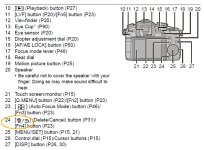
Is there another way to exit the menu without touching the arrow key on the LCD?

Fn4, the button to the lower left of the Menu/Scroll wheel

Oh, and maybe it's time you actually READ THE MANUAL. It's in both the basic manual AND full manual.

read_THE_manual.jpg
 
Last edited:
Back
Top