Still image help on 60D

shyguyfilms

Active member
Hey everyone!
Taking a photo for a holiday card and noticed that the image was really grainy, I have no idea how this happened or why. The EXIF data is: ISO400, 18mm, f13, 1/250. I had the built in flash on due to the back lighting from the background. overall the image is what I want, except for the grain. I've cropped the image to focus on the grain in the faces. Whats going on?

test.jpg
 
Did you shoot Raw or just jpeg?
That's the only thing I can think of, that the jpeg compression, picture, style, some other camera setting is causing the issue. Jpeg are so low res they don't hold up to crop very well.
 
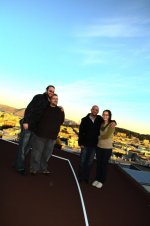
yeah, its a 1:1 scale that I cropped out of a full size image (5184x3456). The grain showed up mostly on the faces. I also just noticed a blue outline around the guy on the far left around his back. Below is the full size image. I know its crooked but I'm cropping the final image to be just below the feet and just above the heads for a post card style card.
test2.jpg
 
Based on the settings you wrote, there is no way your picture should be that grainy, even if it is JPEG. I shoot RAW, but I work with JPEG compression all the time and the JPEGs that come out of my DSLR looked fantastic.

If you can't identify the offending setting, I would reset the camera.
 
I tried opening the image in Lightroom to see if it was a software issue from before. I was using ufraw to open/edit the raw files and thought that might be the problem. But within lightroom, i'm still having some issues though they aren't as bad as before. Heres another 1:1 crop taken from lightroom.
test3.jpg
 
Given the use of f13 at ISO400 and the built-in flash plus the subject distance seen on the full-size thumbnail, the grainy result you got is expected.

To avoid such problem(s) next time: use a powerful external flash (like Canon 580 or better), a much smaller f number, an even higher ISO number (not recommended, unless you insist in using f13+ with a weak flash), and/or get closer to your subject (alternatively use a longer focal length with your flash head zoomed in to best match the focal length).

In general, most JPG images out of the camera should look just fine, regardless of their resolutions. To make them look "best" (matching some high expectations), however, many things (including camera settings and external lighting) must be properly set up and fine tuned. Shooting RAW can be helpful to a certain extent, as it eliminates the need to constantly monitor the white balance and can give you roughly 2 extra stops in adjusting exposure after shooting is done. But shooting RAW is no substitute for good visioning and proper setup. For example: having a RAW file for this grainy image doesn't help remove excessive shadow noises, but a properly handled powerful flash could render a JPG for this scene immediately ready for a post card without the need for further image processing (other than cropping).
 
Back
Top