Other: [Sony FX9] Testing the Camera

ChristopherA

Well-known member
We purchased and just took delivery of an FX9. Just playing around with it, It's a pretty amazing camera. As a previous FS7 owner, you can really see how Sony learned and improved.

There are definitely some weird quirks. The LUT system is bad. There's no support for custom LUTs. I can't send a LUT to the viewfinder but not to my outputs. If you choose to put a LUT on the viewfinder, EVERYTHING is post-LUT. All outputs, all scopes, zebras... everything. It's not possible for me to expose white at 64%, because there isn't any way to measure the actual SLOG3, just the post-lut levels. Further, MLUT status isn't assignable to a custom button. Changing Base ISO from 800 to 4000 is super easy, but changing your image sensor scan isn't mappable to an assignable button. So if I'm shooting 6K FF and I need to pop into S&Q 60fps or I want a tighter shot (4k S35), I have to dive into menus. Face tracking works surprisingly well. People have talked about it breaking in profile shots, but I find it holds well. What's more, when it loses the face, the focus doesn't go hunting, it stays put.

We tested the internal ND yesterday. There's a slight color shift between the clear and the lowest level of ND, but it's so slight we couldn't see it on the scopes. As you dial in more of the ND, the reds and yellows get more saturated, but again, only visible on the scopes. One surprise we found is that the auto variable ND (which is AWESOME) is controlled by the auto-exposure settings in the shooting menu. From there, you can change the exposure level and the speed. We did find that the Auto ND appears to operate at 1/30 of a second. What that means is that ND moves are smooth at 24 and 30, but if you're shooting at 60fps, fast ND transitions will definitely create an exposure stutter.

I'm going to setup my studio to shoot some tests. If anybody has anything they're curious about with the camera, just let me know, and I'll build it in to the tests I shoot.

I will quickly note, that this camera is insane in low-light. Take a look at the attached picture. In a completely dark studio, I was able to get a relatively low-noise exposure.
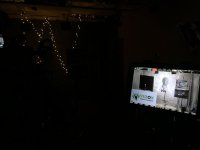
IMG_4918.jpg
 
Uhg. Do you think that's something that could maybe be addressed with a firmware update?

Honestly, it could go either way. The FS7 gave me the options I need, so I'm hoping it's just a bug/oversight with the FX9. If they don't fix it, I'll have to seriously consider how I go about handling exposure while shooting right now.
 
I'm still confused as to how autofocus works if theres no touch screen. Coming from the C200, you would just touch the different t subject you wanted the camera to focus on- what do you do with the FX9?
And with Philip Bloom's sample footage, I zoomed in 300% on a 4K timeline and everything was still detailed and artifact free, haven't seen this before. Are you finding detail all around great at all ISOs?
 
I've always exposed based on the 709A LUT so it hasn't been a huge problem for me but I do get your pain. Changes I'd like to see in the LUT system:
1- allow User LUTs
2- Allow splitting SDI1 & 2 so that you can have LUT on one and not on the other as with the FS7
3- VF should show the name of the User LUT instead of just User1, 2 ,3 etc
4. Be able to change LUT (or at least LUT on/off) with outside buttons or in the VF menu

Unfortunately I don't think there is any easy way to make user wishes known to Sony anymore since they got rid of the fabulous online forum and dumped responsive senior managers like Juan Martinez.
 
Yes...1080 its all or nothing w the LUT which is not ideal. I'm sure the LUT situation will be dealt with in the next firmware...i hope.

The other thing i'm finding is that once you remove a "person" or a "face" from a scene, the auto focus is not as elegant as i'd hoped. We we shooting some monitors as back plates for some screen comps, turned off face detection and tried all the various selections...wide, spot, zone etc and i found that it would often hunt between the fore and background. I wanted to use auto focus because the camera was on a jib...we made is work but it was far from silky smooth. I also noticed it while shooting cars at the Chicago Auto show...not crazy bad but it was definitely hunting.

So great in certain situations but far from the end all be all...

However, there could also be some operator error as i'm not one who has used auto focus a lot in the past...so i could be missing something somewhere in the auto focus menus.
 
Last edited:
Pretty soon there will be more computational power in the autofocus that the image processing.
 
I'm still confused as to how autofocus works if theres no touch screen. Coming from the C200, you would just touch the different t subject you wanted the camera to focus on- what do you do with the FX9?
And with Philip Bloom's sample footage, I zoomed in 300% on a 4K timeline and everything was still detailed and artifact free, haven't seen this before. Are you finding detail all around great at all ISOs?

Its all menu based and not as gestural as a touch screen...so its a bit cumbersome, and it may require you to pop in and out of a few different sub menus within the auto focus menu depending on what your trying to grab focus on.
 
The LUT restriction, all or nothing .. is only in HD.. ?..

Regardless of the recording format, if the MLUT is on, it affects all outputs (VF, SDI, HDMI) and scopes.

When in 1080, you can't view with an MLUT and record without one. In UHD recording, you can have MLUT on the VF and outputs, but not on the internal recording.
 
Yes...1080 its all or nothing w the LUT which is not ideal. I'm sure the LUT situation will be dealt with in the next firmware...i hope.

The other thing i'm finding is that once you remove a "person" or a "face" from a scene, the auto focus is not as elegant as i'd hoped. We we shooting some monitors as back plates for some screen comps, turned off face detection and tried all the various selections...wide, spot, zone etc and i found that it would often hunt between the fore and background. I wanted to use auto focus because the camera was on a jib...we made is work but it was far from silky smooth. I also noticed it while shooting cars at the Chicago Auto show...not crazy bad but it was definitely hunting.

So great in certain situations but far from the end all be all...

However, there could also be some operator error as i'm not one who has used auto focus a lot in the past...so i could be missing something somewhere in the auto focus menus.

I haven't done exhaustive testing with the autofocus yet. It's on my list, though. Obviously, the autofocus doesn't have human intelligence, and so your success with it is going to entirely depend on your understanding of how it behaves in certain situations. I've actually been pleasantly surprised with how well it works.

It can definitely move the focus around when I don't want it to, but it doesn't seem random to me. Moving from "wide" to "Flexible Spot" definitely helped keep the portion of the image I wanted in focus. I'm not sure I'd describe the behavior as "hunting" though. It finds something else and moves focus, but that move is smooth. To me, the term hunting evokes images of older still cameras jumping through focus planes to hone in on the best one.

It also doesn't move focus 2-3 a second, Once it finds a focus point, it tends to hold it for a while. Like I said, not scientific or exhaustive yet, but I'm happy to have that feature on the camera.
 
Yeah i get it...its not a perfect science but what i was experiencing in my opinion was randomness with the focus...meaning no matter if i was in "spot" or "wide" and depending on where the jib was in relation to the monitor in the shot...it "hunted" on what it wanted to focus on...the monitor, or the background, and it was either/or and didn't matter to me if it was a smooth transition or not, i needed the foreground in focus not the background.

Obviously with face detection, it will track a face no matter if you zoom or the subject moves or whatever. But not using face detection in either "spot" or "wide" when pushing in with the jib often times we had to bust the take because the lens would rack to the background, if you nudged the jib around it would re-rack to the foreground. It was often 50/50 at best.

I was just really surprised that it didn't lock onto the monitor better than it did especially being a very defined shape. I'm not bashing the auto focus either...it seems very useful. I'm simply trying to point out that with all the glowing reviews out there about the auto focus on the Fx9 (mainly centered around face detection) there may be certain situations that perhaps it doesn't work all that well...might help to adjust some user expectations.
 
Yes...1080 its all or nothing w the LUT which is not ideal. I'm sure the LUT situation will be dealt with in the next firmware...i hope.

The other thing i'm finding is that once you remove a "person" or a "face" from a scene, the auto focus is not as elegant as i'd hoped. We we shooting some monitors as back plates for some screen comps, turned off face detection and tried all the various selections...wide, spot, zone etc and i found that it would often hunt between the fore and background. I wanted to use auto focus because the camera was on a jib...we made is work but it was far from silky smooth. I also noticed it while shooting cars at the Chicago Auto show...not crazy bad but it was definitely hunting.

So great in certain situations but far from the end all be all...

However, there could also be some operator error as i'm not one who has used auto focus a lot in the past...so i could be missing something somewhere in the auto focus menus.

You can change focus speed ..and separately shift sensitively in the menu .. the default is quite high .. 5 out of 7 I think.. it goes all the way down to 1 (locked on) .. then it wont hunt ..
 
Regardless of the recording format, if the MLUT is on, it affects all outputs (VF, SDI, HDMI) and scopes.

When in 1080, you can't view with an MLUT and record without one. In UHD recording, you can have MLUT on the VF and outputs, but not on the internal recording.

OK thanks sir .. there is some sort quasi LUT thing.. exposure assist ..? which is like/the same as 709 800 ..
 
Back
Top