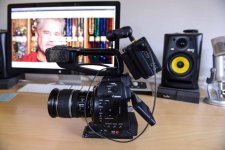
C100: So did we ever figure out best practices for shooting LOG on the C100 mk1?

Josh Bass

Veteran
“Just don’t” jokes aside, there doesnt seem to be much info online about shooting C-LOG on the original C100. We recently (ish) shot a music video project, and I probably briefly considered LOG but find it intimidating especially in more chaotic situations (vs a carefully controlled set or sit down interview), so just went with Wide DR. We will likely do more videos and I am wondering about LOG on future projects. I dont even have ninja or anythig so this would just be to cards, unless I buy a recorder.

Ive seen posts on here from people not in favor of LOG on this cam, and have seen Shane Hurlbut’s post about his tests and conclusions (basically boiled down to “keep skin tones at 55-65 %”.). I think there were “rules” about where whites are actually clipped when looking at the WFM in LOG and same for blacks, but I think I’ve seen conflicting info. I know viewfinder assist helps to see what it really looks like, and I guess that’s what LUTs on monitors like my smallhd 702 are meant for?

Anyway. Thoughts?
 
Check out this video for the 5D Mark IV's C-Log, which probably isn't exactly like the C100's C-Log, but it has some good info in there including where you can find a folder to official Canon LUTs to test out on your footage either in the grade or on a monitor.

There is no doubt something in there will work on the C100's C-Log that will provide you more confidence in trying it out in the field.

https://www.youtube.com/watch?v=ds7d3iG8tf8
 
There are several here who have made that camera absolutely shine and can share much more practical info about using it with LOG, but the LUTs are simply great to experiment with and get your feet wet.

For a long time I had a hard time letting 'neutral' go in the 5D because it was so convenient, but the limited DR was just killing me sometimes, and when I finally made the switch and applied a proper workflow that was good for me I never went back.
 
In my tests and a few cautious applications, C-Log on the C100 is pretty noisy and applying a grade will usually make it quite a bit worse. Maybe there is some special trick, but I did a lot of searching and never found it. I've seen great results (much better than I've been able to achieve) online, but it's hard to gauge the amount of noise after YouTube compression.

I used to use WideDR exclusively until I recently discovered the CinemaEX profile specifically for the C100. It allows me to shoot up to ISO 6400 with an acceptable amount of noise. That was impossible with WideDR, which I now only use for outdoor shooting scenes where I can set the camera to it's native ISO of 850 and take advantage of the additional DR. CinemaEX is so good that I've pushed my C200 purchase back indefinitely.
 
Last edited:
Yes, I've heard of that CinemaEX, have not tried. I don't necessarily mean the post flow for LOG, more what to do/not to do in the field. I've used it maybe two or three times ever, at least one of those was under another DP so exposure was decided by someone else, other time was run and gun outdoor b-roll thing and I turned on view assist and went by eye, just eyeballing when I was losing detail in highlights, looking at the waveform every now and then (but not really knowing exactly what I was looking for. I looked at my footage later and it seemed like I got it but still felt very unsure as I was doing it. I remember reading something insane like you had to stay between 30 and 70% or something to keep anything from clipping in LOG. Not sure if that was right or if those were even the right numbers but it was a very narrow range. Heck, that guy in the video linked above exposed his grey card at 40%.

I don't typically go past 1600 in Wide DR unless it's an extreme situation, always try to stay at 850. I will try to download that CinemaEX.
 
When I shoot LOG on the C100, I make sure "view assist" is on, so the image on the LCD/EVF looks similar to what it would look like with a LUT applied. Just expose by eye, and eventually, you'll find yourself "correct" most of the time. Don't worry too much about the highlights on the waveform. A lot of good shooters get derailed by trying to stop whites from blowing out. You want to expose the most important part of the shot correctly. Who cares if light bulbs or reflections of sunlight blow out?

But it can be that easy: Shoot by eye, and keep skin about the same place you would in any other profile. Then in post, use curves to drop the shadows closer to 0 IRE, and bring the whites that are over 100 IRE back down under 100. You can make it much more complicated than that, but what I just explained is definitely a suitable workflow.
 
My tip is record with external recorder if going with CLOG on C100 mk1. It's still in 2019 a super nice image when recording ProRes HQ on external recorder.

Internally I would stick to WideDR. Have had to do some noise reduction when compression on the internal recording kills the CLOG-image and it's not worth it IMO.

Have fun! :)
 
Good to know. I know the old Ninja 2 and drives are not too expensive but I never got around to getting one. They can be a pain to deal with if youre moving around a lot since the cabling and however you connect to cam make it unwieldy/wobbly/loose.

Does CinemaEX work for internal recording in your opinion? BTW tried to copy it to cam yesterday and the camera was not seeing it on the SD card. I put it in the folder specified in the instructions, even deleted footage off the card so the profile was the only thing in that folder and still the cam didnt see anything on the card to load...SD A and B greyed out. Funny thing is I COULD load it (but not copy it) from the card and write to the card (cause I did write clog to the card just to see). Now Im thinking pilot error but seems like a simple procedure and I dont know what I could be doing wrong.
 
BTW tried to copy it to cam yesterday and the camera was not seeing it on the SD card. I put it in the folder specified in the instructions, even deleted footage off the card so the profile was the only thing in that folder and still the cam didnt see anything on the card to load...SD A and B greyed out. Funny thing is I COULD load it (but not copy it) from the card and write to the card (cause I did write clog to the card just to see). Now Im thinking pilot error but seems like a simple procedure and I dont know what I could be doing wrong.

I had the same problem when installing my copy but I am having trouble remembering exactly what I had to do. I know I formatted a card in camera (make sure to use slot 1), and then I copied one of the standard profiles that I was intending to replace to the card. That at least set up the proper folder structure on the card. Then on my desktop I think that I had to rename the CinemaEX file to the exact name of the stock profile I was replacing (CPICT_##?), which allowed the camera to recognize it and then copy it over. Finally, I renamed the profile in camera as CINEMAEX. It's been a while, but I'm pretty sure that those were the steps.

The Ninja Blade is a much better investment than the Ninja 2 in my opinion because it's actually a useful screen that you can focus with. With the right hardware, it integrates will with the C100. Here's how I have mine set up (not my picture):

Ninja-Blad-3.jpg​

The recorded files are not as much better as you might think, or maybe it's better to say that the internal codec is a lot more robust than you'd expect. The only difference that I can see is that pushing a grade to the breaking point results in bigger compression blocks in the native C100 codec. Also, I've read concerns that Atomos recorders are not recording the whole IRE range, which is costing us some dynamic range.
 
“Just don’t” jokes aside
Sorry, I couldn't resist. Think of it like teenage suicide...


I even avoid shooting Log on the C300 Mark II which I also shoot in Wide DR unless the client asks otherwise. The only Log image I'm happy shooting is Log-C on Arri, which is so easy to grade a caveman could do it.


X2 on using C-Log with an external recorder. (Now, I use a MKII, but the issues are the same.) That really does make the best of it. LOG recorded internally just isn't the same in my experience. I have a modified custom picture profile that I use for baked in internal recording, and another for low light, and they work out really well for me on my projects. If going to LOG, I'll default to an external recorder. I just don't think there is enough data "width" when LOGged internally to have the latitude to push the image around as one would expect. So... internal recording = baked in; External recording = LOG.
 
Thanks. I didnt realize there were so many steps to the profile import process. On the site I downloaded that from they only have a few steps.
 
Using an external recorder certainly can't hurt, but I really don't think it is necessary for c-log on the C100. Just using curves to drop the blacks a little gets you about 90% there, and the C100 codec is more than capable of holding up to that.
 
I agree...that's usually what I do to keep it simple and find the image ready for most who don't have any comments. Maybe sometimes I'll add a little saturation.

C-Log isn't that flat, IMO. I like C-Log3, but don't have the pleasure of working with it much.
 
Also good to know that there are those out there who dont think the external recorder is a necessity

I used my Ninja Blade for a green screen interview the other night. I forget what a hassle it is using an external recorder because I haven't shot green screen in almost a year so no need for external recorder. I love the Blade but the cables, weight, rods, V-Mount, etc. all a drag.
 
I briefly forgot I have an external recorder already...my odessey7. I bought it as a monitor and dont even have drives for it. Though the batts I have for it are crazy heavy for on cam mounting (though I have done it).
 
Back
Top