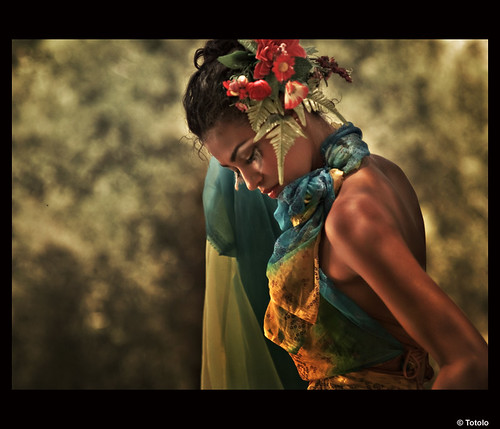
Skin tones from movie posters

hellboy80

Well-known member
I am wondering how to make this almost "painted look" like this:
http://www.horror-movies.ca/watermark.php?filename=poster_THE_SITTER_2D_ORING.jpghttp://www.moviesonline.ca/movie_posters.php?id=12350

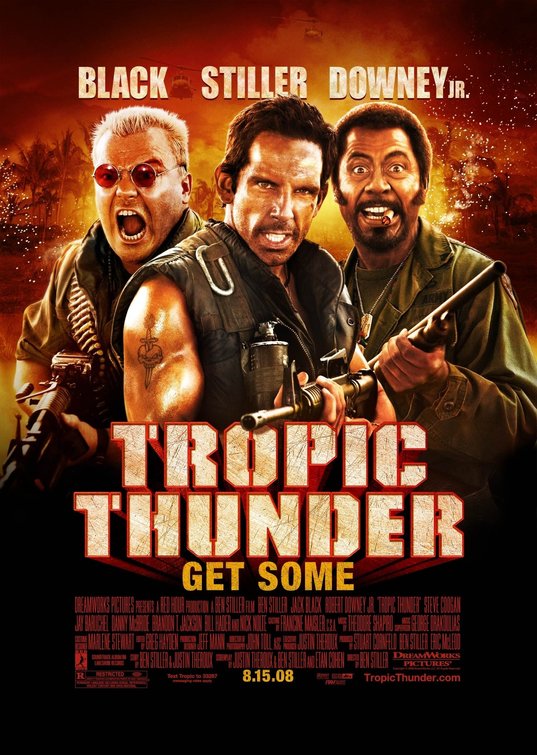
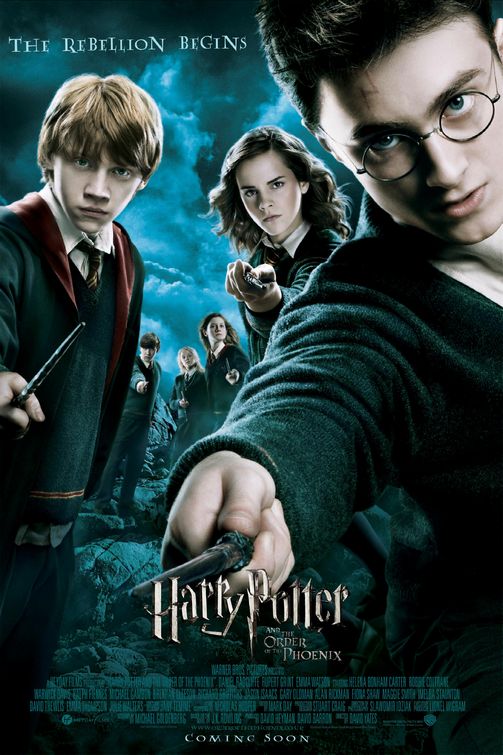
I'm talking about those strikingly "artificial" skin tones you can see on many movie posters. For example:
http://www.impawards.com/2008/curious_case_of_benjamin_button_ver3.html
http://www.impawards.com/2008/tropic_thunder_ver4.html
http://www.impawards.com/2007/harry_potter_and_the_order_of_the_phoenix_ver10.html
http://www.impawards.com/tv/nine_o_two_one_o_ver3.html
http://www.impawards.com/tv/fringe_ver8.html

I don't know how to describe it (sorry, english is not my first language), I like the way how the color on the skin affects only certain tones. I tried to play with layer blending (BW + color balance)... I know how to retouch blemishes and wrinkles, but I never manage to do color tone like this. I suppose it has to be a common technique, since I see it on so may posters or advertising/fashion pictures. Can somebody tell me how to achieve color tone from one of these poster (no matter which one)? I'll be very grateful for this!
 
Yes, but they must use some technique. I suppose most of them are using Photoshop. Anyway, I'll look at the software you recommended.
I'm only talking about the color of skin tones of people on these posters (not the whole compositings).
 
It seems Portrait Professional is mainly for retouching and not for color enhancements I'm talking about.
 
Here is a quick and dirty 3 minute example what it can do.
Not already a movie poster quality, but as a first step.

I overdone it a bit to make clear what I mean.

Frank
 

Attachments

  • IMG_0017.jpg
    IMG_0017.jpg
    108.1 KB · Views: 0
  • IMG_0017_pp.jpg
    IMG_0017_pp.jpg
    84.4 KB · Views: 0
Here is a quick and dirty 3 minute example what it can do.
Not already a movie poster quality, but as a first step.

I overdone it a bit to make clear what I mean.

Frank


Nice! And from here it is on to color grading. I messed around with the finished pic, duplicated the layer, slapped the sepia action on the top layer, blurred it, set it to soft light, and then added a global Level for a high and gamma bump, and the results for that fast of a tweak were pretty impressive.

Downloaded the demo, and am installing now.
 
You can do such retouching in Photoshop too, that's not what I'm looking for. I'm struggling with the color part...
 
Those images were all shot with powerful soft frontal sources super high key or possibly with some sort of ring flash. Some of them have some soft "sculptural lighting" from the sides, too, and large soft kickers for the hair. The saturation and contrast are then added in post.

I can't guess the full set up, but a lot of soft light on face and hair and a lot of fill would be a good start. Then you'd do your normal airbrushing, then adjust contrast similar to HDR imagery. This look is popular in hip-hop videos, where you might use a lot of chimeras, kinoflos, or briese lights. A similar look could be achieved with just a ring flash but you'd have to add a backlight to get depth and soft kickers in the hair to get that sheen.
 
Those images were all shot with powerful soft frontal sources super high key or possibly with some sort of ring flash. Some of them have some soft "sculptural lighting" from the sides, too, and large soft kickers for the hair. The saturation and contrast are then added in post.

I can't guess the full set up, but a lot of soft light on face and hair and a lot of fill would be a good start. Then you'd do your normal airbrushing, then adjust contrast similar to HDR imagery. This look is popular in hip-hop videos, where you might use a lot of chimeras, kinoflos, or briese lights. A similar look could be achieved with just a ring flash but you'd have to add a backlight to get depth and soft kickers in the hair to get that sheen.

nailed it. - i know, for sure, that lighting is 3/4 or more of the battle.
 
Actually Hip Hop GFX Artist do this all the time inspired by 60s posters...

Actually Hip Hop GFX Artist do this all the time inspired by 60s posters...

Actually U guys are way off, what U described is a perfect world scenario. I've been making Hip Hop dvds since 2001 and RARELY do we ever get a studio picture from the artists we profile. Usually we grab whatever we can find on the net, Google Images is a great tool for this, and then we turn that over to one of the thousands of highly skilled hip hop/gfx guys and gals out there. The things they do with lights/hilighting/comping in ps is amazing, levels ahead of what hype, benny and X started in video. Btw I hate that hip hop video look. Way too copied and fake for my taste. If ya wanna see the artwork I speak of you can check here http://fuertegraphics.com or google "miami kaos" this guy is huge in the game. And I guarantee you he rarely uses a picture he or someone related to the subject took.

In addition if you go to any website that sells mixtapes or hip hop dvds u'll see thousands of examples of this look created from scratch. Heck I accidentally get it all the time when I boost the contrast or gamma too much in AE.
 
Actually U guys are way off, what U described is a perfect world scenario. I've been making Hip Hop dvds since 2001 and RARELY do we ever get a studio picture from the artists we profile. Usually we grab whatever we can find on the net, Google Images is a great tool for this, and then we turn that over to one of the thousands of highly skilled hip hop/gfx guys and gals out there. The things they do with lights/hilighting/comping in ps is amazing, levels ahead of what hype, benny and X started in video. Btw I hate that hip hop video look. Way too copied and fake for my taste. If ya wanna see the artwork I speak of you can check here http://fuertegraphics.com or google "miami kaos" this guy is huge in the game. And I guarantee you he rarely uses a picture he or someone related to the subject took.

In addition if you go to any website that sells mixtapes or hip hop dvds u'll see thousands of examples of this look created from scratch. Heck I accidentally get it all the time when I boost the contrast or gamma too much in AE.

I don't want to argue since I'm not a professional at any of this, but:

1). The pictures you take off google images are usually taken with a soft flash or are done in studio with big soft lights so, whether you realize it or not, most of them are well lit for this kind of thing.

2) I googled the "Miami Kaos" stuff and it all looks like airbrushing/painting--not like "hyper real" photography. It looks okay, but it's not the same style as the movie posters.

3) I've yet to see a more stylish hip-hop video than those directed by Hype Williams, but that's just my opinion. His style's only played out since everyone copies it, not because he's no good.
 
Lighting helps a lot, but it does not get you that handpainted look.

tropic_thunder_ver4.jpg


that needs skilled artists.

On the other hand, a look like that is totoal different.

harry_potter_and_the_order_of_the_phoenix_ver10.jpg


No flat/or ring light at all.

This can be made with the software I mentioned.
The rest is some photoshop work with the smodge tool and color grading.

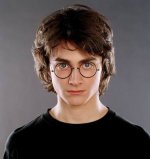
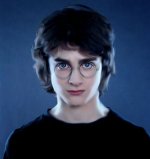
Look, this took me about 5 minutes:

Frank
 

Attachments

  • Harry-Potter.jpg
    Harry-Potter.jpg
    16.6 KB · Views: 0
  • Harry-Potter_pp.jpg
    Harry-Potter_pp.jpg
    30.9 KB · Views: 0
Last edited:
Sorry to maybe go off topic here, but that software, "Portrait Professional", is really upsetting to me. I have no problem with maybe clearing up some blemishes and blotchiness and things of that nature, but so many of the examples on their site demonstrate what is like COMPLETE RECONSTRUCTIVE SURGERY! I mean it's fully altering the proportions of these peoples faces. It's a false, dishonest and almost cruel misrepresentation of how people really look.
 
Sorry to maybe go off topic here, but that software, "Portrait Professional", is really upsetting to me. I have no problem with maybe clearing up some blemishes and blotchiness and things of that nature, but so many of the examples on their site demonstrate what is like COMPLETE RECONSTRUCTIVE SURGERY! I mean it's fully altering the proportions of these peoples faces. It's a false, dishonest and almost cruel misrepresentation of how people really look.

Have you ever seen "hair and makeup" on a Hollywood set? Or for music Videos? Take a look at Oprah or Brittany out of makep, and then on cam.

I need to find that truth/beauty advert...

[Edit]

http://www.youtube.com/watch?v=-j8SrdOkS_U

http://www.youtube.com/watch?v=aHLpRxAmCrw
 
Last edited:
Actually U guys are way off, what U described is a perfect world scenario. I've been making Hip Hop dvds since 2001 and RARELY do we ever get a studio picture from the artists we profile. Usually we grab whatever we can find on the net, Google Images is a great tool for this, and then we turn that over to one of the thousands of highly skilled hip hop/gfx guys and gals out there. The things they do with lights/hilighting/comping in ps is amazing, levels ahead of what hype, benny and X started in video. Btw I hate that hip hop video look. Way too copied and fake for my taste. If ya wanna see the artwork I speak of you can check here http://fuertegraphics.com or google "miami kaos" this guy is huge in the game. And I guarantee you he rarely uses a picture he or someone related to the subject took.

In addition if you go to any website that sells mixtapes or hip hop dvds u'll see thousands of examples of this look created from scratch. Heck I accidentally get it all the time when I boost the contrast or gamma too much in AE.

So, since you and your team make the mistake of "rarely" getting a studio shot, so does everyone else? I don't buy it.

While I do believe that it is possible to come close with Photoshop (I've done similarly ridiculous things), I also think that many actors pose for professional studio shots to be used on posters.

To say that we are "way off" is a bit... well... "way off".
 
So, since you and your team make the mistake of "rarely" getting a studio shot, so does everyone else? I don't buy it.

While I do believe that it is possible to come close with Photoshop (I've done similarly ridiculous things), I also think that many actors pose for professional studio shots to be used on posters.

To say that we are "way off" is a bit... well... "way off".


Exactly. If "professional" studios and artists are using low rez photos, Google Images photos for God's sake, they are anything BUT professional. Is it possible? Sure, I suppose it is, much like it is possible to swallow a fork.

Timekoder, the only one "way off" here is you. Just because you know people who do it that way means nothing. Pray tell, what major labels, and even more importantly, what ALBUMS have you worked on, overseen, or been even the teensiest bit involved in? Show us your work and the stellar work of the "artists" to which you refer. I for one would very much like to see this quality work from low quality, non professional, non "perfect world scenerio" photos. I really would.

And no, making labels and covers for garage band equivalent kids does not count.


Back to the subject at hand, Lots and lots and lots of tuts here:

http://www.photoshoproadmap.com/Photoshop-tutorials/Photo-retouching/Most-popular/1/


EDIT: Here are some examples of his work from his "website" aka myspace:

http://viewmorepics.myspace.com/ind....viewPicture&friendID=69453614&albumId=594481


After viewing those, make up your own mind as to whether his opinions or "advice" is valid. To say the work is laughable does a tremendous disservice to the word "work".
 
Back
Top