Short horror/comedy film, need some help, screen grabs included

fixxxer76

Member
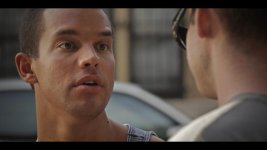
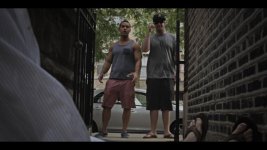
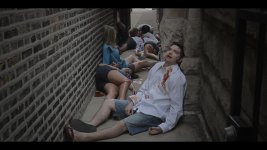
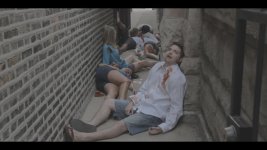
So I am shooting a very short scary/funny "film" with my t2i 1080p/24 ,magic lanterned using a very nice 17-55 efs 2.8 lens and cinestyle to technicolors specifications. I convert my h.264 file to dnxhd 10bit 100% quality using mpeg streamclip and then edit in premiere. The problem is I am just not getting the sharpness/resolution/image I am looking for when I view this at full screen on my 30 inch sony lcd. . Is it my focusing (did not have a loupe yet for this) or what? Is it my grading (using magic bullet looks)? I have included some screen grabs of my footage. Any critique would be great as I am actually very new at this and want to get better. Thanks
alley graded.jpgAlley ungraded.jpgConvo graded.jpgreverse graded.jpg

1. Graded (S curve, vingnette) Premiere unsharp masked. 2. Unedited 3. and 4. Graded (s curve, vingnette)
 
1 looks really awesome (no idea on sharpness from this low-res image), on 3 you don't want a super-sharp image anyway, 4 seems focused on the background. If you shot with sharpness=0, you have to sharpen in post. If you used an ND fader, it can reduce sharpness, dramatically so on long lenses (100mm and over). And you don't need to transcode to edit on CS5 and later: best results come working directly with the original footage.
 
Thanks Samuel! , do you know how i can upload the full image because 1 actually doesn't look that great when viewed at full screen on my monitor (agree that in this post it does look pretty good though) The reason I transcode is because I am upcoding the them to 4:2:2 instead of the 4:2:0 and people have said that those files do better during grading. I don't know
 
Since CS5, there's no need to transcode: when you load your 4:2:0 8-bit footage into premiere, it's moved into a 4:4:4 32-bit world (or whatever settings you use in your Premiere project). The transcode thing is for older versions of Premiere, and also for FCP, vegas, etc (no idea about avid or FCPX).
 
Back
Top