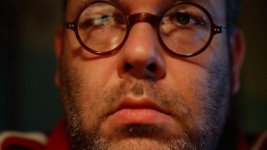
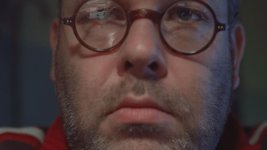
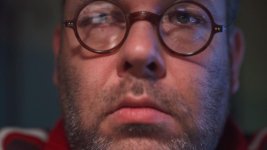
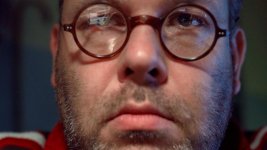
S-Log on the FS100

I'm currently playing with these picture profiles and I seem
to like G-LOG B overall. I'm still testing things like skin tones
as that's my biggest problem.

After using the other Picture Profiles on your page I'm finding
those introduce quite a bit of anomalies in color. I would assume
the general issue is getting a correct WB when changing picture
profiles. Am I correct in that assumption?

Also as a question how much color information are we losing on
G-LOG B? It seems to be naturally flatter as we are pulling out
quite a bit of saturation. I'm always been weary pulling out
saturation as you are removing color information I believe. Can
you comment on this portion of the PP.

Thanks in advance keep up the awesome work!
 
Frank, I'm having some weird issues with some of your PPs. For me GC1 is just wayyyy too green/contrasty in almost every condition I tested it in. I also tried GLOG B (haven't done A) And I got some weird problems with skin tones in the sunlight. When I tried to CC and bring everything back, there was color information lacking in certain parts of the face and it ended up coming in as very de-saturated, almost grey? Maybe I screwed up something else somewhere in the camera, it is my first day with it after all =)

From my brief tests today, the only PPs that I really like are GC2 for outdoors and then Able Cine's norm and range for everything else.

Anyone else using something different that works really well?
 
Frank, I'm having some weird issues with some of your PPs. For me GC1 is just wayyyy too green/contrasty in almost every condition I tested it in. I also tried GLOG B (haven't done A) And I got some weird problems with skin tones in the sunlight. When I tried to CC and bring everything back, there was color information lacking in certain parts of the face and it ended up coming in as very de-saturated, almost grey? Maybe I screwed up something else somewhere in the camera, it is my first day with it after all =)

From my brief tests today, the only PPs that I really like are GC2 for outdoors and then Able Cine's norm and range for everything else.

Anyone else using something different that works really well?

i have a similar problem with gencolor1, i use gencolor2 for everything right now and i love it.
 
I'm using AbleCine's Technicolor look, so far it's a good fit for my workflow.

I'm seeing the blue channel cliped in the GLOG sample i downloaded, i know Frank mentioned using GLOG with a wide gamut post workflow, but none of the samples come close to exceding 709, far less than P3.. so i guess i'm a bit confused where P3 enters the picture?

Anyway, will test in my camera.. and many thanks to Frank for taking the time to share with us!

d
 
Spent some time today trying the GLOG profiles vs. my own flatter styles...shooting various lighting scenarios and pulling them into the color grading software. I also pitted it all againsnt the "NONE" picture profile. I like the GLOG profiles for mainly outdoors, but it has some issues with the skintones. It also pushes everything to the colder direction, and Im finding I need to change the color temp. The main issue is the muddied/plasticy skintones and a blue/green push in the facial colors.

I think it's a great profile but for outdoor use mainly. I like the distribution of color and contrast.

I'm going to sort of revamp my profiles to try and include some of the nice things happening in GLOG and see if I can come up with a happy medium.

On a side note...it seems the more I mess with the profiles the more I realize there isn't one way of getting a flatter, gradeable image...but rather several depending on your lighting situation.

Thank you Frank for your work on these. :)
 
Last edited:
Frank, I'm having some weird issues with some of your PPs.


There is an updated, more neutral (less greenish) version of GlenColor 1 and GlenColor2 aviable: http://frankglencairn.wordpress.com/2011/08/17/new-glencolor-picture-profiles-for-the-sony-fs100/
Try it out and let me know if that fixes your problems.

Thanks for your input on the G-LOG profiles guys.

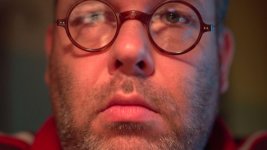
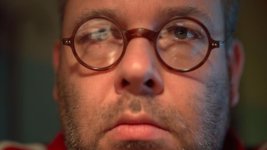
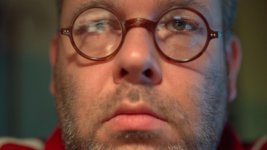
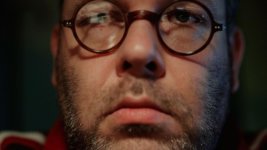
I tried to reproduce the skin tone problems you have.

Since it´s late here and I don't have sunlight at hand I use my 45 Watt incandescent desk lamp and my monitor for lighting.
I did a WB on my face before recording.

All shot @ 0dp f 1.4 except G-LOG A, that was set to 2f 2.8 (to bright otherwise).

1. No PP at all

PP0.jpg


2. AbelCine DSLR PP

pp1DSLR.jpg

3. GlenColor1

GlenID.jpg

4. Glencolor2

Glen-OD.jpg

5. AbelCine Varicam

Varicam.jpg


6. G-LOG A

GLOGA.jpg


7. G-LOG B

GLOGB.jpg

8. G-LOG A with gain and shadows adjusted in post.

GLOG-corrected.jpg


Actually I can´t see any color anormalities or blotches.
Can you please post some screengrabs, so that I get an idea?

Once those pics are uploaded here in the forum, they way too saturadted, redish and contrasty.
Since every browser seems to handle color different, here is the TIFF download link:

http://www.file-upload.net/download-3900124/Tag3.zip.html

For comparison: This is what a LogC file out of an Alexa looks like:

arri,.jpg

(Courtesy Andrew Wahlquist)

Frank
 
Last edited:
I looked at the pictures on the forum post and thought
Wow! That's red. Do yourself a favor DOWNLOAD the tiff's.

Seriously they aren't as red. They definitely have a red
skew but not as much.

I really like the GLOG Corrected skin tones the best however
I assume you did correction to get them to look like that right?

GLOG A could work out well but the desaturation is the only killer.
Are we losing color information? Also this one is a bit more extreme
in handling highlights correct?

How can we make it a bit more friendly outside setting wise?
 
I only adjusted the luma levels on the "corrected G-LOG" and did not touch the colors.

To get more saturation in the color department, just set the "Color Level" from -5 to something higher.

Frank
 
From my brief tests today, the only PPs that I really like are GC2 for outdoors and then Able Cine's norm and range for everything else.

Anyone else using something different that works really well?
I came to a similar result although I have not tried the updates to Frank's PPs. I really like Abel Cine's Range.

I had started to think in the past couple of weeks that FS100 could be graded more heavily than many people assumed so GLOG came along at the right time...
 
Frank,

I re-tested again today. I'm a little pissed.... spent an hour in Premiere putting together a nice comparison between GLOG A, GLOG B, AB Norm, and ABRAnge only to have the program crash and the file get corrupted after an hour of work... ugggghh...

Anyways, I was going to post a video, but for now I'll just share my findings until I re-edit it all again

The shot was a woman in a kitchen standing in front of a window. Naturally, everything outside of the window was much much brighter than her indoors. I exposed for highlights and of course, she came out underexposed.

I think there's a problem with G-Log B. No matter what I do, skin tones just look funny and I have really weird plastic looking highlights. G-Log A handles and grades much much much much better then G-Log B. For both profiles I changed color level from -5 to -3

However, I noticed that with AB Norm and AB range (moreso AB Norm) I could retain more highlight detail in the final image. That is, once the female subject was brought up to proper exposure and the highlights/upper-midtones were brought down. ABNorm retained the most information and faithful color out of all the profiles. Then followed closely by ABRange and GLog A
 
@Michael, I've been using AB_Range (with some tweeks) for outside stuff and one of AbelCine's older profiles for inside stuff! I am keen to try out some GLOG A, will shoot some stuff with it tonight!
 
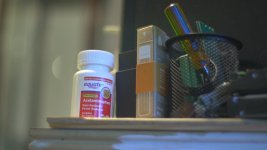
My current tests show GLOG-A skews a bit cyan on the scopes.
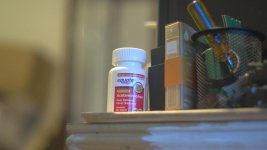
GP1 compliments skin tones generally on the scopes.

GLOG-A
DOWNLOAD TO VIEW OUTSIDE OF BROWSER
GLOGA_Bottle.jpg

GP1
DOWNLOAD TO VIEW OUTSIDE OF BROWSER
GP1_Bottle.jpg

I'm quite a fan of GLOG however if I could remove the color shift
to blue and get a more neutral (Yet red free skin tone) it would be
better suited for my workflow.

GP1 seems to be a pretty good shoot it and deliver profile right
now. I will need to test outside. I know you mention exposing highlights
to 85/90% any reasoning behind this?

Overview:
GLOG-A: Colors skew heavily toward blues of final image.

GP1: Seems fine but without testing outside; will I need to
worry about highlights outside or anything else?

Now time for bed it's 4:30am...too much testing!
As always keep up the good work Frank!
 
PMJI - I went on this 'low detail' road to Damascus a while back.

My clients are corporate, and they like 'colourful, sharp pictures' - they don't like the 'filmic' look with unmolested edges and natural resolving power. So, the temptation is to use the default sharpening and (egad) a little bit more on the EX1s.

Now, if you dial BACK the sharpening in the camera, then ADD it in post, it gives your pictures satisfying 'crunch' without that heavy handed felt-tip pen and chalk look.

For most mortal clients, when you have the chance, you dial out the detail in-camera and then PUT IT BACK in post. It's the last step that's missing in so many workflows. Not everyone films indie classics and moody music videos, and that clean commercial 'expensive' look comes from sharpening carefully in post, not in real time through generic filtration in-camera.

Just IMHO of course...
 
Yeah, what Matt said.

It´s all about having control and not about "out of the box".

Zero sharpening in camera is actually 50% sharpening, so if you dial sharpening totally out, you don´t end up softening, but with no added sharpening in camera.

Frank
 
Back
Top