Rainbow-like Moire?

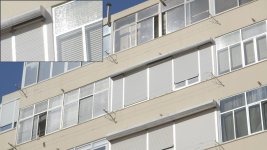
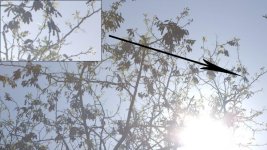
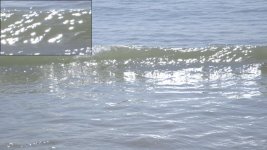
Ok, maybe I'm the nerdiest of all nerds, but having a free morning and the C300 still with me, I went and did some bad ass testing. Shot the waves, tree branches and whatnot at the height of full noon sun, and always backlit!

Like I already knew, the aliasing, chromatic aberration, fringing and moire are very much inexistent. Only if I zoom at 500%! can I see a slight pink fringing on the ocean waves and tree branches at the very highlight peak, but only looking at it at 500%! To be honest, I would love to do the same anal testing on an Scarlet, F3 or Epic to see if they hold up this well...

Also, for those who think this camera being only 8 bit, meaning it being too 'weak' to grade, are also in denial... here I tested big time in grading also, like from tungsten WB to Daylight, and vice versa...

Check it:


Also some frame grabs with the super anal freak zoom of 500% in sensible areas of the shot:
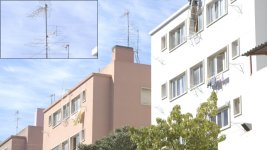
Building 2.jpg Building.jpg Tree.jpg Wave.jpg
 
Last edited:
Haha. Branches...the new camera test. It's like an organic resolution chart.

Want to know something funny, when my AF100 went bad, the file I sent to Panasonic was overexposed branches just like this in my front yard. Different problem, that also manifested in non-overexposed footage, but to push the issue easier to see, I did what you did and it was VERY clear the camera was broken.
 
I'm there with you...I do the same sorts of things. Did you try 50i? Seems to be that is where the problem is really at.

Yes, I read that from Paul, but only after I returned from the tests. If that's the case, shouldn't really be that much of a problem, because as far as I know 50i is used what? TV slow motion?

I don't know...
 
Hi,

I wrote a review about the C300, and also uploaded some raw footage from it (I think nobody has done this till now).
There are a few high-iso shots too, up to 20.000ISO:)

Please, if you're interested, check it out!
http://carousel.hu/c300/


Huski, well done on those tests, they are really enlightening and honest. I urge everyone to see them!

Well done, and thanks very much for posting a link to it here!
 
Hi,

I wrote a review about the C300, and also uploaded some raw footage from it (I think nobody has done this till now).
There are a few high-iso shots too, up to 20.000ISO:)

Please, if you're interested, check it out!
http://carousel.hu/c300/


Your resolution picture isn't correct. If it worked like you have, there would be n-1 pixels across and that's not the case. (n being the horizontal resolution).

The sensor resolution is 3840x2160 which is 4 times as many pixels as 1920x1080

The bayer pixels do not overlap, they are used independently in sets of 4 to built a single pixel. So each pixel would be


RG RG RG RG RG
GB GB GB GB GB

PS: I forgot to mention, good write up though, enjoyed your tests and I feel 4:2:2 is fine for me as well :)
 
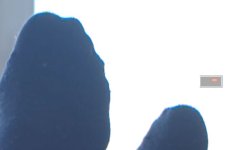
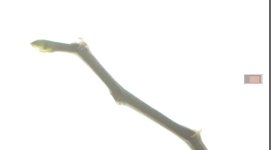
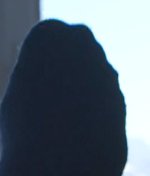
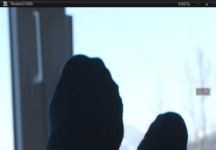
Ok, more branches, but also hair and FEET!
There is no problem in the hair, none on the window, none on the branch.
On the socks you see actually some fringing with about 6 stops overexposure....once I am closer to a normal "blown out background" it vanishes. Pretty much an issue I can force maybe, but nothing that should happen at a real life shoot (not with my cam at least)
 

Attachments

  • Screen Shot 2012-03-14 at 19.34.20.jpg
    Screen Shot 2012-03-14 at 19.34.20.jpg
    22.8 KB · Views: 0
  • Screen Shot 2012-03-14 at 19.32.34.jpg
    Screen Shot 2012-03-14 at 19.32.34.jpg
    24 KB · Views: 0
  • Screen Shot 2012-03-14 at 19.32.15.jpg
    Screen Shot 2012-03-14 at 19.32.15.jpg
    33.5 KB · Views: 0
  • Screen Shot 2012-03-14 at 19.31.45.jpg
    Screen Shot 2012-03-14 at 19.31.45.jpg
    32.3 KB · Views: 0
  • Screen Shot 2012-03-14 at 19.34.31.jpg
    Screen Shot 2012-03-14 at 19.34.31.jpg
    19.4 KB · Views: 0
Rick, the branch and the socks are 50i. Only the Viewer was set to show one field. It´s not there.

Here is a vimeo-clip (NOT FROM ME) that has lots of shots that should be problematic....
https://vimeo.com/38445656

Looks great to me.
 
I can't view all these now because I'm off the grid most this week, but I'm gratified after reading here and thankful for your tests. I didn't see the issue in practice, only when I WAY over exposed and forced it. Even then it was subtle in most cases. I shot into sun, etc with blown highlights in the past and saw nothing so hopefully this is a very isolated case where the cam is just running far too hot, exposure wise. Still, I'll double check this weekend to ensure its not my specific camera. It has a serial number of 00000002 after all!
 
That is really strange how different results people are getting. Something strange going on for sure. Personally, given how bad some of the fringe moire I see is on just two cameras, I think I would get with Canon on those. If it's that easy to reproduce, yet, others cannot make it happen, maybe there is something different firmware wise.

I say this because when my AF100 failed in the field with strange image artifacts, they sent my camera to Japan to explore it further. The change they made was firmware only. Why I never saw the problem before and only one or two other people had it as well was just VERY strange to me. There had to be a difference between my camera and others who were not getting the problem.
 
Rick, the branch and the socks are 50i. Only the Viewer was set to show one field. It´s not there.

Looks great to me.

(1) There is a lot of aliasing on that sock on the top in even the second shot. I am surprised it's that much.

(2) Could there be any sort of footage interpretation issue on the 50i stuff where it is being looked at?
 
What you saw was the first frame of that "better sock-shot". It seems to have an interlaced issue. Here is the next frame. I tried Upper, lower and interpolation and there is nothing I would consider problematic at all.

MIND you there is a lot of JPGing going on as well.
 

Attachments

  • Screen Shot 2012-03-14 at 22.57.23.jpg
    Screen Shot 2012-03-14 at 22.57.23.jpg
    8 KB · Views: 0
I have also promised to shoot some snow, which is comparable to overexposed waves.

I simply cannot see any green pixel garbage.
 

Attachments

  • Screen Shot 2012-03-14 at 23.06.57.jpg
    Screen Shot 2012-03-14 at 23.06.57.jpg
    9.1 KB · Views: 0
That frame looks a lot better. Strange that the first one would do that. And good point about jpg.

yep it was the first frame of the clip that had an edgy jump on to of the sock. I went frame for frame through it and it didn´t come back. And mind you ware pixel peeping at 100% and higher anyway.....
 
Huski, well done on those tests, they are really enlightening and honest. I urge everyone to see them!

Well done, and thanks very much for posting a link to it here!

thanks, I wish I had more time with the C300, not just around 12 hours:) maybe next time
 
Your resolution picture isn't correct. If it worked like you have, there would be n-1 pixels across and that's not the case. (n being the horizontal resolution).

The sensor resolution is 3840x2160 which is 4 times as many pixels as 1920x1080

The bayer pixels do not overlap, they are used independently in sets of 4 to built a single pixel. So each pixel would be


RG RG RG RG RG
GB GB GB GB GB

PS: I forgot to mention, good write up though, enjoyed your tests and I feel 4:2:2 is fine for me as well :)

well, I got the overlap idea from here: http://www.cambridgeincolour.com/tutorials/camera-sensors.htm
 
Back
Top