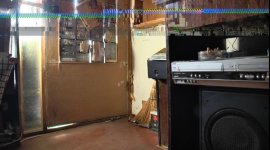
ALL: problem with the recorded video

This is almost 100% caused by errors when copying the SD card to the computer. Do you still have the footage on the SD card? If so, try playing it back from the camera and I can practically guarantee you there are no errors in the original footage.

Many people have reported that these type of errors happen when copying the card to a certain model of the MacBook Pro.

To prevent this ever happening to you again, I recommend you use a data-verifying copy application. The only one I know of is ShotPut Pro from Imagine Software.
 
Thank you for your response. Unfortunately, this problem is even if, in connection 130EN to the TV (HDMI) and the material is not copied to the PC
So far I have used these cards: Transcend 64GB SDXC, Transcend 32GB SDHC Ultra High Speed Class 1
I'm afraid that my camera defective product. :cry:
He is a second camera owners who also have this problem:

http://youtu.be/Ys10CK5YO5A
 
seems like an error writing to the card or reading from the card. I think Barry is on the right track. Have you scanned your card to verify all sectors are good?
 
Not be scanned, but I try to not think that this would solve the problem.
Please tell me what program I use to scan?
 
You camera has a 'repair' function. try that first. if it finds nothing. If you have a PC windows has scandisk or chkdsk function. type that into your help box to learn more. if you're on a Mac I have no idea-- I don't own one.
 
Any card I write, this problem is present
Transcend 64GB SDXC
Transcend 32GB SDHC UHS-I
Kingston 8GB Class 4
Lexar 32 GB SDHC Professional Class 10 UHS-I
it can not be that every card is defective...?
 
This happened after update (firmware: 1.11) pic
The next step service :(
 

Attachments

  • er2.jpg
    er2.jpg
    70.7 KB · Views: 0
  • er3.jpg
    er3.jpg
    65.4 KB · Views: 0
Last edited:
Any card I write, this problem is present
Transcend 64GB SDXC
Transcend 32GB SDHC UHS-I
Kingston 8GB Class 4
Lexar 32 GB SDHC Professional Class 10 UHS-I
it can not be that every card is defective...?

Wow, that sure does look like a card issue. Does it do that when played back IN CAMERA? Can you go to a Best Buy or similar and ask if you can plug your chip in the side of a Panasonic plasma TV (they have built-in SDHC card readers) and see what it looks like being read right off the card with no cable involved?
 
Unfortunately, no system in the errors, wrote the random errors on the card. Today, in a file about 25 minutes, it found 14 errors.
 
I do not know how long the repair, there are two wedding and I can not be without a camera. I can take the service in November. We called
(four of us with this problem) in the service and they are not seen or heard of this problem.
 
It definitely does not look like a card issue. This type of artifacting looks the same as when video cards overheat in computers. It's a problem with your camera.
 
On 22 November I sent the camera to repair in panasonic service, got it back today. Motherboard replaced it. I hope everything will be good.
 
Back
Top