GH4 post scenes that could NOT be shot without VLOG?

wwjd

Well-known member
can anyone post scenes that worked with Vlog that DID NOT work with any other tweaked profile? Any proof of dynamic range improvements? Afterall, it IS still the same sensor.

Sure it works on "SUNNY CLOUDS VS TREE SHADE" but is there anything else it works on?

(I know Vlog fixes color issues)
 
Well after some really rough testing this morning, I'm actually getting better skies and clouds with Natural (-2,-5,-5,-2 H-2 ), with no need to mask, unlike Vlog where I'm finding I have to mask the skies to make them pop, no matter what LUT I use. Colourwise, I can get them pretty close, can't say one is better than the other, for scenics least.
 
I think balazar kinda proved there is only about 1/3 stop improvement realistically. Just wondering if anyone has shot stuff that can not be shot with normal profiles. I tweaked NATURAL to be flatter with contrast, shadows/highlights, and even Master Pedestal, got the shot but NOT the weird colors and noise that VLOG brought. --all INTERAL RECORDING ONLY fyi I'm sure external adds a much larger layer of quality.
 
Most the of benefit of Vlog to me is in the shadows in terms of DR. The highlight rolloff is far better in Vlog as well. Then the color of Vlog is super nice compared to the Cine profiles. But if I were to shoot a wide landscape vista, I would either shoot 10bit Vlog or switch to a Cine profile internally.

I uploaded a compression test to YT last night of not so interesting footage in which I intentionally pushed the saturation hard to see how the profile would translate to YouTube.

The last shot is 10bit external and everything else in internal recorded. I'm using Luke Neumann's Luts as he seems to have really curbed the magenta blocking issue. It's still there but it's not so distracting as most of the LUTs I've played around with. Keep in mind, I'm pushing the sat and contrast really hard in these boring shots.
I do plan on shooting with the internal on a project this weekend in which if the Magenta kills a shot, nobody is going to speak up about it.
https://www.youtube.com/watch?v=ZTlsV0QZR7I
 
I thought that all looked great. Even the color - not pushed too far, looked fine and expected. Was there some of this you felt could not be filmed in Natural flattened or CINE-D?
 
I think balazar kinda proved there is only about 1/3 stop improvement realistically. Just wondering if anyone has shot stuff that can not be shot with normal profiles. I tweaked NATURAL to be flatter with contrast, shadows/highlights, and even Master Pedestal, got the shot but NOT the weird colors and noise that VLOG brought. --all INTERAL RECORDING ONLY fyi I'm sure external adds a much larger layer of quality.
Dynamic range is an elusive spec to pin down. On a purely technical level, it starts at the point of sensor highlight saturation and extends downward into the darkest gray levels. Problem is that sensor noise becomes more noticeable as illumination diminishes into black, making it a judgment call as to where the bottom of the usable DR lies. In addition, the encoder's effective bit-depth decreases the closer you get to the 0% black level. That's why V-Log-L uses an 8-bit pedestal of 32 (on a 256-level scale), to boost the tone curve into a higher-precision range of values. You can duplicate this effect on non-log profiles by using the Master Pedestal setting. The Highlight setting can also be lowered to flatten the tone curve in profiles that use a knee to roll-off the highlights, and the Shadow setting can be used to adjust shadow levels after raising the pedestal.
 
I understand the reason for your post. Who wants to spend $100 on something that isn't necessary! My advice to you is it is worth it, but it has a cost. You really have to nail exposure, and without scopes or false color, it is damn hard, that is the reason I've been looking all day for a cheap field monitor with false color!!!

If I get the opportunity today, I will try and shoot some things that I feel would benefit from V-Log L, and make a comparison against it, Cine D and natural profiles, and stick them on Yourtube or Vimeo.

One of the biggest gains is the color, hands down. You really have to grab some raw V-Log footage and grade it to know just how well it holds of to a grade. But I have also shot some scenes where I see a nice gentle roll off in the highlights that was never present before. I also feel I have about 1.5 stops gain in dynamic range that doesn't clip hard, especially in highlights, but shadows also.
 
I thought that all looked great. Even the color - not pushed too far, looked fine and expected. Was there some of this you felt could not be filmed in Natural flattened or CINE-D?
All these shots could be filmed in any profile. But the point of VLOG is to capture an image that you want to dictate its direction. For me it's more about the color science that Vlog is giving. Doesn't mean other profiles can't produce pleasing results.

Look at the shot of the aluminum foil. Those highlights are not as easily obtained with the baked in profiles. And again, I see the most benefit in the mid tones of VLOG. Also, no matter how you set your curves, contrast, iDynamic settings, once you start to bring that back in post the curve of the file is still baked in. With VLOG, you determine the curve of the file.

VLOG (thus far in my playing) is temperamental though. You have to expose it judiciously. Lot's of people are saying ETTR upwards of 2 stops. Well, bye bye highlights then. You will get nice shadow serration though. I'm finding I like to ETTR about 2/3rds a stop. But it depends on what is important in the scene. Highlights or shadows. But know that VLOG isn't some sort of magic RAW like acting profile. In fact, I think you need to pay attention to exposure more diligently than one would do with the other profiles.

I'm glad they gave it to us. With more time, I think people will come to understand it and make the most from it. It's still designed for 10Bit out. But I'm confident using it 8bit internally with the right LUT.

Hopefully, a Gh5 will come along with VLOG made proper to the camera. It would even be nice to see at least an 8bit 422 internally with the 10bit 422 external option.
 
I'm in the middle of testing/proving that anything CAN be shot WITHOUT V-Log, without losing anything to dynamic range but gaining much better colour accuracy, no YUV chroma smearing and a far easier on set shooting style (ETTR without guessing what will be overexposed or not).

See the Exposing V-Log thread for more info.

Cheers,

Paul :)
 
there was a guy that posted up a video on face book that showed vlog detail on a bright lampshade that was truly lost in other profiles.... so there is the ONE stop or so of that.. maybe 2 strait into a birght light. But it was still just barely any better... I could have dropped exposure to get that detail, and brought up the lows (like Vlog does) and accomplish the same shot I bet

I already bought vlog, understand it, but the negatives are kinda big compared to the positives.
 
Not really sure about "Post scenes that could NOT be shot without VLOG".

I'm getting great results internally now after a few days getting used to the profile and with certain LUT's. Luke Neumann and James Miller have some nice lets and lots of them seriously reduce the 8bit magenta issue.

shot between 800-1600 ISO to see how it would handle low and mixed light. And I got really minimal to zero magenta blocking in this.
https://www.youtube.com/watch?v=2-ahGaB_keA

Also, here is a really nice piece filmed using a recorder out to 10bit.
https://vimeo.com/139948073
 
After a lot of testing and grading, I came to the conclusion that v-log won't bring you more dynamic range, but much better color science than any other profiles. The downside: It's noisy so you have to overexpose and lose even more information: Banding/Macroblocking hell!

My workflow: Cnelike D with my own luts produces cleaner footage, same or better color and same dynamic range (subjective, the noise is too much for my taste).

http://compcardinmotion.de/downloads/ccim-dlog-lut-package/
 
Dusty, looks nice again. do you feel you could not have done that with ither profiles tweaked up a bit? Also, are the luts you are using "Correction only" or also adding a grade? or are you grading after lut correcting?

I agree the COLOR in VLOG seems truer than other profiles.... would be nice if they could apply that to the other profiles
 
I'm dropping various LUTs from Luke Neumann and James Miller on the log as starting points then doing minor corrections. But in that fair clip is mostly contrast corrections and some saturation play. I used AWB the entire night expect for 2 or 3 of the first clips. So the look is primarily the Lut. These are mostly Luke's set. James has some nice LUTs but there are too many. Like playing pin the tail on the donkey.
 
Here are some clips from a scene where I am pushing the camera to it's limits:


V-Log L with LUT
V-Log L with LUT.jpg

Here is CineD graded to try and balance the V-Log L shot.
Cine D with LUT.jpg

Both were taken with the exact same ISO aperture and shutter. There is just over a stop more detail in the V-Log L file.
 
Personally, I've come to the place of avoiding V-LOG if I don't have a 10-bit recorder. If I have to shoot internally, I'm just going to use a profile that can get me close enough to the end result (which seems to be CineLike V). But I will say there really is a night and day difference between 4:2:0 8-bit and 4:2:2 10-bit V-LOG. And the latter gives me so many more options in post. I'm starting to join the "they shouldn't have charged for this" crowd, though, because you're effectively spending $100 to in turn spend at least another $400 (if you're content with HD, as I am for now). It was in effect a $500 purchase to shoot HD V-LOG in a way that doesn't present unusable artifacts. Now, if Panasonic had released V-LOG L for free ALONGSIDE a competing $1,000 4K 10-bit recorder (not just an HD-SDI converter), I'd have nothing bad to say about that, and would have put that $100 I did spend towards the new recorder...
 
OK like always, a bunch of folks will get perturbed by what I say. So let me shift into my cranky old guy voice and say.....

Back in my day we didn't have high dynamic range cameras, and we liked it!

Hey I'm all for more dynamic range in a camera. And I completely understand its need and use. But the old guy in me still wants to shape and control light to get the look right in camera when I can. I know many times that is just not possible in a run-n-gun situation for example. But I have seen people using "high dynamic range" as a crutch in situations where pulling out a 6x6 butterfly or adding a layer of bobinette or ND to a window would be a much better choice.

I know this is a GH4 forum, and folks are hot and heavy into V-Log and which LUT looks best and so on. But let's be honest. In a given amount of time something better will come along, and folks will comment on how crappy footage looks from the GH4 compared to "insert new camera model here".

All the best!

Dave
 
dave you are so right. GH4 is still a phenominal camera. The curiosity of my post idea is wondering if we got ANYTHING special in VLOG besides a corrective LUT - like LEEMING is already making for the free profiles.

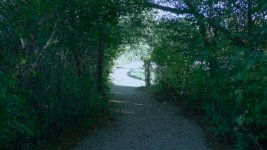
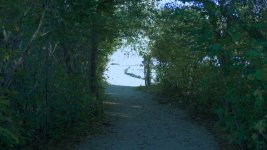
In the above pic of trail into sunlight, I am wondering what was ZEBRA-ing, and whether any tweaks were made to MP or SHADOW/HIGHLIGHTs? I feel you have to do that to match VLOG and not just try the basic profile as is.

VLOG does SOMETHING, but nothing worth $100 IMHO
 
Here are some clips from a scene where I am pushing the camera to it's limits:


V-Log L with LUT
View attachment 106152

Here is CineD graded to try and balance the V-Log L shot.
View attachment 106151

Both were taken with the exact same ISO aperture and shutter. There is just over a stop more detail in the V-Log L file.

I'm finding that the dynamic range of Cinelike D and V-Log L are the same, but you need to ETTR to make sure you don't clip the highlights (of both of them).

There seems to be this school of thought that a digital camera's dynamic range can be measured by exposing middle grey precisely, then seeing which clips first, and declaring the winner to have more dynamic range. This is false.

Dynamic range is the difference between the highest high, and the lowest low, that retain usable information.

Digital cameras work by using (for 8 bit as an example) 255, 255, 255 to denote full white, ie. the maximum value before the signal clips and you have nothing more to fill the bit bucket with.

So ETTR is important, because by maximising the digital signal such that in a perfect shot, maximum white just reaches 255, 255, 255, you will be able to use as much of the 8 bit space as possible to show lesser brightness values with maximum precision per stop.

What you want to see then, is how close to 0,0,0 you can go while still seeing parts of the image without noise errors. A noise error is where very dark grey, for example, gets mis-interpreted because there is not enough bit depth to round the error to a colour point that isn't wildly off.

So in an 8 bit signal, stop zero is essentially a single value: 0,0,0. But stop one only has three possible outcomes: 0,0,255 - 0,255,0 - 255,0,0. Why? Because the first 'bit' is either on or off. There's no middle ground. With the result that the pixels are either full black, full red, full green or full blue (welcome to colour noise country!).

The second stop give you two bits to play with, so you can get closer to a precise colour figure: 0,0,0 - 0,0,127 - 0,0,255 - 0,0,0 - 0,127,0 - 0,255,0 - 0,0,0 - 127,0,0 - 255,0,0. Now we have full black, half red, full red, half green, full green, half blue and full blue. Still very noisy, but maybe closer to the true colours of the scene than the previous stop.

And so on. Each stop up gets another bit to help define the colour it's meant to represent, doubling precision and hence, lowering the amount of noise (ie incorrect colours) we see in the resulting image.

This is fundamentally how digital cameras work.

So if you underexpose by a stop, you have cut out the highest precision stop of your camera, meaning your images will become noisier sooner in the shadows, and colour tonality suffers.

So when comparing dynamic range, you need to give each camera or profile the best chance at maximising its quality, so you can do a proper apples to apples comparison. When your highlights match and are retained, you can then look into the shadows to see how much dynamic range you are getting, because you have normalised your test for the technology in use and the way it 'sees'.

And the result of doing the test that way, in all my testing, is that V-Log L and Cinelike D with -5 -3 -5 0 0 match each other in dynamic range. The difference is, because of the horrible magenta and cyan chroma smearing in 8 bit V-Log L, usable dynamic range (ie digital colour information to represent an image properly) is reduced in V-Log L due to noisier shadows.

Long answer I know, but I hope people will gain a greater understanding by it of how digital cameras work, and how to define dynamic range properly.

Cheers from Berlin,

Paul :)
 
Back
Top