
I didnt really noticed this before but now it seems to be a problem
how to correctly edit and export PF30 or PF24 files in Premiere CS6 ? I see interlaced frames every few seconds
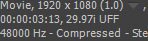
here is my clip info
Im a lazy guy
my work flow is drag clips directly on the timeline, if it asks me to change sequence settings then I change
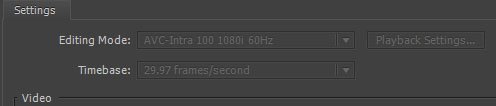
But in the sequence setting it shows that my sequence is AVC-intra 100 1080I 60hz
When I export the image quality is even lower than my 5D3.
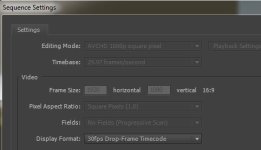
So I just opened a new sequence and changed the sequence to avchd 1080P 30p but I immediately see motions not smooth (looks like you force convert a 24p to a 30p, a bit laggy feeling)
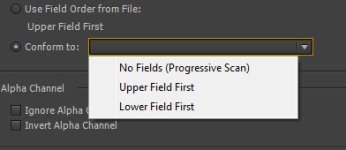
and if I interpret footage from upper field first to progressive, I see interlace frames so Obvious!
ahh its just pain~! what should I do? Im on PC, with CS6, need a fast workflow
how to correctly edit and export PF30 or PF24 files in Premiere CS6 ? I see interlaced frames every few seconds
here is my clip info
Im a lazy guy
my work flow is drag clips directly on the timeline, if it asks me to change sequence settings then I change
But in the sequence setting it shows that my sequence is AVC-intra 100 1080I 60hz
When I export the image quality is even lower than my 5D3.
So I just opened a new sequence and changed the sequence to avchd 1080P 30p but I immediately see motions not smooth (looks like you force convert a 24p to a 30p, a bit laggy feeling)
and if I interpret footage from upper field first to progressive, I see interlace frames so Obvious!
ahh its just pain~! what should I do? Im on PC, with CS6, need a fast workflow