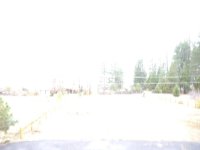
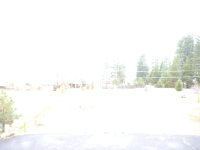
GH1 Over exposure issues with taking photos outside

michaeldante

New member
I'm hoping someone can help me with what seems to be issues with taking pictures outside. The first picture is from another camera on the same setting and location the other two are from my GH1. I've tried to play with the ISO, shutter speed and brightness but it seems to still come out this way. If I take inside pictures I sometimes get a bright patch on a corner but if I play around with it then no problem. I also did a LPowell hack before.

I took it into a repair shop and the guy said the shutter needs to be repaired but won't know 100% until I pay the $40 tear down fee to see. However I'm not sure if I'm just not using proper settings and the repair guy is looking at this as he's not in the advice business he's in the repair business. Thoughts?

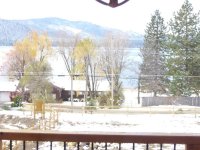
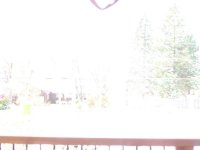
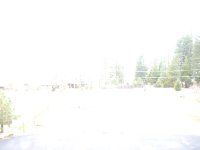
1.jpg2.jpg3.jpg
 
Unlike the GH2, the GH1 cannot show your actual exposure on the LCD or viewfinder in Manual exposure still photo mode. The best workaround I found for this problem is a little tricky:

1. Turn the mode dial to Creative Movie Mode, with Manual exposure selected.
2. Adjust aperture, shutter speed, and ISO for correct exposure on LCD and histogram.
3. Turn the mode dial one click to Manual still photo mode and snap your shot.

In Creative Movie Mode, the camera shows your actual exposure on the viewfinder. When you switch to Manual still photo mode, the LCD's appearance may change, but the camera will retain the exposure settings you just set in Creative Movie Mode. Good luck, the GH1 can be a challenging camera to use for still photography.
 
It could be a hardware problem, but it could also just be the settings you used (that's why the metadata can be helpful). For instance, if you just overexposed in manual mode, it's easy to get a picture like this. Even if you're in a semi-automatic mode, like aperture priority, you may have just accidentally cranked up the exposure compensation to +3.

Here's an easy way to check for hardware problems: just take a picture in P mode on your other camera (the one that is exposing properly) and make a note of the settings it used. Then go to M mode on the GH1 and match those same settings. The picture should look about the same. If it's still completely overexposed, then the shutter might really have a problem.

*Edit: just to clarify, you mentioned they were on the same settings, but it wasn't clear what those settings were. If, for instance, both cameras were on automatic, then any number of other settings could still be different. That's why you really need to match the same shutter, aperture and ISO manually.
 
Last edited:
Unlike the GH2, the GH1 cannot show your actual exposure on the LCD or viewfinder in Manual exposure still photo mode. The best workaround I found for this problem is a little tricky:

1. Turn the mode dial to Creative Movie Mode, with Manual exposure selected.
2. Adjust aperture, shutter speed, and ISO for correct exposure on LCD and histogram.
3. Turn the mode dial one click to Manual still photo mode and snap your shot.

In Creative Movie Mode, the camera shows your actual exposure on the viewfinder. When you switch to Manual still photo mode, the LCD's appearance may change, but the camera will retain the exposure settings you just set in Creative Movie Mode. Good luck, the GH1 can be a challenging camera to use for still photography.

Yeah, I happened upon this method as well for 'seeing' what the exposure would be like... after a number of illexposed shots because I was looking at the 'compensated' still display...
 
zombified - I'm at work so I had my friend give me the settings for three other photos all in manual and all similar in white out if not more:

1/4000sec f22 100iso
1/160sec f4.5 100iso
1/200sec f4.5 100iso

@ LPowell - Still waiting for his reponse about your workaround.

Thanks everyone for the advice so far.
 
zombified - I'm at work so I had my friend give me the settings for three other photos all in manual and all similar in white out if not more:

1/4000sec f22 100iso
1/160sec f4.5 100iso
1/200sec f4.5 100iso

@ LPowell - Still waiting for his reponse about your workaround.

Thanks everyone for the advice so far.

If the first shot is 1/4000 @ f/22... no wonder the shots at 1/160 and 1/200 @ f/4.5 are blown...

f/4.5 is about 4 stops 'more light' than f/22, and 1/200 is about 4 stops longer than 1/4000... so you are blown by +8 stops.

Even if the 1/4000 is a typo for 1/400... it would still be 5 stops over exposed.
 
@ j1clark@ucsd.edu Sorry about the confusion my friend provided me with the wrong settings. The settings you referenced and below are for these three pictures not the original ones posted.

331 @ 1/4000sec f22 100iso
332 @ 1/160sec f4.5 100iso
333 @ 1/200sec f4.5 100iso
 

Attachments

  • 331.jpg
    331.jpg
    36.4 KB · Views: 0
  • 332.jpg
    332.jpg
    32.3 KB · Views: 0
  • 333.jpg
    333.jpg
    35.6 KB · Views: 0
^^ That has to be a hardware problem with the camera then, assuming the same issue happens with different lenses. If just you just bought it, I'd return or exchange it. If it's under warranty, send it to Panasonic.
 
Just bought it from someone on Ebay so no warranty or exchanges. I was hoping it was not hardware and just me being new to all this.
 
Just bought it from someone on Ebay so no warranty or exchanges. I was hoping it was not hardware and just me being new to all this.

If you bought it through ebay, and the seller listed the camera as 'working' or did not indicate that the camera was nonfunctional or broken, then ebay or if you used Pay Pal, they may be able to get you a refund despite the seller's claim of 'no refunds'. Selling an item as 'working' and not refunding when the device is found not to work is called 'fraud'.

You can check the following. If the GH-1 has the 'kit' Panasonic Lumix 14-140mm zoom, the one that is very popular with the camera, check the connections between the lens and the camera body for 'problems' the metal contacts should be clean, and they should 'mate up' with camera body at corresponding points. If the contacts are dirty cleaning may be the solution. If the contacts are damaged or missing, the lens is not communicating with the body. Also check the lens for damage due to 'dropping' small dents or the like.

Since the aperture is controlled by the lens that would perhaps explain some part of the problem.

However, you should have seen a difference between the 1/4000 shutter and the other settings at the very least. So there may be far more problems with the camera body than just not communicating with the lens.

I'd say check ebay for how to resolve this if the seller is unwilling to work with you. Until you get a determination from ebay, whether they will help or not, don't pay for an 'evaluation'. If all hope is lost with refund/return, the look into a 'Factory' repair, which may be more than $40 but may be the 'cheapest' way to get a working unit.

Just on the off hand thought... if the lens is not the Panasonic Lumix 'kit' lens, or another Lumix lens, it may not be compatible with the electronic lens control including focusing and aperture. In which case you would have to manually adjust the lens, unless there are no focusing or aperture rings... in which case it is just plain the wrong lens for the camera...
 
Back
Top