C100: New C-Log CP for flat light?

I've been working with the C100 for a few months now and am feeling comfortable with the C-Log workflow. I'm not having any problems per se, but on a recent assignment finally had the opportunity to work an aircraft until after sunset. From my mkIII experience, I went through the flat picture styles only to return to adding contrast back into the PS for these situations.

For the same reasons, I'm now wondering about using C-Log for this kind of light, afternoon to dusk. I know from my still work that I have to be fairly aggressive in grading for dusk situations, and though C-Log had been fine up to now, I'm wanting to prevent one of those "Oh dear!" moments. My next step is to shoot some ground work to see if how C-Log holds up with similar grading after sundown, but it's not a fair test, due to what being at altitude does to background contrast. It seems to me that I could adjust the C-Log black level, no? But I thought I'd reach out for advice and any general suggestions about working these lighting conditions before starting in on the tests. There doesn't seem to be substantial differences between 2 hours prior to sunset through dusk. But honestly, I'm still rather ignorant on how to read scopes on the original mtf files, so maybe I'm way off on this. All were shot with the internal codec. I do have the Ninja2, but due to time constraints on these "missions", haven't felt comfortable adding more cables to an already cluttered environment. That comes next.
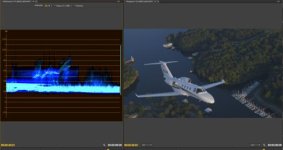
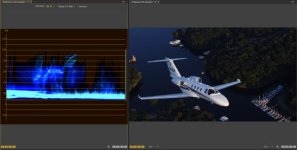
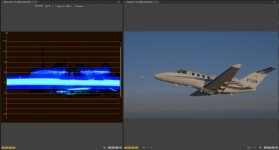
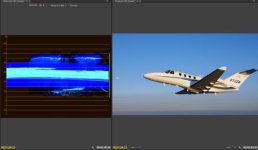
Afternoon.jpgGradedAfternoon.jpg

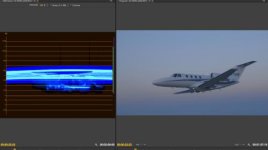
Sunset.jpgGradedSunset.jpg

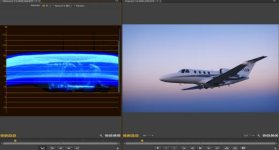
Dusk2.jpgGradedDusk2.jpg
 
Canon Log has a certain look to it. Even if you set white and black points in post, you will get a different result than shooting a non-logarithmic profile.

Canon Log will give you the least amount of mid tone contrast out of the box, and this characteristic remains constant, even if you up the contrast relatively speaking. But this mostly pleases my eyes. It's definitely more filmic.

If you know you want a more commercial, punchy look and have a low contrast scene you can explore other alternatives. Canon Log gives you the largest amount of DR together with Wide DR, but if the scene is unproblematic there are many other options.

Of course, matching other footage might be an issue?
 
c-log gives you the maximum flexibility. Switch on your zebra. When the whites get blown, you will see some flashing of the zebras to indicate that it is blown.

You can always pull down the sliders in post and get the desired look. Noise will be less if the exposure is right. Better to have all the details in the files and then do the post processing as per your liking. I have never filmed aircrafts. I do film in the night as well with whatever lights I have. I always use c-log in my C300.
 
Touche James. My mkIII files shot with a flat profile would quickly band in the blue sky if I got too aggressive in post, thus I bumped the contrast back up to fill up the histogram, and that helped a little. My question is, with such flat light, does the same apply to C-Log, does it make any sense to tweak the C-Log profile.

In these shooting conditions, I do as Indiawilds suggests, or I put the white aircraft just under 70 on the waveform and go with it.
 
Touche James. My mkIII files shot with a flat profile would quickly band in the blue sky if I got too aggressive in post, thus I bumped the contrast back up to fill up the histogram, and that helped a little. My question is, with such flat light, does the same apply to C-Log, does it make any sense to tweak the C-Log profile.

In these shooting conditions, I do as Indiawilds suggests, or I put the white aircraft just under 70 on the waveform and go with it.

Canon log does not exhibit banding like DSLR footage, and this goes pretty much for any gamma in the C series family of cameras. However, my experience is with the C300's XF codec and AVCHD is a more aggressive recording format that may limit your ability to expand in post if you adjust the range too much. Testing should definitely be done to determine your own personal taste for it's limitations. If you're recording to a Ninja, I wouldn't foresee any problems. Compare it against the Wide DR gamma, and maybe also with a custom CP combining one of the cine or norm gammas with the log color matrix. You can also adjust black levels in the custom profiles as well if you feel the need. However, I would start with Canon Log, throw on a LUT in Resolve, and see if that's acceptable to you.
 
Bingo Cowpunk, many thanks to you and the other posters. BTW, love your CPs.
I am not a Log lover. I texture is important to you (rather than just overall look) then be sure to try out other picture styles. The only issue I can foresee with bouncing back and forth between picture styles, is they may be harder to match in post. But my experience with the C100 is not enough to no this for sure, but it is compressed 8bit, and your histograms don't look like you are really dealing with extreme DR, plus you crush pretty hard in post, which alot of the "film" guys do not. You may experience more banding issues than the average indie.

But, basically what the other guys said, C_log is a good 'go-to', but do your own testing.
 
Last edited:
James, I'm curious about your comment about texture, could you explain?

When correcting 8bit C-log footage of a low contrast scene, there can be what I will call 'micro-banding'. It is banding that is not perceptible to the average viewer, but adds a digital look. With web compression, this is not necessarily an issue, as web compression would end up doing the same thing potentially.

Banding on smooth gradients is the most evident, but it can occur in other ways and at smaller degrees. It messes with the smooth detail that is ideal on cinema cameras, and replaces it with a digital edge.
 
I understand, thanks James. Though I agree with Dusty, that image is a wee bit compressed.
Noted, which makes posting those images, as an example for how good the camera can hold up, rather pointless.
(I've also edited my message above)
Edit: ^that makes me sound mean. I asked the question to give him a chance to explain.


Your grading is pretty nice and contrasty, Most filmers don't push that far, but in the good way. Your stuff is very nice and rich looking. Others are keeping things a bit more flat, so your c-log experience should be a bit different.

Not trying to talk you out of using Log. I use Log a lot. But "Log" is, and always has been, a work around solution.

I do wish Canon had a non-log picture style that matched C-logs color palette (for the 1D-C) so I could intercut more easily. I am not always crazy about feeling forced to use 8bit c-log just because the color profiles don't match (1D-C).
 
Last edited:
When correcting 8bit C-log footage of a low contrast scene, there can be what I will call 'micro-banding'. It is banding that is not perceptible to the average viewer, but adds a digital look. With web compression, this is not necessarily an issue, as web compression would end up doing the same thing potentially.

Banding on smooth gradients is the most evident, but it can occur in other ways and at smaller degrees. It messes with the smooth detail that is ideal on cinema cameras, and replaces it with a digital edge.

In my experience, C-Log AVCHD footage has more compression artifacts (especialy blocking on flat midtones containing subtle noise) that the same scenes shot using Wide DR gamma.
 
I concur with ffoxx, I have created a wide DR profile that basically looks just like C-log, just to get better noise performance in the mids. Significantly less macro blocks flying around. I do not like the colours of the standard Wide DR profile.
 
Last edited:
Wide DR colour matrix gives more realistic colours than Canon Log matrix, but has very saturated greens which is not the best starting point for creating filmic look. Wide DR gamma with Canon Log matrix and +50 colour gain is good option. On the other hand if you plan to use Filmconvert software it's better to stay with default presets, eg. Canon Log - Canon Log or Wide DR - Wide DR.
 
Back
Top