don romolo
Member
sure. I am still looking for a real response though.

Follow along with the video below to see how to install our site as a web app on your home screen.
Note: This feature may not be available in some browsers.

Yes i'm now just going to add preset patches back into the C settings one at a time and at different rates. All in 50i of course and see what the effect is. Not expecting much as confirmed by Chris's tests. Might disable L and H as well.
R
okay. I'll just get passed over. All I want is a yes or no. How do you shoot 24p without 1/24? This is my question.
This isn't a direct answer, but most people find that the best shutter speed when shooting 24p is double the frame rate (or closest you can get to that). So for us, that would be 1/50. This gives a natural look without too much motion blur while not looking harsh/grainy. I know you are looking to shoot a lot less than that, but that might just introduce too much motion blur. In any case, my GH1 doesn't seem to allow shooting video at less than 1/30.
The 24pN patch appears to provoke a sporatic frame-encoding malfunction that no one has been able to fully explain.
I've used shutter speeds down to 1/30 sec with my 35Mbps MJPEG in-camera playback patch with no errors. Below this shutter speed, my understanding is that the camera will cut its sensor frame sampling rate in half to 15fps in order to hold the shutter open for longer than 1/30 sec. The video will still contain 30fps, but each frame will be doubled after being sampled at 15fps. Since I've not tested it myself, it's quite possible that this altered frame sampling rate could produce SD card write errors with the 35Mbps patch.

Well that is a pretty common wrapper for PAL and NTSC cameras, so it should be fairly easy to find out with a Google search. Obviously with 25p wrapped in 50i it is much simpler.
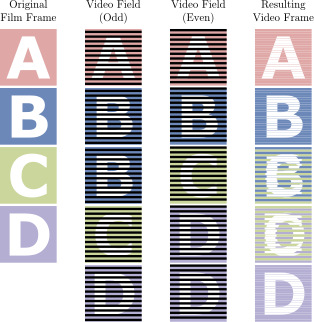
Wiki has this http://en.wikipedia.org/wiki/Progressive_segmented_frame
[Information]
Comment=Working Settings:<br>1) Native, Surfer AVCHD, graduated H/L and Preset @ <br>50Mbit<br>2) modulr's MJPEG settings with 4:2:2 color
SD_Card=Sandisk Extreme Class 10
Camera=GH1 v1.32
[Settings]
Prevent version compare=Checked
720p30 420->422 color sampling=Checked
E1 Quality=188
E1 Table=4
E2 Quality=188
E2 Table=4
E3 Quality=188
E3 Table=4
E4 Quality=185
E4 Table=4
Native 24p/25p=Checked
Video Bitrate FHD/SH=50000000
Video Bitrate H=40000000
Video Bitrate L=32000000
Overall Bitrate=56000000
Limiting Bitrate=60000000
[B]Preset bitrate=500
Preset bitrate 2=500[/B]I've been testing below settings on GH13 for about a week now and have not had any issues whatsoever, so it's time to share.
Code:[Information] Comment=Working Settings:<br>1) Native, Surfer AVCHD, graduated H/L and Preset @ <br>50Mbit<br>2) modulr's MJPEG settings with 4:2:2 color SD_Card=Sandisk Extreme Class 10 Camera=GH1 v1.32 [Settings] Prevent version compare=Checked 720p30 420->422 color sampling=Checked E1 Quality=188 E1 Table=4 E2 Quality=188 E2 Table=4 E3 Quality=188 E3 Table=4 E4 Quality=185 E4 Table=4 Native 24p/25p=Checked Video Bitrate FHD/SH=50000000 Video Bitrate H=40000000 Video Bitrate L=32000000 Overall Bitrate=56000000 Limiting Bitrate=60000000 Preset bitrate=500 Preset bitrate 2=500

why am i not seeing "preset bitrate" and "preset bitrate 2" in my version of ptools 3.40d?
I'm sticking with 60i 24psf- after watching someone shooting in 24PN "C" settings loose 5 minutes of footage cause the first 4min + was fine until a write error happen around the five minute mark on a documentary and all footage on that clip to be expunged from the memory for good; I decided I wasn't gonna play Russian Roulette with footage.
This should be made clear to people- that 24PN if your recording and you have 10mins of perfect footage in a clip running, and on the the 11th minute into that clip, you get the write error, you loose all footage shot in the clip.
That's pretty much where i ended up Pappas, agree 100%.

That's pretty much where i ended up Pappas, agree 100%.
ery stable, very good low level.