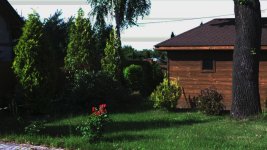
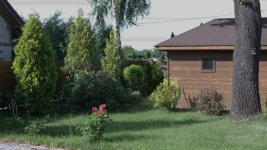
FS7: nasty artefact on clear blue sky with FS7 kit lens

Yes I can see them when watching my footage on a 50" UHD TV, and they are even more obvious and distracting. Minister Szyszko sie myli, bo te "linie" pojawiaja sie i znikaja in a totally random fashion, within a span of a couple of seconds :)

BTW, I wonder how it's possible people on this forum ignore this evident flaw and treat it so lightly. The only constructive answer so far I got from the old friend of mine on SCS forum; even though he doesn't offer any simple resolution to my problem, at least his answer is serious and helpful in offering me both his opinion about what the artefact is NOT, and what further testing step I should follow; here is an excerpt from his e-mail:

"I can see your problem but I don’t know what to make of it.It looks too fat, too wide and too faint to be a sensor defect.
It doesn’t look like a compression artefact either.


It also doesn’t seem to be exactly horizontal either but I’m entirely certain of this.
If I’m right though it could be some weird reflection of the black wire.


What I’d suggest you do is shoot a pure blue card and see if reveals anything.
If not try adding a black line.


Also try taking the lens off and just shine blue diffuse light onto the sensor
."

This is a sort of advise I was hoping for to get from all the super-pros on this forum :(

Piotr
 
Bracie Polaku - gdy mysle ponownie o Twojej zartobliwej teorii, dochodze do wniosku ze cos moze byc na rzeczy: w poblizu jest dosc ruchliwe lotnisko pasazerskie... Moze kamera widzi pozostalosci po startach odrzutowcow, ktorych ja nie widze golym okiem?

That said, I expected much more from the XAVC-I 500 Mbps codec. Not only the "line" edges, but the whole sky is heavily macro-blocked - never saw anything that ugly in footage from my EX1 or FS100, shot in the very same place...

Piotr
 
It looks too fat, too wide and too faint to be a sensor defect.
It doesn’t look like a compression artefact either.


I disagree with this assessment. One time I had a problem with Thompson Viper Filmstream camera, it would create an exactly one pixel wide "dead" line going all the way across the frame. Problem was one of the boards inside was not properly seated. We reseated the board and problem went away. Because it was not easy to spot we ended up with some footage that had it. This line would look sharp and not "fat" in the original footage recorded to an SR deck (and on the monitor output from the camera) likely because Filmsream format has no compression, but would become much more blurry and faint once compression was applied to it. So yes, maybe not a sensor defect per se, but possibly some issues with the circuitry of the camera.
 
Last edited:
BTW, I wonder how it's possible people on this forum ignore this evident flaw and treat it so lightly... This is a sort of advise I was hoping for to get from all the super-pros on this forum :(

Well, I'm no super-pro.

But I think you've had quite a lot of attention already, Piotr.

The grown ups are busy working, so now it's time to run along, take your camera with you, and see if you can repeat the issue.

Come back when you can share something with us, rather than being shouty and rude.

Don't be petulant, when the grown ups can't actually see the problem, or you'll have to sit on the naughty step and be ignored.

And don't leave your hand grip in the shot. That's what silly boys do!

Oh, and your homework is to go and read Aesop's fable: the Boy Who Cried Wolf.
 
Ben - you have been one of those who actually tried to help rather than ignore, and I already did thank you for that; my remark wasn't addressed at you. But I don't have idea why you assume I don't "take my camera with me, and see if I can repeat the issue" - I do all the time, and that's why I returned to this thread. Finally: never wanted to be rude; if I sounded like this I apologize.

Piotr
 
Here is some analysis done for me by a DVInfo.net forum member here:
http://www.dvinfo.net/forum/sony-xd...croblocking-against-blue-sky.html#post1916705

What do you think?

An interference, or imager defect?

Piotr

There is sod all wrong with your camera or lens. What you are seeing is XAVC compression artefacts.

xavc favours complex areas and fast motion but heavily compresses low detail flat colour areas. This is to ensure best possible image quality down stream. Get used to it or buy another camera.

you could have found this info by using search instead of using the forum as your own private blog.
 
Thanks again for the friendly tone, Nirv - but anyway, could please translate for me the passage "There is sod all wrong with your camera or lens"? Sorry, my poor English is not enough... Thanks

Piotr

PS. OK, found "SOD" in the Urban language dictionary, but still your sentence means nothing; ever learned grammar? Oh, and one more question: is this forum your private one? If so, I'm so terribly sorry... Please forgive me for my SOD rubbish!
 
Last edited:
Ben - you have been one of those who actually tried to help rather than ignore. Finally: never wanted to be rude; if I sounded like this I apologize.

Piotr
Hello Piotr,

I read this forum and I ignored all your posts in this thread. Now I feel offended for not responding. I ignored your post because I can't replicate the artifacts and if I did I could not give you the right answer.
And because most of the posts in this 5 pages threat are yours I am afraid others did too. No offence, but ignoring is sometimes better than responding.

And I think Nirv's answer, in his unique and personal style, is right, compression it probably is.

Communication wit 26 letters and no image or audio is difficult. Add different cultures, typo's and a bit expertise and passion to it and can end up in flame wars.

So apologizes accepted.
 
Last edited:
Thanks again for the friendly tone, Nirv - but anyway, could please translate for me the passage "There is sod all wrong with your camera or lens"? Sorry, my poor English is not enough... Thanks

Piotr

PS. OK, found "SOD" in the Urban language dictionary, but still your sentence means nothing; ever learned grammar? Oh, and one more question: is this forum your private one? If so, I'm so terribly sorry... Please forgive me for my SOD rubbish!

Calm down both of you, let's practice a little tolerance and keep things nice - eh? Just to aid with the translation...

"Sod all" is a colloquial english phrase meaning "absolutely nothing". Hope that helps clear it up.

Cheers,

jason
 
I ignored your post because I can't replicate the artifacts and if I did I could not give you the right answer. Communication with 26 letters and no image or audio is difficult.

While I still offer my apologies to you - and thank you for accepting them - I cannot agree with the 2 main points you made:

- no pictures? But I tried to post my screen grabs, and since I somehow couldn't attach them in full size -Ben offered hosting them elsewhere (along with a short video), and provide links here

- 26 letters of mine (or making the forum my personal blog)? You know as well as I do that should anyone come with an analysis of one of the files, such as the one in the very first answer on another forum, I wouldn't keep posting myself - and "my blog" could have become a very interesting "case discussion" so helpful to myself, but I dare say - to many others in the community, as well...

And I think Nirv's answer, in his unique and personal style, is right, compression it probably is.

Nirv's unique style aside, I beg to disagree with his (and now yours) assessment. While it may be true that "xavc favours complex areas and fast motion but heavily compresses low detail flat colour areas", there is some minimum quality threshold (also for low detail, flat color areas) that an $10,000 camera shouldn't cross. And BTW - the edges of the black wire against the blue sky cannot be considered low detail or flat, yet just take a look on all the macroblocking there! I'm very reluctant to send my new unit to Sony service already, but I'm afraid that after they see that picture of Red channel they will call on it!

"Sod all" is a colloquial english phrase meaning "absolutely nothing". Hope that helps clear it up.

Thanks for language aid, Jason - but as I stated above: Nirv's "style" aside, I cannot believe what we see in the picture from Andrew on another forum is normal. I guess Sony PrimeSupport answer to my email I sent to them, attaching all my links and Andrew's picture, will be the ultimate answer; let's wait and see.

I will keep you informed, if only Nirv allows me to use his private forum space :) (kidding - no bad feelings towards Nirv at all!). Thank you all, and apologies to all -

Piotr

PS. As to calling me "a silly boy": I never felt offended by that, simply because at my 61 years of age (and bad health), I just wish I was still a boy (even a silly one). Also, all of you guys should understand that - if I keep turning to you with every single problem - is because I appreciate your experience and knowledge (my own experience and knowledge belonging to completely different domain)....
 
Last edited:
Hi Piotr,

I'm not trying to pretend to be a digital image forensic expert, but wanted to give my input having downloaded your source-clip and reference stills. The first thing that struck me is that your screengrabs show the a much greater degree of macroblocking than the footage itself. The same is true of my own screengrab tests, they are being re-compressed by the OS, and hence look awful. The second thing that struck me, which isn't really clear in your previous posts, is that the screengrab that you've posted is only showing about 30% of the frame size, so probably an area about 1250x720 pixels of the original UHD frame.

The raw footage file on the other hand, to my eye, doesn't look half as bad as I'd imagined from the discussion. Yes, there is macroblocking there in the sky, and yes, if you REALLY push the image around, you can make it visible. I sincerely believe you're just running into the limitations of the XAVC-I codec in 4K. For the majority of frames it works well (IMO), and this frame DOES have quite a lot of detail in all that grass and leaf texture. The small area of very low-contrast (i.e. smooth or flat) sky tones, is always going to be the part of the image that a codec will try to 'economise' on in terms of the size of macroblocks. The settings I've applied to the same clip (a 1&1/3rd over-exposure compensated LUT, plus 150% saturation in Lumetri, shifted to magenta and blue by +10 and -10), don't bring any blocking into view. The LUT I'm using is Slog3 (Sgamut.cine) - > - LC709A.

Anyway, I'm not sure we'll ever get to a 'conclusive' answer of what's going wrong here, but I think that perhaps the main issue is too much pixel peeping (albeit in an understandably, incremental 'down the rabbit hole' sort of way).

In short, I recommend shrugging/scratching your head and then carrying on. Every form of compression loses something, and this doesn't seem egregious based on my personal experience. I certainly wouldn't imagine any service centre is going to replace the camera over it.

Cheers,

jason
 
Thanks Jason for your work, and your kind words. Yes I realize I am quite a bit of a pixel-peeper; however I wasn't lamenting over the blown-up stills as much as over the fact that strange "line" (banding?) is visible with my naked eye on my 50" UHDTV.

But you're probably right; no camera is perfect... Thanks again:)

Piotr
 
So I thought guys I owe you some update, after so many of you engaged in the debate in this thread - in one or another way :) Therefore I'm baking it up, and here is the story:

After making sure that I as not hallucinating, and the "faint white line across the sky" was really present in my footage (BTW it was just the macroblocking and loss of color due to the codec errors) - I notified Prime Support service, sending them the original clip. It took them almost 2 weeks to admit something is definitely wrong, but they would need my camera for testing. I postponed sending my still brand new camera for who knows how long, and continued using it in the normal fashion - of course checking for similar artefacts in all my footage - but this time during grading only, and with the Cinema-style preview full screen preview on my 50" UHD TV, using Resolve...

With lots of footage gathered over the last 2 months, I can positively say the codec breaking only occurs in material shot using CineEI mode, and Slog3 curve with S-Gamut3.Cine color space - I didn't try Slog2 yet, but it definitely doesn't happen in my HG footage! This alone makes me even more reluctant to send the camera in, as it looks more and more like a codec rather than hardware issue... But I'd like to make sure, so I'm again asking you guys to help me make 100% sure it's a codec issue in Slog3 - and this is only possible if you carefully check your own footage, and find similar artefacts. Casue if it's really the codec at fault, it should be present in your footage as well, right?

Now - where to look for it: whenever you have a bright area of blue sky, and some contrasty objects at both (left and right) sides of it, the codec is prone to produce something like on my 2 pics (artificial horizontal stripe of macroblocking between those contrasty edges and sort of connecting them with what may look like a thin line on a small display across the sky; yes I did emphasize them by playing with color curves and levels, but isn't Slog3.S-Gamu3.Cine supposed to give us more freedom of stretching the picture to the limits? ):
 

Attachments

  • Image4.jpg
    Image4.jpg
    106.5 KB · Views: 0
  • Image3.jpg
    Image3.jpg
    108.3 KB · Views: 0
To me the line looks like a sensor artifact/defect, always in the same row as you stated when you pan up or down. As for the macro blocking in the other swaths of blue sky, that appears to be characteristic SLog3 quantization in my opinion. SLog2 is slightly better in this tonal range but not completely devoid of it either. The "line" appears to be a fixed band of off-color pixels indicating a sensor related defect. What I would recommend is doing a APR (auto pixel repair) and black balance. I have the F55 not FS7, I assume the latter has this feature in the maintenance menu. Failing that, I would send the camera for service.
 
Hi Tom!
Thanks for your comment; fortunately enough nothing is wrong with my FS7 sensor; all those artifacts are just compression-related. It's possible that the many APRs performed in the meantime helped, too - but after all, I never had to send my camera for servicing.

Piotr
 
Back
Top