FS7: Magenta

However Color Temp Balance is a Green/Magenta control . Minus adds Green and Plus adds Magenta.
Unexpectedly I noticed that when I push auto white I get a Minus number in the Color Temp Balance place!
Around 3200 I tend to get -4 and up around 5600 I get -19 In other words the camera says it is adding green to make the color balance correct and adding much more green around 5600.

Thanks for doing this work. I need to make two scene files 'SLog-5500' 'Slog-3200' - with appropriate settings assigned to the <P> button.

Then one can simply toggle between them with only stepping 6 layers deep into the menu - perfect.

S
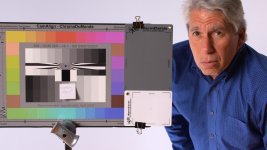
 
MAGENTA PROBLEM SOLVED -- KIND OF (this should be a sticky if I'm right)

- I have been spending a rainy afternoon in san Francisco doing incredibly geeky tests with the FS7 and I finally discovered something very valuable about the Magenta question.
If you look at the color temp controls A, B & P each have a setting for Color Temp Balance, then Red Gain and B Gain.
Red Gain and B Gain change with the color temp and are similar to the red & blue pots on a remote paint control.
They will automatically change when you press auto white and you can change the color either by adjusting the Kelvin number or the R & B gains. Kelvin will alter the R & B gains & vice versa so there are 2 ways to do the same thing.
(BTW with the wifi control you can use your laptop as a paintbox here)

However Color Temp Balance is a Green/Magenta control . Minus adds Green and Plus adds Magenta.
Unexpectedly I noticed that when I push auto white I get a Minus number in the Color Temp Balance place!
Around 3200 I tend to get -4 and up around 5600 I get -19 In other words the camera says it is adding green to make the color balance correct and adding much more green around 5600.

If you go to the Preset <P> settings and match the Kelvin and then also match the Color Temp Balance (i.e. -19 at 5600) your Auto White and Preset will match exactly ! BINGO !

So if you want to use presets for daylight 5600 you always add -19 Color Temp Balance. A little more study should reveal a set of green to add for various higher or lower Kelvin temps.

Weird as all Goddamn Hell IMHO, and something that SONY ought to fix. Even if the camera does get more magenta with higher color temp , Sony software should compensate or even hide it. However It is something controllable since you need to go into the menu anyway.

I haven't tried this outdoors yet and its raining tomorrow as well so maybe one of you guys can test it in daylight. Real daylight numbers will probably be different as I'm using tungsten with CTB and LED's to create daylight, but the principle should apply.

Lenny

http://www.dvxuser.com/V6/showthread.php?331538-FS7-Magenta&p=1986502155&viewfull=1#post1986502155

Thats what I was trying to convey back in post 29 earlier in this thread Lenny. But as usual I didn't explain it very well like you have. In my pic attached to post 29 I arrived at a setting of -17 for the Color Temp Balance on the green magenta axis.

We used the exact same trick on our first FS7 shoot. Did a manual WB then read the CTB value and then set to 5600 with CTB offset by -17.
 
Last edited:
Ha - your right ! I congratulated myself on solving something that was solved by you and Mainstreet a couple of pages earlier . Oh well it was a good explanation ! I still want to know if this is what people do w the f5/55.
 
Ha - your right ! I congratulated myself on solving something that was solved by you and Mainstreet a couple of pages earlier . Oh well it was a good explanation ! I still want to know if this is what people do w the f5/55.

Well as an F-5 owner I have tuned my F-5 using the matrix. Not something I'd recommend without a broadcast monitor, a chroma du monde chart and a scope. Worse than your FS-7, we cannot adjust the Preset look of our F-5's. So it's WB (just one register only) from a card. I have been using Doug Jensen's Warm Cards for some time now with the F-5 due to this lack of a global white offset. However, the fine tuning of skin tone has been accomplished by a custom matrix. I rarely shoot RAW or S-log, due to the fact I prefer my custom setting over any grading that I am able to accomplish on my own.
Custom still.jpg
 
Ha - your right ! I congratulated myself on solving something that was solved by you and Mainstreet a couple of pages earlier . Oh well it was a good explanation ! I still want to know if this is what people do w the f5/55.


Lenny,

I still insist that your explanation was way better than my pic and post :)

Good info there as long as other users new to the FS7 don't get caught out its all good to have plenty of info.
The the merrier I say.
 
Thanks - sometimes it's good that I'm long winded.
I do think it should be a sticky to warn people .

Boghav - does the F 5 do the same thing w Presets more magenta at daylight than at tungsten?

Can you post your matrix ?
lenny
 
Yes, getting the "pink" out of the F-5 was the challenge. I have never shot in tungsten so I don't know if there's a difference. As far as the matrix, it's something you have to work out for yourself under the lighting you shoot with and the camera model you use.
 
Yes, getting the "pink" out of the F-5 was the challenge. I have never shot in tungsten so I don't know if there's a difference. As far as the matrix, it's something you have to work out for yourself under the lighting you shoot with and the camera model you use.

Wow, that's crazy that it's even an issue on a camera priced in the range of the F5, or any decent pro-ish camera. Was not an issue on the lowly FS700, so it should not be an issue on any of these better cameras.

So can we come up with a math formula for several different temp presets on the FS7 (5600, 4600, 3200) so we can quickly dial it in? Then it would be at least a bit more convenient when you are in a jam.
 
Wow, that's crazy that it's even an issue on a camera priced in the range of the F5, or any decent pro-ish camera. Was not an issue on the lowly FS700, so it should not be an issue on any of these better cameras.

So can we come up with a math formula for several different temp presets on the FS7 (5600, 4600, 3200) so we can quickly dial it in? Then it would be at least a bit more convenient when you are in a jam.

Scene files may be the quickest way. Thats what I've done so far.

I have scenes saved with the CTB set to -17 gets rid of the magenta. Lock and load your ready to go :)

Saved internally and to SD card.
 
I'll admit I haven't read this whole thread, but I'm waiting to board a plane and have nothing better to do than chime in. It sure seems like much a do about nothing. My FS7 looks great when I do a simple manual white balance with a white card or WarmCard (depending on subject matter). It take 10 seconds to do . . . and then I'm done -- with a perfect WB. I don't beleive that attempts to build custom scene files with baked-in white balance settings will ever deliver good results unless you are always shooting under the exact same lighting conditions all the time. Maybe it could work for outdoor daylight shooting where the sun is always the main source, but certainly not for anything under man-made lighting. There are just too many variables.

I'm not saying that the 5600 preset white balance doens't need fixing, because it sure does. But in the meantime, the solution is no big deal.
 
There are many ways of working, all equally valid or appropriate to different set ups.

For example Ive been filming Christmas lights display - I want the colours to shine true - so I want to shoot at 5500 even if the whole environment is tungsten. No where to 'balance'.

Ive got the camera dialed via a custom profile now so not a problem - the cam gives a good 55k -unless the camera somehow randomly loses it's settings which would bite my bum.

My camera does occasionally on startup go to 300 shutter - so being scared of inconsistency and the camera forgetting it's settings is a legit concern, especially when, AFAIK, one cannot display the Custom setting that you are using.

For example I might have a Custom setting "5500_Slog_NRoff" and another "5500_Slog_NRon" - I would find it most reassuring to see that on screen. Or at least with picture profiles in the EX1 you at least had PP1 written on the EVF.. (and a bit of untidy white gaff on the camera which said PP1=Cine1_55k, PP2=Cine1_32k etc)

Use of PP or Custom settings has been my way of having many ColourTemps available reasonably quickly without (too much) menu delving with these cameras that miss a basic functionality Colour Temp.. which should be a dialable wheel of course (see 5dmk2 etc)

S
 
For others to to note.. when changing camera resolution I my shutter angle goes to 300 from 180 - a minor gotcha but woth watching!
 
I'll admit I haven't read this whole thread, but I'm waiting to board a plane and have nothing better to do than chime in. It sure seems like much a do about nothing. My FS7 looks great when I do a simple manual white balance with a white card or WarmCard (depending on subject matter). It take 10 seconds to do . . . and then I'm done -- with a perfect WB. I don't beleive that attempts to build custom scene files with baked-in white balance settings will ever deliver good results unless you are always shooting under the exact same lighting conditions all the time. Maybe it could work for outdoor daylight shooting where the sun is always the main source, but certainly not for anything under man-made lighting. There are just too many variables.

I'm not saying that the 5600 preset white balance doens't need fixing, because it sure does. But in the meantime, the solution is no big deal.


What Doug said. This complaint has been repeated over and over on DVX for at least 7 years - and not just with Sony:

http://www.dvxuser.com/V6/showthread.php?109697-5600K-Preset-Not-to-my-liking

This 2007 thread was about the first pro camera I purchased, the Panny HPX500. The 5600 preset was greenish, and the mfr provided no way to change it! As I posted a few pages ago, Sony provides multiple ways to modify the settings. The preset on the FS7 will eventually be improved. In the meantime, manually WB or tweak the preset yourself.
 
Last edited:
Another note on creating your own Slog like Pre-Set,

Matrix-Off

I had matrix on an noticed more saturation than EI Slog.

I have not had time to see if EISlog and CustomSlog,Matrix off, Tint-17 actually match.

S
 
I'm not saying that the 5600 preset white balance doens't need fixing, because it sure does. But in the meantime, the solution is no big deal.

Absolutely agreed - but this is important to know when I'm on a shoot, matching cameras. Generally, I'm good with a "let's take a proper white balance and go" approach, but when you have 3-5 cameras in the mix for a sit-down this doesn't always (ever?) work. There are too many variables involved from camera to camera such as lenses, etc... This isn't a new revelation - just maybe a new generation of camera-owners that are realizing that out-of-the-box looks ain't all they're cracked up to be.

In the old days, you had to be bold enough to drop the side of the camera and start turning pots. A "destructive" approach that could result in you really f-ing up the look of your camera with no easy way to get back to where you started. This is exactly why I always sent my cameras to Roger Macie for his magic.

Now, with everything being menu-driven, you can go crazy and if you get too far away from "right" you can hit ALL RESET or re-load your original scene file and you're good to go.

I have first-hand experience with the crazy magenta in the F5 and again in the FS7 and it can be frustrating but overcome. If you expect any camera to look great right out of the box, you should prepare to be disappointed.

(It should be noted that I RARELY do any work in any sort of LOG - my world has very short turn-around times and often gets no/very little color correction before it hits the air so it needs to be "right" when I hand it off. Your mileage may vary...)
 
So yesterday I did a client shoot with the FS7 moving under a number of lighting situations. It's a "shoot only" job where I ship the footage to the client's office to be edited, and they do high volume, fast turn-around work, so I went with a REC-709 gamma and aimed to nail my exposures. The histogram wouldn't work for me, so I had to rely on zebras primarily. I was shooting the XDCAM 50Mbps codec except for a few quick slow-motion shots. Know that the white-balance preset couldn't be trusted, I white carded every scene separately.

The results are excellent. No magenta issue, saturated, good contrast, pretty stuff.

I think I've been spoiled by years of Sony cameras like the EX1/EX3/F3 where I could dial color temperatures with the preset, so it just took a shift in mentality to go back to white carding everything.

This is going to hurt people picking the camera up for a day at a time on rentals far more than owner operators who can adjust their workflow. It's a poor menu design though, and Sony ought to fix it, because it's going to turn potential buyers off of the client when they rent and their test footage looks like crap.
 
Has anyone already posted the issue here: http://community.sony.com/t5/FS7/bd-p/FS7 ?
The support seems to be great, and they listen and respond to all the questions

Today Juan Martinez from Sony says: "We expect to post Firmware Version 1.10 on this forum (Sony's Community) later this week. This firmware addresses some of the most urgent issues that were posted here in Community. The FS7 team plans to to deploy other firmware updates to add functionality and improve the operability."
 
Has anyone already posted the issue here: http://community.sony.com/t5/FS7/bd-p/FS7 ?
The support seems to be great, and they listen and respond to all the questions

Today Juan Martinez from Sony says: "We expect to post Firmware Version 1.10 on this forum (Sony's Community) later this week. This firmware addresses some of the most urgent issues that were posted here in Community. The FS7 team plans to to deploy other firmware updates to add functionality and improve the operability."
I don't see a topic anywhere about the upcoming firmware, should maybe link to where he said that instead of the topic list.

It will be interesting to see what the firmware resolves... there are quite a few bugs in this little guy.
 
I don't see a topic anywhere about the upcoming firmware, should maybe link to where he said that instead of the topic list.

It will be interesting to see what the firmware resolves... there are quite a few bugs in this little guy.

The link to the specific topic is on "Today", the firmware discussion is inside the "Corrections to the PXW-FS7 USer Manual" topic

I expect my FS7 for January (my first Sony), but I'm pleased to see that they are fixing the issues so fast...
 
Just saw Doug's comments on white balance presets. I'm sorry but its just wrong that this is typical or normal. Sorry if it never got corrected on an HPX500 but it worked fine on my HVX200 and every other camera I've owned or used. If the preset looks bad its wrong and should be fixed - fortunately this camera has so many adjustments in it that there is a good workaround for now. However people whop are not briefed on it will be in for a nasty surprise. Like many others here I use presets often.
I have a whole list of suggestions - I hope to post on the Sony board in the next day or so. Happy to see they re working on this stuff.

Lenny
 
Back
Top