GH4 Leeming LUT One – the best LUT for the Panasonic GH4

OK, here you go:

v121


v126 beta


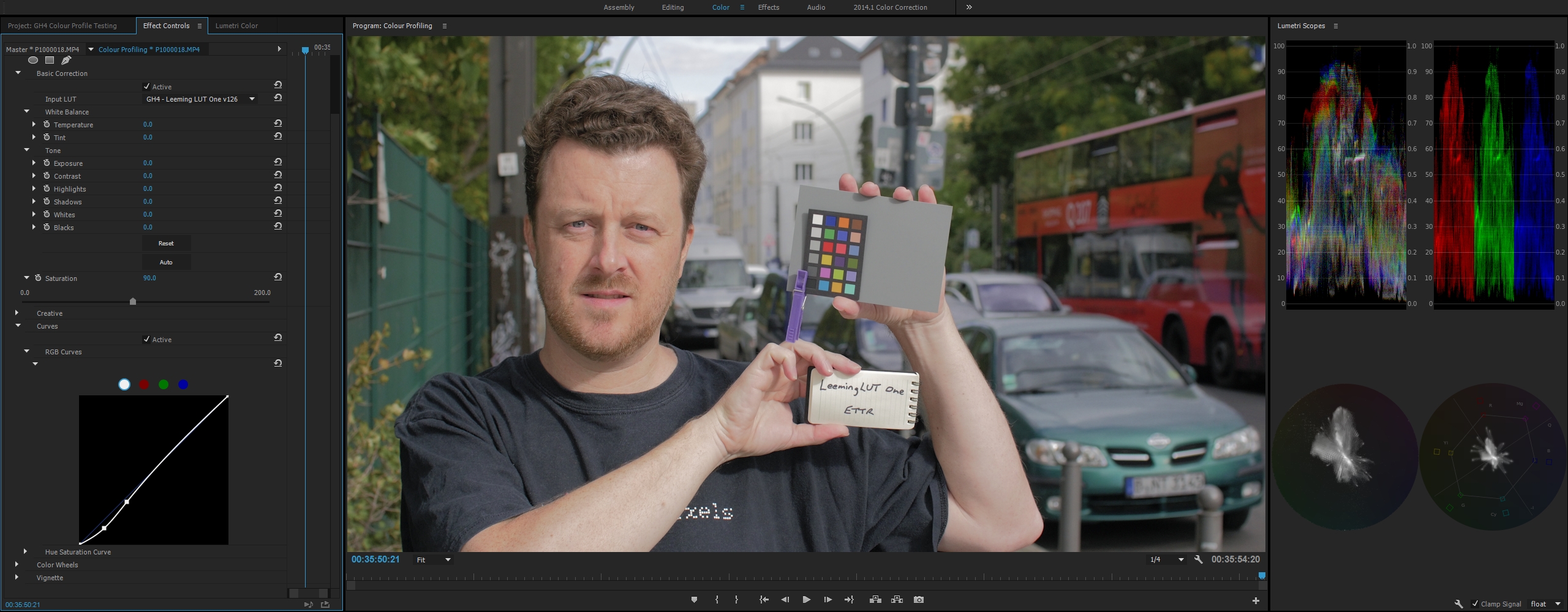
So, the yellow is significantly reduced, the mids are lifted a tiny bit but the skintone is still spot on (to my eyes even a tick better than 121). But judge for yourself...
Excellent :D

I'm seeing the same here; I just wanted to see how it performed on someone else's footage :)

Skin tones definitely feel even better with version 126, which was my goal, so I think I will release this today to everyone.

Have a great weekend all, and keep an eye on your inbox over the next 24 hours!

Cheers,

Paul :)
 
Last edited:
OK, all existing customers should have version 126 in their inboxes now :)

All new customers will get version 126 from the beginning.

Cheers from Berlin!

Paul :)
 
Paul, thanks for the updated LUT. Email received.

It's great to be getting some lovely colours from GH4 - thanks to you. I stayed away from CineD. But now it's my favourite.

Can I ask thou, how much has your LUT changed/deviated since when you first released it. I remember you were very busy testing it out to make sure it right, but we are now 26 iterations since then? What's been the biggest change?

Never edited or created LUTs, it's very impressive what's achieveable !!!

Rich
 
Paul, thanks for the updated LUT. Email received.

It's great to be getting some lovely colours from GH4 - thanks to you. I stayed away from CineD. But now it's my favourite.

Can I ask thou, how much has your LUT changed/deviated since when you first released it. I remember you were very busy testing it out to make sure it right, but we are now 26 iterations since then? What's been the biggest change?

Never edited or created LUTs, it's very impressive what's achieveable !!!

Rich
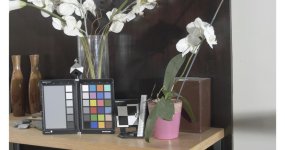
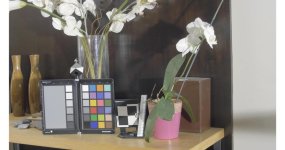
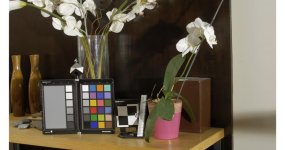
Color rendition between 105 and 126 has been much improved (see my post.) It is the most accurate of any GH4 LUT I possess. Saturation is more accurate, but still less than is actually in the scene. (Acceptable to me.) Shadows have been raised, not technically accurate, but easier to work with.
 
Here is 126, properly normalized and white balanced. Nothing else was done to it:
CINED)Leeming126_balanced.jpg

- This small difference in white balance is not unusual for the tool I use (the ExpoDisc) so I don't draw any conclusion about the LUT from the small change.
- Greyscale tracking does seem to have suffered from 105 to 126. The balance deviates noticeably from shadows to highlight. Its a small amount, not so much as to stop me from using it, but this could be brought back in line with a tool like 3D LUT creator.
 
Paul, thanks for the updated LUT. Email received.

It's great to be getting some lovely colours from GH4 - thanks to you. I stayed away from CineD. But now it's my favourite.

Can I ask thou, how much has your LUT changed/deviated since when you first released it. I remember you were very busy testing it out to make sure it right, but we are now 26 iterations since then? What's been the biggest change?

Never edited or created LUTs, it's very impressive what's achieveable !!!

Rich
A lot of the 26 iterations are minor changes I fiddle with, to see what works and what doesn't. I like to keep each iteration so that I can always go back if necessary, hence the large number.

The biggest changes from the first version are more accuracy in colours (getting them spot on took quite a few iterations by itself), a more even balance of saturations and better skin tones.

There were a couple of other minor fixes to address clipping bugs in certain situations (edge cases but nonetheless important).

I have also strived to strike a balance between pure Rec709 and making sure the image looks 'right'. I absolutely want to maintain correct Rec709 colorimetry, which I have, but also make the image look refined and artistic, especially with skin.

This is where you start to see things like Joe just mentioned, about shadow colour etc, deviating very slightly in order to give a better skin rendition. That same principle also comes into play in keeping colour noise restrained in higher ISOs.

I've definitely gained an even greater respect for Graeme Nattress (Red's colour science guru) during the process, especially when it comes to building a colour science that pleases both those who want absolute precision, and those who want that certain feel and 'warmth' that mimics celluloid film.

I think I've struck a good balance between the two, such that you can use it across all situations with confidence that you are getting correct colours and also making filmic images from a digital sensor.

But as always, I remain open to feedback!

Cheers,

Paul :)
 
Last edited:
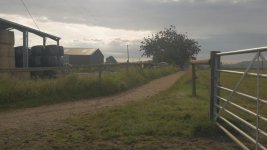
Was playing with v126 today and ettr in high dynamic range situation top one is as shot with the lut applied bottom I just did the contrast. cini d set up as instructions and balanced with grey card but I'm not 100% i nailed the white balance need to take more care :) looks a bit warm but I like how it looks and when I tried vlog with that sort of sky last week in 8bit it didnt look that nice.

Thanks for working on this!
lut_1.1.2.jpg
lut_1.1.2-con_1.1.1.jpg
 
David Smeltzer, if you are reading this - my attempts to send you your LUT bounced. Could you contact me with an alternate email address please? Thanks!
 
Another comparison, showing how different LUT's can behave very differently depending on exposure, white balance, etc.

V-LOG L > Panasonic 709 LUT
vlog_panny.jpg
Ouch. Luminance curve not good, and hue considerably off. The only one with accurate saturation, though.

V-LOG L > Neumann (Nothing Crazy)
vlog_neumann.jpg
Overall curve in good shape, but overexposed (I brought down considerably.) Hue pretty good. Saturation a little lower than reality.

Cine-D > Leeming One 126
cined_leeming.jpg
Shadows were artificially lifted, but overall curve in good shape. Exposure and hue best of the bunch. Saturation a little lower than reality.

I was shocked to see how bad the Panasonic LUT performed. It reacted to this touch scene in ways I've never seen it behave before. (I had upgraded my camera from v1.3 to v1.4 since I last tested V-LOG L.)
 
Paul,
Curious as to why you decided to lift the shadows in the last iteration? I find them unnaturally high, and I have to push them down with every shot.
 
Paul,
Curious as to why you decided to lift the shadows in the last iteration? I find them unnaturally high, and I have to push them down with every shot.
I lifted them a bit because in certain situations, the LUT was causing the low end colour channels to clip below zero.

As this was undesirable behaviour, I wanted to make sure that all the possible information at both the high and low end was retained. Kind of the opposite of what you are seeing with balazer's LUTs clipping the high end.

I also add a gentle s-curve weighted to the bottom end to most of my shots, but that's ok because I haven't lost any channel information in doing so post-LUT, whereas with the previous version, I had added that s-curve in the LUT itself, but caused the application of it to clip colour at the bottom end, which isn't useful if you want to raise shadows.

The S-curve can easily be added as a preset in your NLE so it becomes a drag-and-drop affair, which you can then tweak further depending on the shot.

Hope my explanation helps understand the reasoning behind the lifted shadows (which are actually closer to the pre-LUT Cinelike D image coming out of the camera)!

Cheers,

Paul :)

S-Curve-Leeming-LUT-One.jpg
 
I lifted them a bit because in certain situations, the LUT was causing the low end colour channels to clip below zero.
...
Hope my explanation helps understand the reasoning behind the lifted shadows (which are actually closer to the pre-LUT Cinelike D image coming out of the camera)!
Okay, I understand ... don't like it, but understand. Now I'm going to have to do a test with with a -1 shadow setting. :-P
 
OK here is a 10Bit recorded vrs 8bit internal for VLOG with Neumann "nothing crazy" LUT and CineD Leeming v121 LUT.

Clips go by scene:
10bit VLOG Nuemann LUT
8Bit VLOG Neuman
10Bit CineD Leeming
8Bit CineD Leeming

First set is nothing but the LUTS applied.

Then the same scenes with LUT applied and the black points matched and added saturation that resemble each other in scopes.

(you can decipher which is 10bit and 8bit by the audio. 8bit has more hiss to the audio).

VLOG and CineD expose differently so exposure was based off the brightest part of the scene judging by waveform and zebra.

Here is what I saw.

I picked three scenes (in my front yard).
A full range scene with northeastern sky to look at sky banding.
A high contrast scene with bright highlights and deep shadows and items that should show the magenta issue like the wall of the house, wood, Blah blah. (the one with the house in the background)
A lower contrast scene with specular highlights (Car shot).

For some reason VLOG is brighter, blacks are lifted, and highlights were more detailed in the 8bit vrs 10bit. Say what?!?!. Kinda weird.

10Bit is of course noisier as it's uncompressed to the recorder. Sometimes the noise looks alright and other times it looks NASTY.

Honestly, the 8bit shot with sky held up with the 10bit just fine. Even when chroma pushed I didn't see banding in the sky. (doesn't mean every sky shot won't band in 8bit but in this case they looked quite the same). Between the VLOG and Leeming version, the VLOG sky is cleaner. The Leeming version has some weird modulation looking artifacts in the sky going on.

The Leeming version is no less noisy than the VLOG versions. In fact, on the shot with the house in background, the wood in the shadows have a noisier pattern to them. But for this shot, I really had to struggle keeping the upper most highlight from clipping and it forced the rest of the scene to be underexposed. In other shots, all noise looks pretty darn identical. There is ZERO noise advantage to the CineD settings.

While I'm not surprised, the 10bit versions do not blow away the internal recordings. The 10Bit will record without the magenta blocking, but when I compare to the 8bit, it's not really night and day. Sure, the Magenta issue shows up in the 8bit. But the only reason I see it is because I'm pixel peeping really hard for it and looking for it multiple playbacks. The casual Kardashian viewer will never see it. And it you try to point it out to them, they will think you've lost your mind. We all understand that 10bit 422 is better. But to an external recorder, it's going to be noisier in lots of situations.

I did test the Varicam LUT placed on the 10bit recordings. Zero magenta blocking and the LUT does look nice. Wish it worked better for internal recording. Somehow, canny needs to create a nice LUT dedicated and optimized for internal VLOG.

Conclusions? There are none. Feelings about it? I do prefer the VLOG. I want to make it work more than the alternative. I feel like I have more options in post using VLOG. Like I can guide the picture more using different LUTS and combos of LUTs. I don't think you will see a huge night and day difference in external vrs internal recording. I'm not. I know the 10bit will stretch further, but it's not like shooting RAW. So for those that have no external recorder, you might wanna think about saving money at this time. You're not gonna see a huge difference. Piece of mind maybe concerning the Magenta blocking. But keep in mind, where is your work destined? The web? Broadcast (why would you use a Gh4 for that). A 25 foot screen? I'm thinking most of you are like me. 90% of your stuff goes on Youtube. 99% of the viewers are Kardashian brained and aren't gonna see the things pixel peepers see.

I've said it over and over and over here. Nobody but us geeks watch content with their noses pressed to the screen. I will pixel peep. But I also back of my 31 inch monitor far enough that I can't touch it with my toes and view stuff like a normal human. You will be surprised at how good any camera you own these days looks at that distance. So, I'll say it again. BACK UP OFF YOUR MONITOR PLEASE! You're gonna get hairy palms if you sit to close.

Here is the YT. I've decided there really is no reason to put it on dropbox. We're talking about a $1300 consumer camera that still rocks after two years that now has a LOG profile. Really? What do you expect more from it? If most if not all your stuff is destined for the internet, in which people mostly watch that content on an iPhone, why are you stressing over some pixels? Go out and shoot and stop bending your mind over it. Realize you're shooting with the Gh4 and not an Alexa or F65.

https://www.youtube.com/watch?v=aWE7QYgG2ls


So I did a little test of these of my own. I was over this morning at my families house and we alot of people over for a event. I ask them to stand just three feet away from my laptop and played dustly lenses video clip of the footage. I asked them can you tell the difference between any of the clips. After replaying the clip like five times the most common answer was... oh.. wait one looked brighter? and even that was in the form of a question. LOL... He is right just go shoot no one really knows the difference with any of this once uploaded to youtube. I am really excited about the Leeming lut because until I really wrap my head around the log profile and how to grade it will work for quick turn arounds.
 
... I ask them to stand just three feet away from my laptop and played dustly lenses video clip of the footage. I asked them can you tell the difference between any of the clips. After replaying the clip like five times the most common answer was... oh.. wait one looked brighter? and even that was in the form of a question...

I'll say that's the undeniable true... concerning regular people, no one care about color/profile precision, etc.
Many clients will find our job good even if we see problems everywhere.
To be honest with ourselves, why do we 'grade'? That's 'damaging' the whole image after you put it right! :Drogar-BigGrin(DBG)

After all, the mood, the camera movement, the angles, the story telling, are far more important than color precision.

I'm in the fence to buy Paul's LUT but I'm sure sure it will work the same way with my FZ100, and I cannot have a GH4 corrected and a FZ1000 not corrected...
 
I had a little fun with v126 of the LEEMING LUT this weekend.
I had to blow out the background a bit to expose for the skin in the shade, but I always have to compromise shooting these continuous take music videos...


Intro and outro shots are iso 2000 with NR. Main song is iso 400, no NR.
 
Last edited:
Back
Top